Libby: Read Library Books
- 68.76K
- 4.8
- Installs
- 10.00M
- Price
- Free
Screenshots
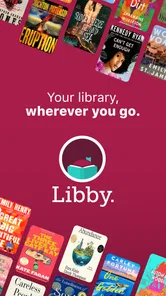
Analysis by Reviewed
For a first-time reader, the best way to think about Libby is as a way to use your library’s digital collection from a phone or tablet. I like the idea because it connects reading and listening to a library card rather than asking me to build a separate paid collection. The app is free, but borrowing depends on the library you use: its catalog and availability shape what you can get, so it is worth treating Libby as a library service in app form, not as a shop with every title ready on demand.
What to expect from a library app
Libby is a Books & Reference app from OverDrive, Inc., with a 4.8 average from around 614,000 ratings and more than 10 million installs. It is rated Teen, and version 9.0.0 is listed for devices running iOS 7.1 or later. Those figures suggest that it has found a broad audience, but what matters in practice is the connection to your local library: the app can make borrowing feel immediate when a title is available, while popular books may involve a wait.
That makes it a particularly good fit if you already have a library card, enjoy borrowing rather than owning every book, or want audiobooks alongside ebooks. If you mainly want to purchase a specific new release and start it immediately, a commercial ebook or audiobook store may suit that moment better. I would not choose Libby as a substitute for a purchase when availability is essential; I would use it as a convenient first place to check.
One useful expectation to set is that the app is only as flexible as the collection behind your card. A smaller library catalog can still be valuable, but may call for more patience or browsing beyond your first choice. If you share reading suggestions with someone else, remember that their library access and available formats can differ from yours. I would judge the app by how well it connects me to my own library, rather than assuming every user will see the same selection.
Have you ever found yourself wishing you could carry your local library in your pocket? Well, let me introduce you to Libby, the app that's about to make all your bookish dreams come true. Libby is essentially a digital bridge to your local library, allowing you to borrow e-books and audiobooks without even leaving your couch. Sounds like a dream, right? Let's dive into what makes this app a must-have for any book lover.
Getting Started with Libby
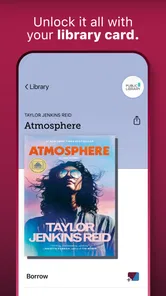
First things first, the setup is a breeze. You download the app, find your library, and sign in with your library card. It's that simple. If you don't have a library card, some libraries even let you sign up for a digital one directly through the app! Once you're in, it's like a whole new world opens up. The interface is clean and intuitive, which means you won't spend half an hour trying to figure out how to borrow your first book. Plus, the app is available on both Android and iOS, so no one's left out.
If you are new to digital borrowing, start by locating your library and following its sign-in route rather than assuming a general account will unlock a catalog. Keep your card details handy, and check that you selected the library you actually use if several nearby options appear. A successful sign-in is the foundation: once the catalog is tied to your library, searches and availability make more sense.
More From Our News Desk

Weather by Xiaomi Review: Clear at a Glance, Less Clear Up Close

X Under Pressure: Can It Recover When Posting Goes Wrong?

Clash of Clans Is Won Between the Battles

Android Auto Makes the Case for Quieter Car Software

MobiOffice: Transforming Mobile Productivity with Seamless Integration

EA SPORTS FC™ Mobile Soccer: Redefining Mobile Sports Gaming
Finding your first good match
After signing in, I would start with a title I already know I want, rather than browsing endlessly. Search by author or title, then check whether the ebook or audiobook is available to borrow. If it is, borrowing gives you a clear first success: the book moves from discovery into your reading or listening routine. If it is not ready, placing a hold is a useful alternative, but it means planning ahead instead of expecting instant access.
A small habit makes holds more useful: add interesting titles to the wishlist as you come across them, then check that list when you finish a book or are ready to choose your next listen. That separates discovery from the moment you need something available now. For a commute, for example, I would confirm the audiobook is borrowed and downloaded before leaving home, rather than relying on a connection during the trip.
For a first successful session, I would choose one available title and open it right after borrowing. That confirms not just that the search worked, but that the book has entered your shelf and is ready in the format you wanted. If you are unsure whether to begin with audio or text, choose the format that fits the next part of your day; you can browse the other format later instead of making the first session a comparison exercise.
Browsing and Borrowing
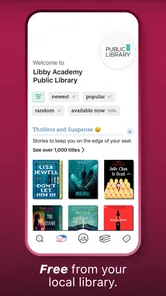
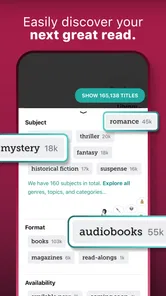
Browsing through Libby's catalog is like strolling through the aisles of a well-stocked library. There's a vast selection of titles, ranging from the latest bestsellers to hidden gems you might not find anywhere else. You can search for books by title, author, or genre, and even filter them by what's available right now. No more waiting weeks for a popular book! Borrowing is as easy as tapping a button, and within seconds, your book is ready to read or listen to. And if you're someone who's always on the go, the audiobook feature is an absolute godsend.
For an everyday example, imagine I finish work and have a short bus ride home. I can listen to an audiobook during the ride, then switch to an ebook later when I want a quieter reading session. The important practical check is whether the chosen title is available in the format I want; an ebook being ready does not necessarily mean its audiobook is ready too. If the title is only on hold, I would pick another available book for today and keep the wanted one on my list.
Compared with a paid reading subscription, Libby feels less like an all-you-can-read shelf and more like a digital branch of a real library. The appeal is that borrowing uses the collection available through your library; the trade-off is that selection and timing are not fully under your control. A store is a better fit when I have decided on one particular book and want dependable access right away. A physical branch can be better when I want to browse print copies or ask staff for suggestions, while Libby is more convenient when I already know what I want to search for.
Making reading fit your routine
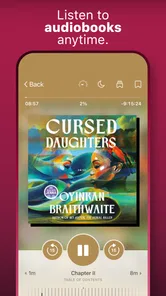
One of the standout features of Libby is the ability to sync across multiple devices. Start a book on your tablet at home, and continue on your phone during your commute. The app remembers your place, so you don’t have to. There's also a wishlist feature, which is perfect for keeping track of books you want to read later. And if you're a speed reader or listener, you can adjust the playback speed on audiobooks to suit your pace.
For audiobooks, playback speed is worth adjusting gradually rather than jumping to a setting that feels efficient but makes dialogue hard to follow. I also find that changing font size and background to suit the room can make an ebook more comfortable for a longer session. These are small controls, but they help Libby work as an everyday reading space rather than just a place to collect borrowed titles.
A practical way to use those controls is to set them for the situation, not chase a perfect universal setup. Larger text can be more comfortable when reading in short bursts, while a lower playback speed can help with a narrator or subject that needs close attention. If a setting makes the book harder to enjoy, change it back; the point is to remove friction, not turn reading into a technical project.
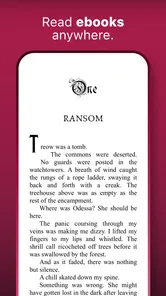
Libby also offers a seamless offline experience. You can download books to read or listen to when you’re without internet access, like on a plane or during a road trip. Imagine having an entire library at your fingertips, even when you're off the grid! The app's customization options are pretty nifty too; you can tweak the font size, lighting, and background color to create the perfect reading experience for your eyes.
Offline access is especially useful when you know a connection may be unreliable, but it does take a little preparation: download the title while you are online and open it before you leave. That simple check helps avoid discovering at the station or on a flight that the book you planned to use is not stored on your device yet.
For a household with different schedules, a borrowed title can also make a shared routine easier: one person might listen while doing chores, while another uses a separate quiet moment for an ebook. I would still keep each person’s preferred format and library access in mind rather than assuming one borrowed copy solves every need. This is where a library app is handy for fitting reading into spare time, but less suitable if everyone needs guaranteed simultaneous access to the same title.
When a title is not ready
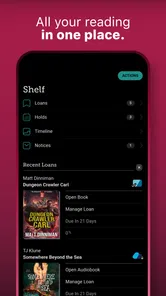
Lastly, I have to mention the holds system. If the book you want is currently checked out, you can place a hold on it, and Libby will notify you as soon as it becomes available. It's like having a personal librarian keeping track of your favorite reads.
The main point of confusion for new users is that a hold is not the same as borrowing: it puts you in line rather than opening the book immediately. Library collections also differ, so a friend’s search results may not match yours. If your first choice is unavailable, I would use the availability filter to find something ready now, while keeping the original title on the wishlist or hold list. That is a more satisfying approach than repeatedly searching for the same book and hoping its status has changed.
If a book becomes available at a time when you are busy, treat the notice as a prompt to decide whether you can start it soon, rather than an instruction to abandon your current read. The best choice depends on how your library handles borrowing and holds, so read the options shown in the app before making a decision. A little planning prevents a long-awaited title from arriving when you have no time for it, and helps you avoid losing track of what you meant to read next.
Libby is strongest when you are flexible about what to read next and happy to let your library’s selection guide you. Compared with buying from an ebook store, it can reduce the need to pay for each title, but you trade control over immediate access for the chance to borrow what the library has. Compared with browsing a physical branch, it saves a trip and makes listening convenient, though it cannot replace the pleasure of picking up a print book or guarantee that a particular title is on the shelf digitally.
Who will get the most from it
I would recommend Libby first to library-card holders who like discovering books, listen to audiobooks, or want to make use of small gaps in the day. It can also suit readers who are trying a new author and would rather borrow before deciding whether to buy a copy. The strongest experience comes when I can accept a substitute if a popular title is unavailable and keep a short list of options ready.
It is less convincing for someone who wants to own a permanent digital collection, needs a specific title on demand, or dislikes waiting for a hold. It may also disappoint a reader whose library has a limited digital selection or does not offer the format they prefer. In those cases, buying from a store, choosing a different book, or visiting a branch may be the more direct answer. I see Libby as a useful complement to those options, not a reason to give them up.
The Final Word
In a world where convenience is key, Libby is a game-changer for book enthusiasts. It merges the charm of traditional libraries with the convenience of digital technology, offering an experience that's both nostalgic and modern. Whether you're a casual reader or a literary aficionado, this app has something for everyone. So, if you haven’t already, give Libby a try and discover a new way to enjoy your favorite books. Trust me, your inner bibliophile will thank you!
My practical recommendation is to begin with one book you genuinely want, confirm that your library is connected, and borrow or place a hold based on its availability. Then download it if you expect to be offline, and adjust the reading or listening controls only after you know what feels comfortable. If you prefer owning a permanent copy, need a title immediately, or do not have access to a participating library, another route may be less frustrating. For library-card holders who are open to a little planning, Libby is a simple, useful way to make reading fit into ordinary gaps in the day.
Libby: Read Library Books Frequently Asked Questions
Does Libby work with any public library?
Libby connects to participating libraries, so the first step is to check whether your local library is available in the app. You will need a library card for a participating library to sign in and borrow its digital materials. The collection, titles, and formats you can browse depend on the library, so your experience may differ from someone using Libby through another library.
Can I read or listen to titles directly in Libby?
Yes. Libby is designed to let you enjoy borrowed ebooks and audiobooks in the app, whether you want to read on screen or listen. You can also download borrowed titles while online for offline access later. What you can borrow depends on the participating library’s collection, so browsing Libby after signing in is the best way to see what is available to you.
Is Libby free to download and use?
Libby is free to download, and borrowing digital materials through the app is free as well. You do need a library card from a participating library to access its collection, and the selection you can browse depends on that library. Once you are signed in, you can discover and enjoy ebooks and audiobooks without paying through the app.
What is Libby and how does it work?
Libby is a mobile application designed to connect users with their local library's digital collection. It allows users to borrow ebooks, audiobooks, and magazines instantly and for free, using just their library card. By signing into the app with a valid library card from a participating library, users can browse, borrow, and enjoy their favorite books on their smartphone or tablet.
Is Libby available for both Android and iOS devices?
Yes, Libby is available for download on both Android and iOS devices. Users can find the app in the Google Play Store for Android devices and the Apple App Store for iOS devices. The app is designed to provide a seamless reading and listening experience across both platforms, making it accessible to a wide range of users.
Pros
- Access to thousands of eBooks and audiobooks.
- User-friendly interface for easy navigation.
- Offline downloads for reading on the go.
- Syncs reading position across devices.
- Free to use with a library card.
Cons
- Limited availability based on library participation.
- Requires a stable internet connection for streaming.
- Not all titles are available as audiobooks.
- Some books have long wait times.
- Occasional app crashes reported.











