Learn to Read: Reading.com
- 357.00
- 4.7
- Installs
- 500.00K
- Price
- Free

Screenshots




Analysis by Reviewed
I’d treat Learn to Read: Reading.com as a guided activity to share with a young learner, rather than something to hand over and expect to teach reading by itself. Its focus on phonics, letter tracing, and early reading makes it most relevant when a child is beginning to connect letters with sounds. The experience will depend not only on the lessons but also on whether the phone or tablet has a reliable connection when the child is ready to use it.
When a connection becomes part of the lesson
Reading practice works best when it feels uninterrupted, so I’d get the app ready before settling in with a child. A story or activity that needs to load at the wrong moment can break their concentration, especially for a learner who is still building confidence. I’d open the app while connected, check that the intended activity is ready, and only then invite the child to begin. I would not plan a session around offline access unless I had tested that behavior on the device myself.
This small bit of preparation matters here more than it might with a simple paper worksheet. A child may be following a sound, tracing a letter, or waiting to hear a word; any pause can turn a focused minute into a request to switch apps. If the connection is unreliable, keeping a book or a few handwritten letter prompts nearby gives you a calm way to continue the reading routine without making the app responsible for every part of it.
Choosing the right moment and device
For a short after-school session at home, I’d use the app alongside an adult who can notice when a child is guessing, losing interest, or ready to move on. That kind of attention is useful even when an activity is easy to navigate: a child can tap through screens without necessarily understanding the sound-letter relationship. A parent can pause and ask them to say the sound or find the same letter in a book, turning screen time into a bridge to reading away from the screen.
On a phone, the smaller display may feel cramped for tracing or for an adult watching alongside a child. A tablet can make shared viewing more comfortable, though it is still worth putting the device somewhere stable and keeping the session brief enough for the child’s attention. I would also avoid starting in a busy waiting room if the network is patchy or the child needs help hearing and repeating sounds. The app is better suited to a settled moment than to filling every spare minute.
What to do when something stalls
If an activity takes longer than expected to open or respond, I’d first check whether the device is still connected, then return to the activity rather than repeatedly tapping buttons. Repeated taps can make it harder to tell whether the app is delayed or whether the child has moved to another screen. If it still does not behave as expected, switch to a quick spoken game: say a familiar letter sound and ask the child to spot that letter on a page or sign. That keeps the learning goal intact without turning a technical hiccup into a struggle.
Because young children can interpret a pause as a mistake, I’d explain simply that the app is taking a moment and offer a choice: wait together or do a paper activity. This is also a useful way to judge whether the app fits your household. If each session depends on troubleshooting, it may be less practical than a physical book or a reading activity that does not rely on a connection.
More From Our News Desk

Clash of Clans Is Won Between the Battles

Android Auto Makes the Case for Quieter Car Software

MobiOffice: Transforming Mobile Productivity with Seamless Integration

EA SPORTS FC™ Mobile Soccer: Redefining Mobile Sports Gaming

How Microsoft OneDrive Became a Mobile Productivity Giant

How Google Translate Breaks Language Barriers Effortlessly
Keeping sessions light on data and expectations
For families watching mobile data use, I’d favor a home connection and avoid assuming that every story, sound, or activity is stored on the device. A sensible routine is to open the app on Wi-Fi before a planned session and keep other streaming or downloads off the child’s device while they practise. I would not leave a child to explore for a long stretch simply because the app is available; a focused turn followed by a conversation or a real book is more useful than treating screen time as a substitute for reading together.
There is also a practical cost question. The app is free to download, but it includes in-app purchases, with items ranging from $12.49 to $119.99. I’d check what is included in the free experience and review any purchase prompt before handing the device to a child. That matters in a shared-device household, where a curious tap can lead to an unexpected decision. The content is rated for everyone, but adult guidance still helps keep both purchases and screen habits under control.
A Friendly Approach to Reading
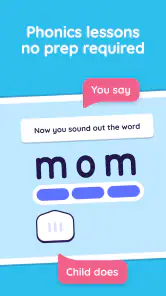
One of the first things that caught my attention is how Learn to Read: Reading.com uses a kid-friendly approach. It’s like a digital playground where kids can explore words and sounds at their own pace. The app is designed with bright colors and cute animations that keep the little ones hooked. I mean, we all know how hard it is to get kids to sit still, right?
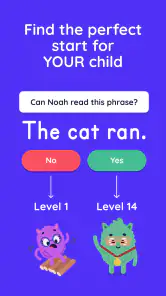
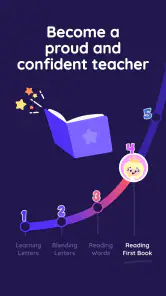
The app offers a structured learning path that adjusts to your child’s reading level. So, whether your kiddo is just starting out or already knows a few letters, there’s something here for everyone. I found this adaptability particularly helpful because it means the app grows with your child.
Interactive Stories and Games
The magic happens with the interactive stories and games. These aren’t just any stories; they’re crafted to boost vocabulary and comprehension. I tried a few of these stories with my child, and I was pleasantly surprised at how intuitive the interface is. Kids can tap on words to hear them out loud, which really helps with pronunciation and retention. Plus, earning rewards as they progress is a nice touch to keep them motivated.
I also love the phonics-based games that come as part of the package. They’re fun, engaging, and, most importantly, educational. My child didn’t even realize they were learning—talk about sneaky education!
Parental Controls and Progress Tracking
For us parents, the app provides a handy progress tracker. You can see how your child is doing, which areas they excel in, and where they might need a bit more practice. It’s like having a digital tutor right at your fingertips. And let’s not forget about the parental controls, which let you control how much screen time is spent on the app. This feature is a lifesaver, especially when trying to balance fun and learning.
Who will get the most from it
I think this is a good fit for families who want a structured, child-friendly way to practise early reading with an adult close by. It can also help when a child is reluctant to sit with a conventional book: an interactive prompt may make the first few minutes easier, and a parent can then carry the same sound or word into a shared story. For a child who already reads independently, or who needs specialist instruction, I would look for material matched more closely to their current needs rather than expecting one general app to fill every gap.
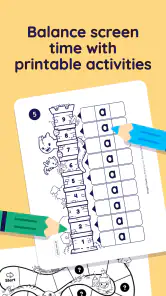
Compared with flashcards, printed phonics books, or a library story, this app adds audio and interactive responses, which can make practising a sound feel more immediate. The trade-off is that those physical alternatives are ready without a device or network and make it easier to talk, point, and write together. I’d use the app as one part of a mix: let it provide a guided activity, then ask the child to find or write the same letter somewhere else. That simple transfer is a better test of learning than finishing a screen alone.
Making progress visible without turning it into a test
The progress tracker is most useful to me as a prompt for what to do next, not as a scorecard for the child. If it points to a letter or sound that needs more practice, I’d bring that same item into ordinary life: notice it on a cereal box, a picture book, or a label at home. This gives a parent a low-pressure way to check whether practice is carrying over beyond the screen. It also avoids the trap of repeating an activity just to make a progress display look complete.
I’d keep praise focused on effort and attention rather than speed. A child who takes time to listen, tries a sound, and corrects themselves may be learning more than one who quickly taps through a familiar sequence. Rewards can help sustain interest, but an adult can make the learning goal clear by asking a simple follow-up question before moving on. That small pause helps distinguish genuine recognition from tapping by habit.
When a short routine works better
A realistic use for the app is a calm ten-minute turn after school, before dinner or another activity begins. I’d sit beside the child, let them choose or continue an appropriate activity, and stop while they are still engaged rather than stretching the session until concentration fades. Then we could look for a matching letter in a book or write it together on paper. The point is not to turn every day into a lesson plan; it is to make a small, repeatable connection between the app’s prompts and reading in the child’s surroundings.
For a child who is tired, hungry, or already frustrated by reading, I would not insist on opening the app simply to keep a routine intact. The interactive presentation may draw attention, but it cannot replace a patient adult or make a difficult moment feel easy every time. A familiar story read aloud, with no expectation that the child perform, can be the better choice on those days. I see the app as one option in a family’s reading toolkit, not a requirement for progress.
Where it fits among reading tools
Teaching.com developed this education app, which is free to install and has a 4.7 average from around 4,200 ratings; it has also passed 500,000 installs. It was released on July 13, 2023, and version 5.4.76 requires Android 8.0 or later. Those details make it straightforward to assess basic compatibility, but the more important question for me is whether the child benefits from the app’s style of guided practice. I’d try a short session together before building it into a daily routine, watching whether the child attends to the sounds and letters rather than just the animations or rewards.
Against a basic phonics video, the app’s appeal is that a child can interact with words and activities rather than only watch and listen. Against a one-to-one tutor or tailored reading support, though, it cannot offer the same personal judgment about why a child is stuck or how to adjust an explanation in the moment. Printed books and cards win for quick, connection-free practice and are easier to take out anywhere; the app is more engaging when a learner responds well to sound and interaction. I’d choose based on the child’s needs that day, not assume one format has to replace all the others.
Practical questions before settling into a routine
If you are wondering whether it suits a beginner, I’d say it is most naturally aimed at a child who is starting to connect letters and sounds, with an adult nearby to support the practice. A child who already reads comfortably may find the early-learning emphasis too basic, while a learner who needs a specific intervention may benefit more from a teacher or specialist resource. Trying a brief shared session is a better test than judging suitability from the colorful presentation alone.
If you are deciding between a phone and tablet, I’d lean toward the larger screen when an adult and child will be looking together or when letter tracing is part of the activity. A phone remains convenient for a supervised turn at home, but its smaller display can make shared attention less comfortable. For travel, I would prepare cautiously: a connection may be needed at the moment you want to use the app, so I’d bring a book or a simple verbal sound game rather than count on the app as the only activity.
For parents asking whether the app can replace reading together, my answer is no. Its interactive elements can support practice, but conversation, shared books, and noticing letters outside the app are what help make the activity meaningful in daily life. I’d also check purchase prompts and keep device access supervised, particularly if a child uses a shared phone or tablet. These habits make the experience easier to manage without assuming the app alone will provide everything a beginning reader needs.
A connection-aware verdict
My practical verdict is that Reading.com can be a useful companion for early reading practice when the device is ready, the connection is dependable, and an adult is willing to join in. It is less convincing as a hands-off solution, a replacement for books, or a dependable choice for travel where connectivity may be uncertain. If you prepare the activity, keep a low-tech fallback close, and use the progress information to decide what to practise next, it can earn a place in a child’s routine without making the routine depend on a screen.
Learn to Read: Reading.com Frequently Asked Questions
Is Learn to Read: Reading.com free to download, and what should parents know about its cost?
Learn to Read: Reading.com is free to download, so parents can try the app before deciding whether to pay for additional access. It offers in-app purchases, with listed prices ranging from $12.49 to $119.99 per item. Because the free download and paid options are separate, check the purchase details in the app and make sure children understand that some content may require a payment.
Is Learn to Read: Reading.com appropriate for children, and what age rating does it have?
The app has an Everyone content rating, making it suitable for a broad audience. Learn to Read: Reading.com is intended to support early reading through activities such as phonics and letter tracing, so it may be especially relevant to families looking for an educational app for a young learner. Parents can still explore the app together with their child and decide whether its content and learning approach are a good fit.
What is Learn to Read: Reading.com and who is it for?
Learn to Read: Reading.com is an educational app designed to help young children develop reading skills through engaging activities and interactive lessons. It is primarily aimed at children aged 3 to 7 years old, making it ideal for preschoolers and early graders who are beginning to learn how to read. The app features a variety of phonics-based learning modules and fun exercises to build foundational reading abilities.
What features does Learn to Read: Reading.com offer to enhance children's reading skills?
The app offers a comprehensive range of features designed to boost children's reading skills, including phonics exercises, interactive stories, and vocabulary games. It uses colorful animations and engaging characters to make learning fun and interactive. Additionally, the app provides progress tracking for parents to monitor their child's improvement over time. This ensures a tailored educational experience that adapts to each child's pace and learning style.
Is Learn to Read: Reading.com suitable for non-native English speakers?
Yes, Learn to Read: Reading.com is suitable for non-native English speakers. The app is designed to cater to children who are learning English as a second language by providing clear pronunciation guides, audio support, and visual cues. This makes it an excellent resource for language learning alongside reading skill development. The app's structured approach helps non-native speakers grasp the basics of English phonetics and vocabulary efficiently.
Pros
- Engaging interactive content.
- Child-friendly interface.
- Offers progress tracking.
- Encourages independent learning.
- Includes diverse reading materials.
Cons
- Requires internet connection.
- Some features behind paywall.
- Limited free content.
- Occasional app crashes.
- Can be slow on older devices.
- Category
- Education
- Version
- 5.4.76











