KIDSTOPIA - Learning and Play
- 31.00
- 3.5
- Installs
- 1.00M
- Price
- Free

Screenshots
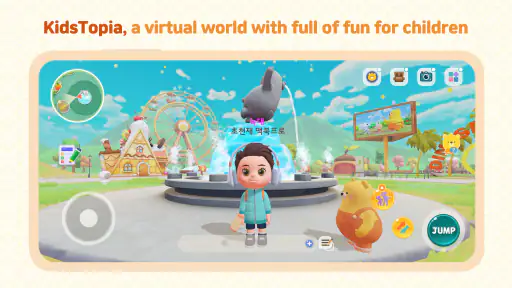
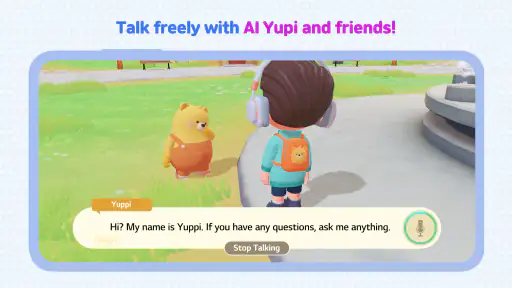
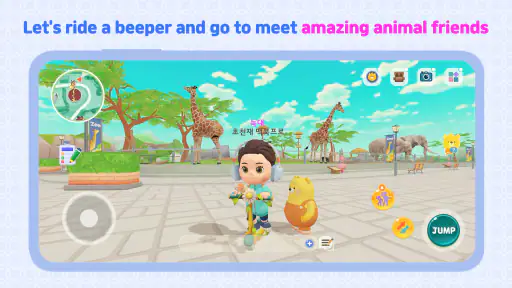
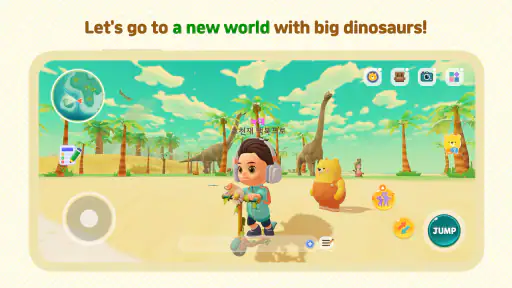
Analysis by Reviewed
When I want a child’s screen time to feel a little more purposeful, I look for an app that gives them something to explore rather than just another video to watch. KIDSTOPIA - Learning and Play is an education app from LG Uplus Corporation, and its appeal is the mix of playful activities and learning in one place. I’d treat it as a way to add variety to a child’s day, not as a replacement for books, conversation, or hands-on play.
Choosing it for the moment you have
The most useful question is not whether an app has educational content in general, but whether it fits the child and the situation in front of you. KIDSTOPIA makes sense when a young child is curious, has a short stretch of time to fill, and can enjoy exploring activities without needing a tightly structured lesson. Its focus on learning through play is a better match for an informal break than for a parent looking for a formal course with a planned sequence and measurable progress.
For example, I can imagine using it while dinner is being prepared: a child can settle into an activity nearby, and I can check in between kitchen tasks. That is a realistic use, but I would still set expectations first. A digital activity can occupy a moment; it does not automatically make the moment educational simply because the app is in an education category. A quick question afterward—what did you make, or which animal did you see?—can turn passive tapping into a bit of conversation.
The app is free to download, with in-app purchases ranging from forty-nine cents to eight dollars and forty-nine cents per item. I would keep that in mind before handing over a device: free entry does not necessarily mean every available item is included. If a child is likely to tap purchase prompts, I’d set up appropriate purchase controls on the device and agree on boundaries before they start. That small bit of preparation can prevent a cheerful play session from turning into a negotiation.
A child-led session, with a parent nearby
My preferred way to introduce an app like this is to explore it together once before expecting a child to use it independently. Sit with them, let them choose an activity, and notice which parts hold their attention. That first session helps a parent understand the app’s rhythm and gives the child a simple starting point. It also makes it easier to explain how to return to an activity or move on if they get stuck, without assuming that every young user will intuitively understand every screen.
After that, a short routine can work better than an open-ended handoff. I’d invite the child to choose one activity, let them play, and then ask them to tell me what they noticed. This is not a claim that the app tracks progress or teaches a particular skill in a fixed order; it is a practical way to make play more intentional. If the child is losing interest, I would stop rather than trying to stretch the session. A positive, brief experience is usually more useful than insisting that screen time continue.
There is also a useful difference between a child choosing freely and a parent directing every tap. Too much guidance can make a playful app feel like schoolwork, while no guidance at all may leave a younger child bouncing between options. I’d start by offering a small choice—“Would you like to look at a story or try a puzzle?”—and then let the child lead. This keeps the session manageable without turning the parent into a full-time instructor.
More From Our News Desk

Clash of Clans Is Won Between the Battles

Android Auto Makes the Case for Quieter Car Software

MobiOffice: Transforming Mobile Productivity with Seamless Integration

EA SPORTS FC™ Mobile Soccer: Redefining Mobile Sports Gaming

How Microsoft OneDrive Became a Mobile Productivity Giant

How Google Translate Breaks Language Barriers Effortlessly
How it fits beside familiar alternatives
Compared with a video, an activity-based app can invite a child to respond, make choices, or try something rather than simply watch. Compared with a workbook or a physical puzzle, it is easier to bring along and can offer a change of pace, but it cannot provide the same tactile experience or the shared back-and-forth of sitting together at a table. I see KIDSTOPIA as one option in a small mix of activities, not a winner that makes the others unnecessary.
That distinction matters when deciding what to use. If a child needs quiet, independent entertainment for a short wait, an app may be convenient. If they need to move, practise handwriting, or talk through a difficult idea with an adult, a screen is probably not the best tool. A paper activity, a toy, a story read aloud, or simply a conversation may do more for that particular moment. The right choice depends on the child’s mood and need, not on the promise of digital learning alone.
It may suit families who want playful variety and are comfortable supervising a child’s use of a device. I would be more cautious if the goal is a curriculum-led program, if a child becomes distressed when screen time ends, or if the family is trying to reduce device use. The app’s age rating is Everyone, but that does not mean every activity will fit every child equally well. A parent still has to judge attention span, interests, and readiness.
From first tap to a useful stopping point
A good session has a beginning, a handoff, and an ending. Before opening the app, I’d decide how much time is available and whether I can stay close enough to help. Then I’d let the child pick an activity, watch how they approach it, and step in only when they need a nudge. At the end, I’d give a clear cue to stop and invite them to share one thing they enjoyed. That routine makes the app easier to fit into family life than handing over a device with no plan.
The handoff between adult and child deserves attention. If a caregiver opens the app, chooses an activity, and passes the device over, it helps to say what happens next: “You can try this, and then we’ll put the tablet away.” That keeps the child from interpreting the device as an unlimited invitation. When another adult is caring for the child, a simple shared rule about purchases and stopping time can avoid mixed expectations. The app itself cannot set a family’s boundaries; the grown-ups have to do that part.
For a child who likes to show what they have done, the outcome can be more than the minutes spent on-screen. Let them describe a choice, repeat a sound, or explain what they found interesting. I would not expect every session to produce a visible learning milestone, and I would avoid quizzing them as if play had to prove its worth. The more useful result may simply be that they were engaged, made a choice, and had something to talk about afterward.
What the published details tell me
KIDSTOPIA has an average rating of three and a half from around eighteen hundred ratings, with thirty-one written reviews, and has been installed over one million times. I read those figures as a sign that it has reached a sizeable audience, not as a guarantee that it will suit a particular child. Family preferences vary widely: one child may enjoy exploring, while another wants a very specific kind of challenge and quickly loses interest in anything else.
The app was released on June fourteenth, two thousand twenty-three, and its current version is one point nine point nine. It supports Android nine and later, so compatibility is worth checking on an older device before planning around it. It is free, rated for Everyone, and offers optional in-app purchases. Those details make it relatively easy to consider, but I would still look at the device’s available storage, update status, and purchase settings before introducing it to a child.
One practical tip is to test the whole routine before relying on it during a busy moment. Open the app yourself, see how a child can return to the activity they chose, and check whether the device is set up the way you want. This avoids discovering a navigation snag while you are trying to cook or manage a queue. A second tip is to keep the first session short enough that you can observe whether the child can use the interface comfortably. If they need repeated help, that is useful information, not a failure.
Where the experience can fall short
The broad mix suggested by the app’s playful learning approach can be a strength, but breadth is not the same as depth. If you want a tightly organized program for practising one subject over time, you may prefer a specialist learning app, a teacher’s materials, or a physical workbook. Those alternatives can make it easier to focus on a defined goal. KIDSTOPIA is more appealing when the aim is to let a child explore and enjoy educationally themed play, rather than follow a strict lesson plan.
Independent use also has limits. A bright, child-friendly interface may be approachable, but a young child can still need help choosing what to do, handling transitions, or understanding when the session is over. I would not assume that a child can manage the app without an adult simply because they can tap around on a screen. If transitions are already difficult, agree on a stopping cue in advance and keep the device within the adult’s reach.
Parents should also be careful not to treat “educational” as a promise that every minute will build a specific skill. The value depends on the child’s engagement and on what happens around the activity. If a child taps quickly without thinking, pause and ask them to explain their choice; if they are absorbed and content, there may be no need to interrupt. The point is to notice how the child is using the app, rather than assume the category alone guarantees a particular outcome.
Engaging Content for Curious Minds
Right off the bat, KIDSTOPIA - Learning and Play offers a plethora of activities designed to cater to a child’s inquisitive nature. From colorful puzzles and interactive stories to math challenges and phonics games, this app seems to have it all. My kid is particularly fond of the animal puzzles, which not only keep them entertained but also help in learning the names and sounds of various animals. It's a win-win situation!
User-Friendly Interface
One of the things that stood out to me was the app's user-friendly interface. Navigating through the app is a breeze, even for the tiny fingers of my toddler. The cheerful graphics and vibrant colors make the experience all the more engaging. I found it easy to set up, and my child could independently explore without much guidance.
Safe and Secure
As a parent, safety is always a top priority, and KIDSTOPIA does not disappoint. The app is ad-free, which means my child can play without any interruptions or exposure to inappropriate content. Moreover, it features a secure environment where kids can learn and play without any worries. It's reassuring to know that the developers have taken steps to create a safe digital playground for kids.
Encouraging Learning Through Play
What I absolutely love about KIDSTOPIA is its ability to blend education with fun seamlessly. It promotes learning through play, which is crucial for young minds. The app covers a wide range of topics, from basic math and language skills to creativity-boosting activities like drawing and music. It’s like having a mini school wrapped in a fun package!
In conclusion, KIDSTOPIA - Learning and Play is a fantastic app that offers an enriching experience for children. Its blend of educational content and fun activities ensures that kids are not only entertained but also learning valuable skills. If you're seeking an app that provides educational value while keeping your child engaged, this might just be the perfect choice. So, why not give it a try and let your child explore the wonders of learning through play?
KIDSTOPIA - Learning and Play Frequently Asked Questions
Is KIDSTOPIA - Learning and Play free to download, and what might cost extra?
KIDSTOPIA - Learning and Play is free to download, so families can try the app without paying upfront. Some content is available through in-app purchases, with individual items priced from $0.49 to $8.49. If children use the app independently, it is worth checking purchase settings first so any optional spending is intentional.
What devices can run KIDSTOPIA - Learning and Play?
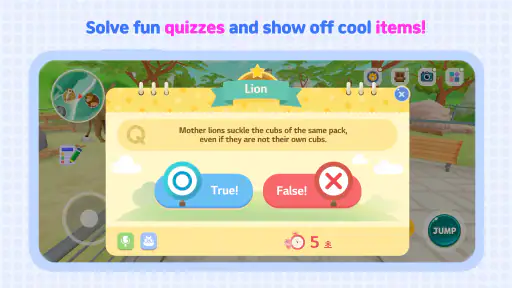
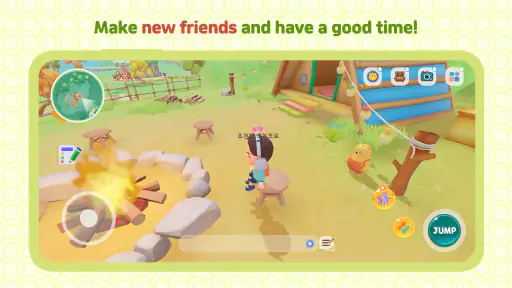
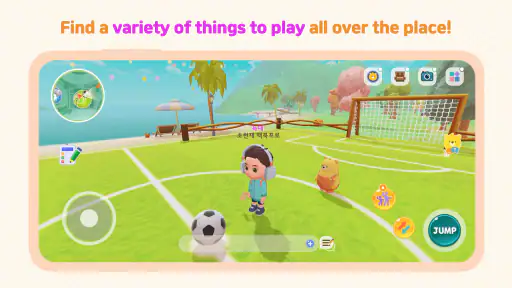
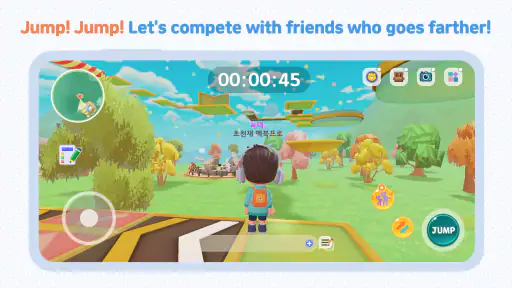
The app requires Android 9 or later, so check the operating system on your device before downloading. KIDSTOPIA - Learning and Play is an education app, and its digital theme-park approach is aimed at combining learning with play. Compatibility depends on meeting that minimum system requirement; keeping the device’s software current can also help with general app use.
What age group is KIDSTOPIA - Learning and Play suitable for?
KIDSTOPIA - Learning and Play is designed for children aged 3 to 8 years. The app offers a range of educational games and activities that cater to the learning needs of preschool and early elementary children. With its colorful graphics and engaging content, it aims to make learning fun and enjoyable for young kids.
Does KIDSTOPIA require an internet connection to function?
KIDSTOPIA - Learning and Play can be used offline, making it convenient for parents who want their children to learn without the need for a constant internet connection. However, certain features, such as updates and some interactive activities, may require an internet connection to function optimally.
Are there in-app purchases in KIDSTOPIA - Learning and Play?
Yes, KIDSTOPIA does offer in-app purchases. While the app provides a variety of free content, additional games, and learning modules can be purchased to enhance the educational experience. Parents should be aware of these options and manage purchase settings appropriately to avoid unintended purchases by children.
Pros
- Engaging educational content for kids
- User-friendly interface
- Wide range of learning games
- Regular updates with new content
- Parental control features
Cons
- In-app purchases can be expensive
- Some games require internet connection
- Limited language options
- Occasional app crashes
- Ads might be distracting
- Category
- Education
- Version
- 1.9.9











