Kids Academy: Learning Games
- 40.00
- 3.8
- Installs
- 1.00M
- Price
- Free

Screenshots
Analysis by Reviewed
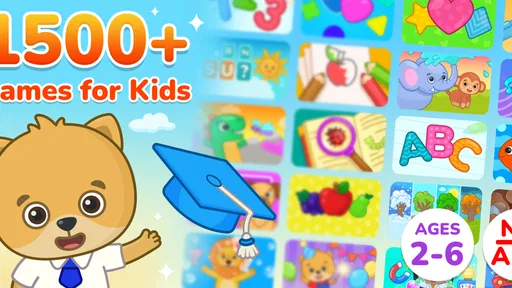
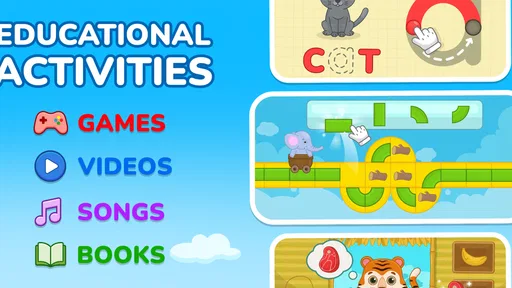
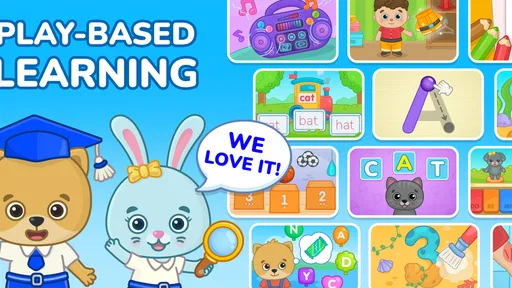
I spent time with Kids Academy: Learning Games as a family-focused education app, and my first impression was that it is designed to make short learning sessions feel less like formal study. It brings together activities aimed at early learners, with vocabulary, basic math, educational videos, and game-like practice in one place. That combination makes it easier for a parent to offer a child something purposeful during a quiet moment, although it also means the experience is broader than a single focused course.
The app is free to install and is rated Everyone, which makes its intended audience clear: young children and the adults helping them choose suitable screen time. It comes from Bimi Boo Kids Learning Games for Toddlers FZ-LLC and sits in the Education category. Its current version is 1.1.43, and it runs on Android 7.0 or later. Those details matter if you are using an older family tablet rather than a recent phone.
How Kids Academy works in everyday learning
The strongest idea here is variety. Instead of asking a child to stay with one lesson format, the app combines language exposure, number-related practice, and videos. For a preschooler, changing the type of activity can help maintain attention. A child who loses interest in a vocabulary exercise may respond better to a short visual explanation or a simple game-like task afterward.
I would use it as a flexible supplement rather than as a complete teaching program. The app is better suited to reinforcing concepts already introduced by a parent or teacher than replacing conversation, books, handwriting practice, or hands-on counting. A screen can show a word or number, but a young child still benefits from hearing that word used naturally and touching real objects.
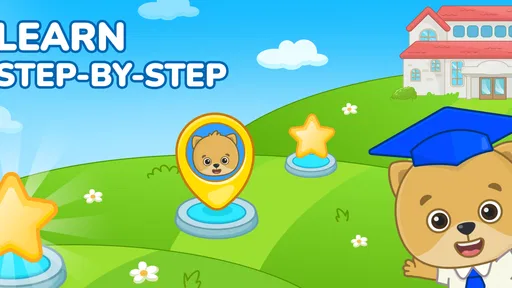
One practical advantage is that the different learning areas can fit into the same routine. A parent might begin with a few vocabulary activities, move to a short math exercise, and finish with an educational video. That sequence creates a natural stopping point instead of leaving a child endlessly moving through unrelated entertainment. I found that this kind of structure is more useful than simply handing over a device and hoping the content remains educational.
The app has reached over one million installs, so it is not an obscure experiment with no apparent audience. Its average rating is 3.8 from around 1,700 ratings, while the store shows 40 written reviews. I read that combination as a reason to approach it with realistic expectations: many families are using it, but the score does not suggest that every household will find the experience equally polished or equally suitable.
What the free access means
The important cost distinction is that the app itself is free, while in-app purchases range from $8.99 to $59.99 per item. That means you can install it and assess the basic experience before deciding whether spending money makes sense. I appreciate that starting point because educational apps are highly dependent on a child’s age, attention span, and preferred learning style.
More From Our News Desk

Weather by Xiaomi Review: Clear at a Glance, Less Clear Up Close

X Under Pressure: Can It Recover When Posting Goes Wrong?

Clash of Clans Is Won Between the Battles

Android Auto Makes the Case for Quieter Car Software

MobiOffice: Transforming Mobile Productivity with Seamless Integration

EA SPORTS FC™ Mobile Soccer: Redefining Mobile Sports Gaming
Free access is most valuable when you treat the first sessions as a trial rather than assuming the entire learning library is included. Before planning a long-term routine, I would open the available activities with the child, check whether the difficulty feels appropriate, and see whether the video and game formats actually hold their attention. If the free portion already feels repetitive or too easy, paying for more content is unlikely to solve the underlying mismatch.
The purchase range is wide enough that the decision deserves care. A lower-priced item may be reasonable for occasional reinforcement, while a higher-priced item needs to provide enough sustained use to justify itself for your family. I would not buy simply because a child enjoys the first few minutes. I would first look for repeated voluntary use across several sessions and evidence that the activities support a real goal, such as practicing early vocabulary or recognizing numbers.
Because the app is aimed at children, adults should handle purchase decisions themselves. I would review the available options before giving a child independent access to the device, then decide whether the free material is sufficient. This approach keeps the value question clear: you are not paying for the right to try the app; you are deciding whether additional access is useful enough for your household.
Where the learning value is strongest
Vocabulary practice is likely to be most useful when paired with conversation. After a child encounters a word in the app, I would ask them to find an example in the room, draw it, or use it in a simple sentence. That turns passive recognition into a small real-world exercise. The app provides the prompt, but the parent adds the context that makes the word memorable.
Math activities can work in a similar way. If the app introduces counting or basic number ideas, follow up with toys, snacks, or household objects. Asking a child to count three blocks after seeing a digital example creates a useful bridge between the screen and everyday reasoning. This is one of the best ways to avoid the common problem of a child performing well inside an app but struggling to apply the same idea away from it.
The video component may be especially helpful at the start of a session, when a child needs a gentle introduction before attempting an activity. However, videos should not become the entire routine. Watching is easier than responding, so I would use a video as a lead-in and then encourage the child to complete a related task or explain what they noticed.
A less obvious strength is the possibility of using the app as a transition tool. A short learning activity can occupy the few minutes before dinner, during travel, or while a parent handles a necessary task. The key is to define the session in advance. For example, “one vocabulary activity and one math activity” gives the child a clear finish line, whereas unlimited access can turn an educational app into ordinary passive screen time.
Tradeoffs parents should understand
The broad subject mix is convenient, but it may feel shallow to families looking for a carefully sequenced curriculum. If your child needs systematic reading instruction, detailed math progression, handwriting development, or teacher-style assessment, a specialist app or an offline program may be a better fit. Kids Academy is more appealing as a collection of approachable learning experiences than as a formal academic course.
Another tradeoff is that game-like presentation can motivate practice while also encouraging children to focus on completion rather than understanding. I would watch for whether the child can explain an answer or use a new word afterward. If they are only tapping quickly to move forward, pause the session and add a spoken or physical activity. The adult’s involvement makes a noticeable difference in the quality of the learning.
The rating of 3.8 also suggests that expectations should remain measured. I would not interpret the app as a guaranteed solution for attention, early learning, or screen-time battles. Some children will enjoy the mix of videos and activities; others may prefer a quieter book, a more focused math tool, or direct interaction with an adult. The app’s usefulness depends heavily on that personal fit.
There is also a practical value tradeoff around paid content. A purchase may make sense if the child returns to the activities and the material supports a specific routine. It makes less sense if the app is being used only during occasional emergencies or if the child quickly moves on to another interest. Since the available purchase amounts extend from $8.99 to $59.99 per item, I would be particularly cautious about choosing the most expensive option without first establishing regular use.
I would also avoid comparing this app directly with a full classroom experience. It cannot provide the same social interaction, immediate correction, physical materials, or individualized explanation that a teacher or parent can offer. Its role is narrower and more practical: it can add variety to early learning and give a child a guided digital activity when used with sensible limits.
How I would use it with a young child
My preferred routine would be short and predictable. I would choose one area before opening the app, rather than letting the child jump between every available option. On a vocabulary day, I would select a few words, talk about them afterward, and stop while the child is still engaged. On a math day, I would connect the digital activity with objects nearby.
For a realistic everyday example, imagine a parent preparing dinner while a preschooler needs a quiet activity. I would set up the app at the table, choose a limited learning goal, and remain close enough to ask questions. After the child finishes, I might ask them to name objects in the kitchen or count safe items while I continue cooking. That makes the app part of a broader interaction instead of a substitute caregiver.
Another useful workflow is to keep a simple mental note of what the child already handles easily. If vocabulary tasks are effortless but number activities cause frustration, spend less time repeating the easy material and use the difficult area only in small doses. The app can provide practice, but the parent still needs to adjust the session based on the child’s response.
I would also use the video material selectively. A video can settle a child into the topic, but I would follow it with a question such as “What did you see?” or “Can you show me one?” That small step reveals whether the child was watching actively. It also helps parents decide whether the content is delivering real value or merely filling time.
For travel, the app may be convenient because it brings several early-learning themes together. Still, I would download or prepare anything needed before handing over the device and avoid making it the automatic answer to every quiet moment. Alternating it with picture books, audio stories, drawing, and simple observation games keeps the child from depending on one screen-based format.
Who should choose it, and who should skip it
I think the app is a reasonable choice for parents of young children who want an accessible mixture of vocabulary, math, videos, and games. It is particularly suitable for families that prefer short, informal practice and want to test an app before paying for additional material. The Everyone rating and support for Android 7.0 or later also make it a practical candidate for a range of family devices.
It may also suit grandparents or caregivers who want a ready-made activity but do not need a detailed teaching plan. A simple session goal can make the app easier to supervise. The adult does not need to turn every use into a lesson; asking one or two follow-up questions is often enough to make the activity more meaningful.
I would skip it if you want a tightly structured program with clear progression, detailed reporting, or a single subject taught in depth. I would also look elsewhere if your child strongly dislikes videos, becomes frustrated by tap-based activities, or needs specialized support that a general early-learning app cannot provide. In those cases, physical materials, a specialist tool, or direct guidance may offer better value.
Families with a strict no-purchase policy can still try the free installation, but they should judge it only by the material they can actually use without spending. Families comfortable with in-app purchases should still decide based on repeated usefulness, not on the size of the content collection. The right question is whether the app improves your child’s routine enough to earn a place in it.
My value-based verdict
Kids Academy: Learning Games is best understood as a flexible educational companion rather than a complete early-years curriculum. I like the way it brings several learning formats into one child-friendly place, and I see genuine value in using it for short sessions that connect digital activities with conversation and real objects.
The free starting point is a clear advantage because it lets families test the fit before considering purchases. The paid options can be worthwhile when a child returns regularly and the extra material supports a specific learning routine, but I would not treat the highest purchase amount as automatically good value. The app earns that decision through consistent use, not through the promise of variety alone.
My final recommendation is cautious but positive. I would suggest trying it for families seeking light, guided practice in vocabulary and early math, especially when they are willing to participate rather than leave the child entirely alone with the screen. I would choose a more specialized alternative for structured academic goals or children who need hands-on instruction. Used in the right role, this free Education app can add useful variety; used as a replacement for teaching, it is much less convincing.
Kids Academy: Learning Games Frequently Asked Questions
What devices and operating systems can run Kids Academy: Learning Games?
Kids Academy: Learning Games is available for mobile devices, and the current version requires Android 7.0 or later. Before downloading, check that your device meets this requirement and has enough space for the app and its content. Keeping the operating system and app updated can also help you get the intended experience and access newer features.
Who develops Kids Academy: Learning Games, and how popular is it?
Kids Academy: Learning Games is developed by Bimi Boo Kids Learning Games for Toddlers FZ-LLC. It has an average rating of 3.8 from around 1,700 ratings, with about 40 written reviews, and has been installed over a million times. These figures offer a general sense of its reach, but parents should still decide whether its learning style and activities suit their child.
What is Kids Academy: Learning Games, and what ages is it designed for?
Kids Academy: Learning Games is an educational app for young children that combines lessons, puzzles, videos, tracing activities, and interactive games. Its content generally focuses on preschool and early elementary skills, including letters, phonics, reading, numbers, counting, handwriting, shapes, and basic logic. The exact suitability depends on your child’s age, current abilities, and the learning level selected in the app.
What subjects and skills can children practice in Kids Academy?
The app covers several early-learning areas rather than concentrating on only one subject. Depending on the available curriculum and subscription plan, children may practice alphabet recognition, phonics, vocabulary, reading readiness, handwriting, counting, addition, shapes, colors, patterns, memory, and problem-solving. Activities are presented in short, game-like sessions, which can make repetition feel less like traditional homework for younger learners.
Is Kids Academy: Learning Games free to download and use?
Kids Academy can usually be downloaded for free, but access to the complete collection of lessons and activities may require a subscription or in-app purchase. Free content can vary by platform, region, and current promotion. In-app purchases range from $8.99 to $59.99 per item. Before starting a trial, parents should review the payment terms, renewal date, and cancellation procedure shown in the app store, especially if the application is being used on a child’s device.
Pros
- Covers early skills such as letters
- numbers
- shapes
- and basic logic.
- Colorful animations and friendly characters help keep young children engaged.
- Activities are generally simple enough for preschoolers to use independently.
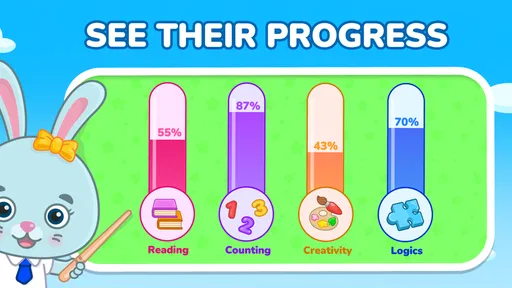
- Progress tracking can help parents monitor a child’s learning activities.
- Works well for short practice sessions at home or while traveling.
Cons
- Some lessons and features may require a paid subscription to unlock.
- Younger children may need help navigating menus and choosing activities.
- Repeated exercises can become predictable after extended use.
- Educational content may feel too basic for older children.
- Parents should review privacy and subscription settings before handing over the device.













