Baby Piano: Kids Music Games
- 185.00
- 4.1
- Installs
- 10.00M
- Price
- Free
Screenshots
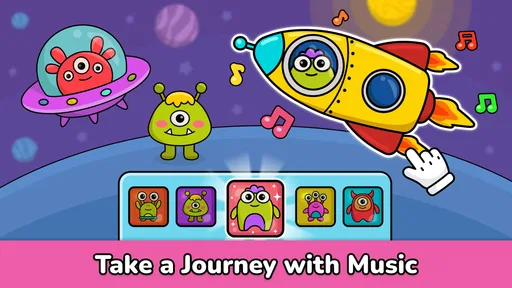
Analysis by Reviewed
I like Baby Piano: Kids Music Games best as a short, shared activity rather than a digital babysitter. It gives a toddler an easy way to tap, listen, and explore, while giving an adult room to turn those taps into a little conversation about sounds. The game is free to start, though optional purchases are available, so I’d try the basic experience with your child before deciding whether anything extra is worth buying.
A simple routine for first play
For a first session, I’d sit beside the child, choose one sound or tune to explore, and let them lead for a few minutes. Asking “Which sound did you like?” or copying a rhythm they make gives the play a purpose without turning it into a lesson. This works particularly well when a toddler is curious about a phone or tablet but is not ready for a structured music class.
The game is aimed at young children, and its music focus makes it different from a general drawing app or a video playlist: the child can make sounds by tapping rather than only watching. It is also a lighter introduction than a full music-learning course, which may ask children to follow instructions or repeat exercises. I would not expect it to teach formal piano technique; its better role is playful sound exploration.
Who gets the most from this kind of play
I’d consider it for a toddler who likes cause and effect: press a key, hear a sound, try again. That simple loop can be satisfying even before a child understands melodies or can follow a tune. It is also a reasonable choice for a caregiver who wants a music-themed activity that does not require a lesson plan or prior musical knowledge. You can join in by naming sounds, taking turns, or letting the child choose what to hear next.
It is less compelling for a child who already wants to learn a song accurately, read notes, or practise a particular instrument. In that situation, a beginner piano course, a teacher, or time at a real keyboard gives more useful direction. I’d also skip it if your family is trying to keep phones out of a toddler’s play routine; the app’s musical angle does not change the fact that it is a screen activity.
What to check before handing over the device
Although the navigation is simple, I recommend that an adult explore the available screens first. That lets you see which activities suit your child and notice where optional purchases appear before the device is handed over. The game is free, with in-app purchases ranging from $1.99 to $6.99 per item, so it is sensible to keep purchase controls under adult supervision.
It is rated Everyone and comes from Bimi Boo Kids Learning Games for Toddlers FZ-LLC. Its current version is 3.14, and it requires Android 5.1 or later. The average rating is 4.1 from around 20,000 ratings, with more than 5 million installs. Those figures suggest it has reached many families, but they cannot tell you whether its particular sounds and activities will hold your child’s attention; a short trial is more useful than treating popularity as a guarantee.
More From Our News Desk

Weather by Xiaomi Review: Clear at a Glance, Less Clear Up Close

X Under Pressure: Can It Recover When Posting Goes Wrong?

Clash of Clans Is Won Between the Battles

Android Auto Makes the Case for Quieter Car Software

MobiOffice: Transforming Mobile Productivity with Seamless Integration

EA SPORTS FC™ Mobile Soccer: Redefining Mobile Sports Gaming
Settings and setup worth a quick look
Before a child starts tapping, I’d check the device’s own volume and purchase protections rather than assume the game will manage those for you. A comfortable sound level matters more than making every note loud and vivid, especially in a small room or during a quiet wait. If the tablet or phone is shared, it is also worth making sure the child cannot accidentally move into unrelated apps or make a purchase while exploring.
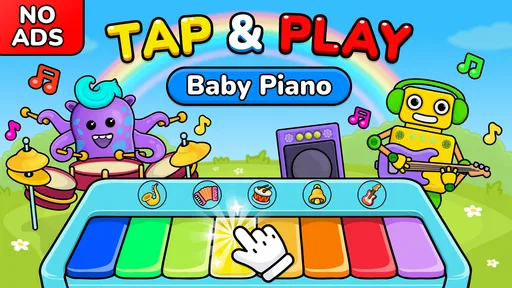
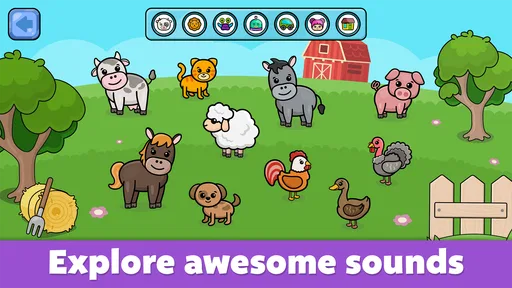
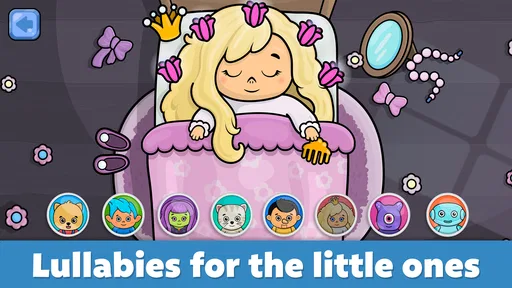
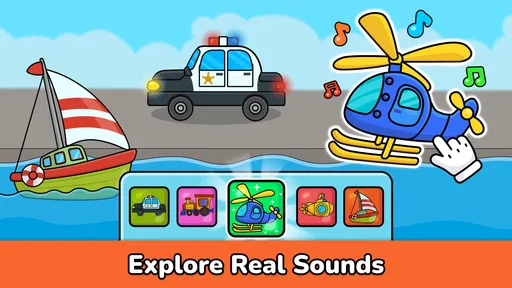
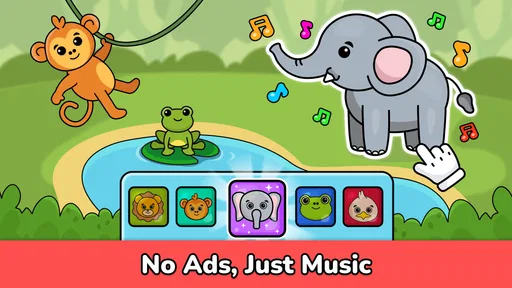
The store summary points to animal sounds, nursery rhymes, songs, and games, so I’d think of the app as a small collection of ways to engage with sound rather than a single piano screen. An adult can preview the available choices and pick one that matches the moment: familiar songs for joining in, or sound exploration when the child simply wants to tap. That small bit of preparation can make a short session feel intentional without making play feel like homework.
Small habits that make play more useful
A repeatable routine helps keep the experience from becoming aimless tapping. I’d start with a brief turn on one instrument, invite the child to copy a simple rhythm, then switch to a song or another activity if their interest shifts. Ending while they are still engaged can make it easier to return to the game later, rather than stretching screen time simply because more content is available.
For a practical everyday use, imagine waiting at a café or sitting through a quiet stretch at home. I’d open the game, keep the volume comfortable, and use a few minutes of tapping as a shared distraction. That is a better fit than expecting it to occupy a toddler for an entire meal or a long journey: the adult’s presence helps the child stay focused, and the activity remains an interaction rather than background noise.
A quicker pattern for busy moments
When there is only a small window to play, I would avoid browsing every activity with a restless child beside me. I’d choose one option before handing over the device, offer a simple prompt such as “copy my two taps,” and then let the child take a turn. This keeps the interaction moving and avoids turning the opening minutes into a search through screens. If attention wanders, switching to a song or stopping altogether is more useful than insisting on finishing an activity.
For repeated use, the adult can keep the routine familiar while changing just one thing: the sound, the tune, or who leads. That makes it easier to notice what the child actually enjoys, instead of confusing novelty with lasting interest. It also gives a caregiver a practical answer to “What should we do with it today?” without needing to invent a new game every time.
Engaging Musical Experience for Little Ones
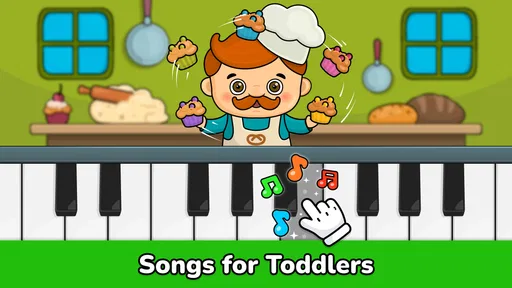
So, what’s the deal with Baby Piano: Kids Music Games? Well, imagine an app that transforms your smartphone into an enchanting musical playground. The interface is bright, colorful, and super easy for tiny fingers to navigate. It’s like giving your kid a mini concert hall right at their fingertips! The app features a variety of instruments like pianos, xylophones, and drums, allowing kids to explore different sounds and create their own melodies.
Why Your Kid Will Love It
First off, the sounds are incredibly authentic. When your little one taps a piano key, it actually sounds like a piano! It’s these little touches that make the app so engaging. Plus, there are catchy tunes that kids can play along with, turning their playtime into a fun musical session. I found myself humming along, which is saying something!
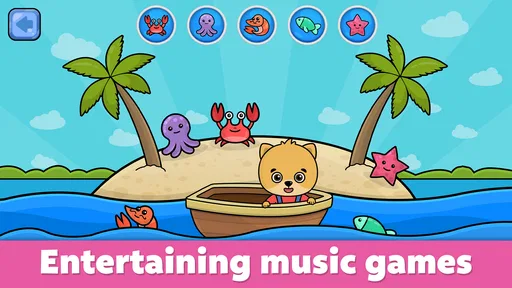
Another cool feature is the interactive mini-games. These games are designed to enhance musical skills and coordination. They’re simple yet effective, and they keep the kiddos entertained for hours. Honestly, it’s a win-win; the kids are happy, and so are you.
How it compares with other music options
Compared with a playlist of nursery songs, this game gives a child something to do with the sound instead of only listening. Compared with a full piano-learning app, it asks much less of them: the goal is exploration, not measured progress or accurate practice. That makes it easier to pick up during a short break, but it also means families should not mistake enjoyable tapping for evidence that a child is learning formal music skills.
A toy instrument or a real keyboard may be the better choice when you want tactile play away from a screen, or when a child is ready to practise a specific melody. A video can be easier when an adult needs to share a song without interactive tapping, though it offers less room for the child to make the sounds themselves. I see this game as a middle option: more participatory than listening, less demanding than a lesson, and still dependent on an adult setting the boundaries.
Easy Navigation and Kid-Friendly Design
Now, I know what you’re thinking. How complicated is this app? Well, fear not! The developers have done an excellent job of making it user-friendly. The layout is intuitive, and there are no complicated menus or settings to mess around with. It’s pretty much tap and go, which is perfect for young children who are just getting the hang of using digital devices.
Moreover, the app doesn’t bombard you with ads, which is always a relief. It’s a safe space where your child can enjoy learning music without interruptions. The app also doesn’t require a constant internet connection, which is perfect for those long car rides or when you're out and about.
Realistic limits for a toddler’s session
The easy access is a strength, but it can make the experience feel repetitive once a child has explored the sounds that interest them. I would watch for signs that tapping has stopped being active play and become automatic repetition. At that point, an adult can suggest a turn-taking game, move on to another kind of play, or close the app; there is no need to keep a session going just because the screen remains available.
It is also worth separating a calm activity from a guaranteed calming one. Some children enjoy musical sounds while others may find them distracting, especially when they are already tired or overstimulated. I’d introduce it when there is time to observe the child’s response, rather than relying on it as the only way to settle a difficult moment. Short, supervised use gives you a clearer sense of whether it suits your household.
Trade-offs and who should look elsewhere
The uncomplicated, tap-first approach is convenient, but it also means this is not the right choice for every family. If your child wants a structured lesson path, detailed practice feedback, or a realistic instrument interface for learning piano, a dedicated music-teaching app or an actual keyboard will serve that goal better. This game is more suited to early curiosity, casual play, and making music feel approachable.
It also works best when an adult sets a sensible boundary around the session. The mini-games and sounds can be engaging, but screen play is still screen play; I would use it as one option among books, toys, and real-world music, not as a replacement for them. If your child is easily overstimulated by bright visuals or sound, try a brief session at a low volume and see how they respond before making it part of a routine.
My verdict after weighing its role
For the right family, I think the appeal is not that this replaces a piano, a music lesson, or a box of toys. It offers a readily available way to turn a few minutes into shared sound play, with a child choosing what to tap and an adult helping make the experience more meaningful. That is a modest role, but a useful one when expectations stay modest too.
I would be cautious about buying optional extras before the child has shown sustained interest in the basic activities. The free starting point makes that trial straightforward, while adult supervision helps keep purchases and screen time deliberate. If the child returns to the same sounds with curiosity and enjoys taking turns, it may earn a place in the family’s occasional activity rotation; if not, there is little reason to force it.
Final Thoughts
In conclusion, Baby Piano: Kids Music Games is a fantastic tool for introducing your child to the magical world of music. It’s fun, educational, and incredibly easy to use. Whether it’s the authentic instrument sounds or the engaging mini-games, there’s a lot to love here. If you’re looking for an app that combines learning with fun, this might just be your new go-to. So, why not give it a spin and watch your child’s face light up with joy?
My recommendation is to treat it as a cheerful first step, not a complete music curriculum. It suits toddlers who enjoy pressing keys, hearing different sounds, and joining in with familiar tunes; older children seeking progression or lessons may quickly want more depth. Used in short, shared sessions, it can make an ordinary wait or quiet moment feel playful. That balance—easy access without expecting too much from it—is where I think the game works best.
Baby Piano: Kids Music Games Frequently Asked Questions
Does Baby Piano: Kids Music Games need an internet connection?
A music game for toddlers is often most useful when it is easy to open for a quick play session, whether at home or while traveling. Before relying on Baby Piano: Kids Music Games away from a connection, check how it behaves on your device after installation. Its core appeal is playful music-making, with animal sounds, nursery rhymes, songs, and games for toddlers.
Can parents control spending in Baby Piano: Kids Music Games?
The game is free to download, but it also offers in-app purchases, with items priced from $1.99 to $6.99. If a child will use the device, it is sensible to review your app-store purchase settings and require approval for transactions. That helps prevent an accidental purchase while still letting parents decide whether any paid options are worthwhile for their family.
What devices can run Baby Piano: Kids Music Games?
Baby Piano: Kids Music Games is available for Android and iOS devices, so families can choose the platform that suits their household. On Android, the current version requires Android 5.1 or later. Before downloading, check that your device meets this requirement and has enough space for the game. The app is a music game designed for young children.
What is Baby Piano: Kids Music Games?
Baby Piano: Kids Music Games is an interactive and educational app designed for young children to explore music through playful piano activities. It offers a variety of musical games that help kids develop their musical skills, creativity, and cognitive abilities while having fun. The app is available for both Android and iOS devices, providing a safe and engaging environment for children.
Is Baby Piano: Kids Music Games safe for my child?
Yes, Baby Piano: Kids Music Games is designed with a child-friendly interface and parental controls to ensure a safe experience. The app does not include any inappropriate content or ads that could be harmful. Parents can relax knowing their children are enjoying a secure and educational musical adventure.
Pros
- Colorful and engaging interface for kids
- Wide variety of musical instruments
- Encourages creativity and exploration
- Easy-to-use controls
- No in-app purchases or ads
Cons
- Limited to basic musical features
- May not sustain long-term interest
- Requires internet for full features
- Some sound effects may be repetitive
- Limited language support













