Kiddopia - Kids Learning Games
- 1.19K
- 4.4
- Installs
- 5.00M
- Price
- Free

Screenshots

Analysis by Reviewed
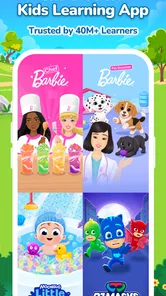
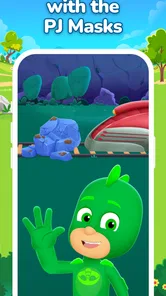
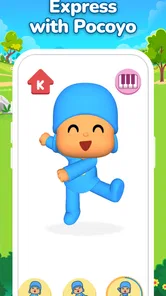
When a child is eager to tap through bright pictures but quickly loses interest in a worksheet, a playful learning app can be an appealing change of pace. Kiddopia - Kids Learning Games is an educational app from Kiddopia Inc. that brings familiar characters, including Barbie, Baby John, the PJ Masks and Pocoyo, into a child-focused play space. I see its strongest use as a way to make a short stretch of screen time feel more purposeful, rather than as a replacement for a parent, a teacher or hands-on learning.
Where Families Can Get Stuck
The first challenge with a broad kids’ app is often not finding something to do, but helping a child choose without letting browsing become the whole activity. A large collection can be appealing when a child is curious, yet a young user may jump from one option to another before settling in. I’d narrow the choice to two activities that suit the moment, then let the child decide. That preserves some independence while giving the session a clear starting point.
Another likely snag is expectation. The familiar characters can draw a child in, but their presence does not mean every activity will match a particular learning goal or hold every child’s attention equally. If you want practice with one narrow skill, first watch what the child actually spends time doing. Their reaction is a better guide than the app’s broad educational appeal.
It also helps to decide what “finished” means before opening the app. For a short wait, that might be one activity; at home, it could be a game followed by drawing or conversation. A simple endpoint makes it easier to close the app without turning the last few minutes into a negotiation.
Setup Checks That Save Frustration
Before handing over a device, I’d check that its operating system is at least version 8.0 and that the app is updated. The current version is 25.11.25, but the practical test is whether it opens and behaves normally on the device you plan to use. If you are setting it up shortly before leaving home, give yourself time to open it once rather than discovering a compatibility or loading issue while a child is waiting.
Because the download is free but in-app purchases range from $0.99 to $99.99 per item, I would review purchase options and device settings before a child uses it independently. A purchase prompt is a moment for an adult to take over and read carefully. This is a more useful precaution than assuming that a child-friendly app will never display a payment choice.
For a first session, I’d sit beside the child and explore together. Notice which activities are easy to find, whether the child can make a choice without constant help, and whether they understand when it is time to stop. That short trial tells you more about fit than leaving the child alone with the app for a long stretch.
More From Our News Desk

 Bolt: Request a Ride
Bolt and the Shift from One-Tap Rides to More Legible Trips
Bolt shows how ride-hailing is shifting from a one-tap taxi request toward a more legible, choice-driven trip, while leaving the hardest questions of price and reliability unresolved.

 Farm Land - Farming life game
Farm Land Review: A Small Island Farm with a Satisfying Loop
A bright, breezy island farm turns a few quick chores into a satisfying cycle of planting, harvesting, expanding, and deciding what to build next.

 Android Auto
’s Community Takes Shape in the Passenger Seat
Its most valuable network is not a public feed but a shared set of routes, voice habits, app integrations, and advice that make driving less isolating—and sometimes more complicated.

 My Talking Angela
 Makes the Virtual Pet Feel Personal
A polished pet-raising game built on small rituals, playful customization, and a character who gives everyday screen time a surprisingly personal rhythm.

 Google Translate
 Review: A Pocket Tool for the Small Frictions of Travel
From menus and signs to quick conversations, Google Translate earns its place by cutting the little delays that make unfamiliar language feel like a barrier.

 Shazam: Find Music & Concerts
Shazam’s Best Trick Is Turning a Song Into a Night Out
A few seconds of recognition can settle an argument, rescue a half-remembered chorus, and point toward a live show. Shazam’s real trick is what happens after the match.
Latest News



First Impressions: A Splash of Colors and Fun
From the moment you open Kiddopia, you're greeted with a vibrant interface that's designed to captivate young minds. The colors are bright and inviting, instantly catching the attention of my little one. It’s like a digital playground where learning meets fun, and let me tell you, it’s a game-changer.
Engaging Content for Curious Minds
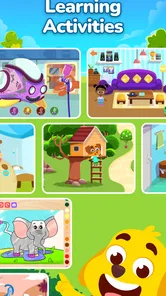
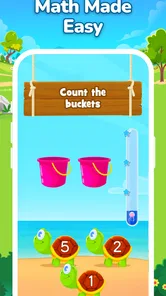
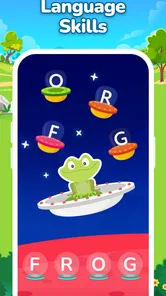
The app is packed with a plethora of games and activities that cover a broad spectrum of subjects. Whether it's math, language arts, or general knowledge, Kiddopia has found a way to make learning exciting. My kid, who usually runs away from anything resembling schoolwork, couldn’t get enough of the math games. That’s a win in my book!
One practical way to use that variety is to let your child choose an activity, then sit nearby and ask them to explain what they are doing. That turns tapping through a game into a chance to practise describing choices and thinking aloud. It also helps you notice whether an activity is genuinely holding their attention or whether the bright presentation is doing most of the work.
Creativity Unleashed
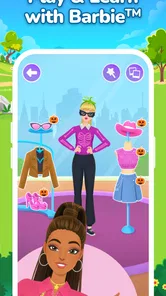
One of the most delightful features is the art and music sections. Kids can explore their creative side by painting, drawing, or even composing music. It’s heartwarming to see my child express themselves freely, all while developing essential skills. Plus, the app encourages them to be proud of their creations by saving and sharing their artwork.
Creative activities can make a useful change of pace when a child is tired of right-or-wrong questions. I’d offer one activity at a time rather than treating the app as a challenge to finish: a child can make something, talk about it, and then stop without needing to complete a long session. If your child prefers building with real materials or making music with physical instruments, those remain richer options for using their hands and exploring sound directly.
Safe and Child-Friendly Environment
As a parent, safety is always a top concern when it comes to digital content. Kiddopia shines in this aspect by offering a 100% ad-free environment. The app is designed with kids in mind, ensuring they can navigate through it without stumbling upon inappropriate content. It’s like giving them a safe corner of the internet to explore and learn.
A child-friendly design can make independent exploration easier, but I would still treat the first session as a shared one. Sit with your child while they look around, see what catches their interest, and agree on when screen time ends. That simple routine is helpful with any children’s app: it keeps the activity from turning into an open-ended distraction and gives you a chance to judge whether the content suits your child.
Workflow Recovery When Something Goes Wrong
If an activity stalls, a child taps away from it, or the app does not respond as expected, I’d keep the recovery steps simple. Close and reopen the app, check the device’s internet connection, and make sure the app and operating system are up to date. If the child has lost interest in the current activity, returning to the home screen and choosing another one may be less frustrating than trying to restore a particular moment.
It is worth separating a technical problem from a change in mood. A child who has been tapping quickly or switching between activities may simply be ready for a break. I’d pause, ask what they want to do next, and avoid repeatedly restarting the same activity if they are no longer interested. That small distinction can prevent ordinary restlessness from becoming a frustrating troubleshooting session.
Where Setup and Access Can Feel Less Simple
The app is free to download, but it includes in-app purchases ranging from under a dollar to amounts close to a hundred dollars per item. That makes it worth checking the purchase options before handing a device to a child. I would also make sure the device’s operating system meets the app’s minimum requirement of version 8.0 or later, and confirm that there is enough room for an app and its content before starting.
If something does not load or behave as expected, I’d begin with ordinary checks rather than assume the activity itself is broken: close and reopen the app, check the device’s internet connection, and make sure the app and operating system are up to date. If a child has wandered away from an activity, returning to the home screen and choosing another one may be simpler than trying to force a session back on track. For a purchase prompt, pause and review it yourself instead of letting a child tap through.
When the App May Not Be the Cause
Not every disappointing session means the app is failing. A child may be tired, distracted by the room, or simply uninterested in the activity they picked. I’d try again at a calmer time with a clear choice and a short endpoint before deciding that the app is a poor fit. If the same difficulty appears across different activities, it may be the device or the child’s readiness for that kind of screen interaction rather than one specific game.
Likewise, an educational app cannot guarantee that a child will practise a skill just because the activity is labelled as learning. A useful check is to ask the child to describe what they did or to try a related task away from the screen. If they cannot explain or repeat it, that does not automatically mean the activity was worthless; it may mean they were mainly enjoying the animation or need an adult to connect the play with a real-world idea.
Choosing It for the Right Child
This is a better fit for families looking for playful variety than for those who want a tightly structured course with lessons that must be completed in order. Compared with a single-purpose counting or alphabet app, its mix of familiar characters and different kinds of activities can make it easier to offer a child another option when interest fades. The trade-off is that a broad collection may feel less focused if your main goal is practising one specific skill. In that case, a book, teacher-recommended exercise or dedicated learning tool may be a better match.
I’d especially consider it for a child who likes trying different kinds of activities and responds well to colorful, character-led presentation. It may be less suitable for a child who prefers quiet, uncluttered materials, or for a family trying to keep screen use minimal. If the child already enjoys paper puzzles, picture books or play with physical toys, those options may offer a better experience for a particular moment; the app does not need to replace them to be useful.
A realistic use case is a short wait at an appointment: I’d open the app with the child, let them pick one activity, and stay close enough to help if they get stuck. For a longer stretch at home, I’d pair a game with something away from the screen, such as drawing a picture inspired by the activity. The app can provide a prompt, but the conversation or follow-up play is where a parent can make the experience more personal.
There is also a practical difference between using it as an occasional distraction and making it part of a routine. For occasional use, choosing one activity together is usually enough. If you plan to return to it regularly, notice whether the child is repeating familiar choices or exploring new ones, and whether that repetition still feels worthwhile. This helps you decide whether the app is earning a place in the routine rather than simply filling time.
Subscription Worth Every Penny?
While the app is free to download, most of the content is behind a subscription paywall. Initially, I was skeptical about shelling out for yet another subscription, but after seeing my kid’s enthusiasm and learning progress, it felt worth it. The app offers a free trial, so you can test the waters before committing, which I found quite considerate.
Because access can involve paid options, I’d first see how often your child returns to the activities and whether the available experience is enough for your family before deciding to spend. The app has an average rating of 3.8 from around 15,000 ratings, and it has passed five million installs, so it has reached a substantial audience without that making it automatically right for every child. It is rated for Everyone, but age suitability in practice still depends on a child’s interests and how much adult help they need.
The current version is 25.11.25, and the app was released on June 26, 2018. Those details matter less than whether it runs smoothly on your device and whether your child enjoys the activities, so I’d check compatibility and try a supervised session before building it into a routine. A child who dislikes screen-based activities, or a parent seeking a lesson-by-lesson curriculum, may be happier with a different approach.
A Practical Verdict for Everyday Use
For me, the key question is not whether a child can spend a long time in the app, but whether a short session feels enjoyable and gives you something to build on together. Kiddopia can be a handy choice when a child wants interactive play and a parent wants a little more variety than one basic counting or alphabet activity. Its colorful presentation and range can help keep a child curious, while adult involvement gives the experience a clearer purpose.
I would skip it if you need a fully sequenced teaching program, want to avoid paid content choices, or know that your child is happier away from screens. For everyone else, I’d try a brief, supervised session and judge it by the child’s interest, the ease of choosing an activity, and whether the app fits comfortably into your family’s limits. Those checks matter more than popularity or a polished first impression.
In conclusion, Kiddopia - Kids Learning Games is more than just an app; it’s an educational companion that grows with your child. It combines the elements of fun, creativity, and learning in a way that feels seamless. Whether you’re looking to give your child a head start in academics or simply want them to have fun while learning, this app is a fantastic choice. Trust me, watching your kid learn and have fun at the same time is priceless!
Kiddopia - Kids Learning Games Frequently Asked Questions
Who develops Kiddopia, and what is it designed to do?
Kiddopia is an education app from Kiddopia Inc. that brings learning activities together with playful themes for children. Its store summary describes learning through play with Barbie, Baby John, the PJ Masks, Pocoyo, and more. Families looking for a child-focused app can explore its activities as one option for combining play and early learning.
What does the Everyone age rating mean for Kiddopia?
Kiddopia carries an Everyone content rating, making it broadly rated for audiences of all ages. That rating does not replace a parent’s judgment about whether the app’s activities, themes, and use are right for a particular child. Caregivers can look through the app together with their child and decide how it fits into their routine.
How popular is Kiddopia with users?
Kiddopia has over 5 million installs, around 15,000 ratings, and about 1,100 reviews. Its average rating is 3.8, which offers a broad snapshot of user feedback rather than a guarantee that every family will have the same experience. Parents may find it useful to consider their child’s interests and needs when deciding whether to try the app.
How much storage space does Kiddopia need on my device?
Kiddopia is an educational app for children, with games and activities covering different early-learning subjects. The space it needs can vary with the device and the content installed, so it is sensible to check that your phone or tablet has room before downloading. Keeping some free storage available can also help the app and other features on your device run smoothly.
Which devices and operating systems can run Kiddopia?
Kiddopia is available for Android and iOS devices, and the Android version requires Android 8.0 or later. Before downloading, check your device’s operating system and confirm that it meets the minimum requirement. The app is made by Kiddopia Inc. and is intended for young children, so a parent or caregiver can set it up and choose how it fits into the child’s device use.
Pros
- Engaging educational content for kids
- Colorful and interactive graphics
- Variety of games covering multiple subjects
- Regular updates with new content
- User-friendly interface for children
Cons
- Requires subscription for full access
- Some content may be too easy for older kids
- Occasional bugs in the app
- Limited offline functionality
- Can be repetitive over time