JoyRead-Enjoy Novels & Shorts
- 4.05K
- 3.8
- Installs
- 10.00M
- Price
- Free

Screenshots






Analysis by Reviewed
I approach Joyread as a reading app for people who want a steady supply of serialized fiction, not as a replacement for every kind of digital library. Its appeal is easy to understand: open a story during a spare moment, return to it later, and follow where the plot leads. But deciding whether it suits you also means looking beyond the promise of a good read: the reading experience, payment choices, age guidance, and the boundaries of what you can comfortably verify before signing up all matter.
What its scale says—and what it does not
Joyread is a free Books & Reference app from Joyread, with an average rating of 4.2 from around 370,000 ratings and more than 10 million installs. Those figures suggest that it has found a substantial audience, but they don’t tell me whether every story is to my taste or whether every reader will enjoy its purchasing model. I’d use popularity as a reason to explore, not as a guarantee of quality. The app is rated Mature 17+, so I would not treat it as a general children’s reading shelf; that age guidance is especially relevant if a device is shared at home.
Trust begins with choices you can see
For a reading app, trust is not only about whether a story is enjoyable. It also involves noticing what choices appear during setup and while browsing, and taking time to review any account or device prompts before proceeding. I wouldn’t assume that an app’s popularity tells me how it handles personal information, nor would I make privacy promises without checking its current disclosures. If you’re cautious, pause at each permission request and ask whether it makes sense for the action you’re taking. A request that feels unrelated is a good reason to stop and review rather than tap through automatically.
Exploring a World of Stories
The first thing you notice when you open Joyread is its extensive library. The app caters to a wide variety of tastes, from romance and fantasy to sci-fi and mystery. There’s a little something for everyone here. One of the best features is the ability to explore new stories through recommendations based on your reading habits. It’s like having a personal librarian who knows exactly what you’re in the mood for.
User-Friendly Interface
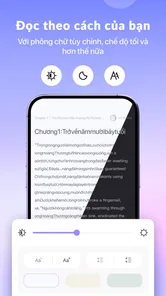
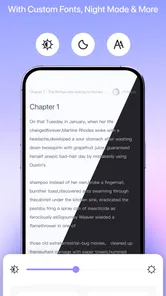
One of the things I appreciated most about the app is its user-friendly interface. It’s intuitive and easy to navigate, which means you can spend more time reading and less time figuring out how to use the app. The design is sleek and modern, with a focus on making the reading experience as enjoyable as possible. Plus, the customizable settings, such as font size and background color, make it easy to tailor your reading environment to your preferences. I’d try those options early, before settling into a long session: a comfortable text size and softer background can make it easier to read in short breaks without constantly adjusting the screen.
Interactive Features
What sets the app apart from traditional reading apps is its interactive features. As you read, you can engage with the community by leaving comments and interacting with other readers. It’s like a virtual book club where you can discuss plot twists, character development, and share your thoughts on the story. This feature adds a social element to the reading experience, making it even more engaging. It is also a choice rather than a requirement: if you prefer to read quietly, you can focus on the story and leave the discussion aside. For readers who enjoy reactions and theories, comments can make an ongoing novel feel more communal, though they may also reveal plot details, so I’d be careful around a chapter whose ending I haven’t reached.
Offline Reading
For those who are always on the go, the app offers offline reading. You can download your favorite books and enjoy them without needing an internet connection. This is perfect for long trips or when you find yourself in a place with spotty Wi-Fi. No matter where you are, your library is always at your fingertips. A useful habit is to prepare before leaving home: open the book you plan to continue and make sure the chapters you need are available offline. That turns a commute or waiting-room break into reliable reading time, rather than discovering mid-journey that you still need a connection.
More From Our News Desk

Weather by Xiaomi Review: Clear at a Glance, Less Clear Up Close

X Under Pressure: Can It Recover When Posting Goes Wrong?

Clash of Clans Is Won Between the Battles

Android Auto Makes the Case for Quieter Car Software

MobiOffice: Transforming Mobile Productivity with Seamless Integration

EA SPORTS FC™ Mobile Soccer: Redefining Mobile Sports Gaming
Making a reading habit work
The serialized format has a particular advantage when your free time comes in small pieces. Rather than needing a quiet hour to make progress through a long book, you can use a lunch break or a few minutes before an appointment to follow one installment. I find that this works best when I choose one or two stories to follow, instead of opening every recommendation that catches my eye. A smaller reading queue makes it easier to remember character names and plot threads, and it prevents browsing from taking more time than reading.
For example, someone who rides the same train each morning could pick a story at home, read during the journey, and use a connected moment later to prepare chapters for the return trip. If a scene is especially absorbing, the chapter format gives a natural place to pause without having to search for a stopping point in a long book. The trade-off is that an installment ending can leave you wanting to continue when you meant to put the phone away. I’d decide in advance how long I want to read, particularly at bedtime, rather than relying on the next chapter to provide a convenient stopping point.
Recommendations can help when you are unsure what to try, but I would treat them as a starting point rather than a complete reading plan. After sampling a story, ask yourself whether you like its voice and pacing, not just its premise. This is particularly useful with serialized fiction: a compelling opening does not automatically mean the later rhythm will suit you. If the first chapters feel like a mismatch, moving on is more useful than continuing simply because the app suggested it.
Reading routines, costs, and alternatives
Joyread is at its best for readers who like romantic or fantasy fiction in ongoing installments and enjoy checking in for a chapter between other tasks. Picture a bus commute: you can read a little, download ahead when you have a connection, and pick up the thread during the ride. If you mainly want complete, carefully edited books from a broad public library or a classic e-book collection, a library service or a conventional e-reader may be a better fit. Those alternatives tend to suit planned reading and finished titles; Joyread’s serialized, discovery-led approach is more appealing when you want a continuing story and reader discussion.
The difference is not simply a question of format. A conventional e-book app often works like a shelf: you choose a complete title and read at your own pace. A public library app may be a better match if borrowing finished books is central to your routine. Joyread makes more sense if the pleasure is following an unfolding story and seeing how other readers react along the way. Readers who value a fixed catalogue, a familiar author collection, or a quiet experience without comments may find those alternatives easier to manage.
The app itself is free, but in-app purchases range from $0.59 to $359.99 per item, so I would check the price attached to any purchase before confirming it. That wide range makes it sensible to treat paid options as a deliberate choice rather than an automatic part of reading. If you’re unsure whether you’ll stick with a novel, sample your interest before spending, and keep track of any purchase prompts as you browse. Readers who want an entirely predictable, no-extra-spend experience may prefer a service with a different access model.
A practical spending habit is to separate the question “Do I like this story?” from “Do I want to pay to continue right now?” I’d read enough to judge whether I care about the characters, then look carefully at the purchase screen before making any decision. If I’m browsing casually or using a shared device, I would not confirm a transaction in a hurry. That small pause is especially useful when a cliffhanger makes continuing feel urgent; the story can wait while I check what the option costs and whether it fits my budget.
One practical way to decide is to test a short routine: choose a story, adjust the reading display, try a few chapters, and see whether recommendations lead you toward titles you genuinely want. Then decide whether comments add enjoyment or distraction, and whether the available purchase choices feel comfortable. This answers a common question about fit better than a quick browse: the app’s value depends not only on its catalogue, but on whether its chapter-by-chapter rhythm works for your habits.
Privacy, prompts, and shared devices
Because reading choices can be personal, I would be deliberate about the moments when an app asks me to make an account or respond to a device prompt. Before continuing, I would read the wording on screen and check the current privacy information available through the app or its store page. That is more useful than guessing from the fact that the app recommends stories or includes reader comments. Those features alone do not tell me what information is collected or how it is handled.
On a phone shared with family, I’d also keep the Mature 17+ guidance in view and avoid treating a general reading app as a child’s bookcase. The rating is a cue to make an adult judgment about suitability, not a substitute for checking the stories a particular reader may encounter. If another person uses the same device, it is worth thinking about whether they can see your reading activity or reach purchase prompts before handing it over. I would review the visible account and device choices rather than assume that a shared screen is automatically private.
Another useful distinction is between what I can directly control and what I would need to verify. I can choose whether to comment, whether to download a story, and whether to proceed with a purchase. For account and data questions, I would rely on the current disclosures and the choices actually presented, not on assumptions based on the reading interface. If those explanations do not leave me comfortable, I can keep my use limited or choose another way to read.
Who will enjoy it, and who may not
I’d recommend trying Joyread if you enjoy romance or fantasy delivered in installments, like discovering stories through recommendations, and don’t mind a reading experience with a social layer available. It is also a reasonable fit for people who read in brief windows throughout the day: the format can turn a short wait into a manageable reading session. The ability to prepare chapters for offline use makes it more practical for commutes and travel, provided you do that preparation before you lose your connection.
I would look elsewhere if my main goal were a calm, complete-book library, a familiar collection of titles, or a reading routine with no purchase decisions to consider. It may also be a poor fit if comments and continuing cliffhangers pull you away from the boundaries you want around screen time. Someone who prefers to browse a public catalogue and borrow a finished book may feel more at home with a library service, while a conventional e-reader suits readers who already know what they want to read and value a straightforward shelf.
If you are deciding whether it is worth trying, I would start with a single story and a short session rather than treating the app as a commitment to a whole catalogue. Check the reading display, see whether the opening holds your attention, and notice how often the experience invites you to comment or consider a purchase. That simple test answers practical questions about pacing, comfort, and spending without requiring you to build a large queue before you know whether the style works for you.
Before you settle in
Joyread was released on July 2, 2021, and its current version is 4.1.0, with Android 8.0 as the minimum operating system. I’d check compatibility before installing on an older device. The app’s mature age rating and its purchase options are also worth considering before handing a phone to a younger reader or sharing an account or device. If you’re deciding whether to create an account, review the choices shown in the app and its current privacy information first; don’t infer data practices from reading features alone. Those small checks help keep the experience on your terms.
In conclusion, Joyread is more than just an app; it’s a gateway to countless adventures and stories waiting to be discovered. With its vast library, user-friendly interface, and interactive community features, it’s a must-have for any book enthusiast. So why not give it a try and immerse yourself in a world of storytelling magic? I’d recommend it most to adults who enjoy serialized romance or fantasy and want an easy way to read in short bursts. If you prefer a quiet, finished-book library or want to avoid in-app purchasing choices altogether, another reading option may suit you better. My cautious verdict: give it a try if that chapter-by-chapter style appeals, while making your spending and privacy choices deliberately.
JoyRead-Enjoy Novels & Shorts Frequently Asked Questions
Is Joyread free to download, and what might I pay for inside the app?
Joyread is free to download, so you can install it without paying upfront. It also offers in-app purchases, with individual items priced from $0.59 to $359.99. Review the price and purchase terms shown in the app before buying, especially if you are considering paid story access or letting someone else make purchases on your device.
Which devices and operating systems can run Joyread?
Joyread is available for Android devices running version 8.0 or later. Before downloading, check your phone or tablet’s operating system to make sure it meets that requirement. The app is a mobile reading option for compatible devices, so confirming compatibility first can help avoid an unsuccessful installation on an older device.
Is Joyread a dedicated book-reading app or does it offer other kinds of entertainment?
Joyread is a Books & Reference app focused on novels and stories, rather than a general-purpose entertainment app. Its store summary highlights fantasy and romance, and the app is intended for readers who want to browse and enjoy fiction. If you are mainly looking for a reading experience, its central focus may suit you better than an app built around several kinds of media.
Does Joyread suit readers looking for fantasy and romance novels?
Joyread is aimed at readers drawn to novels, with fantasy and romance highlighted as part of its reading experience. It may be a good fit if you enjoy immersive stories in either genre and like browsing for something new to read. The app is in the Books & Reference category, so its central purpose is reading rather than general social networking or entertainment.
What age group is Joyread intended for?
Joyread is rated Mature 17+, so it is intended for older teens and adults rather than young children. Consider that rating before installing the app or letting someone else use it, especially if you share a device. The stories are novels for readers who are comfortable with mature-rated content, and families may want to review the app’s suitability for each reader.
Pros
- Engaging stories with diverse genres.
- User-friendly interface and navigation.
- Regular updates with new content.
- Offline reading mode available.
- Customizable reading settings.
Cons
- Limited free content available.
- In-app purchases can be pricey.
- Requires internet for updates.
- Some stories have grammatical errors.
- Ads can be intrusive during reading.











