iSyncr: iTunes to Android
- 1.92K
- 4.2
- Installs
- 5.00M
- Price
- Free

Screenshots

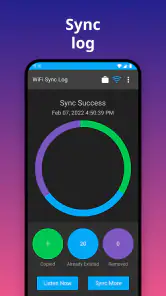
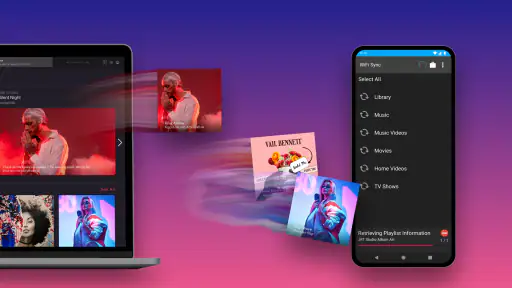
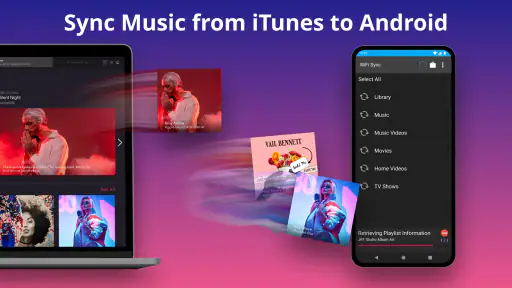
Analysis by Reviewed
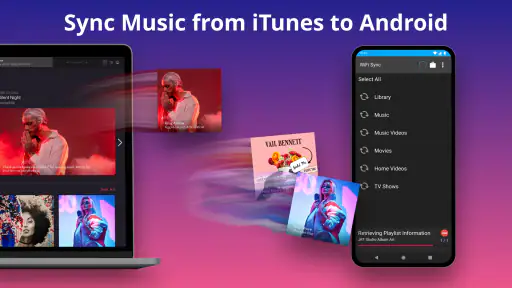
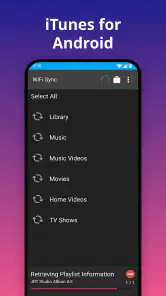
I have a soft spot for music collections that stay organized, and moving from an iPhone to an Android phone can make an iTunes library feel stranded. iSyncr is built for that particular handoff: it brings music from an iTunes library onto Android rather than asking you to rebuild your listening setup from scratch. That narrow purpose is its biggest strength. If your collection and playlists already live in iTunes, it gives you a way to keep using them on a different kind of phone.
A bridge for an existing collection
The appeal here is not discovering new artists or streaming whatever comes to mind. It is keeping a collection you already own and have arranged useful when you switch to Android. Many alternatives focus on streaming catalogs or on moving individual files; this app is aimed at the in-between task of carrying an established iTunes library and its organization across platforms.
That distinction affects whether the app will feel convenient. If you already open iTunes to manage music and playlists, syncing can save you from rebuilding those choices on your phone. If your listening is mostly based on streaming searches, recommendations, or playlists created inside another service, this extra bridge may solve a problem you rarely have.
The useful part is preserving your library
The key capability is more than copying audio files. iSyncr can carry over playlists, ratings, and play counts, so the organization and listening history attached to a collection can come along too. That matters if you have spent years sorting albums into playlists or marking favorite tracks. Instead of treating your phone as a separate pile of songs, you can keep the structure that makes your library feel personal.
Play counts and ratings are especially useful as quiet bits of context. They can help distinguish songs you return to from tracks that only ended up in the library, while playlists preserve deliberate groupings such as workout music or long drives. The benefit depends on how much you use those details in iTunes; if you rarely rate tracks or make playlists, the transfer still has value, but less of the personal organization comes along.
It also handles podcasts, which makes the transfer more useful for someone whose iTunes library is a mix of music and spoken audio. I would still think of it as a bridge between an existing iTunes setup and Android, not as a replacement for every music service or library manager. If you mainly stream and rarely keep a local collection, the central benefit may not apply to you.
Syncing Made Simple
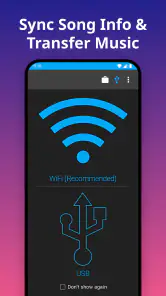
Let’s be honest, syncing music between different platforms can be a headache. But with iSyncr, the process is incredibly straightforward. After downloading the app, you just need to install a corresponding desktop application on your computer. Once that's done, syncing your music is as easy as pie. Whether you have a few playlists or an entire library, iSyncr handles it with ease. The app supports syncing over both USB and Wi-Fi, which means you have flexibility depending on your preference or situation.
More From Our News Desk

Weather by Xiaomi Review: Clear at a Glance, Less Clear Up Close

X Under Pressure: Can It Recover When Posting Goes Wrong?

Clash of Clans Is Won Between the Battles

Android Auto Makes the Case for Quieter Car Software

MobiOffice: Transforming Mobile Productivity with Seamless Integration

EA SPORTS FC™ Mobile Soccer: Redefining Mobile Sports Gaming
How to make the first sync useful
The computer component is an important part of the decision. This is not the same kind of experience as opening a streaming app and immediately searching for an album: you need an iTunes library on a computer and the matching desktop application in the workflow. In return, you can choose between a cable connection and Wi-Fi. I would use USB when I want a direct, predictable transfer, and Wi-Fi when the devices are already on the same network and I do not want to connect a cable.
A practical routine is to make a short playlist for a trip, sync it before leaving home, then listen on Android without needing to recreate that selection track by track. Before a large transfer, I would start with a small playlist and check that the songs and their organization appear as expected. That simple test can catch a library or connection mismatch before you spend time moving a much larger collection. It is also a good way to decide whether you prefer cable or wireless syncing for your setup.
For an everyday example, imagine preparing for a commute on Sunday evening. You can use the music already organized in iTunes to choose a set of albums and podcast episodes, sync them to the Android phone, and then rely on that local selection during the week. The useful habit is to treat syncing as a deliberate refresh rather than expecting changes on the computer to appear instantly on the phone. That keeps the phone’s listening selection intentional and makes it easier to notice when a playlist needs updating.
If you are switching phones, I would also avoid trying to judge the whole process from a single, enormous first transfer. Start with a playlist whose contents you know well, including a few tracks you have rated or played often. Once you can see whether the songs and their organization appear as expected, expand to other playlists. This gives you a simple way to check that your chosen workflow suits your library before committing time to moving more of it.
Features That Stand Out
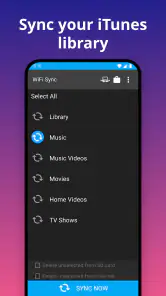
One of the things I personally love about iSyncr is its ability to sync not just songs, but also playlists, ratings, and even play counts. This means that your listening history and preferences travel with you, which is something I find super handy. Additionally, the app allows you to sync your podcasts, which is a neat feature for those like me who enjoy a good podcast during the commute.
The user interface is clean and intuitive. Even if you're not tech-savvy, you'll find navigating through the app a breeze. And if you ever run into any hiccups, the app offers quick customer support to help you out. That’s something I always appreciate because, let’s face it, nobody likes being stuck with a tech issue without support.
There is a useful trade-off in carrying playlists rather than simply copying everything. A playlist-first approach lets you keep the Android phone focused on what you actually want to hear, instead of filling it with every track in a large library. It also makes a good test of the whole path from iTunes to the phone: the songs matter, but so does whether the selections that make the library convenient arrive with them.
Where it fits among music apps
Most music apps are designed around streaming catalogs, while this one is aimed at people who already manage music in iTunes and want a route to Android. That difference is useful, but it also sets a clear boundary: it will not magically provide a streaming library in place of your own collection. If you want recommendations and instant access to a broad online catalog, a streaming service is the more natural choice. If you care about keeping your own playlists and listening markers, this kind of sync tool is the more relevant option.
Compared with manual file copying, the attraction is the ability to preserve more of the library’s organization rather than treating each song as an isolated file. Manual copying can be a simpler answer if all you need is a handful of tracks and do not care about playlist context. A streaming service is better for listeners who want a broad catalog and do not want to maintain a computer library. I see this app as most worthwhile when neither alternative matches the way you have already built your collection.
The trade-off is having to maintain a computer-based library and complete a sync when you want changes reflected on your phone. That is less immediate than streaming and can feel like extra work if you regularly add music from several sources. On the other hand, syncing selected playlists gives you control over what you carry, rather than relying on a constant connection to browse and play from an online catalog. For travel or places with unreliable reception, a prepared local collection can be a sensible fit.
Performance and Reliability
In terms of performance, iSyncr is reliable and fast. I've tested it with libraries of different sizes, and it manages to handle large collections without breaking a sweat. The sync process is speedy, and I've yet to encounter any major bugs or crashes, which speaks volumes about its stability. It's like having a dependable friend that you know you can always count on.
Metadata is worth checking as part of your first sync. Album artwork and song details help a transferred collection feel familiar, but libraries can have their own quirks, so I would inspect a few albums and playlists on the phone before assuming everything is arranged exactly as you expect. If something looks off, checking the source library first is a more useful next step than repeatedly starting the same transfer. A small trial run also helps you see whether your chosen Android music player displays the information in a way you like.
That check is particularly helpful when an album has been organized in a way that matters to you, or when several versions of a song sit in the same library. Looking at a few familiar examples makes it easier to spot whether the phone’s music player is presenting the transferred material in a usable way. I would make that inspection part of setup, not because every library will have a problem, but because it is much easier to adjust your expectations early than after relying on an unfamiliar arrangement.
Who will get the most from it
I would recommend it most to someone changing phones or platforms who still relies on iTunes for a carefully maintained local collection. It is also a practical fit for listeners who want selected music and podcasts ready on Android for a commute, a flight, or a workout, without rebuilding playlists by hand. The app is free to download, is rated for Everyone, and is developed by JRT Studio Music Players. Its average rating is 4.2 from around 21 thousand ratings, with over 5 million installs, which suggests it has found an audience among people looking for this specific bridge.
It is less compelling if you only want a quick way to put a couple of songs on a phone and do not care about keeping iTunes playlists or listening markers. In that case, a simpler file transfer may involve fewer steps. It is also not the right fit for someone who has left iTunes behind or cannot use the computer where the library is managed. The important question is not whether you listen to music on Android; it is whether iTunes remains the place where your collection is organized.
The Android app’s current version is 7.0.5 and it requires Android 5.0 or later. While the app itself is free, in-app purchases range from $0.99 to $99.99 per item, so I would check what an optional purchase covers before paying. It was released on July 21, 2015, and its Everyone content rating makes it suitable for a general audience. Those details are worth weighing alongside the practical fit: a free download is useful, but the app only earns a place in your routine if the iTunes-to-Android workflow solves a real need.
Final Thoughts
In conclusion, if you're looking to bring your iTunes music experience to your Android device, iSyncr is the way to go. It's a powerful and efficient solution for syncing music, and it does so without any fuss. The app's impressive features, combined with its user-friendly interface, make it a top choice for anyone wanting to enjoy their iTunes library on Android. So why wait? Give iSyncr a try and let the music flow.
iSyncr: iTunes to Android Frequently Asked Questions
Can I preview iSyncr’s key details before installing it?
iSyncr is a Music & Audio app from JRT Studio Music Players, designed to sync music from iTunes to Android so you can take your iTunes music on the go. It is free to download, has an Everyone content rating, and its current version is 7.0.5. Those basics can help you decide whether it fits your device and listening setup.
Will iSyncr work on my Android phone or tablet?
iSyncr requires Android 5.0 or later, so check your device’s software version before downloading. It is designed for Android devices, including phones and tablets, and the minimum requirement helps you quickly assess compatibility. If your device meets that requirement, you can consider whether its iTunes-based syncing approach suits the way you keep and manage your music.
Can I keep my iTunes playlists when moving music to Android?
Yes. iSyncr is intended to sync music and playlists from your iTunes library to an Android device, so you can bring your organized collections along rather than transferring tracks one by one. Connect using USB or Wi-Fi, then use the app to transfer the content you want. This makes it useful if you already manage your listening around iTunes playlists.
What is iSyncr and how does it work?
iSyncr is an application that allows users to sync their iTunes library with their Android devices. It works by connecting your Android device to your computer either via USB or Wi-Fi. Once connected, iSyncr provides a way to transfer music and playlists from iTunes to your Android device, making it easier to take your existing music library with you.
Is iSyncr compatible with all Android devices?
iSyncr is designed to work with Android devices, including smartphones and tablets. It requires Android 5.0 or later, so check your device’s software version before downloading to make sure it meets that requirement. Compatibility also depends on having an iTunes library on a computer to sync from, so consider your current setup as well as your Android version.
Pros
- Syncs iTunes music to Android seamlessly.
- Supports playlists
- ratings
- and play counts.
- Works wirelessly and with USB connection.
- Compatible with multiple Android devices.
- Easy setup and user-friendly interface.
Cons
- Requires iTunes installation on your PC.
- Limited free version features.
- Occasional sync delays reported.
- Consumes battery during wireless sync.
- In-app purchases may be costly.
- Category
- Music & Audio
- Version
- 7.0.5












