

Survival maps for Minecraft PE
- 99.00
- 4.3
- Installs
- 5.00M
- Price
- Free

Screenshots
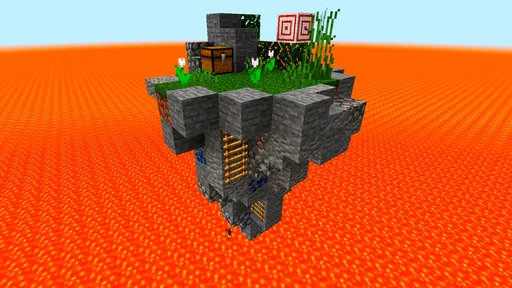
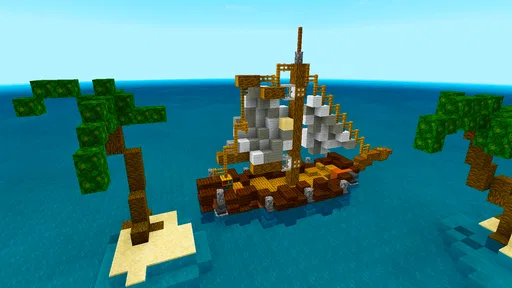
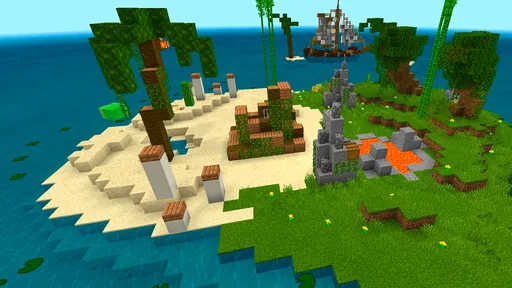
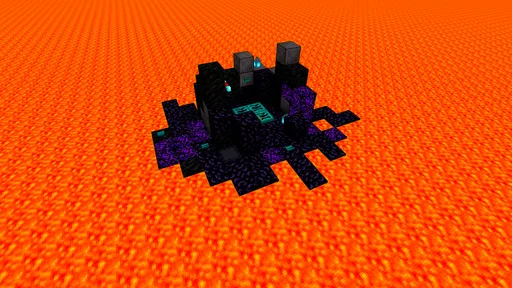
Analysis by Reviewed
If you’re like me, then diving into the pixelated world of Minecraft is one of your favorite pastimes. But what happens when you want to crank up the excitement and challenge? Enter Survival maps for Minecraft PE. These maps are the ultimate test for your crafting skills, survival instincts, and maybe even your patience. I decided to give it a go and, trust me, it was quite the adventure!
What to Expect from a Map-Finding App
The key thing to understand before you install is that this is an Events app for discovering survival worlds, not a separate game or a replacement for Minecraft PE. I’d think of it as a shortcut between “I want a different kind of Minecraft session” and choosing a world to try. Minecraft remains where the actual playing happens, so you’ll need it ready on your device as well.
The app is free, developed by AndiQwer, and has an average rating of 4.3 from around 16,000 ratings, with over a million installs. Those figures suggest that many players have found it useful, but they can’t tell you whether a particular map will match your taste. I’d treat the catalog as a starting point: the real test is whether the map’s objective and opening make sense to you once you enter the world.
Survival maps differ from an ordinary open-ended world because someone has shaped the starting conditions or given you a specific task. That can make a session feel more directed, but it also means you may need to learn unfamiliar rules. Some players enjoy the pressure of making limited resources last; others would rather build at their own pace without a preset challenge. Knowing which kind of evening you want is more useful than simply choosing the most dramatic-sounding map.
Getting Started with Survival Maps
First off, let’s talk about what these survival maps actually are. In a nutshell, they are custom-made worlds designed with specific challenges and objectives. These maps are not your typical lazy Sunday stroll through a lush forest. Nope, they’re more like a wild ride through a treacherous maze where every decision counts. The excitement of not knowing what’s around the corner is what makes these maps so addictively fun.
Finding a First Map That Fits
This free Events app from AndiQwer is best understood as a way to find survival-focused worlds for Minecraft PE, rather than as a replacement for Minecraft itself. It has a 4.3 average from around 16,000 ratings and over a million installs, so it has clearly found an audience, but popularity alone does not tell you whether a particular map suits your play style. I’d start by choosing a challenge that matches the time and patience you have that day: a compact survival setup is easier to approach than a map built around a long chain of objectives.
The first-time path is simple in principle: browse the available maps, pick one whose premise sounds appealing, use the app’s one-click installation approach, then open Minecraft PE and check that the world appears before you settle in. The useful habit is to treat installation and play as two separate checks. If the map does not show up immediately, confirm that Minecraft has finished opening and look through its world list before downloading the same item repeatedly. That small pause can prevent a confusing pile of duplicate attempts.
More From Our News Desk

 Gmail
GmailGmail in a Busy Inbox: Who Benefits Most?
From first account to crowded workday, Gmail earns its place through dependable search and flexible sorting—but its best fit depends on how much inbox maintenance you can tolerate.

 Prime Video
Switching to Prime Video: What Changes in Your Viewing Routine
Prime Video can make a compelling second home for streaming, but switching means learning a different catalog, rental layer, and route from browsing to playback.

 Universal TV Remote Control
Universal TV Remote Control Works Best as a Reliable Backup
A phone remote earns its place through quick setup and reliable habits. Here is how to get more from Universal TV Remote Control—and where its limits show.

 Weather - By Xiaomi
Weather by Xiaomi Review: Clear at a Glance, Less Clear Up Close
Xiaomi’s weather app makes everyday forecasts quick to scan, but its calm surface can leave useful details and recovery paths harder to find than they should be.

 X
XX Under Pressure: Can It Recover When Posting Goes Wrong?
A resilience-focused review of X, examining setup, mistaken posts, interruptions, weak connections, and the gaps that matter when recovery needs to be dependable.

 Clash of Clans
Clash of Clans Is Won Between the Battles
Its raids are quick; its community is a long-term project of coordination, teaching, rivalry, and shared responsibility—with all the friction that entails.
Latest News



I’d also keep the first download deliberately low-stakes. Pick one map, install it, and check whether it appears in Minecraft before moving on to another choice. This makes it easier to identify where a problem happened: during the app’s installation step, while Minecraft was opening, or after you entered the world and found its instructions unclear. It’s a practical way to avoid mixing several possible causes together, especially if you’re helping someone who is new to custom maps.
The Thrill of the Unknown
One thing I absolutely loved about Survival maps for Minecraft PE is the unpredictability. You start off with minimal resources and it's up to you to make the most of what you have. Whether it’s crafting weapons to fend off mobs or figuring out how to find food, the maps challenge you to think on your feet. And let’s not forget the nail-biting thrill when you’re down to your last heart and a creeper suddenly appears out of nowhere. It’s moments like these that make the game truly exhilarating.
For a first successful session, I’d set a modest goal rather than trying to finish the map in one sitting: locate a safe place, understand the immediate objective, and secure the basic resources the world allows. That gives you a clear sense of whether the map’s rules and difficulty are enjoyable before you invest a whole evening. I also find it helpful to pause and read any instructions placed inside the world; map makers often use signs or other in-world cues to explain what makes their challenge different from ordinary survival.
A realistic first try could be a short evening after dinner: choose a map with a clear premise, install it, and give yourself time to explore the starting area before setting a goal. If you find a sign or other direction, read it before rushing into the first fight or using scarce supplies. Then decide on a small milestone, such as making the starting area safer. Even if you stop there, you’ll know whether the map’s central idea appeals to you and can return later without feeling that you must complete everything in one sitting.
One useful trade-off is that a constrained start can make ordinary Minecraft decisions feel more meaningful, but it can also punish experimentation. If a map gives you very few resources, I’d take a moment to inspect the surroundings before spending them on the first available craft. That cautious opening may feel slower, yet it helps you learn the map’s logic and makes a later restart less likely. Players who prefer to experiment freely may be happier in a standard world where a mistaken choice does not feel like it derails a challenge.
Custom Challenges Galore
Each map comes with its own unique set of challenges. From skyblock survival where you’re marooned on a floating island, to more elaborate story-based maps where you solve puzzles to progress, there’s something for everyone. I tried out a map where my goal was to rebuild a deserted village while battling hordes of zombies. It was intense, but oh-so rewarding when I finally completed it!
That variety is also where I’d be selective. If you mainly want a reliable, familiar survival session with friends, starting a standard Minecraft world may be more straightforward than adapting to a custom map’s instructions or unusual constraints. If you want a focused solo challenge, though, a map can give your next session a purpose without requiring you to invent one yourself. For a casual evening, I’d choose a short objective; for a longer weekend session, a story or rebuilding task may offer more room to settle in.
Compared with searching for worlds through general community pages or manually handling files, an app centered on survival maps is appealing when convenience matters. The trade-off is that a one-click route does not remove every possible compatibility or selection issue: you still need Minecraft PE installed, and a map’s style may not suit you once you enter it. The app is free to try, though it includes optional in-app purchases priced from $3.99 to $4.99 per item. I’d browse first and spend only if a paid option clearly offers something I want.
That comparison matters most if you already have a way of finding community-made worlds. Browsing general pages can offer a broader range of material, but you may have to spend extra effort deciding which files are appropriate and getting them into the game. A focused app can reduce that setup friction, while giving you less reason to assume that every available choice is ideal. If you enjoy researching maps and managing files yourself, your existing routine may work just as well; if you want a more direct path to a survival idea, the app’s focus is the stronger reason to try it.
I’d use it differently depending on who is playing. For a solo player who wants a goal beyond gathering and building, a map can provide a useful starting point. For two people sharing a device, it helps to agree on the objective before beginning so one person does not rush ahead while the other is still working out the rules. If you’re choosing for a younger player, remember that the app carries a Teen content rating; I’d consider that alongside the specific map and the player’s comfort with survival challenges.
Small Checks That Make Installation Easier
Before choosing a map, I’d look for a clear description of its objective and difficulty rather than picking solely by a dramatic title. Think about whether you prefer resource management, exploration, combat, or puzzles; that quick match makes the first session more satisfying. If you are sharing the phone with someone else, agree on whether you want to explore together or let one person test the map first, since a surprise challenge can be less fun if nobody knows what the goal is.
There are a couple of practical limits worth keeping in mind. The app is rated Teen, and it requires Android 6.0 or later; the current version is 1.4.9. Those details matter if you’re helping a younger player or setting it up on an older device. Also, a map download is not the same as a guarantee that every world will feel polished or easy to understand. If the opening is confusing, look for the map’s own directions before assuming the installation failed.
If the world is missing from Minecraft after an installation attempt, I’d avoid immediately repeating the same download. First, let the game finish loading and check the world list again. If it still is not there, return to the app and review the map choice and installation step rather than changing several things at once. This simple troubleshooting order is especially helpful when a first-time user cannot tell whether they have a map problem or simply need to reopen the game.
Another small but useful habit is to keep your first session focused on learning rather than judging the whole experience from its opening minutes. A custom map can take a little time to communicate its objective, and its unusual starting conditions may initially look like a mistake. Look for in-world clues, test the basic surroundings carefully, and give the premise a fair chance. If it remains opaque after you’ve checked for directions, it may simply be a poor fit for your patience or preferred style; choosing another map is a reasonable response, not a failure.
Who Will Get the Most from It
I’d recommend this app to players who already enjoy Minecraft PE and want a guided challenge without spending ages finding and setting up a world by hand. It is less suited to someone who only wants the standard sandbox experience, dislikes learning a map’s special rules, or expects every selection to be a perfect fit. For a first try, choose one clear objective, give yourself time to learn the opening, and judge the map by whether its challenge feels enjoyable rather than by how quickly you progress.
It is also a sensible choice for someone who wants to make a short gaming session feel purposeful. You can pick an objective, work toward one small achievement, and leave the larger challenge for another day. That works better for me than beginning a huge map when I only have a little free time. On the other hand, if you mainly want a relaxed building session, a familiar world is likely the better option: a survival map’s restrictions are part of its appeal, but they can feel like unnecessary friction when you are not in the mood for a test.
For a first-time user, the most useful question is not whether the app can make every map easy to install or enjoy; it is whether it gets you to a challenge you actually want to play. The one-click approach offers convenience, but you still benefit from choosing carefully, checking that the world appears, and reading its instructions. That balance—less searching up front, with a little attention once you arrive—is what makes it worthwhile to me.
If you’re looking for a way to spice up your Minecraft experience, then these survival maps are definitely worth a download. They push you out of your comfort zone and force you to use every ounce of your creativity and strategic thinking. Plus, they’re a fantastic way to shake up your usual gaming routine and keep things fresh and exciting.
I’d recommend it most to players who already enjoy Minecraft PE and want a guided challenge without spending ages finding and setting up a world by hand. It is less suited to someone who only wants the standard sandbox experience, dislikes learning a map’s special rules, or expects every selection to be a perfect fit. For a first try, choose one clear objective, give yourself time to learn the opening, and judge the map by whether its challenge feels enjoyable rather than by how quickly you progress.
In conclusion, Survival maps for Minecraft PE are a brilliant addition for anyone who loves a challenge. They’ve got the perfect mix of unpredictability, excitement, and creativity. So, if you haven’t already, grab your pickaxe, gather your courage, and dive into the thrilling world of survival maps. You won’t regret it!
Survival maps for Minecraft PE Frequently Asked Questions
Will I need Minecraft PE separately to use this app?
Yes. Survival Maps for Minecraft PE is a companion app for finding maps, while the worlds themselves are played in Minecraft PE. Make sure the game is installed before trying to open a map. The app’s one-click installation aim can make getting a world into the game more convenient, but you’ll still need Minecraft PE to explore and play it.
Does the app install maps automatically, or will I need to move files myself?
The app promotes one-click installation, so the intended process is to make adding a map straightforward. What happens on your device can depend on the map file type and your setup. A .mcworld file may open directly in Minecraft PE when tapped, while a .zip file can require extraction and moving the world folder into the game’s minecraftWorlds directory.
Are the maps official Minecraft content or custom worlds?
The app focuses on survival maps for Minecraft PE, which are custom worlds rather than the standard worlds included with the game. These maps can introduce different terrain, challenges, and goals, giving you a fresh way to play. Since each world is designed separately, the experience can vary from one map to another, so check a map’s description before installing it.
Can I use the app without an internet connection?
You’ll need an internet connection to browse for and download maps through the app. After a map has been installed in Minecraft PE, whether you can play it offline depends on the game and the world you choose. If you expect to play away from a connection, it’s sensible to download and open the map beforehand, then check that it loads as expected.
Is Survival Maps for Minecraft PE compatible with my device?
The app is intended for Android devices running version 6.0 or later. Before downloading, check your device’s operating system and make sure Minecraft PE is installed, since the maps are meant to be used in the game. Compatibility with the app and the ability to run a particular world can depend on the device and the Minecraft version you use.
Pros
- Diverse map selection for varied gameplay.
- Enhances creativity with survival challenges.
- Frequent updates with new content.
- Allows multiplayer for shared experiences.
- Compatible with various Minecraft PE versions.
Cons
- Some maps require in-app purchases.
- Occasional performance issues on older devices.
- Limited offline functionality.
- Advertisements can be intrusive.
- Not all maps are beginner-friendly.











