Huntington Mobile Banking
- 17.40K
- 4.5
- Installs
- 1.00M
- Price
- Free

Screenshots

Analysis by Reviewed
Let me dive into the world of Huntington Mobile Banking, an app that is turning heads in the financial tech space. As someone who’s always on the lookout for apps that make life easier, I decided to give this one a go. Spoiler alert: it did not disappoint!
Getting Started with Huntington Mobile Banking
First things first, downloading and setting up the Huntington Mobile Banking app was a breeze. Available on both Android and iOS, it took me no time to find it on the app store and get it running. The intuitive setup process is user-friendly, guiding me through registration with clear instructions. I found the interface sleek and modern, which made my first impression a positive one.
Features that Stand Out
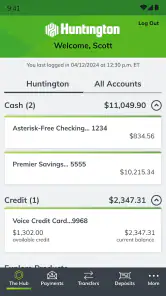
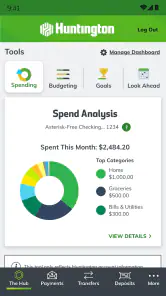
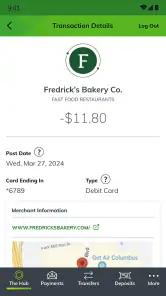
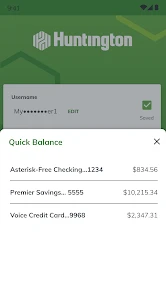
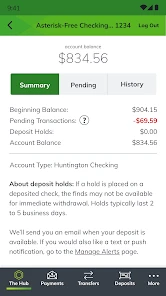
One of the features I absolutely loved is the ability to view all my accounts in one place. The dashboard is clean and I can see my checking, savings, and even credit card balances at a glance. It’s like having my own little banking hub right in my pocket.
The app also allows for quick transactions. I was able to transfer money between accounts and pay bills in less than a minute. What really stood out to me was the quick balance check feature, which lets me peek at my balances without having to log in fully.
Security and Ease of Use
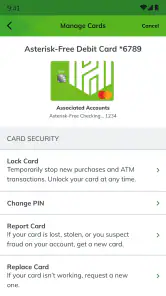
Security is a big deal when it comes to mobile banking, and Huntington doesn’t disappoint. The app uses fingerprint login, which I find both secure and convenient. It gives me peace of mind knowing that my financial information is protected with cutting-edge security measures.
Another feature worth mentioning is the alerts system. I set up notifications for transactions and low balance alerts, which helps me stay on top of my finances. No more surprises when I’m at the checkout line!
Customer Support and Feedback
If you ever need help, the app’s customer support is just a tap away. I had a question about a transaction and was able to chat with a representative within the app. The response was quick and the help was spot-on, making the experience seamless.
Overall, my experience with Huntington Mobile Banking has been overwhelmingly positive. It’s a robust app that combines convenience with top-notch security, making it an essential tool for anyone looking to manage their finances on the go. I’d recommend giving it a try if you’re in the market for a mobile banking solution that doesn’t skimp on features or security.
Pros
- User-friendly interface enhances navigation
- Quick access to account balances
- Secure login with biometric authentication
- Real-time transaction alerts
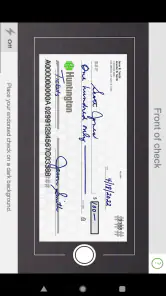
- Easy mobile check deposit feature
Cons
- Limited customer service options
- Occasional app crashes reported
- Some features require strong internet
- Limited international transaction support
- Complexity in finding specific features

- Category
- Finance
- Version
- 6.70.173











