HOMER: Fun Learning For Kids
- 1.55K
- 4.1
- Installs
- 1.00M
- Price
- Free

Screenshots
Analysis by Reviewed
I see HOMER: Fun Learning For Kids as a better fit for short, guided learning sessions than for handing a child a screen with no plan. Its focus on early reading gives it a clear purpose, while the broader mix of activities can help keep practice from feeling like a worksheet. I’d consider it for a young learner who enjoys tapping through activities, but I wouldn’t treat any app as a substitute for reading together or talking through new ideas.
Where it fits into a family routine
A useful way to try it is to make the app part of a small routine rather than an all-purpose distraction. For example, after breakfast, a parent could sit with a child for a brief session, let the child pick a topic, and then ask them to explain one thing they noticed. That last step matters: it turns screen time into a conversation and gives the adult a chance to see whether the activity made sense or merely held attention.
For a child who is eager to explore letters but loses interest when practice feels repetitive, varied activities may make it easier to return to the task. I’d still keep expectations modest. A child may enjoy an activity one day and reject it the next, and an engaging interface cannot guarantee steady progress. The best use is as one option in a wider mix that includes picture books, play, and everyday opportunities to notice words.
What a short session can reveal
I’d use an initial session as a low-pressure observation, not a test of whether a child is “ready” for the app. Notice whether they listen to directions, attempt an answer, or simply tap quickly to move on. If they lose focus, stopping is more useful than pushing through; the point is to find out whether this format suits them, not to complete a set amount of screen time.
A practical follow-up is to choose one thing from the activity and bring it into ordinary life. If a child has been exploring letters, look for one of those letters on a cereal box or in a picture book. This makes the digital activity feel connected to the world around them without turning the moment into a lesson. It also gives a parent a clearer sense of what the child actually retained.
What is HOMER: Fun Learning For Kids?
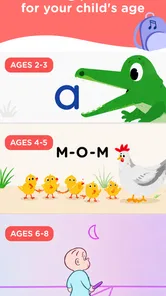
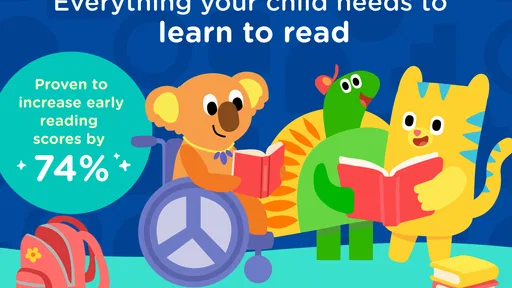
HOMER is an educational app designed for children aged 2-8 years. It’s packed with personalized learning experiences that grow with your child. This isn’t just another kids’ app; it’s a comprehensive platform that combines reading, math, social-emotional learning, and more to give your child a well-rounded educational experience.
The Learning Experience
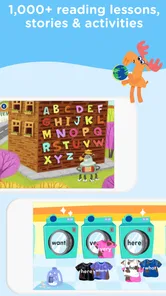
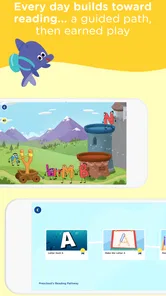
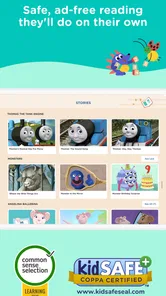
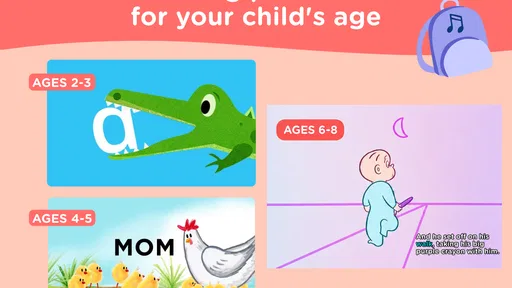
Alright, let’s talk about how HOMER works its magic. The app tailors its content to match your child’s learning level, which means no more boring, repetitive lessons. Instead, kids get to explore a variety of activities that are both educational and entertaining. From phonics and sight words to basic addition and subtraction, HOMER covers all the bases in a fun and interactive way.
More From Our News Desk

 Bolt: Request a Ride
Bolt and the Shift from One-Tap Rides to More Legible Trips
Bolt shows how ride-hailing is shifting from a one-tap taxi request toward a more legible, choice-driven trip, while leaving the hardest questions of price and reliability unresolved.

 Farm Land - Farming life game
Farm Land Review: A Small Island Farm with a Satisfying Loop
A bright, breezy island farm turns a few quick chores into a satisfying cycle of planting, harvesting, expanding, and deciding what to build next.

 Android Auto
’s Community Takes Shape in the Passenger Seat
Its most valuable network is not a public feed but a shared set of routes, voice habits, app integrations, and advice that make driving less isolating—and sometimes more complicated.

 My Talking Angela
 Makes the Virtual Pet Feel Personal
A polished pet-raising game built on small rituals, playful customization, and a character who gives everyday screen time a surprisingly personal rhythm.

 Google Translate
 Review: A Pocket Tool for the Small Frictions of Travel
From menus and signs to quick conversations, Google Translate earns its place by cutting the little delays that make unfamiliar language feel like a barrier.

 Shazam: Find Music & Concerts
Shazam’s Best Trick Is Turning a Song Into a Night Out
A few seconds of recognition can settle an argument, rescue a half-remembered chorus, and point toward a live show. Shazam’s real trick is what happens after the match.
Latest News



The app also includes a cool feature where kids can choose their own learning journey. Whether they’re into dinosaurs, princesses, or outer space, there’s something for everyone. This choice-driven approach not only makes learning exciting but also empowers kids to pursue topics they’re genuinely interested in.
Making choices work for learning
Letting a child choose a topic can be more than a way to keep them occupied: it can provide a low-pressure route into practice. I’d use a favorite theme as a starting point, then help connect the activity to something beyond the screen, such as spotting a familiar letter in a book or naming objects around the room. That kind of follow-through is especially helpful for younger children, who may need an adult to turn an app activity into a lasting idea.
Personalized paths also make this more appealing than a basic collection of unrelated alphabet games. At the same time, parents should check in now and then rather than assume that a child’s independent tapping means the material is at the right level. If an activity feels too easy or too frustrating, an adult’s observation is more useful than simply extending screen time.
Keeping choice from becoming aimless browsing
Choice is most useful when a parent gives it a little shape. I’d offer a child two reasonable options rather than leave them to wander indefinitely, then let them make the final pick. That preserves the sense of control that can make a young learner more willing to begin, while keeping the session focused enough to notice what they are practicing.
It’s also worth separating interest from difficulty. A child may repeatedly choose a familiar theme because it feels comfortable, not because it is challenging them. I’d occasionally suggest something new and watch the response; if the child is curious, explore it together, and if they resist, return to the familiar activity another day. The app can support a routine, but a caregiver still has the best view of the child’s mood and attention.
User-Friendly Interface
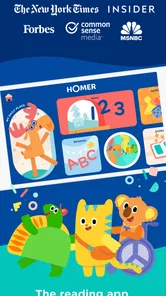
One thing I absolutely love about HOMER is how easy it is for kids to navigate. The interface is bright, colorful, and intuitive, making it simple for even the youngest learners to dive right in. Plus, the app is structured in a way that encourages independent learning, giving parents a much-needed break while their kids are immersed in educational fun.
What parents should weigh
Independent navigation is convenient, but I wouldn’t count on it to make every session hands-off. A younger child may still need help choosing what to do, staying focused, or understanding an instruction. If your priority is a shared activity with an adult, sitting alongside your child can make the experience more valuable than relying on the interface alone.
There is also a practical distinction between trying the app and using it as a long-term learning resource. HOMER is free to download, and in-app purchases range from $0.99 to $79.99 per item, so I’d look carefully at the purchase choices before letting a child explore unsupervised. The app is rated for Everyone, but that age rating is not a recommendation about how long a child should use a screen.
Purchase decisions and household fit
For a family considering a paid commitment, I’d first ask what role the app would play in the week. If it is only likely to come out during an occasional trip or a rainy afternoon, a broad learning subscription may be more than you need. If your child already enjoys returning to guided activities and you expect to use it regularly, the wider range may be more relevant. Either way, I’d make the purchase decision as an adult rather than let a child’s in-app choices set the household budget.
That distinction matters because “free to download” and “free to use in full” are not the same thing. A parent who wants an experience with no paid options to consider may be happier with library resources, paper activities, or a genuinely free single-purpose tool. Families comfortable evaluating optional purchases can try the app first and decide whether its place in their routine justifies spending.
Why Choose HOMER?
In a sea of educational apps, HOMER stands out for its quality content and personalized learning paths. It’s not just about rote memorization; it’s about fostering a love for learning. The app is backed by experts in early childhood education, ensuring that the material is not only engaging but also pedagogically sound.
What’s more, HOMER offers a free trial, so you can test the waters before committing. It’s a great way to see firsthand how the app can benefit your child’s learning journey without any pressure.
How it compares, and who it suits
Compared with free, single-purpose phonics games, this app aims for a broader learning experience and a more guided path. That breadth is useful if you want one place to support several early-learning interests. If you only need a quick letter-sound practice tool, a simpler app—or a library book and a few minutes together—may be enough and easier to fit into your routine.
The comparison is not simply about how many subjects an app touches. A focused phonics tool can be a better choice when a child needs one small skill practiced without extra choices or a larger app environment. A printed book is better when you want to share attention, pause for questions, or avoid another screen. HOMER makes more sense when your goal is a guided digital option that can offer variety, and when an adult is comfortable helping a child use it thoughtfully.
A realistic day-to-day use
Imagine a child getting restless while a parent prepares dinner. Rather than open the app and leave it running, the parent could agree on one short activity, help the child choose a theme, and then check back when the activity ends. A quick question such as “What did you find interesting?” can show whether the child engaged with the learning or was mainly drawn to the animation and tapping. If the child is settled and wants to continue, the parent can make a deliberate choice; if not, the app can be put away without turning screen time into a negotiation.
This kind of use is especially sensible for families who need occasional structure during a busy day, but it is not a fix for every difficult moment. A child who is tired, hungry, or seeking company may not benefit from another activity on a screen. I’d treat the app as one tool among several, not as a reliable way to occupy a child whenever an adult is busy.
Begin Learning’s app has an average rating of 4.2 from around 5.8 thousand ratings, and it has been installed over a million times. It was released in 2017, and version 11.3.0 requires iOS 8.1 or later. Those figures offer a sense of its reach and platform requirements, but they don’t tell you whether its activities suit your particular child; a short, supervised try is the sensible test.
Age, expectations, and device considerations
The stated age range is broad, so I wouldn’t assume that one child’s experience will represent every child in the family. A toddler may need an adult to guide choices and interpret what is happening, while an older child may be more comfortable navigating independently. The right test is whether the activities hold the individual child’s interest at an appropriate level, not whether they fall within the advertised age span.
The app’s minimum operating-system requirement is iOS 8.1, so it is worth checking the device you plan to use before building a routine around it. That is a practical compatibility check, especially in a household where a child uses an older hand-me-down device. I’d also set expectations around supervision: a child-friendly rating does not remove the need for an adult to manage purchases, screen time, and the choice of activity.
I’d recommend it most to families with children in the early-learning years who benefit from choice and varied practice, especially when a parent can occasionally join in. I’d skip it if you want a completely free experience with no purchase decisions, or if your child does better with physical materials and direct adult guidance. As an Education app, it can complement those approaches rather than replace them.
My verdict for families deciding now
For a child who likes interactive activities and is beginning to explore reading, HOMER is worth considering as a guided addition to books and everyday conversation. Its mix of subjects and child-directed choices gives it more range than a basic alphabet game, but that range is most useful when an adult helps keep the session purposeful. I would not choose it solely because a child needs to be occupied; I’d choose it because the family wants a digital learning activity to return to together or use with occasional check-ins.
Families who want a screen-free routine, a narrow phonics drill, or a no-purchase environment have good reasons to choose something else. For everyone else, the sensible approach is to try a brief session, watch how the child responds, and make a decision based on whether the format fits real life. The best sign is not simply that a child asks to use an app again, but that they can carry a small idea from it into a conversation, a book, or play.
In conclusion, if you’re on the hunt for an app that combines play with learning, HOMER: Fun Learning For Kids might just be the answer. It’s thoughtfully designed to grow with your child and make education a part of everyday fun. So go ahead, give HOMER a try, and watch your child’s love for learning blossom!
HOMER: Fun Learning For Kids Frequently Asked Questions
Is HOMER: Fun Learning For Kids free to download, and what might require payment?
HOMER is free to download, so you can install the app before deciding whether it suits your family. It also offers in-app purchases, with individual items ranging from $0.99 to $79.99. Check the purchase options in the app and review them with your child before buying, especially if you want to keep spending limited.
What should parents know about HOMER’s age rating and device compatibility?
HOMER has an Everyone content rating and is designed for children aged 2 to 8, making it an early-learning app intended for young learners. Its current version is 11.3.0, and it requires an operating system version 8.1 or later. Before downloading, check that your device meets that minimum requirement and consider whether the app’s learning focus suits your child.
What age group is HOMER: Fun Learning For Kids appropriate for?
HOMER: Fun Learning For Kids is designed for children aged 2 to 8. The app provides a personalized learning experience that adapts to your child's age and skill level. It offers engaging activities and lessons that cover a wide range of subjects, including reading, math, and social-emotional learning. This makes it an ideal tool for early childhood education and development.
How does HOMER personalize learning for my child?
HOMER personalizes learning by assessing your child's interests and abilities through a series of questions and activities. Based on this data, it creates a customized learning pathway tailored to your child's needs. The app continuously adapts and updates the content as your child progresses, ensuring that the material remains challenging yet achievable, and keeps them engaged and motivated.
Is HOMER: Fun Learning For Kids available on both Android and iOS devices?
Yes, HOMER: Fun Learning For Kids is available for download on both Android and iOS platforms. You can find it on the Google Play Store for Android devices and the Apple App Store for iOS devices. This cross-platform availability ensures that you can access the app regardless of the type of mobile device you own, making it convenient for all users.
Pros
- Engaging educational content for kids.
- User-friendly interface for young users.
- Regular updates with new activities.
- Supports offline learning sessions.
- Parental control features available.
Cons
- Requires subscription for full access.
- Limited free content availability.
- May not suit older children.
- In-app purchases can add up.
- Occasional performance issues.