Heart Camera
- 387.00
- 4.1
- Installs
- 5.00M
- Price
- Free

Screenshots
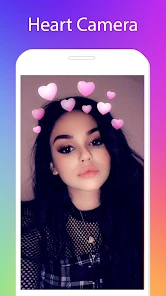
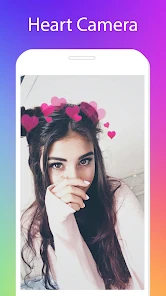
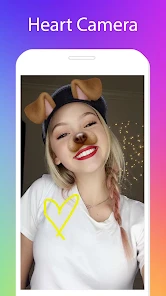
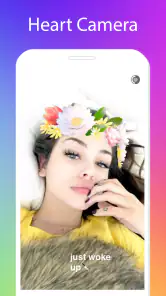
Analysis by Reviewed
Ever wondered how to give your selfies that extra spark? Well, let me introduce you to the Heart Camera app! This gem of a tool has taken the selfie game to a whole new level. Whether you're a selfie aficionado or just someone who loves a bit of fun with your photos, this app is worth a download.
Start with a simple photo check
When a camera app does not behave as expected, I start with the basics: check that the phone can open its camera, that the lens is clean, and that the subject has enough light. A dark room or a moving subject can make any decorative effect look less polished. If a photo looks different from what I expected, I try a still subject near a window before deciding the app is the problem.
It also helps to keep the goal modest. Heart-themed decoration suits a quick selfie, a greeting for a friend, or a playful picture for a family chat. If I need careful retouching, detailed layer work, or precise control over a finished image, I would choose a more full-featured photo editor instead. Its appeal is a focused, lighthearted look, not replacing every editing tool on my phone.
What is Heart Camera?
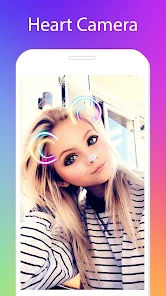
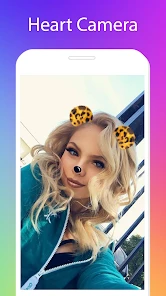
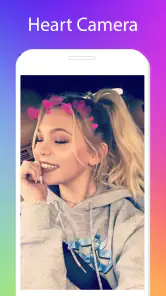
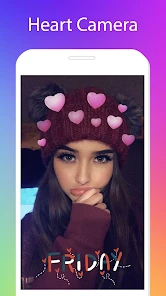
So, what exactly is the app? It's designed to add heart filters and effects to your photos, but it's more than just a filter app. It's like having a mini photo editor packed into your phone, and it’s super intuitive to use. The app offers a plethora of heart-themed filters that not only beautify your pictures but also make them pop with color and whimsy.
Heart Camera is a free beauty app from Photo Collage Master. It has a 4.1 average from around 47,000 ratings, and more than 5 million installs. It is rated for Everyone, with a minimum Android requirement of version 5.0; version 2.0.2 is the current release. The app is free to download, with optional in-app purchases ranging from $0.49 to $99.99 per item. I’d treat those purchases as a reason to check the price shown in the app before confirming anything, especially if you only want to make an occasional heart-decorated picture.
Features That Shine
Let’s dive into some of the features that make this app stand out:
- Heart Filters Galore: The app boasts a wide range of heart filters, from subtle overlays to bold, vibrant designs. Whether you’re going for a romantic vibe or just a fun, playful look, there’s something here for everyone.
- Real-time Editing: One of the coolest features is the real-time editing capability. You can see how the filters and effects look before you even snap the picture. This ensures you get the perfect shot every time.
- Easy Sharing: Once you’ve captured your perfect image, sharing it is a breeze. The app connects seamlessly to social media platforms, letting you share your creations with friends and followers instantly.
A useful way to judge a heart effect is to frame the face first, then try the decoration and compare how much of the subject it covers. For a profile picture, a restrained look usually keeps the face easy to recognize; for a birthday message or a silly group selfie, a bolder treatment can be the point. I would save or share only after checking the whole image, since a filter that looks charming on a face preview may compete with a busy background.
More From Our News Desk

Weather by Xiaomi Review: Clear at a Glance, Less Clear Up Close

X Under Pressure: Can It Recover When Posting Goes Wrong?

Clash of Clans Is Won Between the Battles

Android Auto Makes the Case for Quieter Car Software

MobiOffice: Transforming Mobile Productivity with Seamless Integration

EA SPORTS FC™ Mobile Soccer: Redefining Mobile Sports Gaming
User Experience
Using the app is like a walk in the park. The interface is clean and user-friendly, which I absolutely love. You don’t need to be a tech genius to navigate it. Everything is laid out intuitively, making it easy to explore all the features without a hitch.
If something seems stuck, I’d close and reopen the app, then try a fresh image rather than repeatedly editing the same one. I would also check that the phone has enough free storage for ordinary camera use and that the app is up to date. These are sensible first steps, not a guarantee that every issue will be fixed; if the camera itself fails in other apps too, the cause may be the device rather than this one.
For a quick everyday workflow, I might take a bright selfie before heading out, try a couple of heart styles, and keep the version that leaves the face clear. For a group shot, I’d check everyone’s expression and the edges of the frame before sharing. Those small checks matter more than adding extra decoration, and they make the result feel intentional rather than crowded.
Make a heart effect fit the occasion
The best use for a themed camera is often a small, specific moment rather than an elaborate project. I can picture taking a quick selfie to send a friend on their birthday, or making a playful image for a family chat when a plain snapshot feels a little flat. In those situations, the heart treatment supplies the visual cue; I do not need to spend time learning a complicated editor or composing a full collage.
For a greeting, I would leave some open space around the face and avoid letting decoration obscure the person’s expression. If I plan to add a written message elsewhere, I would keep the image simple so the text and the hearts are not competing. This is a practical trade-off: a strong effect can make a casual photo feel festive, but the same intensity can make a keepsake harder to look at later.
Group selfies need a slightly different check. I would place everyone well inside the frame before choosing an effect, then inspect the outer edges for faces that might be partly covered or crowded. A design that looks balanced on one person may feel busy when several people are in the picture. Taking a plain version first, if the camera workflow allows it, gives me a safer fallback; otherwise, I would keep the original image separately whenever possible.
Another useful habit is to decide where the image will be seen before editing. A small chat preview can make fine details disappear, while a profile image needs the face to remain recognizable when cropped. I would judge the composition at the size and shape I expect to use, not only full-screen. That simple check can prevent a charming effect from turning into an indistinct thumbnail.
Simple checks before trying again
When an effect or capture does not look right, I would change one thing at a time. First, check lighting and hold still; next, try a different framing or a fresh photo. If I change the lighting, subject, and effect all at once, it becomes difficult to tell which adjustment helped. A bright, uncluttered background is a useful starting point because it makes it easier to judge whether the hearts themselves are the issue.
If the app does not open the camera, I would close it and reopen it, then test the phone’s camera in another app. If the camera works elsewhere, reopening the beauty app and checking for an available update are reasonable next steps. If it fails everywhere, I would look at the phone’s camera or system settings instead of repeatedly reinstalling an app that may not be responsible. I would avoid deleting anything until I know whether an unfinished image is stored only inside the app.
When a finished picture is hard to find, I would check the phone’s usual photo library and the app’s own screens before trying the edit again. The important distinction is whether the image was captured, saved, or merely previewed: a preview is not necessarily a file I can share later. I would verify the image is present in the destination I expect before closing out of a session, particularly if it is a one-off photo I do not want to recreate.
For an image that appears unexpectedly cropped or awkward after sharing, I would inspect the original framing and the destination’s crop rather than assuming the effect itself changed. Different places display photos in different shapes. Keeping the subject near the center and checking the final preview helps, but it cannot guarantee that every service will show the entire frame. If exact placement matters, a general editor with explicit cropping controls is a better tool.
How it compares with other photo tools
A regular camera app is the sensible choice for everyday pictures when I want a clean, unembellished result and familiar camera controls. A general editor is better when I need careful exposure adjustments, detailed retouching, typography, or a layout assembled from several images. Heart Camera occupies a narrower space: I would reach for it when heart decoration is the main idea and I want to get from a selfie to a playful result without building the look manually.
That focus is both its appeal and its limit. The specific theme can make the decision quick, especially for casual sharing, but it is not a substitute for a broad creative toolkit. Someone who regularly makes posters, collages, or polished portraits may prefer an editor that offers more control in one place. Someone who only occasionally wants a romantic or whimsical touch may find a dedicated, themed option more approachable than a crowded set of professional controls.
I would also consider how often I expect to use the effect before paying for anything. The download is free, while optional purchases are available, so an occasional user should decide whether the free experience is enough before confirming a purchase. Check the displayed amount and what it applies to at the moment of purchase. That is a more useful approach than assuming every style or tool is included, or buying something just because it appears during a quick experiment.
Who will enjoy it, and who should pass
I would recommend trying it if you enjoy playful selfies, make casual greetings, or want a quick heart-themed treatment without learning a complex editing workflow. It is particularly suited to people who value a recognizable theme more than precise control. The age rating is Everyone, so its general audience is broad, though younger users should still have an adult’s help with any optional purchase on a shared device.
I would skip it if I rarely use heart motifs, want a natural camera with no decorative look, or need advanced editing for work. It is also not the best choice when consistency matters across a large batch of pictures: a focused effect app is not the same thing as a workflow built for repeatable, detailed adjustments. In those cases, the phone’s regular camera or a fuller photo editor is likely to be less frustrating.
My practical recommendation is to start with one low-stakes photo. Use good light, try a subtle treatment first, and inspect the result at the size you intend to share. If the app’s particular style makes the image more fun without hiding the subject, it has done what I wanted. If I find myself wishing for precise edits or a different visual theme, I would switch tools rather than force this one to do a job it was not made for.
Why You’ll Love It
If you’re someone who enjoys adding a personal touch to your photos, this app is a must-have. The heart themes are adorable and versatile, perfect for any occasion. Plus, it’s a great way to express yourself creatively. I found myself getting lost in the app for hours, trying out different filters and editing options.
Compared with a general-purpose photo editor, Heart Camera is the more direct choice when the heart treatment is what you want and you do not want to spend time building an effect from scratch. A regular camera app is better when you want a natural photo without decoration, while a broader editor is the better fit for detailed adjustments or a collage-led project. I’d skip this app if heart styling is not something I expect to use, or if I need consistent, precise edits across a large set of photos.
Overall, Heart Camera is not just another photo app. It’s a creative outlet that allows you to transform ordinary photos into extraordinary ones. Whether you’re a casual user or a photo enthusiast, this app provides endless fun and possibilities. Go ahead, give it a try, and let your photos speak your heart!
My practical recommendation is to try it for one specific picture rather than expecting it to become your only camera or editor. It is a good match for casual users who enjoy playful selfies and heart-themed images, and a less suitable choice for anyone who prefers clean, unfiltered photography. Keep the framing simple, compare the finished image with the original, and make sure any optional purchase is one you actually want. With those expectations, it can be a cheerful little tool for adding a personal touch.
Heart Camera Frequently Asked Questions
Can I share photos edited with Heart Camera with friends or on social media?
Heart Camera is intended for adding decorative touches to pictures, which can make an edited image a fun keepsake or something to share. The app’s focus is photo editing rather than social networking or messaging. You can decide where to share a finished photo using the sharing options available on your device, while considering the privacy of the people shown in it.
Who develops Heart Camera, and is it free to download?
Heart Camera is developed by Photo Collage Master and is free to download. Its beauty-focused purpose is to help give photos a playful or romantic look, making it an option to consider if you want decorative edits without paying upfront. Some optional purchases are available inside the app, so check any purchase prompt carefully before confirming it.
What kind of photos can I edit with Heart Camera?
Heart Camera is a beauty app for adding decorative effects to photos, so it may appeal to anyone who wants to give a picture a playful or romantic look. It is intended for creative edits rather than a broad range of professional photo-retouching tasks. The app is free to download, and its content rating is Everyone, making it suitable for a general audience.
Which devices can install Heart Camera?
Heart Camera is available for Android devices running Android 5.0 or later. Before downloading, check that your device meets this requirement and has enough available storage for the app. The current version is 2.0.2, and the app was released on June 28, 2018. Its straightforward photo-editing focus makes it a simple option to consider for compatible devices.
What is Heart Camera and what does it offer?
Heart Camera is a unique photo-editing app designed to add a touch of creativity and fun to your pictures. It offers features like heart-shaped filters, fun stickers, and customizable frames. Users can easily enhance their photos with these tools, making it perfect for creating romantic-themed or whimsical images. The app is available for both Android and iOS platforms.
Pros
- User-friendly interface simplifies navigation
- Real-time filters enhance photo quality
- Wide range of customization options
- Integration with social media platforms
- Lightweight app with fast performance
Cons
- Limited free features
- requires in-app purchases
- Occasional ads can disrupt user experience
- Requires internet for some features
- Battery consumption is relatively high
- Lacks advanced editing tools for professionals
- Category
- Beauty
- Version
- 2.0.2











