GEICO Mobile - Car Insurance

Finance

136.83K
4.5
Installs
10.00M
Version
5.96.1
GEICO Mobile - Car Insurance icon GEICO Mobile - Car Insurance icon
Advertisements

Screenshots

GEICO Mobile - Car Insurance screenshot
Advertisements

Hey there, fellow drivers! If you're anything like me, managing car insurance can sometimes feel like juggling flaming torches while riding a unicycle. But fear not, because the GEICO Mobile - Car Insurance app is here to save the day. Let me break it down for you in a way that's as smooth as a Sunday drive.

Your Insurance Companion

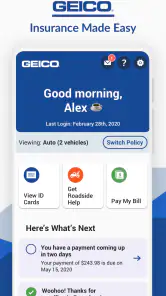
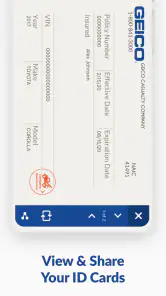
Picture this: You’re in a rush, trying to find your insurance ID card, and you can’t remember where you put that pesky paper. Enter the GEICO Mobile app. This little gem is like having a personal assistant dedicated to all things insurance-related. From digital ID cards to quick access to your policy details, it’s all at your fingertips. And yes, you can finally ditch that cluttered glove compartment.

Simplified Claims Process

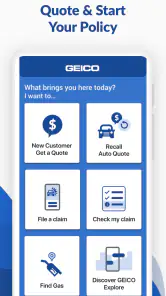
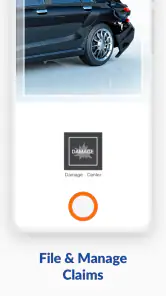
We’ve all been there—a fender bender that turns into a paperwork nightmare. But with GEICO Mobile, filing a claim is as easy as pie. You can submit photos, track your claim status, and even communicate directly with your claims representative. It’s like having a pit crew ready to get you back on the road without missing a beat. Plus, there’s something reassuring about knowing you can handle the whole process without ever leaving your couch.

Roadside Assistance at Your Fingertips

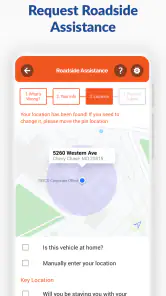
Imagine you’re stuck on the side of the road, your car is acting up, and it’s raining cats and dogs. Sounds like a bad movie, right? Well, GEICO Mobile swoops in like a superhero. With just a few taps, you can request roadside assistance, and help is on the way. Whether it’s a flat tire or a dead battery, you’re never alone on the road again. It’s like carrying a mechanic in your pocket!

Manage Your Policy with Ease

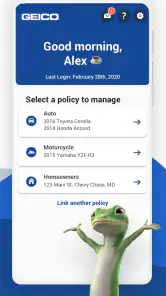
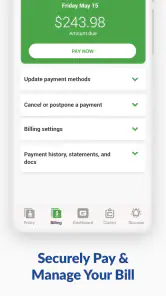
Gone are the days of waiting on hold for hours just to make a simple change to your policy. With GEICO Mobile, you can update your coverage, add a vehicle, or make a payment in just a few clicks. It’s all about giving you control and flexibility, making sure your insurance fits your life like a glove. And hey, who doesn’t love avoiding those dreaded customer service calls?

So, there you have it, folks! The GEICO Mobile - Car Insurance app is like a trusty sidekick that turns the often daunting world of insurance into a breeze. Whether you’re a tech-savvy millennial or someone who just wants to keep things simple, this app has got you covered. It’s not just an app; it’s peace of mind on the go. So go ahead, give it a spin, and hit the road with confidence!

Pros

  • User-friendly interface for easy navigation.
  • Quick access to digital ID cards.
  • Efficient roadside assistance feature.
  • Customizable payment options.
  • Real-time claim tracking available.

Cons

  • Limited coverage options in certain areas.
  • Occasional app crashes reported.
  • Some features require strong internet.
  • Limited customer support on weekends.
  • In-app ads can be distracting.
Advertisements

Download

Download From Google Play Download From App Store

You May Like

Frequently Asked Questions

What features does the GEICO Mobile app offer?

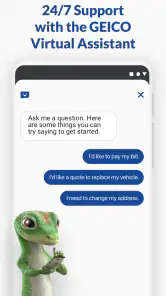
The GEICO Mobile app provides a comprehensive suite of features for users. It allows policyholders to easily manage their insurance policies, access digital ID cards, and request roadside assistance. Users can also report and track claims, pay bills, and get quick access to customer service. Additionally, the app offers a vehicle locator service and the ability to update your policy information, making it a versatile tool for managing your insurance needs conveniently from your smartphone.

Is the GEICO Mobile app secure?

Yes, the GEICO Mobile app is designed with multiple security measures to protect your personal and financial information. It employs encryption protocols to safeguard data transmitted between your device and GEICO's servers. The app also requires authentication through a secure login process, and you can set up biometric security features such as fingerprint or facial recognition for additional protection. GEICO is committed to maintaining the highest standards of security to ensure your information remains confidential.

Can I file a claim through the GEICO Mobile app?

Certainly, the GEICO Mobile app allows you to file a claim directly from your smartphone. The app guides you through the process, enabling you to provide necessary details, upload photos of the incident, and track the progress of your claim. This feature simplifies the claims process, making it more efficient and less stressful. You can also communicate with claims representatives and receive updates on your claim status, ensuring a smooth experience.

How do I access my insurance ID card on the GEICO Mobile app?

Accessing your insurance ID card through the GEICO Mobile app is straightforward. Once you log in to the app, you can navigate to the ID Cards section where your digital ID card is displayed. This digital version is legally accepted in many states, providing a convenient alternative to carrying a physical card. You can view, save, or share your ID card directly from the app, making it easy to present your insurance information when needed.

What should I do if I encounter technical issues with the GEICO Mobile app?

If you experience any technical difficulties with the GEICO Mobile app, there are several steps you can take. First, ensure that your app is updated to the latest version, as updates often fix known issues. If problems persist, try restarting your device or reinstalling the app. For further assistance, you can contact GEICO's customer support directly through the app or via their website. They offer support to help resolve any technical issues promptly.