Garmin Drive™
- 4.28K
- 3.9
- Installs
- 1.00M
- Price
- Free
Screenshots
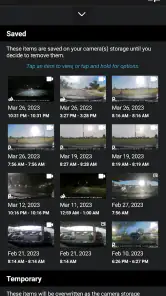
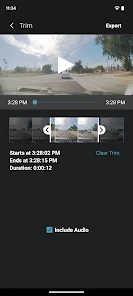
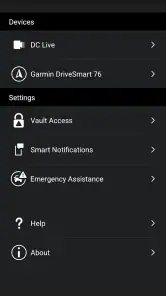
Analysis by Reviewed
If you’re like me and love hitting the road with confidence, then the Garmin Drive™ app might just become your new best friend. With so many navigation apps out there, finding one that truly enhances your driving experience is like finding a needle in a haystack. So, let’s buckle up and dive into what makes Garmin Drive™ stand out from the crowd.
The Road to Seamless Navigation
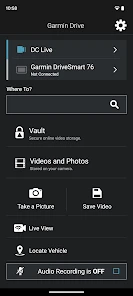
One of the first things you’ll notice about this app is its user-friendly interface. It’s clear that the folks at Garmin have put a lot of thought into making sure drivers don’t have to fumble around with confusing menus while on the move. The app’s layout is intuitive, with all the essential functions easily accessible. Gone are the days of pulling over to figure out your next step; with Garmin Drive™, it’s all right there at your fingertips.
Real-Time Traffic Updates
Imagine this: you’re cruising along, enjoying your favorite tunes, when suddenly traffic grinds to a halt. Frustrating, right? Well, this app has got your back with its real-time traffic updates. It alerts you to any potential delays ahead, suggesting alternate routes that could save you both time and stress. It’s like having a personal traffic assistant riding along with you. How cool is that?
Comprehensive Maps and Points of Interest
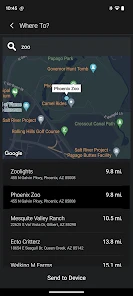
The maps on this app are nothing short of impressive. They’re detailed, constantly updated, and cover a wide range of areas, ensuring you’re never left stranded in unfamiliar territory. Plus, the points of interest feature is a game-changer. Whether you’re looking for a quick bite or need to find a gas station pronto, the app’s got you covered. It’s like having a local guide in your pocket!
Safety First, Always
Safety is paramount when you’re behind the wheel, and Garmin knows it. The app includes features designed to keep you safe on the road, like alerts for speed limits and sharp curves. It’s like having a co-pilot who’s always looking out for you, reminding you to stay within the limits and navigate safely.
Another nifty feature is the driver alerts, which notify you of upcoming school zones or animal crossings. It’s little things like these that show how much thought has been put into ensuring your drive is as safe as it is enjoyable.
The Verdict
In my book, the Garmin Drive™ app is a must-have for anyone who spends a significant amount of time on the road. It’s not just a navigation tool; it’s a comprehensive driving companion that puts real-time information and reliable maps right in your hands. So, if you’re looking for an app that makes every journey smoother and safer, give this one a spin. Trust me, once you try it, you’ll wonder how you ever managed without it!
Pros
- User-friendly interface
- Detailed navigation updates
- Customizable map views
- Real-time traffic alerts
- Multiple language support
Cons
- Requires frequent app updates
- Limited offline capabilities
- Some features need subscription
- High battery consumption
- Occasional map inaccuracies

- Category
- Auto & Vehicles
- Version
- 4.27.63











