Freebie Invoice Maker Simple
- 1.59K
- 4.8
- Installs
- 500.00K
- Price
- Free

Screenshots

Analysis by Reviewed
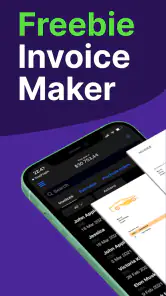
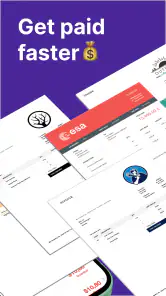
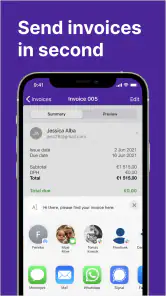
I approached Freebie Invoice Maker Simple as a practical finance app for the moments when creating an invoice should not turn into an evening project. Its purpose is easy to understand: help you prepare professional-looking invoices from a phone instead of starting with a blank document, opening a spreadsheet, or searching through old files. After using it, my overall impression is that it is most useful for freelancers, independent tradespeople, tutors, consultants, and small sellers who need a straightforward way to organize billing.
The app is free to download and is suitable for Everyone, which makes it approachable for a wide range of users. It comes from Invoice Generator, and its presence in the finance category feels appropriate because the focus is not broad accounting but the specific job of preparing invoices. I would not treat it as a replacement for full bookkeeping software. I see it more as a focused tool that can remove friction from one important part of running a small business.
What makes it interesting is the balance between simplicity and the expectations that come with professional documents. An invoice has to be clear enough for a customer to understand and organized enough for the person sending it to keep track of work. The app aims at that middle ground. It is not trying to overwhelm a casual user with a full business-management system, but it also does more than a quick note typed into a messaging app.
How the app feels during everyday invoice work
Quick starts matter more than flashy extras
When I need to create an invoice, the first question is not whether an app has a long feature list. I want to know how quickly I can move from opening it to entering the customer, the work, the amount, and the payment details. Freebie Invoice Maker Simple is built around that direct task, so its value depends heavily on keeping the process understandable.
That focus gives it a useful advantage over a spreadsheet for occasional users. A spreadsheet can be flexible, but flexibility also means deciding where every piece of information belongs, checking formulas, and making sure the final document looks presentable. A dedicated invoice maker gives the task a clearer shape. I can think about the job I completed rather than designing a document from scratch.
It also feels more suitable than a word processor when the same kind of work happens repeatedly. A word processor is fine for a one-off letter, but invoices usually contain recurring details and a recognizable structure. Using a dedicated finance app reduces the temptation to copy an old file and accidentally leave behind the previous customer’s name, date, or amount. That small difference can prevent an embarrassing mistake.
My practical advice is to prepare the information you use most often before creating several invoices in a row. Keep the exact business name, contact details, payment instructions, and preferred wording nearby. The app can make invoice creation more organized, but it cannot decide which commercial terms are correct for your business. A minute spent checking those details is more valuable than rushing through the form.
A realistic use case for a busy afternoon
Imagine a self-employed photographer finishing two small assignments on the same day. One client needs an invoice immediately, while the second will receive one later in the evening. With a spreadsheet, the photographer might duplicate a previous file, rename it, adjust the line items, and then inspect every copied field. With this app, the dedicated invoice workflow is a more natural starting point.
The important benefit in that situation is not simply speed. It is separation. Each job can be treated as its own billing task instead of another version of a document that already exists. I would still review the recipient, service description, totals, and payment information before sending anything, but the app gives the process a more deliberate shape.
The same approach works for a cleaner billing several homes, a language tutor charging for lessons, or a designer sending a deposit request. These users do not necessarily need inventory management, payroll, tax reporting, or a large customer relationship system. They need a clean invoice without carrying a laptop to every job. That is where this app makes the strongest case for itself.
What happens when the workload becomes heavier
Creating one invoice is a simple test. Creating many invoices in a single sitting is more revealing. Heavy use can expose small sources of friction: re-entering repeated information, checking that every line item is accurate, switching between customer messages and the invoice screen, or reviewing documents before sending them. A focused invoice app can help with the central task, but it does not remove the need for a disciplined workflow.
If I were billing several customers after a busy week, I would work in batches. First, I would gather the job dates and descriptions. Next, I would create each invoice one at a time, checking the customer identity before moving to the next. Finally, I would review the completed documents together. This reduces the risk of mixing one client’s work with another’s and makes the phone screen less tiring than constantly jumping between unrelated tasks.
Another useful habit is to keep descriptions specific. “Design work” may be too vague when a customer reviews the invoice weeks later. A clearer description such as the project stage or completed service gives the recipient more context and makes your own records easier to understand. The app can organize the invoice, but the quality of the wording still comes from the person using it.
For occasional invoicing, this workload should feel reasonable. For a business producing a large volume of invoices every day, I would be more cautious. At that level, automation, customer databases, recurring billing, tax workflows, reporting, and desktop access may matter more than a simple mobile invoice creator. The app is strongest when the human user remains close to each transaction.
Stability and recovering from interruptions
A finance app does not need to perform dramatic tasks to be valuable. It needs to behave predictably while I enter details and review a document. In my view, stability here means more than opening quickly. It means being able to pause, correct an entry, and return to the task without losing confidence in what I am preparing.
Phone-based work is often interrupted. A call arrives, a customer sends a message, or I need to check an address in another app. I would therefore avoid treating an unfinished invoice as complete. Before leaving the screen, I would note which customer and job I am working on, then reopen the draft carefully and verify the fields. That habit is especially important when an invoice contains several line items or when I am working under time pressure.
Recovery is also a reason to review before sending. Even if an app behaves normally, human errors remain possible: a missing digit in a bank detail, an incorrect quantity, or a description copied from the previous job. A final read-through is not unnecessary bureaucracy. It is the step that turns a convenient mobile workflow into a dependable one.
I would describe the app as better suited to controlled, individual invoice preparation than to a complicated multi-person process. If several staff members need to edit the same records, or if invoices must connect directly with broader accounting operations, a more comprehensive service may provide a safer structure. Freebie Invoice Maker Simple can simplify the document itself, but it should not be mistaken for an entire financial control system.
Older devices and practical constraints
The app supports devices running Android 7.0 or later, so compatibility is an important point to check before installing. That requirement covers many older Android phones, but not every device still in use. If a phone is very old, storage is tight, or the operating system has not been updated in years, I would confirm compatibility first rather than assuming every Android handset can run it.
On a supported phone, an invoice-focused app should generally demand less attention than a full accounting suite because the task is narrower. Still, I would avoid promising identical performance on every device. Screen size, available storage, background activity, and the condition of the operating system can all affect how comfortable a finance app feels. A small screen may make long customer names or detailed line items more awkward to review even when the app itself is functioning properly.
Resource demands matter most when the app is used alongside other work. A tradesperson may switch between messages, maps, photos, and invoicing. A tutor may move between a calendar, a payment conversation, and the invoice. In those cases, the practical test is whether the phone can move between tasks without making the billing process confusing. I would keep the invoice review as a separate final step rather than trying to complete it while walking between appointments.
iPhone users should also pay attention to the platform available to them before planning a workflow around the app. The most relevant experience here is the Android version and its stated operating-system requirement. That makes it a particularly natural choice for Android users who want a mobile invoice tool, while someone working primarily from an iPhone, tablet, or desktop should compare the available alternatives before committing their business records to one workflow.
Where it beats familiar alternatives
The usual alternative for a small operator is often a spreadsheet. Spreadsheets win on customization and can be useful when a business needs detailed calculations, but they also require more setup and maintenance. A dedicated invoice maker is less flexible, yet that limitation can be helpful. It keeps attention on issuing an invoice rather than building a template.
Emailing a plain text payment request is faster for a tiny informal job, but it can look less organized and may be harder to reference later. A document editor offers more control over appearance, though it encourages manual formatting. Full accounting platforms go much further, with broader financial tools, but they can feel excessive when the only immediate need is a professional invoice from a phone.
This app sits between those choices. I would choose it over a spreadsheet when I want structure without formulas. I would choose it over a word processor when I expect to invoice repeatedly. I would choose a larger accounting platform when invoices are only one part of a business process involving taxes, expenses, inventory, multiple users, or detailed reporting.
Free access and the point where costs matter
The app is free, which lowers the barrier for someone testing a mobile invoicing routine or moving away from handwritten billing. That is valuable for a new freelancer who wants to look organized without paying for a large business platform immediately. It also makes sense for a person who sends invoices only occasionally and does not want another fixed expense.
There are in-app purchases ranging from $5.99 to $199.99 per item. Because those purchases can vary widely, I would inspect the purchase screen carefully before selecting anything paid. The sensible approach is to start with the free experience, identify the exact limitation affecting your work, and then decide whether paying solves a real problem. Do not upgrade simply because a premium option appears; upgrade only when it saves enough time or removes a restriction that genuinely matters.
This pricing structure creates a clear trade-off. A light user may be perfectly comfortable staying with the free option, while a growing business might consider paid tools if they support a more efficient routine. However, anyone comparing the app with accounting software should calculate the total value rather than focusing only on the first purchase. A low-cost invoice tool can still be the wrong choice if it leaves you manually handling every other financial task.
Who should use it and who should look elsewhere
I would recommend Freebie Invoice Maker Simple to an independent worker who wants mobile-first invoice creation without learning a complicated accounting system. It is also a reasonable starting point for a small service business that has a manageable number of customers and wants clearer records than informal messages or improvised documents provide.
It is less suitable for a company that needs several people to manage the same billing operation, a business with complex tax requirements, or anyone seeking a complete view of income, expenses, stock, and financial reporting in one place. It may also frustrate users who prefer doing all administrative work on a desktop or who need a highly customized invoice design.
The app’s audience is reflected in its broad Everyone age rating, but that does not mean every business situation is equally appropriate. A young freelancer can use a simple invoice workflow responsibly, while an established company may need stronger internal checks. The right question is not whether the app is easy to open; it is whether its level of structure matches the consequences of your billing process.
My performance verdict after weighing convenience and control
Freebie Invoice Maker Simple earns its place by keeping invoice creation focused. I like it most for short, repeatable tasks where I already know the customer, service, and amount, and I want to turn those details into an organized document without building a template. Its mobile format is especially useful for people who work away from a desk and need to bill soon after finishing a job.
The app has also attracted a strong audience, with an average rating of 4.8 from around 19 thousand ratings and more than 500 thousand installs. Those figures suggest that the straightforward approach resonates with many users, although popularity should not replace checking whether the workflow fits your own business. The developer is Invoice Generator, and the current version is 26.3.10.
My main caution is about scope rather than basic usefulness. A simple invoice maker can make billing cleaner, but it does not automatically provide the controls of full accounting software. I would use it with a personal review routine: verify the recipient, describe the work clearly, check the total, and keep a separate record of what has been sent and paid. That combination gives the app a much better chance of supporting reliable business habits.
For someone who sends a few invoices from an Android phone, the free entry point and focused design make it easy to try. For someone managing a complex operation, I would compare it with a broader financial platform before moving important processes into it. My final view is positive but specific: this is a practical invoice tool, not a complete accounting office. Used within that boundary, it can make an otherwise tedious part of freelance and small-business work feel noticeably more manageable.
Pros
- Create professional invoices quickly without accounting expertise.
- Simple interface makes invoice creation easy for freelancers and small businesses.
- Useful for sending invoices while working away from a computer.
- Supports basic client and business information for repeat billing.
- Can help keep invoicing organized in one lightweight mobile app.
Cons
- Advanced accounting and bookkeeping tools may be unavailable.
- Customization options for invoice designs can be limited.
- May not suit businesses needing detailed tax calculations.
- Large invoice histories could become difficult to manage over time.
- Some features may require payment or include advertising.

- Category
- Finance
- Version
- 26.3.10











