Flashlight : SMS & Call Alert
- 14.00
- 4.0
- Installs
- 1.00M
- Price
- Free
Screenshots
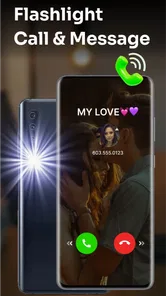
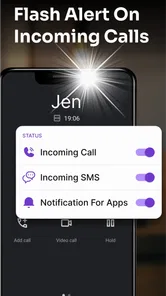
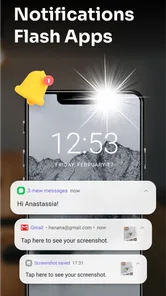
Analysis by Reviewed
Ever been in a situation where you missed an important call or message because your phone was on silent mode? Well, I've been there too, and that's why I decided to give the Flashlight: SMS & Call Alert app a spin. Let me tell you, it’s a game changer!
Why This App Caught My Attention
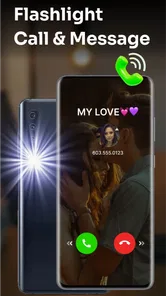
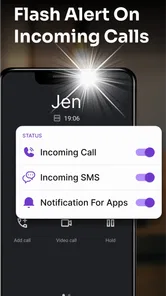
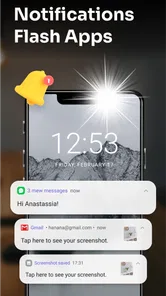
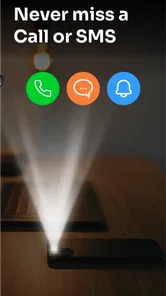
First off, what intrigued me about the Flashlight: SMS & Call Alert app is its simplicity and utility. Imagine having your phone flash like a strobe light every time you receive a call or SMS. It’s like having your personal disco ball right in your pocket! But more importantly, it ensures you never miss out on those crucial notifications, even when your phone is on silent or you're in a noisy environment.
Setting It Up Is a Breeze
Setting up the app was straightforward. The interface is super user-friendly, and I had everything up and running in just a few taps. There's no need for a tech degree here. You can customize the flash frequency, duration, and even choose which notifications trigger the light show. It’s all about giving you control over how you want to be alerted.
Performance That Shines
When it comes to performance, this app doesn’t disappoint. The flashlight feature is bright and noticeable, ensuring you’re alerted, come rain or shine. I tested it in different lighting conditions, and it worked perfectly every time. Plus, it's pretty easy on the battery, which is always a win in my book.
Beyond Just Alerts
What’s really cool is that this app isn’t just about notifications. It doubles up as a regular flashlight too. So, say goodbye to fumbling in the dark or downloading an extra flashlight app. It's like having two apps in one!
Another nifty feature is the SOS mode. Just imagine being stuck in a tricky situation and needing to signal for help. This app lets you send out SOS signals using the flash, which can be a lifesaver.
My Final Thoughts
All in all, if you’re looking for an app that’s both practical and fun, Flashlight: SMS & Call Alert is definitely worth checking out. It’s a handy tool for the forgetful and the ever-busy, ensuring you never miss out on important alerts. Plus, with the added flashlight and SOS features, it’s like carrying a Swiss Army knife in your digital toolkit. So, why not give it a try and see how it brightens up your mobile experience?
More From Our News Desk

 Lark Player:Music Player & MP3
Switching to Lark Player: A Better Fit for Music Stored on Your Phone?
Lark Player makes sense if your music already lives on your phone. Here is what changes, what does not transfer by assumption, and how to test the switch without regret.

 Tile Master® - Matching Game
Tile Master Finds Its Place in the Gaps of a Noisy Phone
OS changes rarely transform a tile puzzle, but they reshape the small rituals around it. Tile Master’s appeal lies in how well its brief, tactile rounds fit the modern phone.

 Google Docs
 Shows What Mobile Writing Still Gets Wrong
Google Docs still makes a strong case for the shared document, but its real significance is how it exposes the gap between cloud convenience and genuinely capable mobile work.

 YouTube Studio
 Is Becoming a Creator’s Daily Control Room
As publishing turns into a daily, data-led habit, YouTube Studio is becoming the control room creators reach for between uploads—not another tool for making videos.

 Tiles Hop Music & Ball Game
Tiles Hop Review: When the Beat Is Clear, Every Miss Counts
Tiles Hop turns a simple bouncing-ball premise into a sharp test of timing. Its best design is immediate and readable; its weakest moments come when recovery feels less clear than the beat.

 Piano - Music Keyboard & Tiles
: Inviting Rhythm, Unproven Recovery
A tile-tapping piano game lives or dies by timing. This resilience-focused review separates what its format promises from what players still need to verify.
Latest News



Flashlight : SMS & Call Alert Frequently Asked Questions
What is Flashlight: SMS & Call Alert and how does it work?
Flashlight: SMS & Call Alert is a versatile app designed to enhance your smartphone's functionality. By turning on your phone's flashlight when receiving SMS or call notifications, it provides a visual alert system that ensures you never miss an important message or call. Ideal for noisy environments or for individuals with hearing difficulties, this app makes your phone more accessible and responsive to your needs.
Is Flashlight: SMS & Call Alert compatible with all smartphones?
Flashlight: SMS & Call Alert is compatible with most Android and iOS devices that have a built-in LED flashlight. However, compatibility may vary based on the phone's operating system version and manufacturer. It's recommended to check the app's description in the app store to ensure compatibility with your specific device and its OS version.
Does the Flashlight: SMS & Call Alert app consume a lot of battery?
The app is designed to minimize battery consumption by only activating the flashlight during SMS and call notifications. However, frequent notifications can lead to increased battery usage. For optimal battery performance, users can customize the app's settings, such as adjusting the flash duration and frequency, to suit their needs while conserving battery life.
Can I customize the flash alerts for different contacts?
Yes, Flashlight: SMS & Call Alert allows users to customize flash alerts for specific contacts. This means you can assign unique flash patterns for important contacts, helping you identify who is reaching out without even looking at your phone. This feature is particularly useful for prioritizing notifications and managing your time efficiently.
Is Flashlight: SMS & Call Alert free to use, or does it require a subscription?
Flashlight: SMS & Call Alert is available as a free download with basic features. However, it may offer in-app purchases or a premium version to unlock additional features and customization options. Users can choose to upgrade for an ad-free experience and access to enhanced functionalities, depending on their preferences and usage requirements.
Pros
- Easy to use interface
- Bright LED flashlight
- Customizable alert settings
- Battery efficient
- Free to download
Cons
- Contains ads
- Limited to basic functions
- No widget support
- Requires camera permission
- May not support older devices