First™ | Fun Learning For Kids
- 1.63K
- 3.9
- Installs
- 1.00M
- Price
- Free

Screenshots
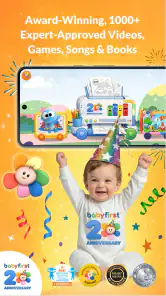
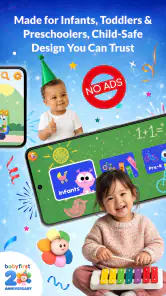

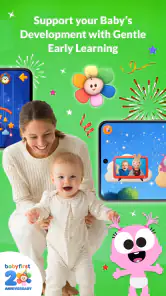

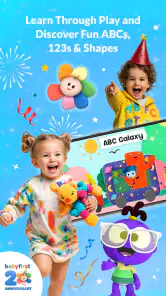
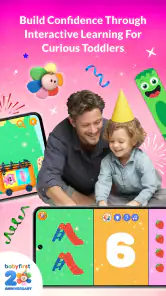
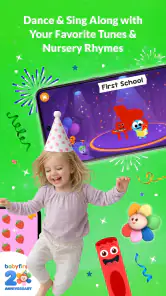
Analysis by Reviewed
When I first opened First™, I understood the appeal almost immediately: it is designed to make early learning feel like a shared activity rather than a formal lesson. The app targets babies, infants, toddlers, and their families, so the experience is intentionally approachable. I could imagine using it during a quiet morning, while waiting at an appointment, or when a child needs a short change of pace without turning the moment into a complicated setup.
That simplicity is its strongest first impression. First Media US presents it as an educational app for very young children, and the Everyone age rating fits the gentle, family-oriented purpose. It is free to download, although optional in-app purchases range from $0.99 to $74.99 per item. That combination makes it easy to try, but it also means I would look carefully at what is available without spending before making it part of a daily routine.
I would not treat it as a replacement for talking, reading picture books, singing, or playing with real objects. Its best role is smaller and more practical: a digital prompt that gives a parent and child something to explore together. If you expect an app to teach independently while you step away, this is probably the wrong expectation. The real value comes from the adult joining in, naming what appears, asking simple questions, and then connecting the screen activity to something in the room.
What the first week feels like
A gentle starting point for very young learners
During the first few sessions, the main attraction is familiarity. Young children often respond well to repetition, recognizable sounds, bright visual material, and short activities. First™ is built around that early-learning space, so it feels less intimidating than a school-oriented platform aimed at older children. I found the concept easier to introduce than an app that begins with menus, accounts, progress charts, or instructions that require a child to read.
For a parent, the first week is also a test of attention. I would begin with brief sessions rather than handing over the device for a long stretch. A toddler may enjoy watching or tapping for a few minutes, then lose interest, and that is not necessarily a failure. At this age, the useful question is whether the app creates a moment of interaction, not whether it keeps a child occupied for as long as possible.
One practical approach is to use it as a transition tool. Before opening it, I would choose one simple theme for conversation: colors, animals, sounds, counting, or whatever the current activity presents. Afterward, I would point to a matching object away from the screen. That small follow-through changes the experience from passive viewing into a short learning loop. It is one of the easiest ways to get more from the app without needing special teaching knowledge.
Why the family context matters
The wording around families is important because a young child may not be able to navigate independently. I see this as a shared-use app, especially for babies and infants. An adult can control the device, repeat words, pause when the child looks away, and notice whether the material is helping or overstimulating. The app can provide a starting point, but the adult supplies the explanation and emotional connection.
This also makes it useful for different caregiving situations. A parent could use it during a calm one-to-one moment, while a grandparent might use it as a conversation starter with a child. Siblings can take turns, although older children may find the material too basic. In a household with more than one child, I would avoid presenting the app as a reward that must be earned or as a substitute for play. It works better as one small option among several.
The first week is where novelty does most of the work. A child may be interested simply because the screen changes when touched or because the adult is sharing the experience. That is why I would avoid judging the app solely by the excitement of the first session. The more important test is whether I can return to it without having to invent a new routine every time.
What to check before making it a habit
Because the app is free to start but includes paid items, I would review the available content with the child away from the screen. That gives the adult a chance to understand what can be used freely and what may invite a purchase. I would also turn on the device’s usual purchase protections and keep the phone or tablet in a shared space. This is not a criticism unique to First™; it is simply sensible whenever young children use a device that can display optional purchases.
The technical baseline is fairly accessible. The current version is 7.6.2.0 and requires Android 6.0 or later, which means many older compatible Android devices can potentially run it. On iOS or Android, I would still judge the experience by the specific device: a larger screen is easier for shared use, while a phone is more convenient when traveling. A small display may encourage close tapping but makes it harder for an adult and child to look together.
First Media US has kept the app in the education category since its release on September 13, 2012. That long presence suggests it is not merely a short-lived novelty, but longevity alone does not guarantee that every family will find the current experience engaging. I would use the first week to see whether the child returns willingly and whether the content gives me enough opportunities to talk, point, repeat, and connect it to everyday life.
Does it keep earning a place after the novelty?
Month-to-month value depends on rotation
After the initial excitement fades, the app’s value depends less on discovery and more on how deliberately I use it. Very young children benefit from repetition, but repetition needs a purpose. If I open the same material automatically whenever the child is restless, it can quickly become background entertainment. If I revisit a familiar activity while changing the conversation around it, the same material can support recognition, vocabulary, and turn-taking.
For example, I might use a session about familiar objects and then spend the next day finding those objects around the home. On another day, I could ask the child to point before tapping, or pause and let the child imitate a sound. The app itself does not need to become more complicated for the routine to become more meaningful. The adult can add the progression.
A useful monthly habit would be to keep a small rotation rather than opening everything at random. I would select a few activities that match the child’s current interests, use them for several days, and then replace only one part of the routine. This prevents the experience from becoming a constant stream of unrelated stimulation. It also helps me notice whether the child is recognizing something, attempting a word, waiting for a turn, or simply tapping quickly.
That approach reveals a trade-off. First™ may be more useful for parents who enjoy participating than for families looking for an automatic curriculum. It gives me material to work with, but it does not remove the need to decide when to stop, what to repeat, or how to connect the screen to real life. Parents who want structured milestones, detailed records, or a clearly sequenced program may prefer a more formal early-learning service.
Recurring value for different ages
The broad age range is convenient, but it also means the experience will not feel equally suitable for every child. A baby may respond mainly to sound, movement, and the adult’s voice. An older toddler may want to make choices, repeat words, or connect an image with a real object. The same activity can therefore serve different purposes, but only if the adult adjusts the interaction.
I would not expect the app to remain equally fresh for a preschooler who is ready for longer stories, handwriting practice, or more demanding problem-solving. Its center of gravity is early exposure and family participation. For that reason, I see it as a companion during a particular stage rather than an education platform that should remain installed for years without changing role.
Families with a child who has a very specific learning need should also be selective. The app may offer a friendly way to introduce concepts, but I would not rely on it as a personalized intervention. A teacher, pediatric professional, or specialist can adapt activities to a child’s development in a way a general family app cannot. First™ is most convincing when used as an accessible supplement, not as the only learning resource.
The maintenance burden is small, but real
Maintaining the app is not difficult, yet the burden is easy to underestimate. I would need to keep the device charged, make sure the child is using the intended profile or screen, manage interruptions, and occasionally check whether the current version still behaves well on the device. Those are minor tasks, but they matter when the app is meant to support a repeatable family habit.
The bigger maintenance task is curating the routine. If I leave the device available whenever the child asks, the app can become a default distraction. If I keep it for selected moments, it remains easier to connect with conversation and play. A simple rule works well: decide the purpose before opening it. Is today’s session for naming, listening, taking turns, calming down, or exploring something familiar? A clear purpose makes a short session feel more complete.
I would also avoid using it at every difficult moment. If the app becomes the automatic answer to boredom, waiting, meals, or frustration, the child may start to associate it with instant relief rather than learning. Alternating it with books, blocks, songs, drawing, and outdoor observation protects its usefulness. This is a maintenance decision, not a technical one, but it has more influence on long-term value than installing another update.
Where fatigue begins
The first source of fatigue is repetition without adult variation. A child who once enjoyed tapping through an activity may lose interest if each session follows exactly the same pattern. That does not necessarily mean the content has failed. It may mean the app has reached the limit of what it can offer without a new question, a real-world object, or a different social interaction.
The second source is screen context. A tired child may become frustrated by tapping, while a very active child may move on before an activity has finished. In both cases, I would stop rather than push through. The app should fit the child’s attention, not demand that the child fit the app’s pace. This is particularly important for babies and infants, whose signals are often more reliable than any built-in sequence.
Purchases can create another kind of fatigue for adults. Even when the free starting point is enough to explore, optional items can make the experience feel less straightforward if a child repeatedly encounters something unavailable. I would preview the app, decide whether the free material is sufficient, and make purchases only when I can explain why a particular addition supports our routine. The upper end of the listed purchase range is substantial enough that casual tapping should not decide the family budget.
There is also the question of comparison. Compared with a simple video service, First™ is more clearly positioned around early learning and shared use, but a video may be easier when a child only wants to watch. Compared with a physical board book, the app offers interactive variety and portability, while the book has no battery, no purchase prompts, and naturally encourages looking away from the screen. Compared with a structured educational platform for older children, First™ feels more approachable for the youngest users but less suitable for measurable academic progression.
How I would use it in an ordinary day
Imagine a rainy afternoon when a toddler is restless after lunch. I would not hand over the tablet for an open-ended session. I would sit beside the child, choose one short activity, and ask the child to show me what appears before touching the screen. When the child loses interest, I would close the app and move to a matching activity with toys, household objects, or a picture book. The digital part might last only a few minutes, but it would give the rest of the afternoon a clear starting point.
For travel, I would prepare the device before leaving rather than troubleshoot while a child is already impatient. I would keep expectations modest: this is a backup activity, not a guarantee of quiet. In a waiting room, I might use it as a turn-taking exercise between the child and an adult. At home, I would prefer shared use because it makes it easier to notice when the child is engaged, confused, or ready to stop.
That workflow is more valuable than simply counting how many activities are available. It turns First™ into a prompt inside a larger routine. The app supplies the immediate material; the adult supplies the pacing, questions, and follow-up. Families willing to do that will probably see more lasting value than families expecting the application to carry the entire learning experience by itself.
Who should keep it installed
I would recommend keeping it installed if you want a free starting point for shared early-learning moments, your child responds well to short digital activities, and you are comfortable guiding the session. It is particularly suitable for caregivers who want something portable and uncomplicated for babies or toddlers, while still planning to use books, conversation, movement, and hands-on play.
I would skip it, or at least avoid making it central, if you want independent use, detailed educational tracking, or a fixed lesson plan that advances in a predictable order. I would also look elsewhere if your child is already beyond basic early-learning material or if screens consistently create conflict in your home. In those situations, a physical resource or a more structured program may be a better match.
The app’s average rating is 3.9 from around 8,100 ratings, with roughly 1,600 written reviews, and it has passed one million installs. Those figures show that it has reached a substantial audience, but they do not decide whether it belongs on your device. For me, the more useful measure is whether it supports a repeatable family habit without creating more management than value.
My long-term verdict
First™ earns lasting space when I treat it as a small tool, not a complete learning solution. Its strongest quality is accessibility: it gives families a friendly way to begin an educational interaction with a very young child. The free entry point lowers the barrier to trying it, and the family focus makes it more useful when an adult is present and engaged.
Its limitations become clearer over time. Novelty fades, young children’s interests change, and repeated tapping can become empty if nobody adds conversation or real-world play. Optional purchases also deserve adult attention, especially in a household where a child can reach the device. These are manageable concerns, but ignoring them can turn a promising routine into another unused installation.
My recommendation is to try it with a specific plan: use short sessions, stay nearby, connect one idea to something outside the screen, and rotate it with non-digital activities. Reassess after a few weeks rather than assuming that continued installation equals continued benefit. If your child still engages and you can easily build conversation around the material, it has earned its place. If it has become background noise or a source of arguments, removing it is the better educational choice.
In my experience, that is where First™ is most honest and useful. It does not need to occupy every day to be worthwhile. A well-timed, shared session can be enough. For families seeking low-pressure early learning with an adult involved, it is a worthwhile free app to explore, provided you keep its role modest and protect the balance between screen time and the richer learning that happens everywhere else.
Pros
- Engaging activities help children practice letters
- numbers
- shapes
- and basic concepts.
- Bright visuals and playful sounds make lessons appealing to younger children.
- Short activities suit brief attention spans and make sessions easy to manage.
- Simple navigation lets children explore with limited help from adults.
- Progressive learning content can support early practice at home or on the go.
Cons
- Some content may feel too basic for children who already know the fundamentals.
- Parents may need to supervise screen time and help explain certain activities.
- The app’s appeal can decrease once children complete the available lessons.
- Device audio and bright animations may be distracting in quiet environments.
- Compatibility and available features may vary between Android and iOS devices.

- Category
- Education
- Version
- 7.6.2.0











