Firefox Focus: No Fuss Browser
- 7.75K
- 4.6
- Installs
- 10.00M
- Price
- Free

Screenshots



Analysis by Reviewed
My clearest use for a separate browser is a quick search I don’t want mixed into my usual browsing: checking a product, looking up a local service, or opening a link someone sent me. I can get in, find what I need, and clear the session instead of leaving a trail of tabs to sort out later. That focused role is where Firefox Focus makes the most sense to me.
A useful second browser, not a full replacement
I think of it as a companion to a regular browser rather than an all-purpose home for everything online. If you want a persistent collection of tabs, saved reading, or a familiar setup for long research sessions, your main browser is likely the better fit. Focus is more appealing when the task is short and you want fewer distractions between opening the app and reaching a result.
That distinction also helps set expectations about privacy. Tracker blocking and the quick erase control can reduce what remains in the browser, but they do not make every website anonymous or remove information you choose to submit to a site. I use the clear option as a practical way to tidy up local browsing, not as a guarantee that every trace of online activity disappears everywhere.
From search to handoff
A realistic routine is to search for a shop while out, compare a couple of pages, then move the useful detail into the app or conversation where I actually need it. Focus works well for that first leg: the search stays in a lean browser, and I can leave once I have an address, opening information, or a product detail. The trade-off is that a handoff may mean copying the information or reopening the destination in another app, so it is less convenient than keeping a long, connected browsing session in one place.
For a smoother workflow, I would treat each visit as a small task: search, check the source, capture the detail I need, and clear the session when finished. That is especially handy on a shared device or when I’m researching something I don’t want sitting in a busy tab list. I would still avoid entering sensitive account details just because the browser emphasizes privacy; good browsing habits matter whichever app I use.
Who will appreciate the trade-off
Mozilla makes this free communication app, rated for Everyone, and it has a 4.6 average from around 248,000 ratings, with over 10 million installs. Its appeal is easy to understand if you want a lightweight browser for quick, private-minded searches. If you rely on a large set of everyday browser conveniences, though, the stripped-back approach may feel limiting rather than refreshing.
Have you ever found yourself wanting a browser that’s sleek, speedy, and doesn’t bombard you with unnecessary clutter? Well, let me introduce you to Firefox Focus: No Fuss Browser. This little gem has been a game-changer for me, and I’m excited to share my experience with you.
More From Our News Desk

Weather by Xiaomi Review: Clear at a Glance, Less Clear Up Close

X Under Pressure: Can It Recover When Posting Goes Wrong?

Clash of Clans Is Won Between the Battles

Android Auto Makes the Case for Quieter Car Software

MobiOffice: Transforming Mobile Productivity with Seamless Integration

EA SPORTS FC™ Mobile Soccer: Redefining Mobile Sports Gaming
Browsing Without the Fluff
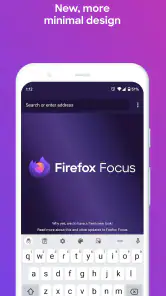
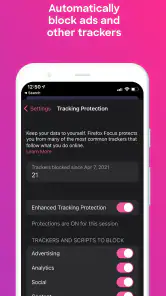
From the moment I launched Firefox Focus, I was struck by its minimalist design. There are no distractions, just a straightforward interface that lets you get right to what you want – browsing. The app’s main charm is its dedication to privacy. It automatically blocks a wide range of online trackers, meaning you can surf the web without advertisers following you around, trying to sell you that one thing you googled last week.
Speed and Efficiency
Now, let’s talk about speed. One of the standout features of this browser is its quickness. Pages load rapidly, and the absence of ads and trackers means there’s less data to download, which really boosts performance. It’s like having your own personal racetrack on the internet, where you get to zoom past all the digital debris.
Privacy at Its Core
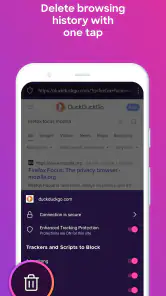
Privacy is obviously a big deal these days, and Firefox Focus doesn’t take that lightly. By default, it blocks social trackers, analytics trackers, and other web trackers. Plus, with a single tap, you can erase your browsing history, passwords, and cookies, keeping your online activity private. It feels really good knowing that your data isn’t being stored or sold off to the highest bidder.
Keeping it Simple
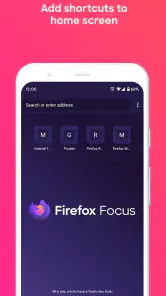
The simplicity of Firefox Focus is what makes it so appealing. There’s no need to fiddle with complicated settings or menus. The app does the heavy lifting for you, ensuring that your browsing experience is streamlined and secure. It’s perfect for those of us who just want to browse without getting bogged down by excessive features.
Compatibility and everyday friction
The current release is 145.0.2, and the app supports devices running Android 8.0 or later. I’d check that requirement before switching from an older phone, since a browser can be useful only if it runs comfortably on the device I carry. It is free, which makes trying it alongside a regular browser an easy, low-commitment choice.
One practical wrinkle is that tracker blocking can affect how a particular page behaves. If a site’s buttons, sign-in flow, or embedded content do not work as expected, I would first retry the task in my usual browser rather than spend time troubleshooting a quick lookup. That fallback is part of using Focus well: it keeps the simple searches simple, while a more capable browser handles the exceptions.
In conclusion, if you’re on the hunt for a browser that’s fast, efficient, and puts privacy first, then Firefox Focus might just be your perfect match. It’s a no-nonsense app that delivers exactly what it promises. I’ve found it to be a breath of fresh air in the crowded world of web browsers, and I think you might too.
A quick errand, from question to useful answer
Suppose I’m on my way home and remember that I need a replacement part for a kitchen appliance. I search its model name, open a manufacturer page and a shop page, and compare the wording rather than trusting the first result. Focus suits this small job because I’m not trying to build a permanent research library; I only need enough information to decide what to do next. Once I have the part name, I can copy it into a message or shopping app and finish there.
The useful habit is to collect the answer, not keep the browser open as a makeshift notebook. I might copy a model number or address before clearing the session, then verify the detail in the destination app. This makes the browser’s short-lived approach practical, but it also means I should not expect to return later and find a neatly organized trail of research. If I often need to resume unfinished searches, a conventional browser with retained tabs is a better home base.
When a quick search becomes a longer task
There is a point where the lightweight workflow stops helping. Comparing several travel options, reading a long guide while switching between reference pages, or filling out a multi-step form all benefit from persistent tabs and a clear way to return to earlier pages. With Focus, I would start the search here only if I expect to finish promptly. If it grows into a project, I would move the work to my everyday browser before losing context.
That division is more useful than trying to make one browser serve every mood. I keep a full-featured browser for accounts, saved pages, and ongoing research, then use Focus for one-off links and searches where I want a cleaner endpoint. People who prefer a single app for all browsing may find this two-browser arrangement needless extra effort; people who already separate work and casual browsing may find it natural.
What the privacy controls can and cannot do
Tracker blocking is a practical layer, not a substitute for judgment. It can limit certain tracking activity while I browse, but a website can still receive details I deliberately provide, such as a search query or information entered into a form. I would not treat a cleared session as proof that a purchase, account action, or message has become untraceable. For sensitive tasks, the safer decision is to consider what I am submitting and whether I trust the site, rather than relying on a browser button to solve that question.
The erase control is most valuable as a deliberate end-of-task step. I can use it after checking a link on someone else’s phone or after looking up something I do not want left among my open pages. It also creates a small trade-off: clearing is convenient, but it can discard context I still need. Before tapping it, I make sure I have copied the address, product identifier, or other useful detail somewhere appropriate.
Choosing between Focus and a regular browser
Compared with the usual full-service mobile browsers, Focus asks me to value simplicity over continuity. A standard browser is generally more comfortable when I want bookmarks, many tabs, saved sign-ins, or a long-running session. Focus is the more appealing choice when I want a focused search and a clear stopping point. Neither approach is automatically better; the right choice depends on whether I need to preserve a browsing workspace or leave less clutter behind.
I would also distinguish it from a browser chosen mainly for extensive customization. If I enjoy tuning layouts, organizing collections, or building a complex tab routine, Focus’s pared-back character may feel restrictive. On the other hand, that reduced decision-making is exactly why I reach for it when I have a simple question and do not want to manage a miniature filing system just to answer it.
Small habits that make it work better
For a link that opens awkwardly, I first decide whether the page is genuinely important or just a quick stop. If it is important, I can switch to my regular browser rather than repeatedly retrying the same broken interaction. This saves time and keeps the point of Focus clear: it is a convenient first attempt, not a promise that every site will behave perfectly under tracker blocking.
I also separate reading from record-keeping. If a page contains a phone number, opening detail, or item name I will need later, I capture that information in the place where I plan to act on it. That is more reliable than assuming I can come back to a cleared page. For occasional browsing on a shared device, I finish the task, check that I have what I need, and only then erase the session.
Who should choose another approach
I would skip Focus as my only browser if I depend on keeping many pages open, returning to past searches, or moving smoothly between research and logged-in services. It is also not the best fit for anyone who expects privacy tools to conceal activity from every website or to make careless sharing harmless. Those expectations ask more of a browser than it can reasonably provide.
It makes more sense for someone who wants an uncluttered companion for quick lookups, occasional link checks, and browsing that has a clear end. Mozilla’s experience gives the app a recognizable place among mobile browsers, while its focused design makes the trade-off obvious from the start: fewer ongoing browser comforts in exchange for a simpler, more disposable session.
A sensible verdict for everyday use
Firefox Focus is at its best when I know what I came to do and can describe the result I need: find a detail, check a source, pass the answer along, and move on. It is less convincing when the task depends on saving a trail of pages or using advanced browser conveniences. That makes it a useful second browser rather than a universal recommendation, and I think that is a strength when judged on its own terms.
With a 4.6 average from around 248,000 ratings and more than 10 million installs, it has clearly found an audience for this streamlined style. I would try it alongside a regular browser, not replace a setup that already handles long sessions well. The app is free, and its Everyone age rating makes it broadly suitable; the main question is whether its short-task approach matches the way you browse. If it does, it is an easy option to keep ready for the next quick search.
Firefox Focus: No Fuss Browser Frequently Asked Questions
What is Firefox Focus, and what is it designed for?
Firefox Focus is a companion browser from Mozilla for quick, private searches. Its streamlined approach is aimed at people who want to look something up without dealing with a collection of browser features or open tabs. It is listed in the Communication category and has an Everyone age rating, making it suitable for a broad audience.
Can I use Firefox Focus for regular websites and searches?
Yes. Firefox Focus is a browser for searching and visiting websites, with a particular emphasis on quick, private sessions. It can be useful when you want to open a page or find information without keeping a long browsing session organized. Its focused design is less suited to people who prefer a traditional browser experience centered on managing several tabs at once.
Does Firefox Focus work well for people who are new to privacy-focused browsing?
Its simple purpose makes Firefox Focus approachable if you are beginning to explore privacy-focused browsing. The app is intended to make quick searches feel straightforward, rather than asking you to manage a complex collection of browser tools. You can try it as a companion browser and see whether its uncluttered style fits your habits, especially for searches where privacy is a priority.
Is Firefox Focus free, and who develops it?
Firefox Focus is a free app from Mozilla, built as a companion browser for quick, private searches. Its straightforward purpose makes it an easy option to try if you want a browser focused on privacy rather than a large set of extra features. It is rated for Everyone, so it is suitable for a broad audience.
What are the main privacy features of Firefox Focus?
Firefox Focus is designed with privacy as its core feature. It blocks a wide range of online trackers automatically, which means you can browse without being followed by ads and trackers. Additionally, it allows you to easily erase your browsing history, passwords, and cookies, so you won't get followed by things like unwanted ads. The app also includes stealth browsing mode, ensuring your online activity remains private.
Pros
- Fast browsing experience
- Minimalistic and user-friendly interface
- Automatic ad-blocking
- Enhanced privacy features
- Lightweight app size
Cons
- Limited extension support
- No desktop sync feature
- Lacks advanced settings
- Occasional website compatibility issues
- No bookmarks management
- Category
- Communication
- Version
- 145.0.2