Fifth Third: 53 Mobile Banking
- 33.28K
- 4.7
- Installs
- 1.00M
- Price
- Free

Screenshots


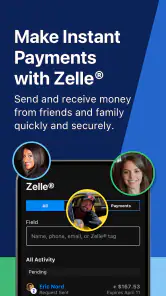

Analysis by Reviewed
So, I’ve been playing around with the Fifth Third: 53 Mobile Banking app for a bit, and let me tell you, it's like having a mini-bank right in your pocket. If you’re someone who loves the convenience of managing your finances on the go, you might want to stick around for this one.
Getting Started with Ease
First things first, setting up the app is a breeze. All you need is your account information handy, and in a few taps, you're in. The interface is quite user-friendly. You know how some apps just feel like they're designed to confuse you? Well, this isn’t one of them. It's sleek, modern, and dare I say, quite intuitive. I didn’t find myself fumbling around trying to figure out where things were.
Features That Stand Out
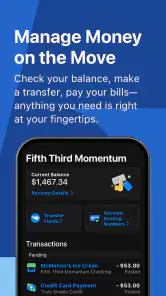
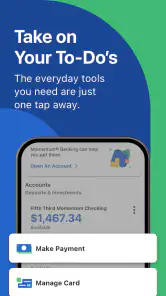
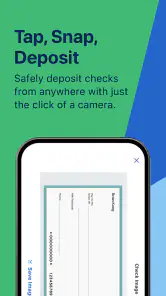
Let’s talk about what you can actually do with this app. The Fifth Third: 53 Mobile Banking app lets you check balances, transfer funds, and pay bills all from your phone. The mobile check deposit feature is a lifesaver. Seriously, who has time to go to the bank these days? Snap a picture of your check, and boom, done. It’s like magic.
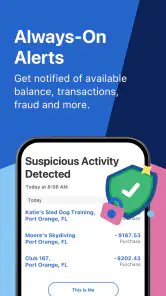
Another handy feature is the ability to set up alerts. Want to know when your account balance is getting low? Or perhaps when a transaction is made? You can set alerts for pretty much anything, keeping you in the loop 24/7. It’s like having your own personal financial assistant whispering in your ear.
Security – Because Safety Comes First
Now, I know what you're thinking. Is it safe? Well, rest easy. The app uses multi-factor authentication and advanced encryption to keep your information secure. It’s a comfort knowing that your financial data isn’t just floating around out there.
One cool security feature is the ability to lock and unlock your debit and credit cards. Misplaced your card during a night out? Lock it instantly from the app. Found it under the couch the next morning? Unlock it just as easily. It’s these little things that make a big difference.
The Verdict
If you’re looking for a banking app that combines simplicity with functionality, Fifth Third: 53 Mobile Banking might just be your new best friend. Whether you're at home or on the go, it keeps you connected to your finances, all while sitting in the palm of your hand.
Overall, it’s packed with features that make managing your money not just easy, but also secure. So, why not give it a try? After all, in this fast-paced world, who doesn’t want to save a little time and hassle?
Pros
- User-friendly interface for easy navigation.
- Secure login with fingerprint and facial recognition.
- Instant alerts for account activities.
- Comprehensive financial management tools.
- 24/7 customer support available.
Cons
- Limited features for non-Fifth Third customers.
- Occasional slow app performance.
- Some features hidden in sub-menus.
- Frequent updates required.
- Limited international transaction options.

- Category
- Finance
- Version
- 5.16.1











