Epic: Kids' Books & Reading
- 25.66K
- 3.9
- Installs
- 10.00M
- Price
- Free

Screenshots
Analysis by Reviewed
When I think about a children’s reading app, I care less about how many activities it can squeeze onto a screen and more about whether a child can settle into a story without needing an adult to troubleshoot every step. Epic: Kids' Books & Reading is aimed at that kind of everyday use: it brings books, read-aloud options, and videos together in an education app from Epic! Creations Inc. I’d consider it for a family that wants a flexible way to make reading part of ordinary routines, rather than a replacement for printed books or one-on-one reading time.
What to expect when opening a book
Epic is free to install, rated Everyone, and has a 4.1 average from around 90,000 ratings. It has passed 10 million installs, which gives a sense of how widely families have tried it, though popularity alone cannot tell you whether its library suits your child. The app’s current version is 3.141.8, and its minimum operating-system requirement is 7.0. Those details are useful to check before installing, especially if you plan to use an older tablet set aside for your child.
In practical terms, I’d expect the experience to depend on the device and the kind of content being opened. A text-based ebook is a different load from a video, and a child switching between books, read-to-me content, and clips may notice more waiting than during a single quiet reading session. I would test a typical book on your home connection and device before relying on the app for a time-sensitive outing. That quick check can also show whether the text and controls feel comfortable for your child.
Busy moments and a sensible routine
For a real-world example, picture a child choosing a story after school while a parent prepares dinner. I’d help them pick a book first, then let them read or listen without turning the moment into a search through every available option. Keeping the choice small can make the app feel more like a reading habit and less like another screen-based distraction. For trips, it is worth preparing any reading material you expect to use before leaving, rather than assuming every item will be ready when connectivity changes.
The app may suit children who enjoy choosing their own stories, as well as adults looking for read-aloud material to share. It is less compelling if your child strongly prefers physical books, needs a tightly structured phonics course, or gets overwhelmed by browsing choices. A dedicated learning program may be a better fit for targeted practice, while a local library app or a paper book can be preferable when the goal is simply to read a particular title without exploring a broader digital collection.
Unlocking a World of Stories
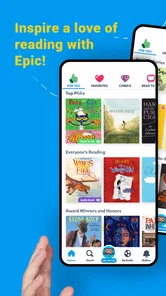
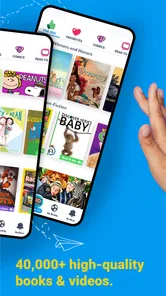
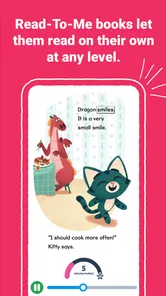
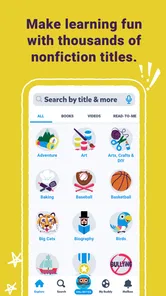
Imagine having access to over 40,000 books, audiobooks, and educational videos. Sounds amazing, right? Epic: Kids' Books & Reading does exactly that. It's like a treasure trove of knowledge and fun, designed to get your little ones hooked on reading from an early age. The app is tailored for kids aged 12 and under, and it’s packed with a variety of genres including fiction, non-fiction, STEM, and so much more. My kids have been particularly obsessed with the interactive 'read-to-me' books that make storytime both fun and educational.
Kid-Friendly and Parent-Approved Features
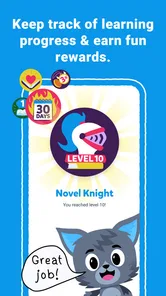
One of the things I truly appreciate about this app is its user-friendly interface. It’s so easy for kids to navigate, which means they can explore books independently. Plus, the app's personalized recommendations keep the content fresh and exciting. I also love the fact that it tracks reading progress and even awards badges for achievements. This has been a real motivational boost for my kids, especially my youngest who’s always eager to earn his next badge!
More From Our News Desk

 Bolt: Request a Ride
Bolt and the Shift from One-Tap Rides to More Legible Trips
Bolt shows how ride-hailing is shifting from a one-tap taxi request toward a more legible, choice-driven trip, while leaving the hardest questions of price and reliability unresolved.

 Farm Land - Farming life game
Farm Land Review: A Small Island Farm with a Satisfying Loop
A bright, breezy island farm turns a few quick chores into a satisfying cycle of planting, harvesting, expanding, and deciding what to build next.

 Android Auto
’s Community Takes Shape in the Passenger Seat
Its most valuable network is not a public feed but a shared set of routes, voice habits, app integrations, and advice that make driving less isolating—and sometimes more complicated.

 My Talking Angela
 Makes the Virtual Pet Feel Personal
A polished pet-raising game built on small rituals, playful customization, and a character who gives everyday screen time a surprisingly personal rhythm.

 Google Translate
 Review: A Pocket Tool for the Small Frictions of Travel
From menus and signs to quick conversations, Google Translate earns its place by cutting the little delays that make unfamiliar language feel like a barrier.

 Shazam: Find Music & Concerts
Shazam’s Best Trick Is Turning a Song Into a Night Out
A few seconds of recognition can settle an argument, rescue a half-remembered chorus, and point toward a live show. Shazam’s real trick is what happens after the match.
Latest News



And here's a little something for parents—Epic offers an offline reading feature. Yes, you heard that right! You can download books and take them on the go, which has saved us during long car rides and flights. It’s like having a portable library, minus the heavy lifting.
For a smoother trip, I’d choose and download a small set of likely reads before packing, then open them once at home to make sure they are ready. That is more useful than waiting until a child is already bored in the back seat to discover that a book needs attention. I’d also keep a familiar favorite alongside a new pick: the familiar one is a reliable fallback, while the new one gives the child room to explore. This simple routine makes offline reading more predictable without turning the app into a complicated travel project.
Why Your Kids Will Love It
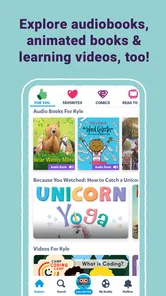
Besides the massive library, what really sets Epic: Kids' Books & Reading apart is its interactive elements. The app includes fun quizzes and challenges that engage kids and make reading a blast. My kids are always excited to see what new challenges they can tackle next. Plus, the addition of educational videos and audiobooks means that even on days when my kids aren’t in the mood to read, they can still enjoy and learn from the app.
That variety is handy, but it also creates a choice for parents: if the aim is focused reading practice, I’d steer a child toward a book rather than letting videos become the default. If the aim is a calm shared activity, a read-aloud can work when an adult is busy nearby, though it does not replace the attention and conversation of reading together. For children who are already enthusiastic readers, the range can encourage independent discovery; for a child who finds screens distracting, a printed book may hold attention better.
With frequent use, I’d pay attention to how the app behaves on the actual device rather than assume it will feel identical everywhere. Keep the operating system compatible, leave enough room for the reading material you choose to keep available, and close the app if it seems sluggish before handing the device to a child. These are ordinary ways to reduce friction, not guarantees of performance. If a video takes longer to start or a screen feels unresponsive, switching to a book or a saved item can be a more practical recovery than repeatedly tapping controls.
For those with multiple children, you’ll be happy to know that one subscription supports up to four individual child profiles. This means each child can have their own personalized experience without any sibling squabbles over device time. Trust me, it’s a game-changer!
The app is free to download, but in-app purchases range from $0.99 to $89.99 per item, so I’d review purchase choices with an adult before a child browses independently. That matters most in households where a device is shared or a child can reach purchase controls. Epic was released on May 21, 2015, and its long-running presence does not remove the need to check that the current app and device work well together. I’d treat the free install as a chance to assess the reading experience, then decide whether any paid option makes sense for your family.
In conclusion, Epic: Kids' Books & Reading is a fantastic resource for developing a love for reading in children. It’s packed with features that not only entertain but also educate. Whether your child is a reluctant reader or a bookworm, this app has something to offer. So, if you're looking to spark your child's imagination and nurture their love for books, this app is definitely worth checking out. Happy reading!
My practical verdict
I’d recommend Epic to families who want books and listening options in one child-oriented place, especially when variety helps a young reader stay curious. Its strongest use is as one part of a reading routine: let a child choose a story, share a read-aloud now and then, and use videos selectively rather than treating every format as interchangeable. The library-style approach is more exploratory than a focused lesson app, but that breadth is not automatically a benefit for every child.
If you value a quiet, predictable reading experience above all, start with a single book and see how your child responds before making the app part of daily life. If your priority is a specific title, a structured literacy program, or an experience with minimal screen stimulation, another option may serve you better. For families who want digital choice and can guide that choice, I think Epic is worth trying, with device compatibility and purchase settings checked up front.
Making the library work for your child
One useful way to avoid turning a large collection into decision fatigue is to give a child a clear starting point. I might suggest a subject they already enjoy, such as animals or space, then let them choose between a couple of books rather than asking them to browse without direction. That keeps the decision theirs while making it easier to move from looking at covers to actually reading. If they lose interest, I’d ask what caught their attention instead of insisting they finish; the answer can guide the next choice more effectively than a long search.
The mix of formats also gives parents a practical way to match the moment. A child who is tired after school may be more receptive to listening than to reading aloud, while a curious reader with a little time can explore an ebook at their own pace. Videos can introduce a topic, but I’d follow one with a related book if the goal is to keep the session centered on reading. This small sequence makes the different options feel connected rather than like competing ways to fill screen time.
Choosing between Epic and other reading options
Compared with borrowing a single book from a library or choosing a paper title, Epic is better suited to families who value browsing and variety in one digital space. A physical book is simpler to hand over, avoids device performance concerns, and can be easier for a child who is distracted by screens. A library app may be preferable when you have a particular title in mind or want to follow your local library’s borrowing routine. Epic’s advantage is the ability to move among reading, listening, and video, but that breadth asks an adult to help keep the child’s attention on the family’s purpose.
It is also not the same as a step-by-step literacy course. If a child needs systematic help with letter sounds, decoding, or a school-specific skill, I would look for an approach built around that precise goal and use Epic as a source of stories alongside it. For a confident reader who mainly wants fresh material, the wider, more exploratory experience can be a better match. The right choice depends less on age alone than on whether the child wants independent discovery, direct instruction, or a quiet book with no extra formats.
Small checks that prevent avoidable frustration
Before making the app part of a daily routine, I’d try it during a low-pressure moment: open a book, test a read-aloud option, and see whether your child can find their way back to the content they chose. That reveals more than a quick install because it checks the parts that matter in your home, including the device’s responsiveness and the child’s comfort with the controls. If several children share a tablet, I’d also make sure each child knows which profile is theirs before starting, so reading progress and personal choices are less likely to get mixed up.
For travel, offline preparation is useful, but I would not make the first test in a car or airport. Download the likely choices in advance and check them while you still have time to change plans. Saved reading can make a connection change less disruptive, but it does not solve every device issue; a low battery or a device that is already struggling can still interrupt the session. A paper backup is sensible for a long journey, especially if the child has one favorite they are happy to reread.
Parents may also wonder whether the free install means every part of the experience is free. I would treat the download and paid choices as separate decisions: an adult should review purchase options and decide what fits the household before a child uses a shared device on their own. The same kind of advance decision helps with screen habits. Agreeing that a session is for a book, a read-aloud, or a video makes it easier to guide browsing without turning every opening of the app into a negotiation.
A realistic performance verdict
For speed and stability, I would set expectations by content and device rather than assume every screen will respond identically. A simple book session is the sensible place to start; switching rapidly among books, audio, and video is a heavier kind of use and may expose delays sooner. If the app stalls, I’d stop repeated tapping, give the screen a moment, and then try returning to a saved book or reopening the app. Those are practical recovery steps, not a promise that every slowdown has the same cause.
Older devices deserve a little more caution. The minimum operating-system requirement is a useful first check, but compatibility by itself does not guarantee that a particular tablet will feel quick when handling richer content. I’d keep only the material needed for an outing available on the device and assess how much storage and responsiveness remain comfortable for your other uses. If opening videos is noticeably less smooth than reading, that is a good reason to make books the default on that device rather than treating the difference as a problem the child needs to work around.
My overall view is that Epic works best when an adult shapes the first few choices and then lets the child take the lead within those boundaries. It can support a low-key after-school reading break, offer a listening option when a child is tired, and provide prepared books for travel. It is less suitable when you need a highly structured lesson, want one specific title with no browsing, or know that digital choices make it hard for your child to settle. If you check the device first and use the different formats deliberately, it can be a helpful addition to a family’s reading habits rather than a substitute for every other kind of book.
Epic: Kids' Books & Reading Frequently Asked Questions
Can Epic: Kids' Books & Reading help children who are still learning to read?
Epic is designed around grade-school reading and includes read-to-me books alongside ebooks, stories, and videos. Read-to-me content can give children another way to engage with stories as they develop their reading skills, while ebooks let them explore at their own pace. The range of formats may suit children who are building confidence as well as those ready to read independently.
What kinds of content can children find in Epic: Kids' Books & Reading?
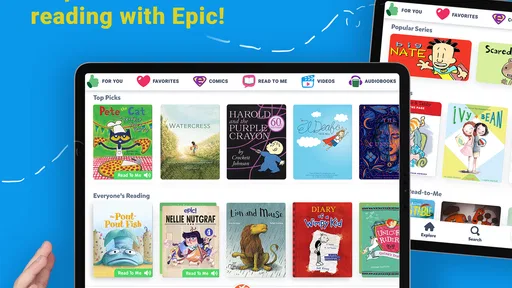
Epic brings together read-to-me books, ebooks, stories, and videos for grade-school children. This mix gives families more than one way to explore educational content: children can follow a story, spend time with an ebook, or watch a video. The app is focused on learning through children’s reading and related media, so it may be useful for families seeking varied ways to support reading at home.
What devices and operating systems can run Epic: Kids' Books & Reading?
Epic: Kids' Books & Reading is an education app for children, and its current version is 3.141.8. On Android, it requires version 7.0 or later. Checking that your device meets this requirement before downloading can help avoid compatibility problems. The app is also available for iOS, so families can choose the platform that suits their device.
Is Epic: Kids' Books & Reading suitable for a child to explore independently?
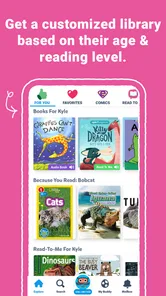
Epic is aimed at grade-school children, with a content rating of Everyone, and its library is organized around age groups and reading levels. That can help a child find material that feels approachable while still offering room to build reading skills. Parents and educators can also use the app’s progress features to stay involved in a child’s reading.
What is Epic: Kids' Books & Reading?
Epic: Kids' Books & Reading is a digital library designed specifically for children aged 12 and under. It offers access to thousands of high-quality books, audiobooks, and learning videos from leading publishers. The app aims to foster a love for reading in kids by providing a diverse range of reading materials across various genres. Its focus is on helping grade-school children learn through read-to-me books, ebooks, stories, and videos.
Pros
- Extensive library of books
- Interactive reading features
- Kid-friendly interface
- Offline reading available
- Regular content updates
Cons
- Subscription required for full access
- Limited free content
- Occasional app crashes
- Some books need internet
- User interface can be confusing