El Super
- 50.00
- 4.2
- Installs
- 10.00K
- Price
- Free

Screenshots
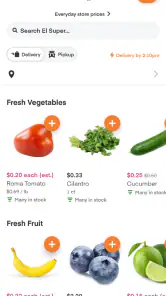
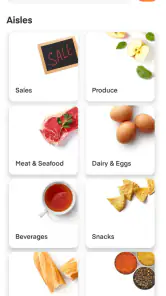
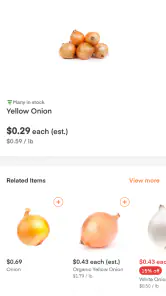
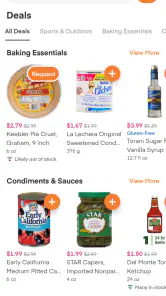
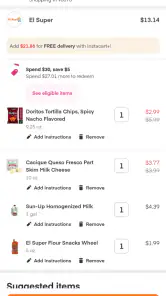
Analysis by Reviewed
Shopping for groceries through a phone can be wonderfully convenient, but only when the app feels dependable at the exact moment you need it. I spent time looking at El Super as a focused Food & Drink app from Instacart, and my impression is that its appeal comes from making a familiar supermarket trip more manageable rather than trying to become an all-purpose shopping platform. It is free to download, aimed at Everyone, and built around the El Super experience.
El Super is especially interesting for people who already shop at El Super and want a digital route into that store’s selection. The store summary presents it as a way to find savings, while the short description keeps things simple: El Super. That narrow identity is useful. You are not opening it expecting a recipe community, a restaurant marketplace, or a general retail catalog. You are opening it to make an El Super grocery task easier.
My review focuses on the practical questions that matter after installation: how quickly the app feels ready for a shopping session, what happens when the basket becomes complicated, how much confidence I would place in it for a time-sensitive order, and whether an older phone can handle it comfortably. The answers are positive overall, but there are important limits for shoppers who prefer browsing aisles in person or comparing several supermarkets at once.
How the app fits into a real grocery routine
I find El Super most useful when it supports a routine I already have, rather than when I expect it to make every grocery decision for me. In this section, I’ll look at how a prepared list, a careful basket review, and a little flexibility can make a digital shop easier to manage. That routine also sets up a closer look at what confidence and control mean when shopping through an app.
A useful starting point for El Super shoppers
The clearest reason to choose this app is simple: it keeps the digital shopping experience tied to El Super. That makes it more relevant than a broad grocery tool when your usual list already comes from this supermarket. Instead of treating every shopping trip as a search across unrelated retailers, I would use it as a dedicated place to organize a store-specific purchase.
That focus also changes how I judge it. A general grocery app may offer more variety between stores, while El Super is better understood as a direct companion to one shopping destination. If your household regularly buys familiar staples there, a dedicated app can reduce the mental work of starting from scratch. If you move between several supermarkets based on weekly deals, the narrower scope may feel restrictive.
In everyday use, I would begin with a list that is already grouped by need: breakfast items, produce, pantry goods, drinks, and household essentials. This is more effective than opening the app without a plan and scrolling until something looks useful. A focused list makes the app’s shopping role clearer and also gives you a better way to notice substitutions, missing items, or unexpected changes before the order becomes urgent.
More From Our News Desk

Weather by Xiaomi Review: Clear at a Glance, Less Clear Up Close

X Under Pressure: Can It Recover When Posting Goes Wrong?

Clash of Clans Is Won Between the Battles

Android Auto Makes the Case for Quieter Car Software

MobiOffice: Transforming Mobile Productivity with Seamless Integration

EA SPORTS FC™ Mobile Soccer: Redefining Mobile Sports Gaming
What speed feels like in practice
The app is not the sort of tool where speed should be judged only by how quickly it launches. Grocery shopping involves repeated transitions: opening the store view, searching for an item, checking a product choice, adjusting quantity, and reviewing the basket. A fast experience is one that keeps those small steps from becoming tiring.
My expectation for El Super is strongest when the shopping task is straightforward. A short list of familiar products should be easier to manage than a large, highly specific order containing many brands, sizes, and dietary requirements. That distinction matters because a grocery app can feel perfectly responsive while browsing and still become mentally slow when every item requires careful verification.
One practical habit helps: search for the exact product or category first, then review the result before adding it. Rapidly tapping through similar packages can create a basket that looks complete but contains the wrong size or variation. The few extra seconds spent checking each addition are worthwhile, especially for ingredients that cannot easily be replaced.
The most useful speed improvement is reducing unnecessary browsing before you begin. Prepare the list, decide which items are flexible, and use the app for selection rather than wandering through every department. That approach makes the experience feel more efficient without pretending that every grocery order is equally quick.
When a basket becomes demanding
Heavy use is less about running a game or editing media and more about the number of decisions packed into one session. A small top-up order is a light workload. A full family shop with fresh food, multiple quantities, brand preferences, and possible substitutions is a much more demanding test of attention.
For a larger order, I would divide the work into passes. First, add the items that are essential and easy to identify. Next, handle products where brand, size, or flavor matters. Finally, review the complete basket slowly. This workflow reduces the chance that a late addition will hide an earlier mistake, and it gives you a natural point to reconsider whether the order still matches your budget and meal plan.
There is also a trade-off between convenience and control. Digital grocery shopping saves a trip and can make routine purchases less exhausting, but it does not remove the need to inspect choices. In a physical store, you can compare packaging immediately and notice a shelf label or alternative product. In the app, the same decision may require more deliberate checking, particularly when several products look similar.
I would be cautious about using it for a last-minute meal whose success depends on one exact ingredient. For that situation, shopping in person may be safer because you can confirm availability directly and choose an acceptable replacement on the spot. The app is more comfortable for planned shopping, repeat purchases, and orders where a small change will not ruin the meal.
Reliability and recovering from interruptions
Reliability in a grocery app is not only about avoiding crashes. It also means being able to return to a half-finished shopping session without losing track of what has already been selected. That recovery experience becomes important when a phone call, weak connection, battery warning, or simple distraction interrupts the order.
I recommend treating the basket as something to review after any interruption rather than assuming the last screen tells the whole story. Reopen the app, confirm the current contents, and check quantities before continuing. This is a sensible habit for any shopping service, but it is especially valuable when the list is long or when another person in the household has helped add items.
For a dependable routine, I would avoid building the entire order during a rushed commute or in a place where connectivity is uncertain. Start when you have enough time to verify the basket. If the app needs to refresh, the extra moment is much less frustrating when your shopping deadline is still comfortably ahead.
The app’s relatively focused purpose works in its favor here. A dedicated El Super shopping experience has less reason to pull your attention toward unrelated content, so the session can remain centered on the grocery task. Still, reliability should be judged by your own local conditions as well as the software. A stable phone, a usable connection, and a clear list all contribute to a smoother recovery when something interrupts the process.
Older phones and everyday device demands
El Super supports devices running Android 8.0 or later, which makes it accessible to people who do not replace their phones frequently. That is useful for a household device kept mainly for practical tasks, or for someone who wants grocery access without buying a current flagship phone.
That compatibility does not mean every older handset will feel identical. Storage pressure, an aging battery, limited memory, and a crowded background app list can make any shopping app less pleasant. If the app feels slow on an older phone, I would first close unused applications, make sure the operating system has room to work, and restart the device before blaming the shopping experience itself.
Resource demands are also easier to manage when you use the app purposefully. A short session for a prepared list should be less demanding than keeping the app open while repeatedly browsing without a plan. I would not choose a grocery app as a benchmark for high-end performance, but I would expect a basic modern Android phone that meets the minimum requirement to be a reasonable home for this kind of task.
There is another device constraint worth considering: the screen. Grocery products often differ by small details, and a compact display can make labels and package choices harder to inspect. If your phone has a small or damaged screen, taking a little more time with each item is sensible. A larger display is not essential, but it can make a long list less tiring to review.
Who will get the most from it
I think El Super is a good fit for regular El Super customers who want a more organized way to handle planned groceries. It should also appeal to people who dislike making an extra store trip for routine items, families coordinating a list, and shoppers who prefer checking a basket at home rather than making every decision beside a shelf.
It is less convincing for someone who wants one app to compare many supermarket chains, discover unrelated retailers, or manage a broad collection of food services. The dedicated identity is a strength when it matches your shopping habits and a weakness when it does not. If El Super is not one of your normal stores, the app’s specialization gives you little reason to keep it installed.
I would also hesitate to recommend it as the only solution for shoppers who need complete certainty about fresh produce or exact substitutions. A physical visit gives you direct control over appearance, ripeness, and alternatives. The app is better for convenience and planning than for eliminating every uncertainty that comes with grocery fulfillment.
Three smarter ways to use the app
First, separate “must have” items from “nice to have” items before you begin. This simple distinction makes the basket easier to review and helps you decide what to remove if the order becomes too large or a preferred product is not available. It also prevents optional snacks or duplicate pantry items from receiving the same priority as dinner ingredients.
Second, use a repeatable list structure for household shopping. Keep recurring essentials together and add weekly items afterward. Over time, this gives you a reliable checklist instead of relying on memory. The benefit is not just speed; it reduces the chance of forgetting an item that is easy to overlook, such as breakfast basics or cleaning supplies.
Third, review the basket from the perspective of the meal or household task it supports. Ask whether you have all the parts of a planned dinner, enough of the item for the number of people eating, and a sensible replacement if one product changes. This catches practical errors that a simple item-by-item scan may miss.
Value, trust, and the app’s maturity
The app is free, so the main value question is whether it saves enough time and effort to justify becoming part of your routine. For a frequent El Super shopper, that answer can be yes even when the order is modest. Avoiding a separate trip, keeping a list in one place, and reviewing the purchase from home are meaningful benefits.
At the same time, free installation should not be confused with a guarantee that every shopping situation will be cheaper or easier. Your real value comes from using the app selectively: planned orders, repeat essentials, and moments when convenience matters. For a single urgent item, walking into the store may still be faster. For a large order requiring careful choices, the app may save physical effort while demanding more digital checking.
The current version is 9.30.0, and the app was released on May 26, 2023. Its average rating is 4.2 from around 134 ratings, with roughly 50 written reviews, while the listing shows over 10 thousand installs. Those figures suggest an app with a modest but real user base rather than a service I would treat as universally tested by every kind of shopper. I would consider that context when deciding how much of my grocery routine to move into it.
My performance verdict
After weighing speed, heavier shopping sessions, recovery, and device requirements, I see El Super as a practical specialist rather than a complete replacement for the supermarket visit. Its best performance comes from a clear, prepared workflow: open it on a compatible phone, work through a focused list, inspect the choices that matter, and review the basket before finishing.
My recommendation is strongest for regular El Super customers who value convenience more than cross-store comparison. The free app is easy to justify if it helps you organize recurring purchases or avoid unnecessary trips. Its Everyone age rating also makes it a broadly approachable household tool, although each shopper still needs to make careful decisions about products and substitutions.
I would skip it if your main goal is comparing several supermarkets in one place, choosing every fresh item personally, or making a rapid emergency purchase. In those cases, a general comparison service or a physical store visit may suit you better. For planned El Super shopping, however, the focused approach is sensible, the Android requirement is not demanding, and the app can make an ordinary grocery routine feel more controlled.
My final view is favorable but measured: install it when El Super is already part of your weekly life, not simply because you want another shopping app. Used with a prepared list and a final basket check, it offers a convenient digital layer over a familiar grocery trip. Used without that discipline, it may save walking while leaving you with the same uncertainty you were hoping technology would remove.
El Super Frequently Asked Questions
Is El Super free to download, and what should I expect before installing it?
El Super is a free Food & Drink app from Instacart, with an Everyone age rating. It is designed for grocery shopping and offers a mobile way to explore El Super. The app was released on May 26, 2023, and its current version is 9.30.0. Before installing, make sure your device meets the operating-system requirement and that the app is available in your region.
What is El Super and what can I use it for?
El Super is a grocery shopping app designed to help users browse products, check prices, find nearby stores, and plan their purchases from a mobile device. Depending on your location and the services available in your area, the app may also provide digital deals, shopping lists, store information, and options for ordering groceries or arranging pickup and delivery.
Is El Super available on both Android and iOS devices?
El Super is generally intended for mobile users and may be available through the Google Play Store for Android devices and the Apple App Store for iPhone or iPad. Availability can vary by country, device, and operating-system version. Before downloading, check the official store listing to confirm compatibility, supported regions, required permissions, and whether the current version works correctly on your device.
Can I order groceries through El Super, or is it only for browsing products and deals?
The services offered by El Super can depend on the store location and your region. In supported areas, the app may allow users to browse groceries, add products to a cart, select delivery or pickup, and complete an order. In other locations, it may function mainly as a digital circular, price-checking tool, or store-information app, so available purchasing features should be confirmed after entering your location.
Does El Super require an account, and what information might I need to provide?
Some features of El Super may be available without registration, such as viewing general store information or browsing promotions. However, an account may be required for personalized offers, saved shopping lists, online orders, delivery details, order history, or loyalty-related benefits. Registration can involve an email address, phone number, password, and location information, so review the app’s privacy policy before submitting personal data.
Pros
- Quick access to weekly deals and promotions
- Convenient browsing of products from your phone
- Useful store information for planning visits
- Simple interface that is easy to navigate
- Helps compare available offers before shopping
Cons
- Some deals may be limited to selected stores or locations
- Product availability can vary between branches
- The app may require location or notification permissions
- Promotional information may change frequently
- A stable internet connection is needed for current offers
- Category
- Food & Drink
- Version
- 9.30.0











