Design Studio - DIY Art Space
- 49.00
- 2.9
- Installs
- 100.00K
- Price
- Free

Screenshots
Analysis by Reviewed
I approached Design Studio - DIY Art Space as a practical drawing and cutting companion rather than a full desktop design replacement. It belongs to the Art & Design category, comes from DOSA Apps, and is aimed at people who want ready-made visual material for cutting machines, sublimation projects, fonts, and monograms. That focus makes it immediately more useful for a specific kind of creator than for someone simply looking for a general sketchbook.
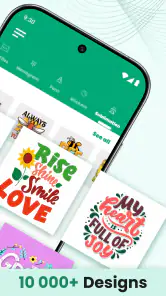
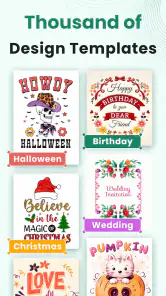
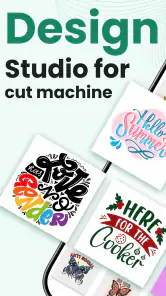
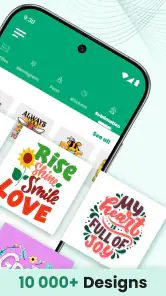
My first impression was that the app is built around browsing possibilities quickly. Instead of beginning with a blank canvas and having to create every shape myself, I can start from the kind of artwork that often takes the most time to prepare: decorative cut designs, lettering, and graphics intended to be adapted for physical projects. Its real appeal is the shortcut from idea to workable starting point, especially when I need something for a shirt, label, sign, card, or personalized gift.
The app is free to install, is suitable for Everyone, and runs on Android 8.0 or later. Its current version is 111.1.1. The listing shows more than 100K installs, while the average rating sits at 2.9 from around 193 ratings and 49 written reviews. Those figures suggest a mixed experience, so I would not recommend treating it as a flawless professional tool. I see it more as an accessible resource that can be helpful when its collection matches the project in front of me.
How the design library works in everyday projects
The most useful way to think about this app is as a source of components. A finished design may not be exactly what I want, but it can give me the outline, wording, ornament, or composition that removes a large amount of repetitive work. That matters when I am preparing several related items and need a consistent visual direction without drawing every element from scratch.
For example, imagine I am making a small set of personalized tote bags for a family event. I might use one of the included monograms as the starting point, adjust the names in a compatible design workflow, and then choose a separate decorative element for the corners or background. The value is not necessarily that one tap produces a final product. It is that the app can help me move past the slowest early stage: deciding what the design should look like.
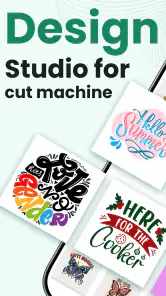
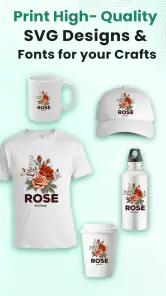
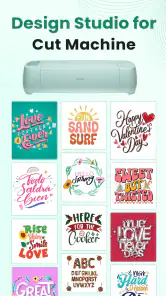
The collection is presented around SVG cut files, sublimation artwork, fonts, and monograms. That combination is more specialized than a normal drawing application. Someone who uses a cutting machine will understand why clean, adaptable shapes are more useful than a pretty image that cannot be prepared properly for physical output. Likewise, a person making sublimation products needs visual material that can be considered alongside lettering and layout rather than treated as a simple phone wallpaper.
One practical tip is to decide the final object before browsing. Searching visually without a project in mind can become distracting because decorative options are easy to collect and difficult to organize mentally. If I know I am making a mug, a vinyl decal, or a fabric transfer, I can judge each design by its likely size, readability, and level of detail. That simple habit reduces the chance of choosing artwork that looks attractive on a phone but becomes awkward when cut or printed.
More From Our News Desk

Clash of Clans Is Won Between the Battles

Android Auto Makes the Case for Quieter Car Software

MobiOffice: Transforming Mobile Productivity with Seamless Integration

EA SPORTS FC™ Mobile Soccer: Redefining Mobile Sports Gaming

How Microsoft OneDrive Became a Mobile Productivity Giant

How Google Translate Breaks Language Barriers Effortlessly
I also found that fonts and monograms deserve separate attention. They are not just decorative extras. A monogram can carry the personalization of a project, while a font determines whether a name remains readable after resizing or production. For small items, an elaborate letterform may lose its character or become difficult to weed. I would therefore test a design at the approximate final scale before committing materials. The app can provide the starting point, but the physical result still depends on sensible editing and preparation.
Where it fits beside ordinary design apps
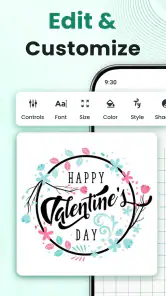
Compared with a general drawing app, this one is more immediately relevant when the goal is a craft output rather than freehand illustration. A blank canvas gives me total control, but it also demands more time and skill. Design Studio - DIY Art Space offers a more focused route for people who want source material connected to cutting and personalization.
On the other hand, a dedicated desktop editor is usually the stronger choice for exact measurements, layered production work, color management, detailed cleanup, and repeatable commercial workflows. I would not use this mobile app as my only tool for a large catalog of products or a job where every file must meet strict technical standards. Its strength is idea generation and convenient preparation, not replacing a complete production environment.
It also differs from a typical template app. Templates often push me toward a finished layout, whereas this kind of library is more useful when I want to combine pieces or adapt a visual starting point. That flexibility is valuable, but it also means I must make more decisions. A beginner expecting a fully automatic design may find the experience less direct than expected.
Network-dependent moments change the rhythm
Connectivity matters most when I am browsing visual content. A design library depends on the app being able to present its available material, and image-heavy browsing naturally feels more comfortable with a stable connection. When the network is slow, the creative process changes from quick discovery to waiting, refreshing, and deciding whether a preview is worth opening.
This is particularly noticeable in a mobile context. I might be standing in a craft store, comparing vinyl colors, or sitting with a customer who wants a quick monogram idea. In those moments, I want the relevant artwork to appear promptly. A weak connection can turn a short planning session into an uncertain one, so I would avoid relying on the app for a time-sensitive decision unless I have already explored the designs I need.
I would also separate browsing from production. The app can help me find a direction while I am away from my main workspace, but the final checks should happen where I can inspect proportions, spacing, and output requirements properly. That division makes the mobile experience more realistic: use the phone for discovery and early choices, then use the appropriate cutting or editing setup for the final preparation.
A second useful habit is to keep a small written note of the design idea rather than assuming I will remember every visual detail. If a preview takes time to load later, knowing the intended wording, style, and arrangement helps me continue without repeatedly searching through unrelated options. This is a small workflow improvement, but it makes a connection-sensitive library less frustrating.
What happens when browsing is interrupted
Any app centered on visual discovery can feel vulnerable to interruptions. A dropped connection, a stalled preview, or an unexpected restart breaks concentration more than it would in a simple text-based tool. I found it sensible to treat each promising design as a decision point: inspect it carefully, note why it fits, and avoid building an entire project around a preview I have not properly evaluated.
When something fails to load, I would first return to the broader collection rather than repeatedly tapping the same item. That gives the app a chance to recover naturally and may reveal another design that solves the same problem. It is also a better creative strategy than becoming attached to one unavailable option.
For a more important project, I would prepare a backup route before starting. That could mean having a second design direction, a simple text-only version, or an alternative ornament already in mind. The point is not to assume a particular recovery feature. It is to protect the project from depending on one browsing session or one visual choice.
Users should also be realistic about the difference between recovering the app and recovering their work. If I am only browsing, an interruption is an inconvenience. If I have already made detailed adjustments, I want to know exactly what has been retained before closing or switching away. I would save or export through the workflow available to me as soon as the design reaches a useful stage, rather than waiting until the entire project is finished.
This is one area where a desktop editor may feel safer for serious work. Desktop tools tend to be better suited to deliberate file management and long sessions, while a phone app is more exposed to calls, battery limits, multitasking, and changing network conditions. That does not make the mobile approach unsuitable; it simply defines the kind of reliability I expect from it.
Using it without wasting mobile data
Because the experience is visual, I would use a little discipline when browsing away from Wi-Fi. I would begin with a clear brief, search or explore only the styles relevant to the project, and avoid opening every attractive preview. A focused session is not only more data-conscious; it also produces better decisions because I am comparing designs against a real purpose.
It helps to separate inspiration from selection. During an inspiration pass, I can notice recurring shapes, lettering styles, and themes. During a selection pass, I choose only the artwork that fits the final object. Mixing both activities can lead to unnecessary browsing and make it harder to remember which designs were genuinely suitable.
Another practical trade-off concerns detail. Highly intricate artwork may look impressive in a preview but demand more from the cutting or printing process. A simpler design can be faster to prepare, easier to weed, and more legible from a distance. I would not judge a file only by how attractive it appears on the phone screen. I would ask whether its smallest lines, enclosed spaces, and lettering will survive the intended material and size.
The same reasoning applies to fonts. A decorative font may be a good fit for a large sign but a poor choice for a small label. If I am working on several products, I would test one representative word before browsing for more variations. That prevents me from spending time selecting a style that later proves impractical.
In-app purchases range from $0.99 to $99.99 per item, so the free starting point does not automatically mean every useful resource will remain free. I would check the cost at the moment a particular item or feature becomes relevant and decide whether it saves enough preparation time to justify the purchase. For occasional hobby work, a single inexpensive addition may be reasonable. For frequent use, the upper end of that range makes it important to understand the value of each purchase rather than unlocking items impulsively.
Who will get the most from it
I think the app is best suited to hobbyists, small craft sellers, beginners learning how design resources fit into physical projects, and anyone who regularly needs monograms or decorative lettering. It can also help a person who has a cutting machine but lacks confidence in creating original artwork from a blank page.
It is especially useful when the project is personal and time matters more than total originality. A birthday shirt, a customized gift, a small batch of labels, or a seasonal decoration can benefit from a ready starting point. The app gives me a way to explore visual directions before opening more demanding software.
I would be more cautious about recommending it to a professional designer who needs a complete, predictable pipeline. If I need precise vector editing, advanced typography controls, detailed layer management, or a carefully documented commercial workflow, I would choose a dedicated design application instead. I would also skip it if my main interest is freehand painting, photo editing, or animation, since the app’s focus is much narrower.
The average rating of 2.9 is worth taking seriously. It does not tell me that every user will have trouble, but it does suggest that expectations should be modest. I would install it because the cutting-file and monogram focus matches my needs, not because I expect a polished replacement for every other design tool on my phone.
My practical workflow with the app
My preferred workflow begins with the physical project and ends with a separate quality check. First, I define the object, approximate size, material, and wording. Next, I browse for an SVG-style shape, font, or monogram that supports that goal. Then I compare a few candidates by simplicity and readability rather than choosing the most elaborate preview.
After that, I would move the selected material into the editing or cutting process available to me and check the result at its intended scale. I would look for thin strokes, tight gaps, awkward overlaps, and letters that might become unclear. This step is essential because a design that looks balanced on a mobile screen can behave differently once it is enlarged, reduced, cut, or transferred.
For repeated products, I would establish a small visual system: one main font, one supporting ornament style, and a consistent approach to spacing. The library can encourage endless variety, but consistency often makes a small collection look more professional. Restricting myself to a few compatible elements also reduces browsing time and makes future projects easier to start.
I would keep the original concept simple until the first physical test succeeds. Adding several decorative elements at once makes it difficult to identify what caused a poor result. A single monogram or clean wordmark is a better test than a crowded composition. Once the basic output works, I can add embellishment with more confidence.
Is the free version enough for a first try?
For an initial evaluation, yes, the free installation makes the app easy to test against a real project. I would not pay immediately. I would first see whether the available styles match my taste, whether the browsing experience suits my connection and phone, and whether the material can fit into the editing workflow I already use.
The important question is not simply whether there are many designs. It is whether the right kind of design appears when I need it. A large collection can still feel limited if it does not include the lettering style, theme, or level of simplicity required for my project. I would test it with one small, low-risk item before considering a higher-priced purchase.
People should also remember that a resource library is only part of the cost of making something. Materials, failed tests, machine time, and finishing work can matter more than the artwork itself. If an in-app purchase saves substantial preparation time and produces a reusable starting point, it may be worthwhile. If it merely adds another decorative option to an already crowded collection, I would keep my money.
My final connectivity verdict
Design Studio - DIY Art Space makes the most sense as a mobile design resource for cutting-machine owners and personalization projects. Its value comes from focused visual material, not from trying to be a universal art studio. I like the way it can shorten the distance between a vague idea and a workable monogram, font choice, or decorative composition.
Connectivity shapes that experience more than it might at first appear. Browsing is the heart of the app, so slow or interrupted access can affect creative momentum. I would use it with a clear plan, avoid depending on it for a last-minute production decision, and move important work into a more controlled editing workflow once I have found the right starting point.
My recommendation is conditional but positive for the right audience: try it if you want mobile access to craft-oriented design inspiration and are comfortable refining the results yourself. Skip it if you need a full professional editor, guaranteed production precision, or a tool centered on painting and illustration. The free entry point makes experimentation reasonable, but the mixed rating and optional purchases are good reasons to judge it by one real project before making it part of your regular toolkit.
Design Studio - DIY Art Space Frequently Asked Questions
What devices and operating systems can run Design Studio - DIY Art Space?
Design Studio - DIY Art Space is an Art & Design app by DOSA Apps, and its current version is 111.1.1. On Android, it requires version 8.0 or later. Before downloading, check your device’s operating system and available storage so installation can proceed smoothly. The app is rated for Everyone, making its age classification suitable for a broad audience.
What is Design Studio - DIY Art Space?
Design Studio - DIY Art Space is a creative application focused on digital drawing, illustration, and visual experimentation. It gives users a virtual space to create artwork using drawing tools, colors, brushes, shapes, and other design elements. The app can be useful for beginners who want to practice art casually, as well as for users looking for a simple mobile canvas for creative projects. Its store summary also highlights SVG cut files, sublimation fonts, and monograms for cutting machines.
Is Design Studio - DIY Art Space suitable for beginners?
Yes, the app is designed to be approachable for users with different levels of experience. Beginners can experiment with basic drawing and coloring tools without needing professional design knowledge, while more experienced users may appreciate having a convenient mobile workspace for quick ideas. New users should spend a few minutes exploring the interface, since available tools and editing controls may take some time to understand.
What can I create with Design Studio - DIY Art Space?
Design Studio - DIY Art Space can be used for a variety of personal art projects, such as sketches, colorful illustrations, decorative compositions, visual concepts, and creative experiments. Its usefulness depends on the tools included in the current version, but the app is mainly intended for artistic expression rather than advanced professional graphic design. It is best suited to users who enjoy creating and refining artwork directly on a mobile device. The store summary additionally mentions SVG cut files, sublimation fonts, and monograms for cutting machines.
Does Design Studio - DIY Art Space require an internet connection?
The need for an internet connection may depend on the specific feature being used and the version installed on your Android or iOS device. Basic creative work may be available offline, but downloading content, displaying advertisements, synchronizing projects, or accessing certain online resources can require connectivity. Before starting an important project, users should check whether their work is saved locally and confirm the app’s current permissions and offline capabilities.
Pros
- Simple tools make it easy for beginners to start creating.
- Supports relaxing
- creative sessions without requiring artistic experience.
- A broad color palette encourages experimentation with different styles.
- Useful for practicing basic digital drawing and design techniques.
- Works well for quick creative projects during short breaks.
Cons
- Advanced artists may find the editing tools too limited.
- Some features or content may require in-app purchases.
- Small screens can make detailed drawing and editing difficult.
- The app may feel repetitive once the main tools are fully explored.
- Performance can vary on older Android or iOS devices.

- Category
- Art & Design
- Version
- 111.1.1