Dazz Cam: Retro Filter Effect
- 201.00
- 4.2
- Installs
- 10.00M
- Price
- Free

Screenshots
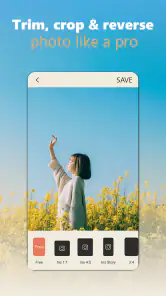
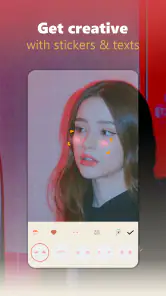
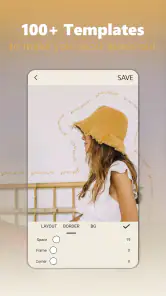
Analysis by Reviewed
Have you ever found yourself lost in a sea of photo editing apps, each promising the best effects, the coolest features, but somehow missing that special something? Well, let me introduce you to Dazz Cam: Retro Filter Effect, a delightful little app that has managed to capture my heart with its quirky charm and retro vibes.
Why Dazz Cam Stands Out
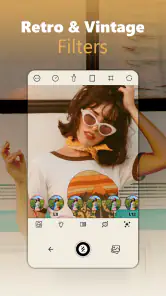
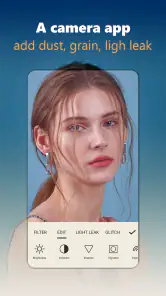
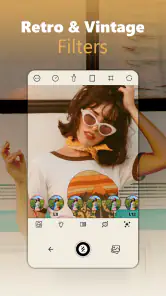
First off, let's talk about what makes this app a standout in a crowded marketplace. With retro filters that transport you back in time, it's like having a mini time machine in your pocket. You know that feeling when you stumble upon an old photo album and get hit with a wave of nostalgia? That's exactly what this app delivers. The filters are inspired by classic cameras from the '80s and '90s, offering a myriad of effects from grainy textures to light leaks that are reminiscent of vintage film cameras.
Features That Capture the Heart
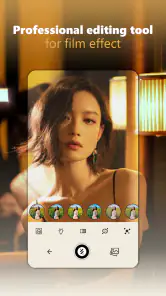
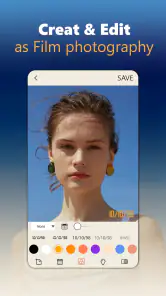
One of the first things you'll notice is the user interface. It's intuitive, clean, and doesn’t bombard you with unnecessary options. When you open the app, you’re greeted with a simple viewfinder that feels like an old-school camera. The magic happens when you start snapping pictures. The app automatically applies the chosen retro filter, adding that special touch to your photos. And if you’re feeling a bit more creative, you can mix and match filters to create a unique look.
Another highlight is the video feature. Yes, you can capture those precious moments in motion with the same retro flair. Whether it's a friend’s birthday party or a casual day out, recording with these filters adds a cinematic quality that’s hard to match.
Why I’m Hooked
What really got me hooked, though, was the community aspect. Dazz Cam doesn’t just stop at giving you tools to create stunning visuals; it also connects you with a community of like-minded individuals who are just as passionate about retro photography. You can share your creations, get inspired by others, and even participate in challenges that push your creative boundaries.
And let’s not forget about the little things that make life easier: the app’s seamless integration with social media platforms. Sharing your photos and videos is a breeze, and the quality remains top-notch.
Final Thoughts
In a world where digital perfection is often the goal, Dazz Cam: Retro Filter Effect offers a refreshing change. It embraces the beauty of imperfection and invites you to do the same. Whether you’re a seasoned photographer or just someone who loves capturing everyday moments, this app has something to offer.
So go ahead, give it a shot and let your creativity run wild. Who knows, you might just find yourself falling in love with photography all over again, thanks to this charming little app.
Pros
- Easy-to-use interface for quick photo edits.
- Offers a wide variety of retro filters.
- High-quality output for professional results.
- Fast processing with minimal lag.
- Supports sharing directly to social media.
Cons
- Limited free features available.
- In-app purchases can be pricey.
- Some filters appear too similar.
- Occasional ads can be intrusive.
- No option for manual filter adjustments.

- Category
- Photography
- Version
- 3.2.1











