Coursiv: AI Tools Mastery
- 7.01K
- 4.6
- Installs
- 1.00M
- Price
- Free

Screenshots
Analysis by Reviewed
I approached Coursiv: AI Tools Mastery as an education app for people who want practical guidance rather than another endless stream of AI news. Its central promise is straightforward: help learners become more comfortable with a broad selection of popular AI tools and connect that knowledge with work, career development, and everyday tasks. After spending time with it, I found the most useful question is not whether AI is important, but whether a guided learning path suits the way you prefer to learn.
The app is developed by Coursiv Limited and is available as a free education app for everyone. It has attracted more than a million installs, with a 4.6 average from roughly 68 thousand ratings and about 7 thousand written reviews. Those figures suggest that the format has found a sizeable audience, although popularity alone does not tell me whether it will match your goals. The current version is 2.4.6, and it requires Android 10 or later.
Learning AI through a guided route instead of scattered tutorials
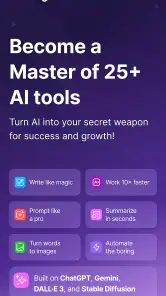
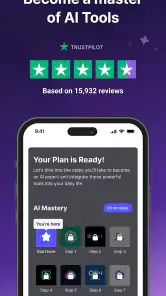
What makes this app different from searching for individual videos or reading separate help pages is the attempt to put AI learning into one organized experience. The subject is not limited to a single chatbot or one narrow professional role. Instead, the course-style approach is built around more than 25 popular AI tools, which gives beginners a wider map of the current AI landscape.
I think that breadth is both the main attraction and the first trade-off. A newcomer can explore writing, productivity, career-related tasks, and other everyday applications without having to decide in advance which tool matters most. At the same time, anyone who already works deeply with one specific platform may find a broad introduction less valuable than official documentation, specialist training, or a focused project-based course.
The app makes the most sense when you want a starting point and need help turning curiosity into a routine. Rather than opening a search engine every time you wonder how AI might help, you can use a structured lesson as a prompt for experimentation. That structure is especially useful for people who feel overwhelmed by conflicting advice, changing tool names, and tutorials that assume too much technical knowledge.
Who is likely to get the most from it
I would recommend trying it if you are a student, job seeker, office worker, freelancer, or small-business owner who wants to understand where AI can fit into normal work. It can also suit someone who has tried a few AI tools but uses them inconsistently. A guided course may help you move from occasional experimentation to repeatable habits.
One realistic example is a busy professional preparing for a job application after work. Instead of spending an evening jumping between unrelated tutorials, that person could use the app to learn a tool, test it on a draft cover letter, compare the result with their own writing, and then decide whether the technique is worth keeping. The important benefit is not simply producing text faster. It is learning where AI can assist and where personal judgement still needs to lead.
Students may appreciate the career angle, but they should not treat the app as a replacement for subject expertise. AI-generated explanations can be incomplete or wrong, so I would use lessons as a way to learn workflows, then verify important academic or professional information elsewhere. The same caution applies to anyone using AI for legal, financial, medical, or confidential business material.
On the other hand, I would skip this app if you want advanced programming instruction, detailed model architecture, or a complete professional certification. Its stated focus is practical mastery of popular tools, not a deep computer-science curriculum. Experienced users may also prefer direct access to the tools themselves, where they can learn through demanding projects rather than introductory guidance.
What the broad tool coverage changes in practice
Learning several tools in one place can reveal an important distinction: the best tool is often determined by the task, not by general popularity. A writing assistant may be useful for brainstorming, while another tool may be better suited to organizing information or supporting a career workflow. The value of a broad course is that it encourages comparison instead of making one application appear to be the answer to everything.
My practical tip is to keep a small “use case” note while studying. For every lesson, write down the task you would actually use it for, the information you would need to provide, and the part you would still check yourself. This turns passive learning into a personal reference guide. It also exposes quickly whether a lesson is relevant to your work or merely interesting.
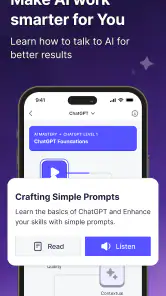
A second useful habit is to test the same request in two different ways: first as a vague instruction, then with a clear role, desired format, audience, and limits. This helps you judge whether the lesson is teaching a transferable method or only encouraging one clever prompt. The difference matters because AI tools change, while the ability to describe a task clearly remains useful.
Trust starts with visible choices, not a high rating
The app’s public reception is encouraging, but I would not use its rating as a substitute for checking the choices presented during setup and use. An education app about AI naturally handles a topic that can involve sensitive work information, personal writing, and account details. That makes it sensible to pause at each permission, sign-in, subscription, or sharing screen and read what is being requested.
I prefer apps that let me understand what I am agreeing to before I begin a course. With this one, the safest approach is to treat every optional-looking choice carefully: distinguish what is needed to access the learning experience from what is connected to personalization, communication, or payment. If a screen offers a choice, I would select only what supports my intended use and avoid supplying extra personal details merely to make the profile feel complete.
This is not a reason to dismiss the app. It is simply the right mindset for any service that discusses AI tools. The lessons may encourage you to experiment, but experimentation should happen with low-risk examples first. Use a fictional project, a public paragraph, or a made-up business scenario before copying in private client material, internal documents, passwords, or personal records.
The app is free to install, while in-app purchases range from about ten dollars to around eighty dollars per item. That makes the payment path worth examining before committing to anything. I would look closely at the exact offer, whether it is a one-time purchase or part of a recurring arrangement, and what the relevant cancellation controls say on the device or account used for payment.
Account control and data-sensitive learning
AI education can create a misleading sense that every example is harmless. A lesson about improving a résumé, summarizing an email, or planning a business task may tempt you to paste in real material. My rule would be to replace names, contact details, company references, and identifying numbers before using any sensitive example. The app can teach a workflow without needing access to the real document.
This also helps you evaluate the lesson more fairly. If a technique works with a sanitized sample, it is more likely to be useful as a repeatable method. If it only works when you provide a large amount of private context, the convenience may not justify the exposure. That is a meaningful trade-off, especially for freelancers and employees who work under confidentiality obligations.
I would also keep payment and account management separate from learning decisions. It is easy to start a course with enthusiasm and then accept an offer before knowing how often you will use the material. A better approach is to complete enough of the free experience to identify a concrete goal, then decide whether a paid item supports that goal. If you stop using the app, review the relevant subscription or purchase controls instead of assuming that deleting the app changes the billing arrangement.
Another practical safeguard is to avoid treating the app as a secure storage area for your personal prompt library. Keep reusable prompts in a place you already trust, remove confidential details from templates, and make copies of work you create before editing it further. This gives you more control over your own material and prevents a learning platform from becoming the accidental home for sensitive drafts.
How it compares with familiar alternatives
The usual alternative is free video content. Videos can be excellent when you already know exactly what you want to learn, and they often show a tool in action. Their weakness is that quality and sequence vary widely. Coursiv’s advantage is the possibility of a more deliberate path across multiple tools, while its limitation is that a fixed learning route may feel slower than searching directly for one answer.
Another alternative is official documentation from each AI provider. That is normally the better choice for precise feature details, current limitations, account settings, and technical instructions. However, official help pages are often written for people who already know the product. A beginner may find a guided education app easier for understanding why a tool matters before diving into detailed documentation.
There are also large online course platforms with longer classes, assessments, and specialist instructors. Those services may be stronger if you need a formal curriculum or a deep professional skill. Coursiv is more appealing when you want a practical overview that connects several AI tools with everyday productivity and career tasks without turning the subject into a lengthy academic program.
Direct experimentation is the final competitor. Opening an AI tool and trying real tasks can teach quickly, particularly for confident learners. The risk is building poor habits, accepting inaccurate results, or assuming that a successful demonstration will work in every situation. I see Coursiv as most useful alongside experimentation: learn a principle, test it with a safe example, inspect the output, and then decide whether it deserves a place in your routine.
Small habits that make the course more useful
Do not measure progress by how many tools you recognize. Measure it by whether you can explain when a tool is appropriate, what input it needs, and how you will check the result. That three-part test is more valuable than collecting a long list of fashionable applications.
For work tasks, start with low-consequence activities such as outlining a meeting agenda, turning rough notes into a clearer structure, or generating alternative headlines. Keep the original version beside the AI-assisted version. This comparison shows whether the tool saved time or merely created extra editing. It also helps you develop a personal standard for acceptable output.
For career development, use the lessons to improve your process rather than to automate your identity. AI can help organize experience, identify gaps in a résumé, or rehearse possible interview questions, but your achievements and claims should remain yours. I would never submit generated wording without checking accuracy, tone, and whether it genuinely reflects my background.
For daily life, be selective. Planning a trip outline, creating a study schedule, or simplifying a long public article can be sensible practice. Sharing private conversations, identity documents, or highly personal health information is a different matter. The more sensitive the subject, the more important it is to use fictionalized input or a tool with controls you have personally reviewed.
Where the experience may feel limited
The broad focus can make the learning journey feel less compelling for advanced users. If you already know how to write effective prompts, compare outputs, and evaluate AI limitations, introductory explanations may not add much. In that case, a project built around your actual field will probably produce faster improvement than a tour across many popular tools.
There is also a risk of confusing exposure with mastery. Seeing a tool demonstrated is not the same as using it under real constraints. You still need repetition, feedback, and a clear reason to return. I would therefore treat each lesson as a short assignment: complete one task, inspect the result manually, record what failed, and try again with a more precise instruction.
The purchase range can be another point of friction for cautious users. Free access lowers the barrier to trying the app, but optional spending means you should make a deliberate decision rather than letting momentum decide for you. If the course does not connect to a goal you can name, staying with free material or using official resources may be the wiser choice.
I also would not expect one app to settle questions about privacy, accuracy, or responsible AI use for every external tool it discusses. Those details can vary from one service to another. The learner remains responsible for checking the destination tool’s own settings and terms before using it with real information. That is one of the most important lessons the app can support, even when the course itself is focused on productivity.
My cautious verdict
Coursiv: AI Tools Mastery is a sensible starting point for someone who wants guided exposure to a wide range of AI tools without assembling a curriculum alone. I like its practical direction and its potential to connect learning with work, career preparation, and ordinary tasks. The rating and large install base make it easy to see why many people are willing to try it, but I would still judge it by whether its lessons lead to useful habits in your own situation.
My recommendation is to begin with a specific objective, use harmless sample material, and keep control of every account, payment, and sharing decision. Do not paste confidential information into exercises, and do not assume that a polished answer is a correct one. If you want a friendly overview and a structured route, the free app is worth exploring. If you need deep technical training, authoritative product documentation, or a formal qualification, another option will likely serve you better.
In the end, the strongest reason to use it is not the number of tools it covers. It is the chance to build a more thoughtful relationship with AI: choosing the right tool, giving it the right context, checking what it produces, and knowing when not to use it. That combination of curiosity and control is what makes the app worthwhile.
Pros
- Short
- practical lessons make AI concepts easy to follow.
- Covers several popular AI tools in one learning app.
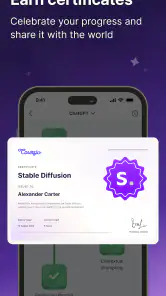
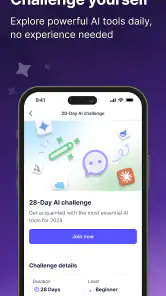
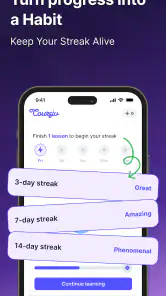
- Progress tracking helps maintain a consistent study routine.
- Suitable for beginners without technical or coding experience.
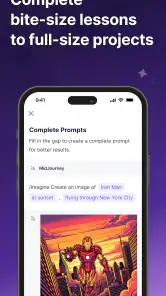
- Interactive exercises can make lessons more engaging than reading alone.
Cons
- Some advanced users may find the material too introductory.
- Useful content may require a paid subscription after the trial.
- Course quality can vary between different AI tool topics.
- Lessons may become outdated as AI platforms change quickly.
- Progress may depend heavily on self-motivation and regular practice.

- Category
- Education
- Version
- 2.4.6











