Connects: Arts+Culture
- 179.00
- 4.1
- Installs
- 1.00M
- Price
- Free

Screenshots
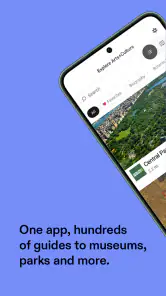
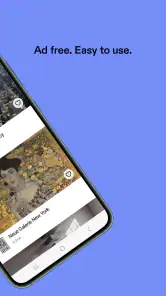
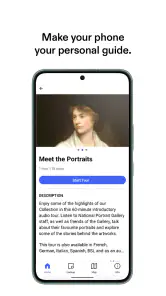
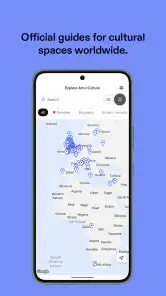
Analysis by Reviewed
I like arts-and-culture apps best when they help me turn curiosity into a real plan, rather than simply giving me another feed to scroll. Connects: Arts+Culture aims to bring discovery, context and event browsing together, which makes it appealing for anyone who wants culture to feel a little more accessible. My main reservation is that an app can only be as useful as the depth and local relevance of what it offers, so I’d treat it as a companion to exploring—not a replacement for checking details before heading out.
A useful starting point for cultural discovery
Connects is a free education app from Bloomberg Consulting LLC, rated for Everyone. It has a 4.1 average from around 1,800 ratings and more than a million installs, suggesting that it has found an audience beyond a small group of specialists. It first appeared in 2019, and its current version is 2025.10.23-std. Those details make it easy to identify, but the practical question is whether its mix of art and event discovery fits the way you like to explore.
For me, the best use is not opening it with a completely blank slate and expecting it to choose a perfect day out. I’d use it when I already have a loose interest—an exhibition, a city, or a kind of art—and want to turn that interest into a more informed outing. Before travelling, check the event’s own details and make a short shortlist; that simple habit helps keep inspiration from being mistaken for confirmed plans.
Discover a World of Art
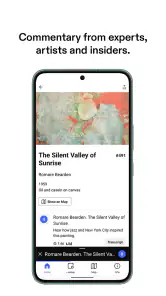
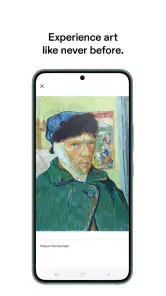
One of the coolest things about Connects: Arts+Culture is its ability to transform your phone into a portal to the art world. It's not just an app; it's an experience. Imagine being able to explore galleries from around the globe, all from the comfort of your couch. Whether it’s contemporary art from New York or classic paintings from Paris, this app has you covered.
Interactive and Engaging
The app isn’t just about looking at pretty pictures. It offers interactive features that make you feel like you’re part of the art scene. For example, there are virtual tours that guide you through exhibitions as if you were there in person. The audio guides are a fantastic touch, giving you insights and stories behind each piece. Trust me, it adds a whole new layer of understanding and appreciation.
A small but helpful way to get more from a virtual visit is to slow down: choose one room or artwork to focus on, listen for the context, and then look back at the piece rather than trying to race through a whole exhibition. That makes the guide feel less like background audio and more like a prompt for looking carefully. If you mainly want quick image browsing, though, a general image search is faster; the value here is the combination of a guided visit and interpretation.
Stay Updated with Cultural Events
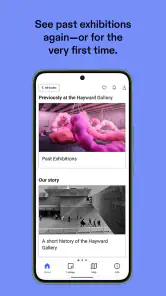
Another feature I found super useful is the events calendar. It’s like having a personal assistant who knows all the upcoming art and cultural events. Whether you’re interested in live talks, exhibitions, or art festivals, the app keeps you updated. It’s perfect for planning your next cultural outing or simply staying in the loop.
More From Our News Desk

Clash of Clans Is Won Between the Battles

Android Auto Makes the Case for Quieter Car Software

MobiOffice: Transforming Mobile Productivity with Seamless Integration

EA SPORTS FC™ Mobile Soccer: Redefining Mobile Sports Gaming

How Microsoft OneDrive Became a Mobile Productivity Giant

How Google Translate Breaks Language Barriers Effortlessly
For a realistic weeknight plan, I’d browse for an event while deciding what to do at the weekend, then compare the options against the time and travel I actually have. The calendar can spark an idea, but it shouldn’t be the only final check: confirm practical details with the venue before setting off. People who want a complete city-events planner for every kind of activity may find a general local-events app more suitable; Connects is most compelling when arts and culture are the point of the search.
Connect with Like-minded Enthusiasts
What’s art without a community to share it with? The app offers a social platform where you can connect with other art lovers. Share your thoughts, join discussions, and even participate in art challenges. It’s a great way to meet people who share your passion for arts and culture, creating a sense of belonging in this vast digital space.
The social side is best approached as an optional layer, not the reason to install the app. If you enjoy comparing interpretations or using a challenge as a reason to pay closer attention, it can add a personal touch to browsing. If you prefer a quiet, private visit—or already have a group of friends to discuss art with—you can focus on the cultural material instead. That distinction matters: community features are a bonus for some people and unnecessary noise for others.
Who will get the most from it
I’d recommend Connects to curious beginners, regular gallery visitors looking for fresh ideas, and travellers who like to add an art stop to a trip. It can also work well at home when you have a spare half-hour and want a guided way into an exhibition rather than another unstructured scroll. If you’re trying to introduce a friend or a teenager to art, an audio-led visit can offer an easy conversation starter without turning the experience into a lecture.
It is less suited to someone who needs a comprehensive itinerary tool, a substitute for an in-person visit, or a source of highly specialized art research. A museum’s own resources may be better for authoritative information about a particular collection, while maps and venue sites are more practical for logistics. I’d use Connects to discover and understand, then use those direct sources to confirm the details that affect the day.
Making discovery work for a real day out
The most useful way I can see to fit Connects into a busy routine is to separate inspiration from decision-making. I might browse during a quiet moment, save or note a couple of possibilities, and revisit them when I know who is coming and how much time we have. That prevents an appealing exhibition from becoming a rushed detour simply because it appeared at the right moment. It also gives me room to compare the cultural experience itself with the practical effort of getting there.
For example, if a friend is visiting and we have only part of an afternoon, I’d use the app to find a cultural idea that gives us something to talk about, then check the venue’s location and current arrangements separately. I would not build the whole day around an event listing until those details were confirmed. The app’s strongest role is helping answer “What might be interesting?”; maps, venue pages and direct messages are better for “Can we make it work today?”
This two-step approach is especially handy when plans are shared. I can show someone a virtual visit or talk through a shortlist before we commit, rather than sending them a vague suggestion to “go to a gallery.” The content can help establish what kind of experience we are choosing, while the venue’s information settles the logistics. It is a modest workflow, but it makes the app more useful than treating it as a one-stop booking or navigation service.
What the app does best—and where it asks for patience
Its appeal comes from bringing several ways of engaging with culture into one place: looking at art, following interpretive material, noticing events and, for people who want it, joining a community conversation. That mix gives me more reason to return than a simple image feed would. It can move a person from passive browsing to a question, a planned visit or a discussion, which is a meaningful difference for anyone trying to build a more regular cultural habit.
The trade-off is that a broad cultural companion is not automatically the best tool for every part of the process. A virtual tour can give context, but it cannot reproduce the scale, atmosphere or physical details of standing in front of an artwork. An events calendar can point toward an outing, but a specialist venue source is still the safer place to verify logistics. And a social layer may make the experience richer for one person while distracting another. I would judge it by whether those different modes support your own curiosity, not by expecting each one to replace a dedicated service.
There is also a small mindset adjustment worth making: treat recommendations and discovery as prompts, not as a finished cultural education. If an artwork catches my attention, I can use that interest to look more carefully, compare interpretations, or follow up through a museum’s own material. That makes the app a doorway rather than the final authority. For casual exploration, that is a sensible role; for a research project that depends on precise collection information, I would start with institutional sources instead.
Choosing it over familiar alternatives
Compared with a general search engine, Connects is more focused on the experience of engaging with art: a guided tour and its accompanying interpretation can give a browse a shape that image results usually lack. Compared with a local-events app, it has a narrower cultural emphasis, which is useful when I want exhibitions and art-related activities rather than an all-purpose list of things to do. These are different jobs, so I would not call one universally better. The choice depends on whether I am trying to understand art, find a broad range of nearby plans, or simply locate a specific venue.
Museum and gallery apps or websites have a different advantage: they are the natural place to check information about their own collections and visits. Connects is more attractive when I want a broader point of entry and do not yet know exactly which institution or exhibition to seek out. A maps app remains more practical once the destination is settled. In my own routine, those tools can work together: discover in Connects, verify with the venue, and navigate with a map.
That division of labour also helps answer whether this is worth keeping installed. If you already rely on a museum’s app for every visit and only need opening details, Connects may not add enough to your routine. If you often want an accessible introduction before choosing where to go, or enjoy a guided cultural browse when you are staying in, its wider mix has a clearer purpose. I would try it for that specific reason rather than expecting it to replace every arts resource on my phone.
Who should try it, and who may prefer something else
Connects is a good fit for someone who wants an approachable bridge between curiosity and participation. A newcomer can use a virtual visit and audio guide to get comfortable looking at art without needing specialist vocabulary. A frequent gallery visitor can use the discovery side to shake up familiar routines. A traveller can use it to consider an art stop before checking the practical details through the venue. It also suits people who like discussing what they see, while the social features can simply be left aside by those who do not.
I would steer away from it if your main need is a comprehensive city guide covering restaurants, transport and every kind of event, or if you need a deeply authoritative research database. It is also not the right substitute for going in person when the physical experience is the reason you want to visit. And if you prefer to browse silently without audio, tours or community features, a direct collection page or image archive may be a quicker, more focused choice. The best reason to choose Connects is not that it does everything, but that its art-first approach matches what you want to do.
One practical question is whether a first-time user needs to arrive with a particular artist or exhibition in mind. I would say no, but having even a loose starting point—an interest in a city, a period, or a type of artwork—makes browsing more purposeful. Without that, it may be harder to decide which material deserves your attention. Another is whether it works for a short session: the guided format can suit a brief visit if you choose one artwork or section instead of trying to take in everything at once.
People also tend to wonder whether the digital experience is enough on its own. For me, it is enough when the goal is a relaxed introduction, a little context, or an at-home cultural break. It is not equivalent to seeing an artwork in person, and I would not use it to decide that a physical visit has no value. The two experiences serve different needs: one makes exploration convenient, while the other gives you the presence of the work and the place around it.
A balanced recommendation
In conclusion, Connects is a must-have app for anyone who appreciates the beauty of art and culture. Its user-friendly interface and rich content make it a joy to use. Whether you’re an art aficionado or just getting started, this app offers something for everyone. So go ahead, download it and let your artistic journey begin. You might just find your new favorite artist or piece of art along the way!
My own recommendation is a little more selective: try it if you want one place to move between virtual art experiences, cultural events and conversation. Keep a venue’s own information handy when plans become concrete, and choose another tool if broad local listings or specialist reference material matter more to you. Used with those expectations, Connects can make a quiet evening more engaging and give a weekend outing a thoughtful starting point.
Connects: Arts+Culture Frequently Asked Questions
Is Connects: Arts+Culture suitable for children and families?
Connects: Arts+Culture has an Everyone content rating, so its age classification is suitable for a broad audience. Families may find it useful as an education-focused way to explore arts and culture together. As with any app, parents can decide whether its content and features fit their child’s interests and how they prefer their family to use mobile devices.
What kind of app is Connects: Arts+Culture, and who develops it?
Connects: Arts+Culture is an education app developed by Bloomberg Consulting LLC. Its store summary describes it as “Your Arts+Culture Guide,” which gives a sense of its focus: helping users engage with arts and cultural topics. It may appeal to people who want an app centered on this subject, whether they are already interested in culture or simply curious to explore it.
What is Connects: Arts+Culture and what can I do with it?
Connects: Arts+Culture is a dynamic app designed to bridge the gap between you and the vast world of arts and culture. With this app, users can explore a plethora of artistic events, exhibitions, and cultural happenings around the globe. It serves as a platform to not only discover but also engage with artists, galleries, and cultural aficionados. Whether you're an art enthusiast or a curious explorer, this app offers endless opportunities to dive into the rich tapestry of global culture.
Is Connects: Arts+Culture available for both Android and iOS devices?
Yes, Connects: Arts+Culture is available for download on both Android and iOS platforms. This ensures that users can access the app regardless of the device they own. Simply visit the Google Play Store or Apple App Store, search for Connects: Arts+Culture, and download it to begin exploring the vibrant world of arts and culture right at your fingertips.
Do I need to create an account to use Connects: Arts+Culture?
Creating an account on Connects: Arts+Culture is not mandatory, but it is highly recommended. By registering, you can personalize your experience, save your favorite events, and receive tailored recommendations based on your interests. This enhances your interaction with the app and ensures you don't miss out on any exciting cultural events that align with your preferences.
Pros
- User-friendly interface enhances experience
- Diverse content covering arts and culture
- Offline access for content on the go
- Frequent updates with new features
- Engaging community for discussions
Cons
- Limited free content without subscription
- Occasional bugs affect performance
- Heavy on storage space for offline use
- Requires strong internet for streaming
- Some features locked behind paywall
- Category
- Education
- Version
- 2025.10.23-std











