Common App
- 73.00
- 3.3
- Installs
- 1.00M
- Price
- Free

Screenshots
Analysis by Reviewed
Applying to college can quickly become a project of its own: researching institutions, comparing requirements, collecting personal details, and trying to remember what still needs attention. Common App is designed to put much of that process in one place. I found it most useful as a mobile companion for organizing an application journey, rather than as a complete replacement for a laptop and a school counselor.
Developed by The Common Application, this free Education app is aimed at students working through college applications. Its central appeal is straightforward: instead of starting from a different process every time, I could use one account and one familiar workflow as a starting point for participating colleges. That does not make every application identical, but it can reduce the repeated effort that often makes the process feel harder than it needs to be.
The app has passed the million-install mark, which makes it a familiar option for students looking for an official Common App mobile experience. Its average rating sits at 3.3 from roughly 1,300 ratings, so I would not describe it as universally smooth. That number matches my impression: the idea is valuable, but the experience depends heavily on how much of the application you expect to complete on a phone.
How I would use Common App from the first college search to submission
A practical baseline workflow
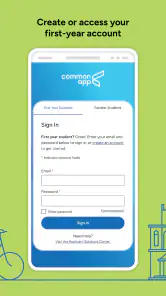
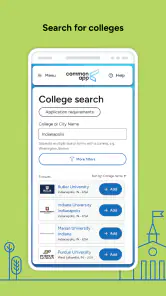
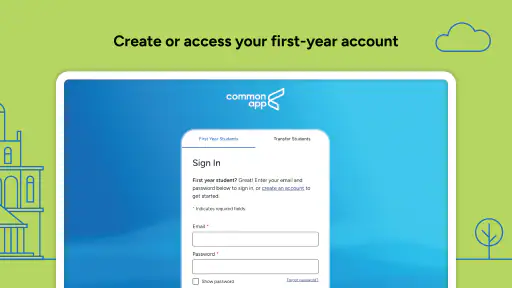
I would begin by treating the app as a planning workspace, not as a place to rush through every form in one sitting. The sensible first step is to create or access an account, look through the colleges available in the Common App ecosystem, and build a personal shortlist. This gives the rest of the process some structure before I start entering detailed information.
That order matters. Students often begin with the most intimidating part, such as the personal essay, then discover that basic profile information, school history, activities, recommendations, or college-specific questions still need attention. I prefer to establish the broad outline first. Once the colleges are chosen, I can see which parts are shared and which parts need individual care.
A realistic evening workflow would be to review the college list on a phone while commuting home, make notes about questions for a counselor, and then complete longer sections on a computer later. The mobile app is particularly convenient for checking progress or capturing a thought before it disappears. I would not rely on a small screen for careful editing of a long essay, especially when tone and wording deserve several revisions.
The strongest habit is to separate collecting information from submitting it. I would gather dates, course details, activity descriptions, and contact information in a private working document first. Then I would transfer the final version into the application. This creates a second checkpoint and makes it easier to spot inconsistencies between schools.
Common App is free, which removes an obvious barrier to trying it. That does not mean the entire college application journey is cost-free; colleges may have their own policies and expenses outside the app. I see the free access as a reason to use it early, not as a promise that every part of applying will happen without other considerations.
What the phone experience is genuinely good at
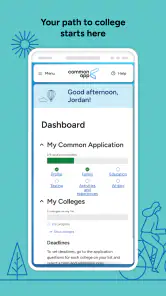
On mobile, I value quick orientation more than long-form writing. Opening the app to check which colleges are on my list, review what remains unfinished, or revisit a piece of information is much more comfortable than searching through scattered messages and browser tabs. For a student balancing schoolwork, employment, family responsibilities, or travel, that accessibility can make the application feel less distant.
The app also encourages a useful change in mindset. Instead of viewing college applications as one enormous deadline, I can break the work into small sessions: confirm personal details, review academic history, check activities, prepare questions, and return to the essay with fresh eyes. That approach is less stressful and makes mistakes easier to catch.
Still, I would keep a larger screen nearby. Long answers need room for proofreading, and comparing several college requirements is easier when I can see more information at once. Common App works best in a two-device routine: phone for monitoring and small tasks, computer for writing, checking, and final review.
Settings and account details worth checking
The most important “settings” here are the choices and profile details that shape the application, rather than decorative preferences. I would carefully review the account information, education history, activity entries, and college selections before treating the profile as ready. A single incorrect detail can be repeated across applications, so shared information deserves more attention than a field that appears only once.
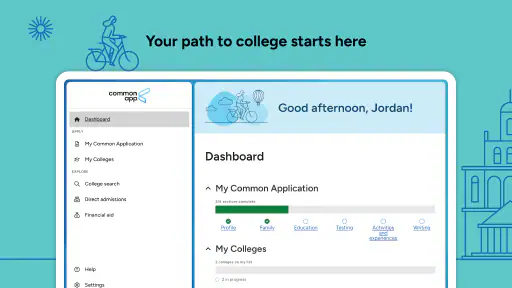
I would also check how the app presents incomplete work and make a personal checklist outside the app. A progress indicator can tell me that something remains, but a separate checklist helps answer the more useful question: what exactly needs research, confirmation, or another person’s input? This is one of the less obvious ways to make the app more reliable. The app tracks the application process; my checklist tracks the decisions behind it.
Notifications and account access are worth handling deliberately. I would make sure the account is connected to an email address I check regularly and avoid creating multiple accounts simply because I forgot which sign-in method I used. Students should also decide whether a parent, counselor, or trusted adult needs to help review information. Sharing a login casually is not a good substitute for an organized review process.
The app is rated for Everyone, but that does not mean every part of the process is easy for every student. Younger users may need help understanding admissions language, while students with limited internet access may need a schedule for using a reliable connection. The age rating describes suitability of the app itself, not the amount of guidance required to complete an application thoughtfully.
Repeatable patterns that make the process faster
Experienced users do not try to remember everything. They create repeatable habits. My preferred pattern would be a short weekly review: open the app, check the college list, identify the next unfinished task, and write down one question that needs an answer from a counselor or institution. This prevents the app from becoming something I open only when a deadline is already close.
Another useful pattern is to write activity descriptions in a consistent format before entering them. I would note what I did, how regularly I did it, what responsibility I held, and what changed because of my involvement. That makes later editing faster and avoids vague descriptions that sound impressive but say very little. The app can hold the final entry, but the thinking should happen before I type into a limited form.
For essays, I would use a versioning habit. Keep an original draft, a revised draft, and a final copy outside the app, with clear labels. Then paste only after checking spelling, formatting, and length. This is not glamorous, but it protects against accidental edits and makes feedback easier to manage. I would never treat the text inside an application form as the only copy of important writing.
A third pattern is to review one college at a time after the shared profile is in good shape. I would compare each institution’s questions with my own notes, rather than assuming that completing the general section means the application is finished. This is where many users can save time by being systematic: shared information first, college-specific work second, final review last.
Shortcuts are mostly behavioral rather than hidden buttons. I would keep the app easy to reach, use a consistent weekly reminder on my phone, and maintain a small list of unresolved questions. That combination is more dependable than hoping the app itself will tell me which decision deserves attention next.
Where the app reaches its limits
The biggest limitation is that a centralized application does not eliminate institutional differences. Colleges can still ask for different information, use different deadlines, and expect different supporting materials. Common App can organize the path, but it cannot make every destination follow the same rules. I would always verify important requirements with the college itself or with a counselor before submitting.
I also would not choose the app as my only writing environment. Mobile keyboards are fine for short corrections, but personal statements benefit from outlining, editing, reading aloud, and comparing versions. Those tasks are easier in a dedicated word processor or on a computer. The best alternative is not necessarily another college app; sometimes it is simply a better tool for the specific stage of the work.
Students who want a simple list of colleges and deadlines may find a spreadsheet or planning app more flexible. A spreadsheet can make custom categories, color coding, and personal reminders easier. On the other hand, a general planner will not provide the same application-centered structure. I would use a spreadsheet alongside Common App when I need a broad comparison of costs, visits, scholarship tasks, or family decisions.
Students applying only to institutions outside the Common App process should also think carefully before making this their main planning tool. Its value depends on whether the colleges being considered participate in the relevant application route. If most of a student’s choices use separate systems, a general planning method may be more practical, with Common App reserved for the schools that accept it.
The rating of 3.3 suggests that some users encounter friction, and I think that is fair to keep in mind. An app connected to an important, detail-heavy process can feel frustrating when navigation, editing, or account access does not work exactly as expected. I would save work regularly, avoid leaving everything until the last evening, and keep important text and records outside the app.
Version, compatibility, and who should use it
The current version is 2.5, and it supports devices running Android 6.0 or later. That gives the app a broad technical reach, including older Android phones, although a compatible operating system does not guarantee that every older device will feel equally quick or comfortable. Students using an aging phone should test the app early rather than discovering a problem close to a deadline.
I would recommend it most strongly to students who want an official mobile way to manage a Common App-based college search, especially those who already divide their work between a phone and a computer. It is also useful for families who need a shared routine: the student owns the application, while a counselor or parent helps review questions and deadlines.
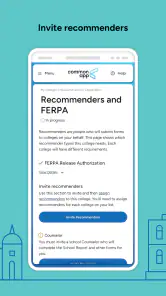
I would be more cautious about recommending it to someone who expects a complete admissions adviser, a universal college database, or a full essay-writing environment. It is a tool for moving through an application process, not a replacement for researching programs, contacting admissions offices, requesting recommendations, or making a final college decision.
My verdict after building a workable routine
Common App succeeds when I use it as the central checkpoint in a larger system. It gives the college application process a recognizable home, reduces repeated setup for participating schools, and makes it easier to stay connected to the work from a phone. Its free price and broad device compatibility make it approachable, while the large install base shows that it is already a familiar choice for many students.
My recommendation comes with a condition: do not confuse convenience with completion. I would use the app to organize the application, a separate document to prepare and preserve writing, a personal checklist to track decisions, and a counselor or college contact to clarify anything important. That combination takes more discipline than using one app alone, but it is much safer.
The best way to use Common App is as a steady control center, not a last-minute submission button. Open it regularly, keep your own copies of important work, review shared details carefully, and treat every college-specific section as its own responsibility. With that routine, the app becomes genuinely helpful. Without it, the same centralized design can encourage a false sense that one completed profile means the whole journey is finished.
For students already considering colleges that use this application route, I think it is worth installing and learning early. For everyone else, I would first map out where their chosen colleges actually accept applications, then decide whether Common App belongs at the center of the plan or simply as one tool among several. That is the honest balance: useful, accessible, and capable of saving time, but only when the student remains actively involved in checking the details.
Pros
- Combines messaging
- payments
- and account services in one app.
- Useful for managing Common account-related tasks from a mobile device.
- Push notifications can help users stay updated on important activity.
- Clean interface makes core features relatively easy to find.
- Available on both Android and iOS devices.
Cons
- Some features may require an active Common account or eligibility.
- The app’s usefulness depends heavily on your location and available services.
- Permissions for notifications and personal data may concern privacy-focused users.
- Occasional updates may change menus or require users to relearn navigation.
- Support options may be limited compared with speaking to an in-person representative.

- Category
- Education
- Version
- 2.5











