Clap to Find My Phone, Whistle
- 292.00
- 4.4
- Installs
- 10.00M
- Price
- Free

Screenshots
Analysis by Reviewed
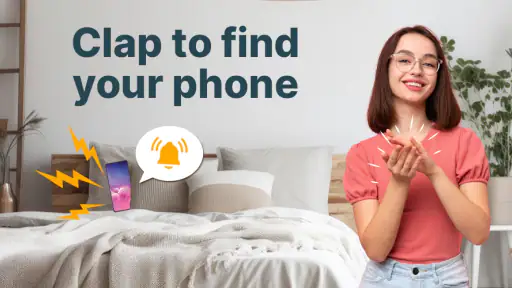
I find clap-to-locate apps most useful when a phone is somewhere nearby but out of sight—not when it has been left across town. That distinction is the first thing I’d consider before installing Clap to Find My Phone, Whistle: it is meant to help with everyday misplacement, so the sound has to reach the phone and the phone has to be able to respond. For that narrow, familiar problem, using a clap or whistle can feel more natural than borrowing another device or retracing every step.
When a sound-based finder makes sense
This is a personalization app from SOKAR, and its appeal is less about changing how a phone looks than making it react to a familiar sound. I’d consider it if I often set my phone down while cooking, folding laundry, or moving between rooms. It may also suit someone who shares a home and can ask another person to clap while searching. The simple test is whether you can make a clear sound near enough for the phone to hear it.
Picture coming home with shopping bags, setting your phone down somewhere in the living room, then forgetting where. If it slips between cushions, a clap from nearby may be quicker than checking every pocket and surface. But if the phone is in a closed bag, outside the room, or somewhere you cannot make a sound reach it, this method is less useful. I would still put the phone in a consistent place when I need to find it reliably.
Where it stands apart from other ways to search
Compared with calling your own number, a clap-based approach does not depend on having another phone ready. Compared with a device-finding service, it is aimed at a different situation: locating a phone you can reasonably reach, rather than searching for a device that may be far away. Those options are not interchangeable, and I would keep a remote-finding method available for a genuinely lost or stolen phone.
The app has a 4.4 average from around 35,000 ratings and over 10 million installs. It is free, rated for Everyone, and its current version is 1.4.0. Those figures suggest that many people have tried it, but they do not guarantee that it will suit every room or household. The developer is SOKAR, and the app was released on July 6, 2023.
Small habits that make the idea more practical
Before relying on it, I’d test it in the places where I most often misplace my phone: beside the sofa, on a bedroom dresser, or in a laundry pile. A quiet room is a useful starting point; then I’d try the same sound from a little farther away and with normal household noise. This gives a more realistic sense of when I need to clap again, rather than assuming one attempt will work in every setting.
It also helps to decide on one repeatable clap or whistle instead of making random noises while searching. A consistent signal is easier to reproduce, and testing it while the phone is visible gives a useful baseline. If the phone is already hidden, I would move around and try again from different positions rather than immediately concluding the app has failed. These are practical habits, not a substitute for keeping the app ready to respond.
More From Our News Desk

Weather by Xiaomi Review: Clear at a Glance, Less Clear Up Close

X Under Pressure: Can It Recover When Posting Goes Wrong?

Clash of Clans Is Won Between the Battles

Android Auto Makes the Case for Quieter Car Software

MobiOffice: Transforming Mobile Productivity with Seamless Integration

EA SPORTS FC™ Mobile Soccer: Redefining Mobile Sports Gaming
What’s the Buzz All About?
Clap to Find My Phone, Whistle is a clever little app that does exactly what it says on the tin. It lets you locate your phone simply by clapping your hands or whistling. Sounds like magic, right? But this is tech magic at its best! I installed it out of sheer curiosity and was pleasantly surprised by its ingenuity.
Setting It Up
Getting started with this app is as easy as pie. Once you've downloaded it, the app takes you through a straightforward setup process. You enable the app to access your microphone and allow it to run in the background. It’s quite nifty because you can customize the sensitivity levels, so it reacts precisely to your unique clap or whistle.
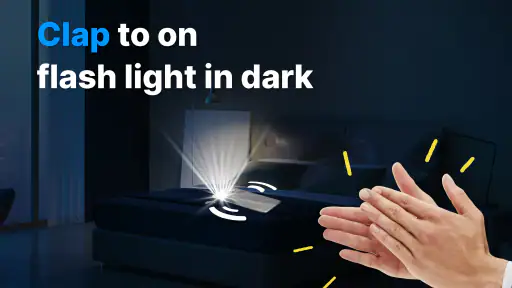
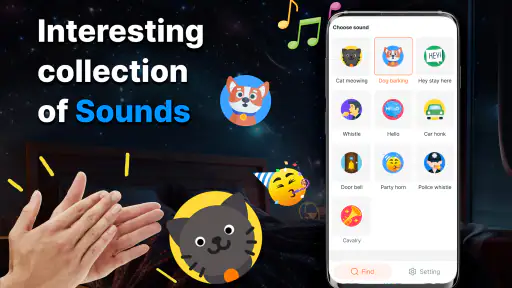
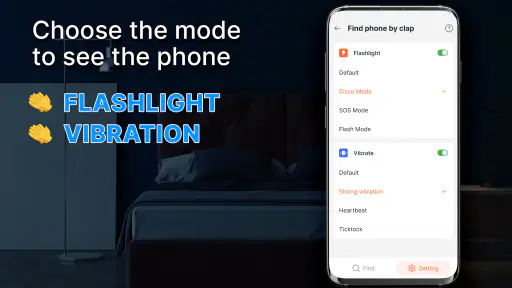
There’s also an option to choose the alarm sound for when your phone is found. I went with a classic ringtone, but there are numerous fun options to select from. You can even set the flashlight to blink, which is especially useful if you’re in a dark room.
Does It Really Work?
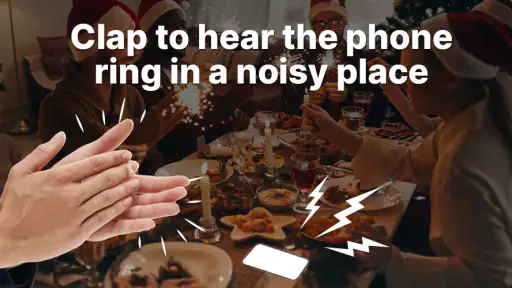
Now, the million-dollar question – does it actually work? In my experience, yes! I tested it in several scenarios: when my phone was hidden under a pile of clothes, in a different room, and in a noisy environment. Each time, the app managed to detect my clap and ring the alarm. However, in extremely loud environments, it took a couple of tries, but it eventually got there.
The app also pleasantly surprised me with its low battery consumption. I was a bit apprehensive about it draining my battery, but it seems to do a stellar job of conserving energy.
A Handy Tool or Just a Novelty?
While some might see this app as a novelty, I genuinely find it handy. It’s perfect for those forgetful moments, and it adds a bit of fun to the mundane task of finding your phone. Plus, it’s a topic of conversation among friends. Who knew clapping could be so entertaining?
In conclusion, if you're prone to misplacing your phone or just want a fun little gadget in your arsenal, give it a whirl. It’s a simple, effective, and amusing way to ensure your phone is never lost for long. So next time you find yourself in a phone-hunting frenzy, just clap your hands and let the app do the rest. Trust me, your future self will thank you!
Who should choose another approach
I would skip a sound-triggered finder if I need to locate a phone that may be away from home, switched off, or out of hearing range. In those cases, a remote-finding service or a trusted person calling the phone is a better fit. I’d also think twice if I need a completely silent search: an audible alarm is useful when the phone is hidden nearby, but not when making noise would be disruptive.
Microphone access and background operation are part of the setup described here, so I’d consider whether I’m comfortable with those requirements before enabling the app. If I only misplace my phone occasionally, building a habit of leaving it in one designated spot may be enough. If I repeatedly lose it around the house, the quick sound cue is more compelling, provided I remember that a loud room can mean repeating the signal.
A sensible role in a phone-finding routine
I see this as a convenient first step, not a complete safety net. I’d use the clap or whistle for the sofa-cushion problem, keep a separate option for locating a phone at a distance, and avoid depending on any single method when the device matters. That combination makes the app’s limits clear without taking away its everyday usefulness.
For people who want a lightweight, playful way to search a nearby room, it is an easy idea to try. For anyone expecting dependable remote recovery or a silent locator, another category of tool will make more sense. My recommendation is to test it in your usual surroundings and decide whether its quick, sound-based response fits the way you actually misplace your phone.
Clap to Find My Phone, Whistle Frequently Asked Questions
Is Clap to Find My Phone, Whistle suitable for everyday use at home or work?
It is intended for everyday situations where you have misplaced your phone nearby, such as at home or in an office. Clapping or whistling can prompt the device to make an alert, helping you locate it without searching every room or checking each surface. It is a practical convenience feature rather than a replacement for other ways of securing or tracking a phone.
What permissions should I expect to use the app’s clap or whistle feature?
The app uses the phone’s microphone to detect claps or whistles, so microphone access is central to its main feature. You may also need to allow it to run in the background so it can respond while you are doing something else. Review the permission prompts during setup and choose settings that you are comfortable with before relying on the alert.
Can Clap to Find My Phone, Whistle help if my phone is on silent or hidden under something?
The app is intended to make a misplaced phone easier to locate by triggering an alert when it detects a clap or whistle. That can be useful when the device is out of sight, such as beneath a cushion or among belongings. Before relying on it, make sure the app is set up and that you can hear or notice the alert in your usual surroundings.
What is the primary function of the Clap to Find My Phone, Whistle app?
The Clap to Find My Phone, Whistle app is designed to help users quickly locate their misplaced phones. By simply clapping their hands or whistling, the app activates an alert sound on the phone, making it easier to find. This app is especially useful for people who frequently misplace their devices at home or in the office.
How does the app recognize claps or whistles to find my phone?
The app utilizes the phone's microphone to detect specific sound patterns associated with clapping or whistling. Once the app recognizes these sounds, it triggers an alert sound or vibration on the phone. Users need to ensure that the app is running in the background for it to function effectively, and it might require some initial setup to calibrate the sound sensitivity.
Pros
- Easy to use interface.
- Highly accurate sound detection.
- Quick response time.
- Battery efficient operation.
- Customizable sensitivity settings.
Cons
- Limited features in free version.
- Might not work in noisy environments.
- Requires microphone access.
- Occasional false triggers.
- Ads in the free version.
- Category
- Personalization
- Version
- 1.4.0











