Chime – Mobile Banking
- 226.90K
- 4.7
- Installs
- 10.00M
- Price
- Free

Screenshots



Analysis by Reviewed
Have you ever wished for a banking experience that fits right into your pocket? Well, let me introduce you to Chime – Mobile Banking, a nifty little app that’s revolutionizing the way we handle our finances. It’s like having a bank branch that’s open 24/7, right on your smartphone! Let’s dive into the details, shall we?
Why Chime is Your New Best Financial Friend
So, here’s the deal: Chime – Mobile Banking isn’t just your average banking app. It’s designed to make your life easier, and trust me, it does. First off, the app is super user-friendly. Even if you’re not exactly a tech guru, you’ll find navigating through Chime a breeze. The interface is clean, straightforward, and helps you get things done without any hassle.
Features That Make Chime Stand Out
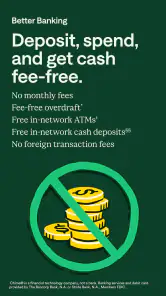
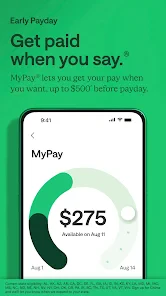
One of the coolest things about Chime is its fee-free banking. Yes, you heard that right! There are no hidden fees, and they even give you access to over 60,000 fee-free ATMs. That’s more than enough to keep your cash flowing smoothly. Plus, Chime offers early direct deposit, which means you can get your paycheck up to two days earlier than most banks. Who wouldn’t love that?
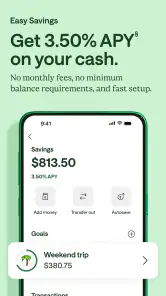
Another feature that’s worth mentioning is their automatic savings. Every time you make a purchase with your Chime card, the app rounds up the amount to the nearest dollar and deposits the difference into your savings account. It’s a simple way to save without even thinking about it. Pretty neat, huh?
Security and Peace of Mind
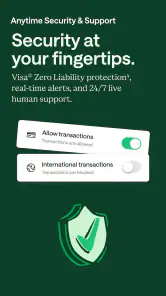
Now, I know what you’re thinking – is my money safe? The short answer is, absolutely! Chime uses bank-level security measures to keep your funds secure. They’ve got your back with real-time transaction alerts, instant card blocking if you ever lose your card, and they’re FDIC insured up to $250,000 through The Bancorp Bank or Stride Bank, N.A.
Real-Life Benefits
Imagine this: you’re out with friends, and you realize you forgot to transfer money to cover dinner. No problem! With Chime, transferring funds is as easy as sending a text. The app lets you send money instantly to other Chime users without any fees. It’s like having a financial safety net that can catch you at any moment.
And let’s not forget the mobile check deposit feature. Just snap a picture of your check, upload it through the app, and voila! Your funds are on their way to your account. It’s convenient and saves you a trip to the bank, which means more time for yourself.
In a nutshell, Chime – Mobile Banking is changing the way we think about managing our finances. It’s convenient, secure, and packed with features that make banking feel less like a chore and more like a breeze. Whether you’re tech-savvy or just getting started with digital banking, Chime has something to offer you.
So, if you’re tired of the traditional banking hassle and want something that fits seamlessly into your lifestyle, give Chime a try. You might just find it’s the financial companion you never knew you needed!
Pros
- No monthly fees or overdraft charges
- Early direct deposit access
- Fee-free overdraft protection
- User-friendly mobile app
- Real-time transaction alerts
Cons
- Limited cash deposit options
- No physical branches
- Withdrawal limits on ATMs
- No joint account option
- Limited customer support availability

- Category
- Finance
- Version
- 5.301.0











