Chereads
- 1.19K
- 4.2
- Installs
- 500.00K
- Price
- Free

Screenshots




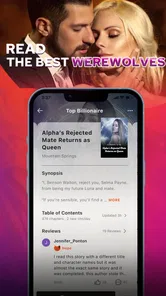


Analysis by Reviewed
I approached Chereads as a reader looking for a convenient way to keep novels within reach, rather than as someone searching for a general-purpose ebook shelf. That distinction matters. This is a Books & Reference app from Cloudary, and its focus is serialized fiction: opening the app, finding a story that matches my mood, and returning to it whenever I have a spare moment. The free download makes it easy to try, while optional purchases ranging from $0.99 to $199.99 per item mean that the reading experience deserves a little attention before you settle into a long series.
After spending time with the app, my impression is that Chereads works best as a habit-building reading platform. It is less about importing books you already own and more about discovering stories inside one dedicated environment. If you enjoy ongoing novels, frequent reading sessions, and the small motivation of having several titles waiting for you, it has a clear appeal. If you want a simple reader for personal files, a broad reference library, or a one-time purchase model, I would look elsewhere.
How I use Chereads from the first search to the next chapter
My baseline workflow is deliberately simple. I open the app, browse until a premise catches my attention, read enough to judge the writing and pacing, then decide whether the story deserves a place in my regular rotation. I do not add every interesting title immediately. That small bit of discipline makes the home experience easier to manage and prevents a long list of half-started novels from becoming visual noise.
The app’s strongest use case is short, repeatable reading. I might read during a commute, while waiting for an appointment, or for a few minutes before bed. Because the stories are presented as an ongoing reading experience, Chereads fits those fragmented moments better than a large traditional ebook can. I can return to a familiar title instead of spending the entire break deciding what to read.
For a new reader, I recommend testing several genres rather than judging the whole service from the first story shown. The most visible recommendation is not automatically the best match for your taste. I pay attention to whether the opening establishes characters quickly, whether chapter endings feel satisfying, and whether the story gives me a reason to return. Those are more useful signals than a dramatic cover or a promising title.
One practical routine is to keep only a few active novels. I use one as my main choice, one as a change of pace, and perhaps another for moments when I want a different tone. This makes the app feel more like a personal reading queue and less like an endless storefront. It also helps me notice which stories I genuinely enjoy instead of confusing browsing time with reading time.
Chereads is available at no upfront cost and carries a Teen content rating, so I would still check the tone and subject matter of individual novels before handing it to a younger reader. A general age label is useful, but it should not replace personal judgment. Themes, conflict, romance, and emotional intensity can vary from one story to another.
More From Our News Desk

Weather by Xiaomi Review: Clear at a Glance, Less Clear Up Close

X Under Pressure: Can It Recover When Posting Goes Wrong?

Clash of Clans Is Won Between the Battles

Android Auto Makes the Case for Quieter Car Software

MobiOffice: Transforming Mobile Productivity with Seamless Integration

EA SPORTS FC™ Mobile Soccer: Redefining Mobile Sports Gaming
The first settings I would check
Experienced use starts with reducing friction. I look through the reading screen and account-related options before beginning a long novel. My priorities are straightforward: readable text, comfortable brightness, a layout that does not make me lose my place, and notification choices that match my routine. I do not want a reading app competing with every other alert on my phone, especially at night.
Text comfort is more important than it sounds. A font or page layout that feels acceptable for five minutes can become tiring during a longer session. I adjust the display until paragraphs are easy to scan without making each page feel unnecessarily slow. If you read mainly in short bursts, a compact layout may feel efficient; if you read for longer stretches, comfort should win over the number of lines visible at once.
I also recommend checking how the app handles your reading position before building a daily habit. When I move between quick sessions, the most valuable convenience is being able to reopen a story and continue without hunting through chapters. I make a point of leaving a novel at a clear stopping point rather than closing it in the middle of a paragraph. That habit makes the next session feel immediate, even when I have not opened the app for a while.
Notifications deserve a deliberate choice. A reminder can help someone maintain a reading streak, but it can also turn a relaxing activity into another source of pressure. I prefer alerts that support a planned reading time, not constant prompts. If you already receive many notifications, a quieter setup will probably make Chereads more pleasant.
There is another setting-related habit that saves frustration: review purchase prompts before you are deeply invested in a story. Since the app includes in-app purchases, I treat any paid continuation as a decision point. I do not tap through automatically just because I want the next chapter. I pause, consider whether the story is still holding my attention, and decide how much I am comfortable spending. That is especially important with long-running fiction, where small individual purchases can become a meaningful total.
The application supports devices running Android 5.0 or later, which makes it accessible across a wide range of Android hardware. Still, compatibility is not the same as identical comfort. On an older phone, I would keep the interface uncluttered, avoid leaving many apps open, and test the reading view before committing to long sessions. On a newer screen, the main benefit is usually easier reading rather than a fundamentally different experience.
Shortcuts and faster reading patterns
Chereads rewards a repeatable rhythm more than constant exploration. My fastest pattern is to separate discovery from reading. I browse when I have time to browse, then return to saved or recently opened stories when I only have a few minutes. Mixing those activities every time I open the app creates unnecessary decisions and makes a short reading break disappear.
I also use a simple three-step check before committing to a title. First, I read the premise without assuming it tells me everything. Second, I sample the opening for voice and pacing. Third, I ask whether I want to know what happens next, not merely whether the concept sounds interesting. That final question prevents me from collecting attractive ideas that do not actually hold my attention.
For serialized novels, stopping at a natural transition is a useful shortcut. I try to finish after a scene, chapter, or meaningful turn rather than stopping randomly. This gives me a mental bookmark and makes it easier to resume. When a story ends chapters with strong suspense, I sometimes read one extra chapter so that my next session begins with context instead of an abrupt cliffhanger.
Another efficient habit is to use different reading windows for different purposes. In the daytime, I am more comfortable sampling unfamiliar stories. At night, I return to a dependable title whose characters and setting I already understand. This reduces the temptation to keep browsing when I should be winding down. It also gives the app a clearer role: discovery during open time, dependable reading during routine time.
Suppose I have a twenty-minute train ride. I would not spend the first ten minutes scrolling through recommendations. I would open the current novel, read until a natural pause, and note mentally whether it remains worth continuing. Later, when I have more time, I can explore other titles. That small separation is one of the most useful ways to make the platform feel faster without pretending that every part of it is equally valuable.
Readers who enjoy several stories can apply the same approach with a rotation. I keep titles in distinct mental categories: a primary story, a lighter alternative, and a backup for when the mood changes. The benefit is not an elaborate organizational system; it is knowing what to open next. The trade-off is that too many active books weaken emotional continuity. Chereads is more enjoyable when the library reflects actual reading habits rather than every title that looked appealing for a few seconds.
Where the platform is convenient, and where it asks for patience
The main strength is focus. Chereads is built around novels, so I do not have to turn a general reading app into a fiction service through imports, folders, or manual catalogue work. The dedicated environment is useful when I want recommendations and ongoing stories in one place. The free entry point also lowers the risk of trying it during a quiet week.
That convenience comes with a different kind of limitation. This is not the app I would choose as my only reading tool if I already own a carefully organised collection of ebooks. A conventional ebook reader is usually better for personal files, established libraries, and a reading experience that is independent of a particular fiction catalogue. Chereads makes more sense when discovery and continuing stories are part of the appeal.
The purchase model is the most important trade-off. Optional items can be inexpensive individually, but a reader following several long novels needs to watch the overall pattern. I recommend setting a personal limit before becoming invested. Decide whether you are willing to pay for occasional access, reserve purchases for one favourite title, or stay with content that fits your free-reading preference. The right choice depends on your habits, but making it in advance prevents impulsive decisions at an emotional chapter ending.
I would also avoid treating the app’s average rating as a guarantee that every novel will suit you. Chereads has an average rating of 4.2 from around 18 thousand ratings, which suggests a broadly positive reception, but fiction is unusually personal. A reader who loves slow-burn romance may dislike a fast thriller, even if both are popular. I use the rating as a reason to investigate, not as a substitute for sampling.
The platform has passed half a million installs, so it is not an obscure experiment with no visible reader base. That can be reassuring when deciding whether to invest time in a story-focused service. Even so, popularity does not solve the more personal questions: whether the available novels match your taste, whether the reading format feels comfortable, and whether the purchase structure fits your budget.
Cloudary has continued the app through version 4.3.9, and that matters mainly because a maintained reading app is easier to trust with a regular habit than a neglected one. I still judge each update by practical results: does opening feel dependable, does reading remain comfortable, and does the app stay out of the way of the story? A version number alone is not a reason to change your routine, but it is useful context when comparing it with older alternatives.
Who should use it, and who should skip it
I would recommend Chereads to readers who enjoy discovering serialized fiction, prefer reading in small sessions, and like having a stream of possible novels ready when one story ends. It is particularly suitable for someone who wants a dedicated fiction space rather than a technical ebook manager. New readers may also appreciate being able to start without paying immediately, then decide whether the experience deserves a place in their routine.
I would be more cautious if you are highly sensitive to interruptions, strongly prefer one-time purchases, or want complete control over a personal library. Someone who reads only public-domain books, imports documents from several sources, or relies on advanced annotation and file-management tools will probably be happier with a traditional ebook application. Chereads is about access to a reading ecosystem, not about turning your phone into a neutral bookshelf.
It may also be the wrong choice for a reader who dislikes unfinished or continuing stories. Serialized fiction can create momentum, but it can also require patience. If you want a complete novel every time you open a reader, an app centred on finished ebooks will offer a more predictable experience. I would not force Chereads into that role simply because it is free to install.
My verdict after building a routine
Chereads succeeds when I treat it as a focused novel-reading habit rather than a replacement for every reading need. Its best qualities are the low barrier to trying it, the convenience of returning to ongoing fiction, and the way it supports short sessions throughout an ordinary day. The most rewarding experience comes from choosing a small rotation, tuning the reading environment, and separating browsing from actual reading.
Its weaknesses are equally clear. The purchase structure requires self-control, the catalogue may not match every reader’s taste, and people seeking a conventional personal ebook library will find better tools elsewhere. The Teen rating also means I would make individual content choices carefully instead of assuming that one label describes every story in the same way.
For me, the deciding question is simple: do you want a place to discover and follow novels, or do you want a universal reader for books you already have? If the first answer sounds right, Chereads is worth trying free and evaluating through a few real reading sessions rather than a single browse. If the second answer is yours, choose a traditional ebook reader instead. My recommendation is to start small, establish a reading routine, and treat every optional purchase as a conscious choice.
That approach lets the app show its real strength without hiding its limits. It can turn spare minutes into consistent fiction time, but it works best when you remain in control of what you read, how many stories you follow, and how much you decide to spend.
Chereads Frequently Asked Questions
Is Chereads suitable for someone who enjoys reading serialized fiction?
Chereads presents itself as a novel-reading platform, making it a potential fit for readers who like discovering digital stories on a phone. The app is free to download, so you can explore whether its reading experience and available titles suit your preferences. Its Teen content rating is also worth considering when deciding whether its material is appropriate for you or someone in your care.
What does Chereads cost, and should I expect extra charges?
Chereads is free to download, but in-app purchases range from $0.99 to $199.99 per item. That means the initial download does not necessarily cover every title or feature. Check the price shown for an item before purchasing and review the billing details in your app store, especially if children use the device or you want to keep spending within a set limit.
What devices and operating systems can run Chereads?
Chereads is a mobile reading app for Android and iOS users. On Android, it requires version 5.0 or later, so check your device’s software version before downloading. Keeping the app updated can also help with compatibility and access to its current features. If you use more than one device, availability and supported features may differ between platforms.
Who develops Chereads, and is it a popular reading app?
Chereads is developed by Cloudary and is listed in the Books & Reference category. It has attracted over 500,000 installs, with an average rating of 4.2 from around 18,000 ratings. Those figures offer a general sense of its reach and reception, but individual experiences can vary depending on reading preferences, region, and the titles available to each user.
What is Chereads and what can I use it for?
Chereads is a reading-focused app designed for discovering and enjoying digital stories, books, or serialized content from a mobile device. After installing it, users can typically browse available titles, open reading pages, save interesting content, and continue reading across sessions. The exact catalog and available features may vary by region, account status, and app version, so checking the current store description is recommended before downloading.
Pros
- Clean
- distraction-free interface for focused reading
- Useful reading progress tracking and book organization tools
- Supports discovering new titles through personalized recommendations
- Syncs your library and progress across supported devices
- Offers a convenient way to keep reading notes and highlights together
Cons
- Some advanced features may require a paid subscription
- The catalog may be smaller than major ebook platforms
- Recommendation quality can vary depending on your reading history
- Offline access may be limited for certain content or features
- Occasional syncing delays can affect progress updates across devices












