Cashify: Buy & Sell Old Phones
- 478.00
- 4.4
- Installs
- 10.00M
- Price
- Free

Screenshots



Analysis by Reviewed
When I’m ready to replace a phone, the awkward part is often not choosing the next one; it’s deciding what to do with the old device. A private sale may bring a better return, but it also means answering messages, agreeing on a price and arranging a handover. Cashify: Buy & Sell Old Phones offers a more guided route: I can use it to sell used electronics or explore refurbished phones, all within a shopping app developed by Cashify.in. It’s free to install, and its Everyone age rating makes it accessible to a broad audience.
A practical first pass through the selling flow
I’d start by selecting the exact device model and checking the quote before making any decision. That estimate is useful as a reference, not a promise that every phone in the same model family will be valued alike. Before accepting, I’d take a minute to describe the handset honestly and check its condition against the choices shown in the app. A cracked screen, unreliable button or battery issue can matter more than a scuff on the case, so it’s worth being precise rather than choosing the most flattering option.
For a realistic upgrade day, imagine I’ve already transferred my data to a new phone and want the old one gone without coordinating a meetup. I can check the offer, decide whether the convenience is worth it, and arrange the collection if the available process suits my location and timing. Before handing the phone over, I’d back it up, sign out of accounts, remove the SIM and memory card, and reset it. That small checklist protects my personal information and avoids leaving a device ready for someone else with my accounts still on it.
Easy Peasy Selling Process
The first thing that struck me about Cashify is just how simple it is to use. Seriously, if you can tap on a screen, you can sell your phone. You start off by selecting your phone model from a list, and the app gives you an instant quote. No haggling, no fuss. It’s like having a tech-savvy friend who knows all the ins and outs of phone selling. Plus, you don’t have to worry about finding a buyer yourself, which can be a huge hassle.
Free Doorstep Pickup
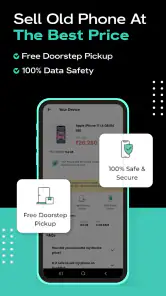
One of the standout features of Cashify is their free doorstep pickup service. Once you accept their offer, they’ll send someone to your location to collect the phone at your convenience. It’s all about making the process as smooth and hassle-free as possible. Honestly, it’s a relief not having to deal with the logistics of shipping or meeting up with strangers.
I’d still treat pickup as a handoff that needs a little preparation, rather than the last step in a casual browsing session. Keep the phone available, make sure the backup and reset are complete, and check that you’re handing over the intended device. If I’m comparing this with a private-sale marketplace, the trade-off is clear: Cashify’s guided collection can save effort, while a direct buyer may give me more room to negotiate. Someone with plenty of time and a strong local resale market may prefer that extra control; someone who values a simpler exit may find the pickup route more appealing.
Settings and habits worth checking
There isn’t a magic shortcut that replaces careful preparation, so I’d build a repeatable routine around the sale. First, I’d verify the model and storage variant from the phone’s settings rather than relying on memory or the box. Then I’d inspect the screen, cameras, buttons and charging connection, noting any fault before choosing the condition in the app. This reduces the chance of a mismatch between the quote I expected and the device that is actually being evaluated.
More From Our News Desk

Weather by Xiaomi Review: Clear at a Glance, Less Clear Up Close

X Under Pressure: Can It Recover When Posting Goes Wrong?

Clash of Clans Is Won Between the Battles

Android Auto Makes the Case for Quieter Car Software

MobiOffice: Transforming Mobile Productivity with Seamless Integration

EA SPORTS FC™ Mobile Soccer: Redefining Mobile Sports Gaming
I’d also keep the quote and the selected condition in mind while comparing options, instead of treating the first number as the final answer. A useful habit is to check the offer when I’m not under pressure to sell immediately, then compare it with the time and uncertainty involved in selling directly. If I’m buying refurbished instead, I’d slow down and read the specific listing details carefully: the appeal is avoiding the cost of a brand-new device, but a used phone is still a used phone, and condition matters more than the word “refurbished” by itself.
Making the app part of an upgrade routine
I find it most useful when I treat the sale as one part of an upgrade, not as a decision I have to make in the same rushed moment as buying a replacement. I can check a quote while the old phone is still working, then decide whether the amount makes sense for me. If I rely on that handset for banking, travel tickets or two-factor sign-ins, I’d keep it until I’ve moved those essentials and tested them on the new device. The convenience of a collection is not worth being locked out of an account.
A small practical trick is to keep a short note of the phone’s exact model, storage and known faults before opening the selling flow. That makes it easier to distinguish similar versions and to describe the device consistently if I compare offers later. I’d also photograph the phone’s condition for my own reference before handing it over. This is not a Cashify feature; it’s simply a sensible record that can help me remember what I disclosed and what the device looked like at handoff.
Environmentally Friendly
Now, I’m no environmental scientist, but I do know that electronic waste is a big deal. I love that Cashify takes this seriously by ensuring that the phones are either refurbished or recycled responsibly. It’s a small step towards reducing e-waste, and it feels good knowing that my old gadgets are being put to good use instead of just collecting dust or ending up in a landfill.
That makes the app especially relevant if a spare phone has been sitting in a drawer because selling it privately feels like too much work. It can also suit someone who wants to browse refurbished devices without starting with a general classifieds feed. I wouldn’t use it as a substitute for comparing a particular model’s condition and price across options, though. If the exact configuration or the lowest possible price is my priority, looking around elsewhere may be worthwhile; if I want a more contained buying or selling experience, this app has a practical appeal.
When refurbished shopping makes sense
For a second device, I’d focus on the job it needs to do rather than chasing the newest release. A refurbished phone can be worth considering for a child’s first handset, a backup for travel or a basic work line, provided the listed model and condition match that purpose. For a phone I’ll use all day for demanding tasks, I’d be more selective and compare the specific device against a new model and other sellers. The cheaper route only helps if the device is suitable for the way I actually use it.
Before choosing, I’d make a short must-have list: the storage I need, the apps I depend on, and any feature I can’t compromise on. Then I’d check the particular product details rather than assuming every refurbished option offers the same experience. That habit keeps browsing from turning into an impulse purchase and makes the app’s shopping side more useful than simply scanning for a bargain.
Competitive Prices
Let’s talk money. Everyone wants to get the best value for their old tech, right? Cashify does a pretty solid job of offering competitive prices. While you might be able to squeeze a bit more out of a direct sale, the convenience factor here is hard to beat. Plus, their pricing seems fair and transparent, which is a big win in my book.
The app has been around since October 2016, and its current version is 6.1, with support for iOS 9 or later. Its scale is another reason it may feel familiar to shoppers: it has more than 10 million installs and an average rating of 4.4 from around 570,000 ratings. I see those figures as context, not a guarantee that every quote or refurbished device will suit my needs. The best check is still the one I can do myself: confirm the handset details, judge whether the convenience is worth the offer, and make sure the buying or selling terms shown for my transaction match what I expect.
Because it combines selling with refurbished shopping, Cashify can be useful at two points in the same upgrade cycle: first when I’m ready to let go of an old handset, and later when I’m considering a pre-owned replacement. I wouldn’t assume that selling one device automatically makes a particular refurbished phone the right choice. I’d compare its condition and specifications with my needs, especially if I depend on the phone for work, travel or reliable access to important apps. For a person who wants the newest model, a brand-new retailer may be the better fit; for someone comfortable considering used tech, browsing here can be a sensible starting point.
Where the convenience has limits
The smoothest experience depends on the details lining up: the model must be identified correctly, the condition needs to be described fairly, and collection has to fit my schedule. If I’m in a hurry, have a damaged device, or disagree with an evaluation, I should be prepared to reconsider rather than assume the initial quote settles everything. Private selling can be slower, but it may offer a different balance of control and return. Cashify’s main strength is reducing the work around a transaction, not guaranteeing the highest possible sale price or removing every decision.
For refurbished purchases, I’d approach the checkout decision with the same care I would use at any used-electronics seller. I’d read the item’s condition and included details, check that the model meets my needs, and avoid buying simply because a lower-cost option looks tempting. If I need a specific feature or configuration, I’d verify it before committing. That careful step is more useful than browsing quickly and hoping every refurbished listing is interchangeable.
There are also situations where I’d choose another route from the outset. If I’m comfortable negotiating, can arrange a safe handover and want to test how much a local buyer will pay, a direct sale gives me more control over the asking price. If my priority is buying a brand-new phone with a particular configuration, I’d compare regular retailers rather than assume the refurbished selection will fit. Cashify is most compelling when reducing effort matters more than having complete control over every part of the deal.
One question I’d ask before accepting a sale offer is whether I’m ready to part with the device if the final assessment differs from my expectation. I’d keep a backup option in mind: continue using the phone, compare another selling route, or wait until I’m less rushed. Likewise, before choosing a refurbished handset, I’d make sure I understand the condition and transaction details shown for that exact item. Those checks help answer the practical concerns that a quick quote or attractive listing alone cannot settle.
In conclusion, if you’re looking to sell your old phone without the headaches and hassles that usually come with it, Cashify: Buy & Sell Old Phones is definitely worth checking out. The app combines convenience, fair pricing, and eco-friendliness in a way that feels genuinely user-friendly. So next time you’re thinking about upgrading your phone, give Cashify a try and experience how easy selling your old phone can be.
My recommendation is strongest for people who value a structured way to sell, appreciate the idea of collection, or want to browse refurbished phones alongside that process. I’d skip it as my only option if I had time to negotiate for the highest private-sale price, or if I needed a very particular device and wanted to compare every retailer first. Used regularly and with a simple backup-and-condition-check routine, it can make an otherwise neglected old phone easier to move on from.
Cashify: Buy & Sell Old Phones Frequently Asked Questions
Can I browse refurbished phones in Cashify without selling a device first?
Yes. Cashify is intended for both selling used electronics and browsing refurbished phones, so selling a device is not a prerequisite for exploring its shopping side. You can use the app to look through phones offered for purchase and decide whether anything suits your needs. Review the product details and terms shown in the app before making a purchase.
Who develops Cashify, and is the app intended for all ages?
Cashify is developed by Cashify.in and is a shopping app for buying refurbished phones and selling used electronics. It has an Everyone content rating, so its stated age classification is broad. That rating describes the app’s content, however; users should still review the purchase or sale terms and make sure they understand the steps involved before proceeding.
Is Cashify free to download, and which devices can run it?
Cashify is free to download, so you can explore its shopping features without paying for the app itself. It requires Android 9 or later, which is worth checking before installing. After opening the app, you can browse its options for selling used electronics and buying refurbished phones; any purchase or sale terms are separate from the download cost.
What is Cashify and how does it work?
Cashify is a convenient mobile platform that allows users to sell their old phones and other electronic devices easily. The app evaluates the device condition and offers a competitive price. Users can schedule a free doorstep pickup for the device, ensuring a hassle-free selling experience. The app also allows buying refurbished phones at affordable prices.
Is Cashify safe to use for selling and buying phones?
Yes, Cashify is a safe platform to use for both selling and buying phones. The app provides a secure payment system and ensures data privacy by offering a data wipe facility before selling your device. Additionally, it conducts thorough quality checks on refurbished devices to guarantee customer satisfaction.
Pros
- Easy to use interface
- Quick phone valuation
- Secure payment options
- Multiple device support
- Fast transaction process
Cons
- Limited to selected regions
- Occasional app crashes
- No live customer support
- Limited payment options
- Requires internet connection
- Category
- Shopping
- Version
- 6.1











