Car Play Sync for Android Autu
- 31.00
- 4.6
- Installs
- 100.00K
- Price
- Free

Screenshots
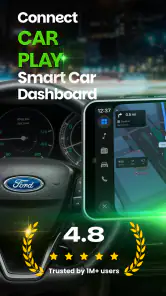
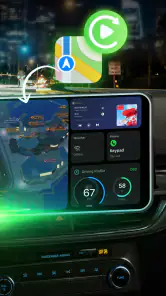
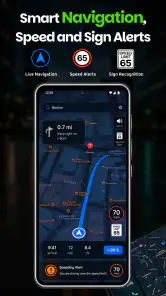
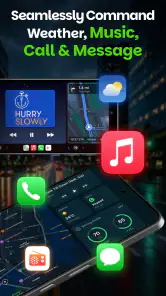
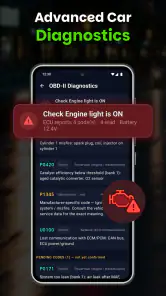
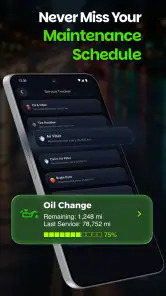
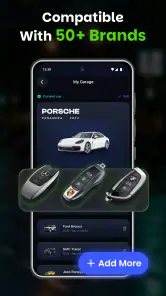
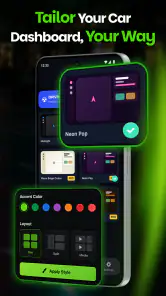
Analysis by Reviewed
I approach Car Play Sync as a driving companion rather than a replacement for a car’s built-in infotainment system. Its purpose is to connect a phone with a car-play-style dashboard and support wireless use, so the appeal is straightforward: less handling of the phone and a more convenient view of driving-related controls. In practice, the value depends heavily on whether the app works smoothly with your particular phone and vehicle setup.
Car Play Sync is an Android app from GenieePlus in the auto and vehicle category. It is free to install, rated for Everyone, and has a 4.6 average from around 9,100 ratings, with over 100,000 installs. The current version is 1.1.1. Those figures suggest that many people have tried it, but they are not a substitute for checking how your own car handles phone connections.
Start with a simple, repeatable connection routine
Make the first setup a parked task
I would begin by opening the app while the car is stationary and following the connection flow it presents, rather than trying to sort things out at the curb with the engine running or in traffic. Wireless phone-to-car setups can involve more than one step, and a first attempt is a poor moment to learn which screen or connection prompt needs attention. Once the dashboard appears as expected, take a moment to confirm that the display is readable from the driver’s seat.
The app’s central idea is a connected dashboard, not a promise that every car will behave exactly like a factory-installed system. Treat the first session as a compatibility check: see whether the phone and vehicle establish a connection, whether the dashboard remains visible, and whether the controls you actually need are easy to reach. If any part of the process is confusing, resolve it before driving. A setup that is merely inconvenient while parked can become a distraction on the road.
For daily use, I’d keep the routine deliberately boring. Connect before setting off, make any necessary selections while stopped, and avoid reaching for the phone once moving. That habit is more useful than trying to make the app do everything. A car dashboard is only safer when it reduces the need to look down; if keeping it connected requires frequent troubleshooting, the phone’s normal mount or the car’s own interface may be the better option.
Try it in the trips you actually make
A short familiar drive is a better first test than a long journey. For example, on a routine trip to a shop, I would check whether the connection starts reliably and whether it stays useful after the initial setup. That gives you a low-pressure chance to notice practical friction, such as needing to repeat a step or finding the dashboard less legible than it looked at home.
Then try a different kind of trip before relying on it for an important drive. A connection that seems fine on a quick errand may be less convenient when you are carrying bags, leaving in a hurry, or trying to get underway in poor weather. The point is not to test while driving; it is to build confidence in the setup before the journey and identify any steps that should happen before you enter the road.
I also recommend deciding in advance what you want the dashboard to help with. If your expectation is simply a car-oriented display and a wireless connection, the app’s focus may suit you. If you expect a complete replacement for every feature provided by a vehicle’s native infotainment system, you may find the experience narrower than you hoped. Keeping that distinction clear makes it easier to judge the app fairly.
Check the phone and vehicle pairing basics
When a connection fails, I would troubleshoot in a fixed order instead of tapping around randomly. First, check that the phone is ready to connect and that the car is in the right state for pairing. Next, close and reopen the app, then retry the connection while parked. If the app and car have both been used with other connection methods, consider whether one of those existing arrangements is competing for the same connection.
This is a practical diagnostic routine, not a special feature of Car Play Sync. It helps separate a one-off hiccup from a persistent compatibility problem. If the app repeatedly fails to connect with your vehicle, or the dashboard disappears during ordinary use, more experimentation may not be worth the distraction. A stable built-in system or another established phone-to-car method is preferable to a wireless setup that leaves you troubleshooting each morning.
Settings and habits that make the experience more dependable
Keep the interface readable, not merely attractive
Before driving, look at the dashboard from the position where you will use it. A screen can seem clear in your hand and become harder to read once it is mounted farther away or affected by daylight. I would favor a simple view and only keep information visible if it helps with the trip. The less time you spend searching through a screen, the better the arrangement serves its purpose.
It is also worth checking the phone’s own display and connection behavior rather than assuming the app controls every aspect. If the phone dims, locks, or changes its connection state in a way that interrupts your routine, adjust the relevant phone settings while parked and test again. I would not change several settings at once: make one adjustment, repeat the same short test, and see whether it addresses the problem. That makes it easier to undo a change that creates a new annoyance.
Wireless convenience has a trade-off: it can remove the cable from your routine, but a wireless connection is still a connection that depends on the phone and car cooperating. If reliability matters more than avoiding a cable, the wired method supported by your vehicle may be less fussy. I would choose based on the setup that starts consistently, not on the one that sounds more modern.
Build a pre-drive checklist around your own setup
Experienced users often get better results through a repeatable sequence, not by hunting for hidden controls. Mine would be: connect while parked, confirm the dashboard is present, check that the phone is positioned safely, then begin the trip. If the connection has not settled before departure, I would postpone troubleshooting until safely stopped rather than letting a small inconvenience turn into a driving distraction.
That routine is especially useful when several people share a car. Instead of assuming the app will behave identically for every phone, each driver can learn the steps for their own device and check the connection before moving. The extra moment at the start is a reasonable trade for avoiding repeated attempts at a busy junction or in a parking lot exit.
For people who use a phone shortcut or a consistent launch habit, the best approach is to make it a reminder to prepare the dashboard before driving, not a reason to interact with the phone on the move. I would keep any shortcut simple and test it while parked. A shortcut can reduce setup friction, but it cannot fix a compatibility issue or guarantee that a wireless link stays active.
Know when the app is not the right tool
Car Play Sync is less suitable if you need a connection that is already integrated and dependable without any setup, or if your vehicle’s existing system offers the dashboard experience you want. It may also be a poor fit for someone who dislikes checking a phone before each trip, has a vehicle that does not cooperate with the connection, or expects the app to reproduce every function of a car manufacturer’s system.
Compared with a basic phone mount, a connected dashboard can feel more purpose-built for the car, but the mount has fewer connection steps and can remain useful when wireless pairing is unreliable. Compared with built-in infotainment, an app-based setup may be more flexible for someone using a phone, while the factory interface may be the calmer choice for drivers who value consistency. Neither alternative is automatically better; the deciding factor is how often the setup works without demanding attention.
One useful trade-off to consider is whether you want wireless convenience on every trip or just a clear, dependable screen. If the app’s connection is steady in your car, the wireless approach can simplify your routine. If you often have to reopen the app or re-establish the link, a cable or native system may save time overall, even if it is less elegant.
Keep purchases and expectations in perspective
The app is free to download, with optional in-app purchases priced from $5.99 to $59.99 per item. I would try the core connection experience first and decide whether it genuinely fits your routine before considering any purchase. A paid option is only worthwhile if it addresses a need you have; paying does not make an unsuitable car-and-phone pairing become a good one.
There are 31 written reviews alongside the broader rating history, so I would read recent user feedback with a practical question in mind: are people describing a setup similar to yours, or a different phone and vehicle combination? General praise or frustration is less useful than reports about the exact sort of connection issue you are trying to avoid. Still, individual experiences cannot guarantee how the app will work in another car.
My verdict after weighing the trade-offs
I see Car Play Sync as a focused option for Android users who want to try a wireless, car-oriented dashboard and are willing to confirm that their own setup behaves well. Its strongest case is a driver who can establish the connection while parked, keep the display simple, and follow the same pre-drive routine each time. For that person, the app may make phone use in the car feel more organized.
My recommendation is conditional rather than universal. Test it on short, familiar journeys before depending on it, and stop using it if connection problems encourage you to handle the phone while driving. If you want a completely hands-off experience, your vehicle’s built-in system may be the safer and less demanding choice; if a mount already meets your needs, there may be little reason to change.
Overall, I would give Car Play Sync a fair trial when wireless convenience is the goal, but judge it by repeatability rather than by the promise of a dashboard. A good setup should be ready before the car moves and should not ask for your attention during the trip. If it meets that standard in your vehicle, it is worth keeping in your routine; if it does not, choosing the simpler alternative is the sensible call.
Car Play Sync for Android Autu Frequently Asked Questions
What is Car Play Sync for Android Auto?
Car Play Sync for Android Auto is generally presented as a companion or connectivity app for using selected phone features with a compatible car display. The exact tools can vary by app version and developer, so check its store listing before installing. It is not necessarily an official product from Google, Apple, or your vehicle manufacturer, and the name alone does not guarantee compatibility with every car.
Does Car Play Sync work with every Android phone and car?
No. Compatibility depends on your phone’s Android version, the app’s current requirements, your car’s infotainment system, and whether that system supports Android Auto or another required connection method. Some vehicles need a USB cable, while others support wireless Android Auto. Before downloading, review the app’s requirements and confirm that Android Auto works with your specific phone and vehicle.
How do I connect Car Play Sync to my car?
The usual first step is to install the app from a trusted app store, grant only the permissions it needs, and follow its setup instructions. Depending on your vehicle, you may need to pair your phone over Bluetooth, connect it by USB, or enable wireless projection. Keep Android Auto and your phone’s software updated, and consult your car’s manual if the display does not recognize the device.
Is Car Play Sync free, and does it include ads or in-app purchases?
Pricing and monetization can change between versions and regions. Check the app’s store page for its current price, subscription terms, in-app purchases, and advertising disclosures before downloading. A free installation does not always mean every feature is free. If the app offers a trial or recurring subscription, read the cancellation terms and confirm the amount and billing period before you approve a purchase.
What permissions and personal data might Car Play Sync use?
A phone-to-car app may request access to features such as Bluetooth, nearby devices, location, contacts, notifications, or microphone, depending on what it offers. Review the permission prompts and the developer’s privacy policy, and deny access that is not necessary for your intended use. Avoid entering sensitive information unless you understand how it is collected, stored, shared, and deleted.
Pros
- Simple setup makes it easy to connect a compatible phone and car.
- Keeps essential driving apps accessible from the vehicle’s display.
- Voice controls can help reduce the need to handle your phone.
- Useful for navigation
- calls
- and music during everyday trips.
- A larger car screen can make directions easier to follow.
Cons
- Features depend on your car
- phone
- and Android Auto compatibility.
- Some functions may require a wired connection or extra setup.
- Voice recognition can struggle with noise or unclear commands.
- App availability and features may vary by region and device.
- Using navigation and streaming can increase battery and data use.

- Category
- Auto & Vehicles
- Version
- 1.1.1











