Campus Parent
- 2.31K
- 3.1
- Installs
- 1.00M
- Price
- Free

Screenshots
Analysis by Reviewed
Have you ever wished you could keep tabs on your child’s school life without having to ask them a million questions? Well, let me introduce you to Campus Parent. As a parent myself, I know how crucial it is to stay informed about what’s happening in our kids’ academic world. This app is like having a digital diary of your child's school activities right in the palm of your hand.
Getting Started with Campus Parent
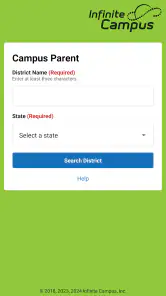
First things first, downloading and setting up Campus Parent was a breeze. Available on both Android and iOS, I just headed to the app store, hit download, and voilà, it was ready to go. The registration process was quite straightforward. I was up and running in no time, just by entering some basic information and linking my account to the school’s database. Talk about convenience!
Features That Make Life Easier
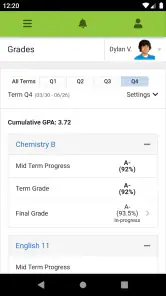
One of the standout features is the real-time access to grades and assignments. No more waiting for the end of the semester to find out how your child is doing. You get to see their progress as it happens, which I find incredibly helpful. Plus, the app sends notifications for upcoming assignments and tests, ensuring you and your child are always in the loop.
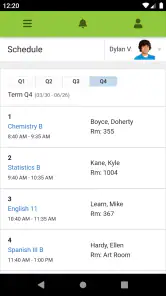
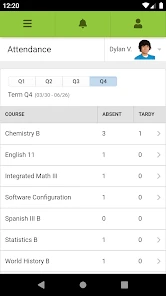
Another feature I love is the attendance tracker. It’s reassuring to know you can verify if your child is actually attending their classes. And let’s not forget the school calendar integration, which keeps all important dates and events in one place. It’s a lifesaver for planning around school holidays or parent-teacher conferences.
Communication Made Easy
In today’s fast-paced world, staying connected with teachers is vital. Campus Parent facilitates this with its messaging feature. You can directly contact teachers or school administrators from the app. I’ve used it a couple of times to ask quick questions about assignments, and the responses were prompt and helpful.
Moreover, the app also lets teachers send out announcements or important updates, which means you’re always in the know without having to sift through emails or paper notes that somehow never make it out of the backpack.
Final Thoughts
Overall, I’d say Campus Parent is a game-changer for parents wanting to stay actively involved in their child’s education. It’s user-friendly, comprehensive, and the features are tailored to meet the needs of today’s busy parents. If you haven’t tried it yet, I highly recommend giving it a go. Trust me, it’ll make your life a whole lot easier. Plus, your kid might appreciate not having to answer 20 questions about their day!
Pros
- User-friendly interface for easy navigation.
- Real-time updates on student progress.
- Secure login for data privacy protection.
- Multi-language support enhances accessibility.
- Customizable notifications for important alerts.
Cons
- Limited offline functionality restricts use.
- Occasional login issues reported by users.
- Interface might be overwhelming for new users.
- Limited customization for parent preferences.
- Requires stable internet for optimal use.

- Category
- Education
- Version
- 1.11.4