Camera Location: Geotag Photos
- 175.00
- 4.3
- Installs
- 10.00M
- Price
- Free
Screenshots
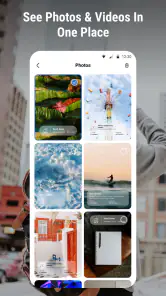

Analysis by Reviewed
Have you ever found yourself reminiscing about that perfect sunset you captured on your last vacation but can't quite recall where exactly you snapped that photo? Well, fret no more because the Camera Location: Geotag Photos app has got your back! This nifty app ensures you'll never lose track of those precious memories by geotagging your photos effortlessly.
Getting Started with Camera Location: Geotag Photos
First things first, let's talk about the ease of use. From the moment you download and open the app, you're greeted with a user-friendly interface that's as intuitive as it gets. Setting up the app is a breeze, and you can start geotagging photos in just a few taps. All you need to do is grant the necessary permissions, and you're good to go!
Features That Make It Stand Out
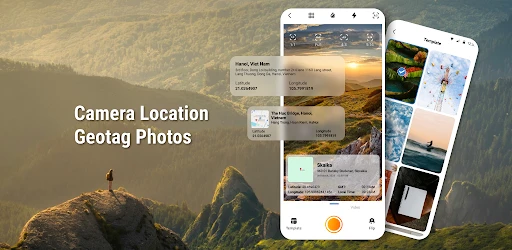
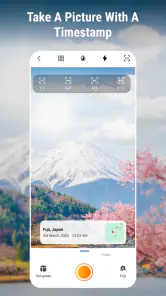
Camera Location: Geotag Photos isn't just about adding a location tag to your images. It's packed with features that make it a must-have for any photography enthusiast. The app allows you to view the location of your photos on a map, which is pretty handy when you're trying to piece together your travel adventures.
Moreover, the app supports batch geotagging, meaning you can add location info to multiple photos at once. This feature is a major time-saver, especially if you're sorting through hundreds of images from your latest trip. Additionally, the app integrates seamlessly with both Android and iOS, ensuring a smooth experience across platforms.
Why You’ll Love It
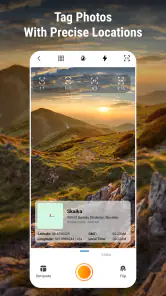
One of the things I absolutely love about this app is its accuracy. The geotagging feature is remarkably precise, so you won't end up with vague location data. Whether you're in a bustling city or exploring off-the-beaten-path destinations, the app does a stellar job of pinpointing your exact location.
Another highlight is the app's offline functionality. Even when you're in areas with limited connectivity, the app can still geotag your photos and update the information once you're back online. This feature is a lifesaver for avid travelers who often venture into remote locations.
Final Thoughts
In a world where we capture countless moments with our smartphones, having an app like Camera Location: Geotag Photos is invaluable. It not only helps you organize your photo library but also breathes new life into your travel memories by allowing you to revisit the exact spots where they were created.
So, if you're someone who loves photography and wants to keep track of your adventures, give this app a try. Its robust features, combined with its intuitive design, make it an essential tool for anyone looking to enhance their photo-taking experience. Trust me, once you start using it, you'll wonder how you ever managed without it!
Pros
- Accurate geotagging for photos.
- User-friendly interface.
- Supports batch processing.
- Works offline seamlessly.
- Integrates with cloud storage.
Cons
- Consumes battery quickly.
- Limited editing features.
- Occasional GPS signal issues.
- Paid premium features.
- Large app size.

- Category
- Photography
- Version
- 1.2.2











