BTCC - Trade Bitcoin & Crypto
- 3.28K
- 4.4
- Installs
- 1.00M
- Price
- Free

Screenshots
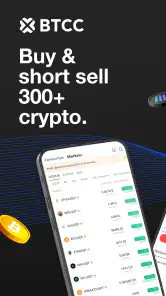
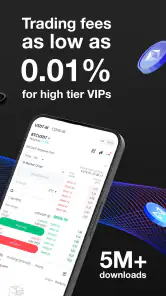
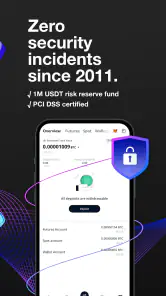
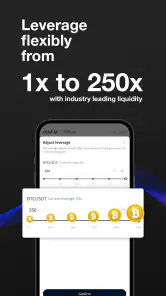
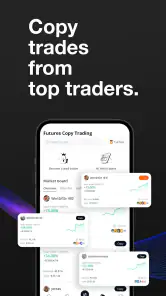
Analysis by Reviewed
Before I open a crypto app, I try to be clear about what I want from it: checking prices, learning how an exchange works, or preparing to trade. That distinction matters with BTCC - Trade Bitcoin & Crypto. It is a finance app centered on cryptocurrency trading and investing, so it makes the most sense when I want an exchange in my pocket rather than a passive price-watching tool.
Where first-time users can get stuck
Crypto interfaces can feel busy because a market price, an order choice, and the value of an asset are related but not interchangeable. I would slow down before confirming any transaction and check the selected coin, the direction of the trade, and the amount. That small pause is more useful than trying to learn everything from a fast-moving screen. If your goal is only to follow Bitcoin or Ethereum, a basic market-tracking app may be calmer and easier to interpret.
It also helps to separate learning from risking money. Educational material can make unfamiliar terms less intimidating, but reading a tutorial does not make a trade safe or guarantee a result. I’d use the learning resources to understand the choices on screen, then decide independently whether a trade fits my finances and risk tolerance. The same caution applies to any promotions: read the terms in the app rather than treating a bonus as a reason to trade.
Setup checks that prevent avoidable friction
The app is free, and BTCC.COM is its developer. It has an Everyone age rating, and its current version is 8.9.50, with Android support starting at version 8.0. Before installing, I’d check that my device meets that requirement and that I’m downloading the app from the official app store. A failed install or outdated operating system can look like an app problem when the device is the real obstacle.
For account access, take care with login details and any security steps presented during setup. The earlier experience described here included two-factor authentication and encryption, but I would still treat account security as a shared responsibility: use a unique password, keep access to your authentication method, and never share verification codes. If a sign-in step fails, check the details you entered and the connection before repeatedly attempting it.
Build a deliberate first session
When I try an exchange, I prefer to separate exploring the interface from making a financial decision. I can look around, learn where market information appears, and note which choices I still need to understand without treating every screen as an invitation to trade. That approach is especially useful for a newcomer: familiarity with the layout is not the same as knowing how an order behaves in a fast-moving market.
I would also decide on a personal boundary before opening a trading screen. That might mean only considering an amount I could afford to lose, or choosing to observe rather than act until I understand the terms in front of me. This is not a feature of the app; it is a practical way to keep a convenient mobile interface from making a high-stakes decision feel casual.
More From Our News Desk

Clash of Clans Is Won Between the Battles

Android Auto Makes the Case for Quieter Car Software

MobiOffice: Transforming Mobile Productivity with Seamless Integration

EA SPORTS FC™ Mobile Soccer: Redefining Mobile Sports Gaming

How Microsoft OneDrive Became a Mobile Productivity Giant

How Google Translate Breaks Language Barriers Effortlessly
When the app is not the cause
If setup or a screen seems stuck, I would first check the basics: whether the device meets the Android requirement, whether the connection is steady, and whether I have entered the right account details. I would avoid repeatedly submitting the same action while the result is unclear. For anything involving a transaction, I’d wait until the screen and status make sense before trying again.
It is also worth distinguishing a technical problem from ordinary market movement. A changing price while I read a screen does not necessarily mean the app has malfunctioned, and no mobile exchange can make a volatile market predictable. I’d use a separate, reliable connection if possible to check whether a loading issue persists, then contact support through the app if I still cannot complete a step. I would never send passwords or verification codes in a support message.
How I would use it day to day
A realistic routine might be checking the market during a lunch break, then closing the app if I cannot give a decision my full attention. I would review the asset and amount, consider whether the plan still makes sense, and avoid acting just because a price has moved. The phone makes access convenient, but convenience can also make impulsive trades easier.
For someone who prefers to review decisions away from a live market screen, a simple written plan can help. I’d note why I am interested in a particular asset, what would change my mind, and whether I am using leverage before taking action. That small pause is more useful than trying to react to every movement. It also gives me a way to notice whether I am following a considered approach or simply responding to a moment of excitement.
Navigating the Crypto Seas
The first thing that caught my eye was the app's sleek design. It feels like walking into a modern bank but with all the fun of crypto trading. The interface is intuitive, making it easy even for those of us who aren't tech wizards. Setting up an account was a breeze, and I was impressed by how quickly I could start my crypto journey.
The Trading Experience
Once you're in, the real excitement begins. The app offers a variety of cryptocurrencies to trade, not just Bitcoin. We're talking Ethereum, Litecoin, and more. For someone who likes to dabble in different coins, this is a paradise. The trading process is straightforward, and the app provides real-time data to keep you informed of market trends. I found this particularly useful for making quick decisions.
What's more, BTCC offers leverage trading. Now, this isn't for the faint-hearted, but it certainly adds an extra layer of thrill. With leverage, you can potentially increase your profits, though it's worth mentioning that it also increases risk. The app provides tools to manage these risks, which I found reassuring.
Security Features
In the realm of digital currencies, security is paramount. I was pleased to see that the app takes this seriously. With features like two-factor authentication and encryption, I felt confident that my assets were safe. Plus, they have a dedicated customer support team that's ready to assist if you ever run into a hiccup.
For an everyday use case, imagine checking the market during a lunch break rather than leaving a trade open while distracted at work. I’d use that moment to review the price, revisit my own plan, and act only if the setup still makes sense. Live figures can support a decision, but they cannot tell me whether the timing is right or whether I can afford a loss. This is where a phone-based exchange is convenient and where its immediacy can also encourage impulsive choices.
Learning and Earning
For those new to the crypto world, the app offers educational resources. It's like having a personal tutor to guide you through the complexities of cryptocurrency. From tutorials to market analysis, you can learn as you trade, which is a huge plus for beginners like myself.
Moreover, the app periodically offers promotions and bonuses, which can be a nice little boost to your trading budget. Who doesn't love a good deal?
Choosing the right way to trade
Compared with a simple portfolio tracker, an exchange app puts the possibility of acting on a market view much closer at hand. That is useful if you already know why you want to trade and want to manage that activity in one place; it is less useful if you mainly want a quiet overview of holdings. Compared with buying cryptocurrency through a general finance service, a dedicated exchange may feel more focused, but it can also ask you to make more decisions about orders and risk. I would choose based on the job I need done, not on which interface looks more exciting.
One practical habit is to decide in advance what information you need before opening the trade screen. Check the asset, the intended amount, and whether leverage is involved; then stop if any part is unclear. Leverage deserves particular restraint because it can magnify losses as well as gains. If you are new to crypto or cannot comfortably absorb a loss, I would leave leveraged trading alone and consider learning with observation rather than treating it as a shortcut.
Recovering from a confusing moment
If a page loads slowly or a price seems stale, I would avoid placing an order until the display is clear. Check the network connection, wait briefly, and reopen the relevant screen before deciding what to do. If an action is uncertain, look for its status in the app rather than immediately repeating it; sending the same instruction twice can create an unwanted result. For account trouble, use the app’s support route and describe the exact step that failed, without sharing passwords or verification codes.
Not every interruption comes from the app. A weak connection, an older device, or a market moving while a screen is open can all make the experience feel unreliable. If the problem continues, compare the behavior on a stable connection and check whether the device meets the Android requirement before changing account settings. For a financial transaction, patience is preferable to tapping through uncertainty.
Who will appreciate it—and who may prefer another option
The app is best suited to people who want to explore crypto markets and are comfortable taking responsibility for their decisions. It may also appeal to curious newcomers willing to learn slowly, but I would not recommend starting with leverage or trading money needed for everyday expenses. Someone who wants long-term, low-maintenance investing, a simple record of holdings, or a non-crypto budgeting tool may be better served by a different kind of finance app.
BTCC has an average rating of 4.4 from around 15,000 ratings, with roughly 3,300 written reviews and over a million installs. Those figures suggest that it has found a substantial audience, but they do not tell me whether it fits a particular person’s needs. I’d still judge it by how clearly I can understand each step and whether its trading focus matches my own habits.
My practical verdict
In the end, I see this as a focused way to access crypto trading, with a learning angle and tools that may suit people who want to explore beyond simply watching prices. The trade-off is that convenience does not remove market risk, and features such as leverage call for extra care. I would give it a look if I wanted an exchange-centered mobile experience, but choose a tracker or a broader finance app if trading is not the point.
BTCC was released on August 4, 2020, and its current Android version is 8.9.50. Those details matter most at the practical stage: check compatibility before installing, then take time to understand the interface rather than rushing into an order. I’d recommend it to someone who actively wants a crypto exchange on mobile and is willing to approach trading cautiously. If I only wanted to monitor a small set of prices, keep a passive portfolio record, or manage ordinary household finances, I would pick a simpler tool instead.
BTCC - Trade Bitcoin & Crypto Frequently Asked Questions
Can I use BTCC - Trade Bitcoin & Crypto on iPhone or iPad?
BTCC - Trade Bitcoin & Crypto is presented as an Android app, with support for devices running Android 8.0 or later. If you use an iPhone or iPad, check the relevant app store for availability before planning to use BTCC on that device. On Android, make sure your operating system meets the minimum requirement before downloading.
What cryptocurrencies can I trade through BTCC?
BTCC’s app description highlights trading and investing in Bitcoin (BTC), Ethereum (ETH), XRP, and Solana (SOL). It is designed for people seeking a mobile platform for cryptocurrency activity. Before making a trade, take time to understand the digital asset you are considering and the risks involved, since cryptocurrency prices can change and trading can result in losses.
Is BTCC - Trade Bitcoin & Crypto intended for beginners?
The app is aimed at managing cryptocurrency trades and investments, so it may interest both people new to crypto and more experienced traders. A beginner should take time to learn how the interface and trading process work before committing money. Crypto trading carries risk, and familiarity with an app does not remove the possibility of losing money.
Who develops BTCC - Trade Bitcoin & Crypto, and what devices can run it?
BTCC - Trade Bitcoin & Crypto is a finance app developed by BTCC.COM. It is available for Android devices running version 8.0 or later, and the app is free to download. Before installing, check that your device’s operating system meets this requirement so you can access the app and its trading features as intended.
What is BTCC - Trade Bitcoin & Crypto?
BTCC is a cryptocurrency trading platform that allows users to trade various digital assets such as Bitcoin, Ethereum, and other popular cryptocurrencies. Its store summary also highlights trading and investing in BTC, ETH, XRP, and SOL. The app is intended for managing crypto trades and investments, so it may be relevant to people looking for a mobile interface for digital-asset activity.
Pros
- User-friendly interface for beginners
- Supports a wide range of cryptocurrencies
- Low transaction fees
- Advanced trading tools available
- Real-time market data tracking
Cons
- Limited customer support options
- Occasional app performance issues
- Complex verification process
- No demo account for beginners
- Requires internet connection to use
- Category
- Finance
- Version
- 8.9.50











