Brightspace Pulse
- 2.75K
- 4.6
- Installs
- 1.00M
- Price
- Free

Screenshots
Analysis by Reviewed
Ever found yourself drowning in a sea of academic responsibilities and deadlines? Well, let me introduce you to the Brightspace Pulse app. This little gem is like having a personal academic assistant in your pocket. I’ve spent some time navigating its features, and here's what I've got to say.
Your Academic Calendar, Simplified
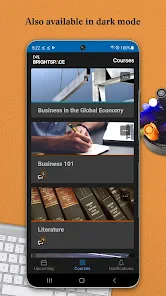
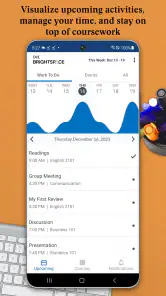
Imagine having all your course deadlines, assignments, and important dates neatly organized in one place. That’s precisely what Brightspace Pulse offers. The app syncs seamlessly with your institution’s Brightspace platform, ensuring you're always in the loop. No more last-minute scrambles or forgotten assignments. It’s like having a trusty sidekick that keeps you on your toes. And let's be honest, who doesn’t need that?
Stay Connected, Stay Informed
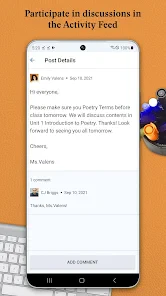
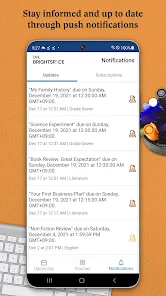
One of the coolest features is the app’s ability to deliver notifications straight to your phone. Whether it’s a new grade, upcoming assignment, or a message from your professor, you’ll get an instant buzz. This is particularly handy for those of us who have a knack for missing important announcements. Plus, the interface is super intuitive. You don’t need to be a tech wizard to navigate through it, which is always a plus in my book.
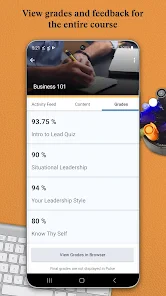
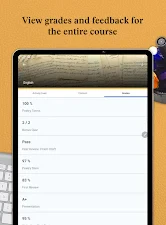
The app also allows you to check your course progress at a glance. You can see your grades and track your performance over time. It's a great way to hold yourself accountable and make sure you’re on track with your academic goals. Plus, the satisfaction of seeing those grades improve? Priceless!
Customization and Personal Touch
Another feature I absolutely love is the ability to customize the app to suit your needs. You can set up personalized notifications for each course, so you’re not bombarded with info you don’t need. There's also a cool calendar view that lets you see your entire week or month at a glance. It’s perfect for planning ahead and making sure you’re not overloading yourself with tasks.
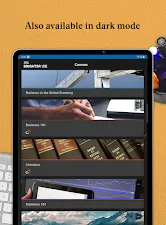
And let’s not forget the app’s sleek design. It’s visually appealing, with a clean layout that makes it easy on the eyes. I appreciate an app that not only functions well but also looks good while doing it.
So, if you're in the academic world and need a reliable tool to keep your studies organized, give Brightspace Pulse a try. It's like having a personal assistant dedicated to your academic success. Who wouldn't want that?
Pros
- User-friendly interface for easy navigation.
- Real-time notifications for important updates.
- Integration with multiple learning platforms.
- Customizable alerts for assignments and grades.
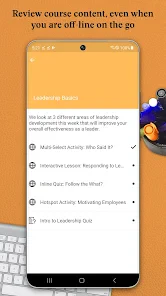
- Offline mode available for study on-the-go.
Cons
- Limited features on the free version.
- Occasional syncing issues with some courses.
- Heavy battery usage during prolonged use.
- Interface can be overwhelming for new users.
- Requires constant internet for full functionality.

- Category
- Education
- Version
- 2.2511.0.1003200