Brave Private Web Browser, VPN
- 89.42K
- 4.7
- Installs
- 100.00M
- Price
- Free

Screenshots





Analysis by Reviewed
I spent time using Brave on a phone, and what stood out wasn’t just the promise of privacy but how that promise affects ordinary browsing. Reading news, looking up directions, or opening a page from a message can feel less cluttered when ads and trackers are blocked. Still, a privacy-focused browser is only useful if its controls and pages are comfortable to use, so I paid attention to both the convenience and the friction.
Browsing with Peace of Mind
Okay, first off, the Brave Private Web Browser, VPN is all about keeping things private and secure. The moment you fire it up, you’ll notice it’s not your average browser. There are no annoying ads popping up, thanks to its built-in ad blocker. Yeah, you heard me right—no more pesky ads cluttering your screen! This alone makes browsing feel faster and cleaner.
Readability and everyday navigation
Let’s talk about the interface because, let’s be honest, nobody wants a browser that feels like navigating a spaceship. The layout is sleek and intuitive. Everything is where you’d expect it to be, making it a breeze to use. Even if you’re not tech-savvy, you’ll find it easy to get the hang of things. The settings are straightforward, and switching on features like the VPN or ad blocker is a no-brainer.
That cleaner page view can make a practical difference on a small screen: fewer promotional blocks competing with the article you actually want to read. I find it especially useful when I’m checking a recipe while cooking or skimming a long story during a short break. One trade-off is that a site may rely on scripts or cookies for a feature to work, so a page that looks incomplete may need a site-specific adjustment rather than a different browser altogether.
Motor and sensory considerations
When I’m using a phone one-handed, the value of a browser is often in avoiding repeated little corrections. Brave’s compact browsing flow feels approachable, and blocking much of the advertising clutter can reduce the amount of visual noise on busy pages. That may help someone who finds animated promotions distracting, though it doesn’t make every website calm or easy to read; the site itself still controls much of its layout.
For users who depend on larger text, screen magnification, voice input, or a screen reader, I’d test the exact pages and controls they use most instead of assuming a private browser automatically improves accessibility. Web forms, menus, and media controls can behave differently from one site to another. If a control is difficult to reach or identify, changing the page view or using the phone’s own accessibility settings may help, but Brave cannot fix an inaccessible website.
Using privacy tools with care
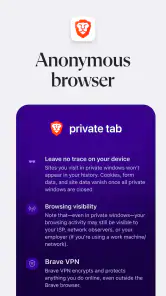
One of the standout features is the VPN service. Now, I’ve tried a bunch of VPNs in the past, and integrating one directly into the browser is a game-changer. It’s like having a shield that keeps prying eyes away while you surf the web. Whether you’re sipping coffee at a local café or chilling at home, knowing that your data is encrypted gives you that extra layer of security. Plus, it’s super easy to activate. Just a couple of taps, and boom—you’re browsing anonymously!
More From Our News Desk

Weather by Xiaomi Review: Clear at a Glance, Less Clear Up Close

X Under Pressure: Can It Recover When Posting Goes Wrong?

Clash of Clans Is Won Between the Battles

Android Auto Makes the Case for Quieter Car Software

MobiOffice: Transforming Mobile Productivity with Seamless Integration

EA SPORTS FC™ Mobile Soccer: Redefining Mobile Sports Gaming
I’d treat that convenience as a browser-level privacy tool, not a reason to assume every app on the phone is covered. For example, if I’m checking a public timetable in a café, I can keep the task inside the browser and enable the VPN there; switching to a separate app is a different situation. The VPN also sits alongside paid options: Brave is free to install, while in-app purchases range from $9.99 to $149.99 per item. I’d check what a paid option includes before relying on it for a particular need.
Speed, compatibility, and practical limits
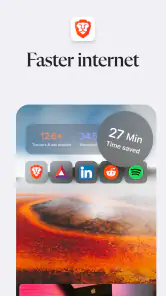
Now, I’m someone who has the patience of a five-year-old, so speed is crucial. I was pleasantly surprised by how zippy the browsing experience was. Pages load quickly, and there’s no lag, which is a massive plus in my book. Since it blocks ads and trackers, the browser doesn’t get bogged down by unnecessary clutter, giving it a significant speed boost. It’s like having a turbocharged internet experience!
In day-to-day use, the benefit is most noticeable on pages weighed down by ads; it isn’t a guarantee that every website or connection will feel faster. Some publishers depend on advertising to support their pages, and a site may ask for scripts or cookies before a video, sign-in, or embedded tool works properly. If a page breaks, I’d first decide whether that site is one I trust and need, then adjust the protection for that visit rather than turning off privacy features everywhere.
Security choices and who they suit
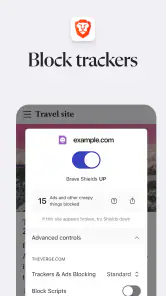
Security-wise, this app is like Fort Knox. It blocks third-party trackers and cookies, meaning advertisers can’t follow you around the web. There’s also an option to use TOR for even more privacy, which is pretty impressive. It’s like having a double lock on your digital front door.
I see the TOR option as a choice for particular browsing sessions, not a setting I’d turn on automatically for every errand. A reader who wants a simpler browser with fewer ads may be happy with Brave’s everyday setup; someone who needs a dedicated VPN for all phone traffic, or depends on a particular site’s advertising-supported features, may prefer a separate tool or their usual browser. That distinction is useful: private browsing can reduce tracking, but it does not make every online action anonymous or remove the need to use good judgement with accounts and shared devices.
Situational access and the learning curve
Brave is a communication-category app from Brave Software, and it has grown into a widely used choice: it has a 4.7 average from around 3 million ratings and over 100 million installs. It is free, rated for Everyone, and version 1.84.141 supports devices running Android 10 or later. Those details make it easy to consider, but the best fit still depends on how you browse. I’d recommend it to someone who reads a lot on a phone, dislikes ad-heavy pages, and is willing to learn when a site needs a little troubleshooting.
It may be less comfortable for a person who wants every website to behave exactly as it does in a mainstream browser without adjusting settings, or for someone who prefers all privacy choices to happen automatically and invisibly. My practical tip is to try a few familiar sites first: a news page, a service you sign into, and a page with video or forms. That small test reveals whether the cleaner browsing experience works with the tasks that matter, before making it the default.
Brave was released on October 12, 2016, and its current mix of ad blocking, tracker controls, VPN access, and TOR browsing gives it more privacy options than a basic browser usually puts in front of you. I wouldn’t choose it solely because of a headline promise; I’d choose it if those controls solve a real annoyance in my routine and the sites I rely on still work comfortably.
In conclusion, if you’re searching for a browser that prioritizes your privacy without sacrificing speed or usability, the Brave Private Web Browser, VPN might just be your new best friend. It’s perfect for anyone who values their online security and wants a hassle-free browsing experience. So, go ahead and give it a shot. Trust me; you won’t look back!
A sensible way to make it your daily browser
I would make the switch gradually rather than moving every saved routine over on day one. Start with the pages you read casually, then test the sites that matter for work, school, appointments, or payments. That helps separate a genuine browser issue from a one-off website problem. If a page fails only when its protections are strict, you can make a deliberate choice about that site instead of assuming the whole browser is unreliable.
For a busy morning, for example, I might open a local news story, check a bus timetable, and follow a link to a café menu from a message. The reduced advertising clutter is welcome when I’m moving between short tasks, while the browser-level VPN can be useful for web browsing on a shared connection. I would still avoid treating that as a blanket safety guarantee: I’d check that I am on the right site before entering account details, and I wouldn’t expect browser tools to secure activity in unrelated apps.
How it compares with familiar browser choices
Compared with a standard browser that leaves ad and tracking controls less prominent, Brave makes those protections part of the everyday experience rather than an extra project. That can suit someone who wants fewer interruptions without adding a separate blocker. The trade-off is that aggressive filtering can occasionally collide with a site’s design or functionality. A conventional browser may be the easier choice if a particular service is fussy and you need it to work with no troubleshooting.
It is also worth distinguishing Brave’s VPN access from a standalone VPN app. If your goal is to protect browsing within Brave, having the control in the browser keeps the workflow simple. If you expect a VPN to cover traffic from all your phone apps, don’t assume this browser feature does that; choose a solution designed for that broader purpose. That difference matters when comparing paid options, and I would read the purchase details carefully rather than paying on the assumption that every use case is included.
Small habits that make the experience smoother
One useful habit is to troubleshoot a broken page in steps. First, refresh once and check whether the problem is limited to one site. Then decide whether you trust the page and need the feature that is missing; only then consider changing its protection settings. This keeps a single awkward video player from becoming a reason to weaken browsing protections everywhere. It also makes it easier to remember which sites needed an exception.
Another practical point is to keep an alternative route for essential tasks. If a form is difficult to use with your preferred text size or assistive technology, try the phone’s accessibility settings and see whether the site offers another way to complete the task. For something time-sensitive, opening the service in a browser that already works for you may be more sensible than spending the moment diagnosing it. I value privacy, but not at the cost of being unable to reach an important service.
Brave is a strong fit for people who read frequently on a phone, dislike intrusive advertising, and are comfortable making occasional choices about how a site behaves. It is less compelling for someone who wants a completely invisible setup, depends on a browser-specific workflow that must remain unchanged, or expects one browser feature to protect every app. Those are not reasons to reject it outright; they are good reasons to test the routines that matter before switching fully.
Inclusive verdict
What I appreciate most is that the cleaner browsing experience can reduce distractions without asking users to abandon ordinary web habits. At the same time, privacy controls do not automatically translate into accessible navigation: readable text, identifiable controls, and usable forms still depend on both the browser and the pages being visited. I’d judge it by trying real tasks with the settings and assistive tools I already rely on, not by assuming that a privacy-focused label settles the question.
Overall, I’d recommend Brave to a friend who wants a more controlled, less cluttered way to browse and is happy to take a little responsibility when a site behaves unexpectedly. It offers useful choices in one place, but it is not the right answer for every person or every connection. A short, realistic trial on familiar pages is the fairest test: if the pages remain readable, the controls are manageable, and the privacy options match your needs, it can be a comfortable everyday choice.
Brave Private Web Browser, VPN Frequently Asked Questions
Is Brave Private Web Browser suitable for someone switching from another browser?
Brave is intended for everyday web browsing, so it can be an option if you want to move your usual browsing to a privacy-focused app. Its built-in ad and tracker blocking is part of the browser experience, rather than something you need to add separately. As with any browser switch, you may want to check how your preferred sites and browsing habits fit the app before making it your default.
Can I use Brave Private Web Browser for ordinary web browsing as well as private browsing?
Yes. Brave is a web browser for regular browsing, with privacy-focused features built into the experience. You can use it to visit everyday websites while its ad and tracker blocking is intended to reduce interruptions and tracking. Private browsing features are part of the app’s broader focus, rather than a requirement that limits it to occasional or sensitive browsing.
Is Brave Private Web Browser rated for a particular age group?
Brave Private Web Browser has an Everyone content rating, so its listed age guidance is broad. That rating describes the app’s content classification; parents and guardians should still consider how a child will use a browser and what websites they may visit. The app is a communication-category browser, and its main purpose is accessing the web with privacy-oriented features.
Who develops Brave Private Web Browser, and what kind of app is it?
Brave Private Web Browser is developed by Brave Software and is a communication app for browsing the web. It combines everyday browser tools with features designed to support private browsing, including built-in ad and tracker blocking. If you want a browser that focuses on privacy while still handling ordinary web use, Brave is designed to serve that purpose.
Does Brave Private Web Browser work on my device?
Brave Private Web Browser is available for Android and iOS, so it can suit users on either of those mobile platforms. On Android, the stated minimum operating system requirement is Android 10. Before downloading, check your device’s operating-system version and the app’s compatibility information in the relevant app store. The browser is rated for Everyone, making its listed age guidance broad.
Pros
- Built-in ad blocker enhances browsing speed.
- VPN feature for secure online privacy.
- Cross-platform sync with ease.
- Open source ensures transparency.
- Customizable shield settings.
Cons
- Consumes more battery than some browsers.
- Limited extension support on mobile.
- Occasional website compatibility issues.
- Not all VPN locations are free.
- Syncing requires account creation.
- Category
- Communication
- Version
- 1.84.141