Bookshelf
- 4.05K
- 4.3
- Installs
- 1.00M
- Price
- Free
Screenshots


Analysis by Reviewed
Ever found yourself buried under a pile of unread books, wondering how you'll ever keep track of them? Enter Bookshelf, the app that's about to become your new best friend. If you're anything like me, constantly juggling between physical books, e-books, and audiobooks, this app is a game-changer. Let me take you through my experience with it.
Organize Like a Pro
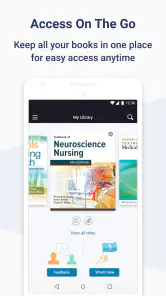
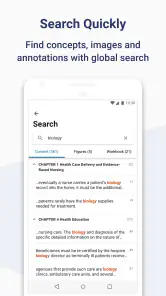
One of the first things I noticed about Bookshelf is its intuitive design. It's like the Marie Kondo of book apps! You can effortlessly catalog your entire collection, whether they're on your Kindle, in your living room, or stashed away in your office. With just a few taps, you can add books by scanning their barcodes or searching by title. It’s incredibly satisfying to see all your reads neatly organized in one place.
Features That Shine
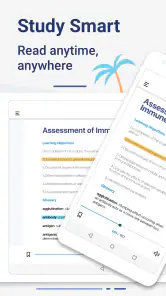
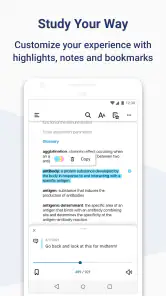
But wait—there’s more! Not only can you organize your books, but you can also track your reading progress. I love how it lets me set personal reading goals. For someone who tends to get sidetracked by the latest Netflix series, this feature is a godsend. Plus, it sends you friendly reminders to keep you on track. How’s that for motivation?
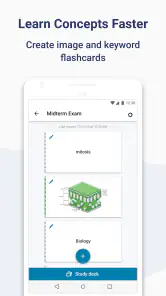
Another feature I adore is the ability to create custom lists. Whether it’s your summer reading list, books you’ve borrowed from friends, or those you’re dying to read, Bookshelf has got you covered. It’s like having a personal librarian at your fingertips.
Socialize Your Reading
Now, let’s talk about the social aspect. With Bookshelf, you can connect with fellow book lovers. Share your thoughts on the latest thriller or get recommendations from friends. It’s like having a book club that never sleeps! The community feature is perfect for someone like me who loves to geek out over plot twists and character arcs.
A Few Quirks
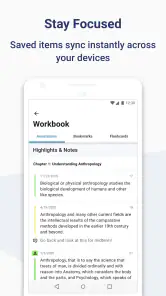
Of course, no app is without its quirks. While Bookshelf is pretty robust, I did encounter a few hiccups with the syncing feature. Occasionally, it took a while for my updates to reflect across devices. Not a dealbreaker, but worth mentioning for those who demand instant gratification.
Also, while the app is free, some of the more advanced features come with a premium tag. If you're a casual reader, the free version is more than enough. But for those of us who live and breathe books, it might be worth considering the upgrade.
Final Thoughts
All in all, Bookshelf is a fantastic tool for anyone looking to streamline their reading experience. It’s user-friendly, packed with features, and offers a sense of community that’s hard to find elsewhere. Whether you’re a die-hard bibliophile or just someone trying to read more this year, this app is definitely worth checking out. So what are you waiting for? Dive in and let your literary journey begin!
Pros
- User-friendly interface
- Extensive book collection
- Offline reading available
- Customizable reading settings
- Syncs across devices
Cons
- Limited audiobook options
- Occasional app crashes
- Ads in free version
- Requires internet for updates
- Limited free content

- Category
- Education
- Version
- 11.2.3