BMO Digital Banking
- 6.57K
- 4.6
- Installs
- 1.00M
- Price
- Free

Screenshots
Analysis by Reviewed
Have you ever felt like your bank account is just one of those things you can never quite get a grip on? Well, welcome to the club! But, hang tight, because the BMO Digital Banking app is here to change the game. I took it for a spin, and here’s what I found.
Getting Started with Ease
Honestly, the first thing that caught my eye was how easy it was to set up the BMO Digital Banking app. I just downloaded it from the App Store (or Google Play, for my Android friends), logged in with my existing credentials, and boom! I was in. It’s like having your bank branch in your pocket, minus the lines and awkward small talk with the teller.
All Your Accounts in One Place
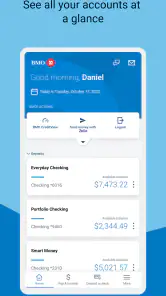
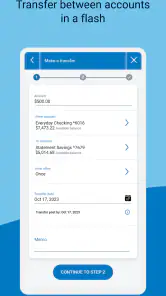
One of the coolest features is that you can view all your accounts in one place. Checking, savings, credit cards – you name it, it’s there. It’s super handy for someone like me who has a tendency to forget the balance on my accounts. Plus, you can easily transfer funds between accounts with just a few taps. I mean, who even writes checks anymore?
Pay Bills and Manage Payments
Another highlight for me was the bill payment feature. I set up all my utilities and even my streaming service payments to go through the app. It’s like having my own personal finance assistant reminding me when bills are due. And, if you’re like me and sometimes panic about whether you paid the electric bill, the app’s got your back with its nifty notifications.
Security Features That Make You Feel Safe
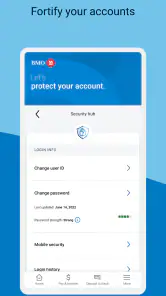
Security is a big deal when it comes to digital banking, and BMO doesn’t skimp on it. The app uses multi-factor authentication, which is a fancy way of saying you need more than just a password to get in. Plus, it logs you out automatically after a period of inactivity, which is great for peace of mind if you’re forgetful like me.
Useful Insights at Your Fingertips
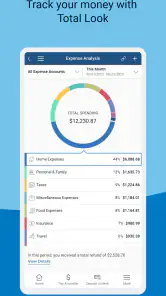
If you ever wanted to feel like a financial guru, the app offers insights into your spending habits. It categorizes your expenses so you can see where your money is going. I was both impressed and a little horrified to see how much I was spending on takeout, but hey, knowledge is power, right?
Overall, the BMO Digital Banking app is a solid choice for anyone looking to manage their finances on the go. It’s intuitive, secure, and packed with features that make banking as painless as possible. So, if you’re ready to take control of your financial life, give it a try. You might just find yourself wondering how you ever lived without it!
Pros
- User-friendly interface for easy navigation.
- Quick access to account balances.
- Secure login with biometric authentication.
- Real-time transaction alerts.
- Comprehensive financial management tools.
Cons
- Occasional app crashes on older devices.
- Limited customer support availability.
- Some features require a strong internet connection.
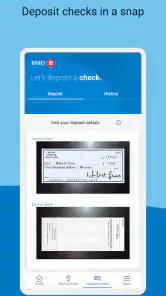
- Mobile deposit limits are relatively low.
- No integration with third-party financial apps.

- Category
- Finance
- Version
- 18.11.66











