Black Light
- 1.14K
- 3.5
- Installs
- 1.00M
- Price
- Free

Screenshots
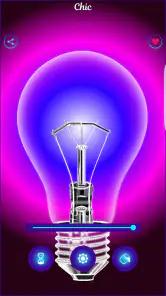
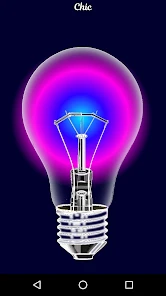
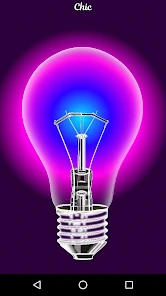
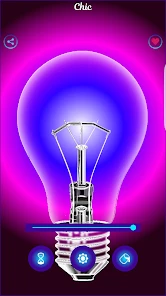
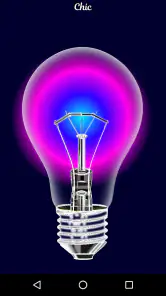
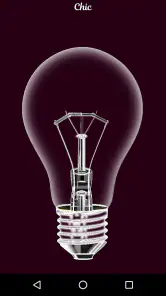
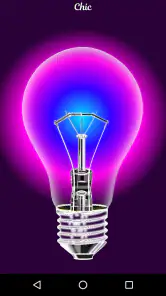
Analysis by Reviewed
I treat a black-light app as a quick visual aid, not as a replacement for a real ultraviolet lamp. That distinction matters with Black Light: it is a free Android app in the libraries and demo space from Shiny Lights, built to simulate a black-light effect on a phone screen. It can make a dark room more playful and help me explore how certain materials react, but I keep expectations practical. A phone display cannot reproduce every property of dedicated UV equipment, so I wouldn’t rely on it for inspection, safety, or cleaning decisions.
Start with a simple, repeatable routine
My baseline workflow is deliberately uncomplicated: open the app, try the available display effect in a dim space, and compare how familiar objects look before drawing conclusions. I’d test something known to fluoresce, such as a UV-reactive mark, rather than assume an ordinary stain will become visible. For a party or a small home experiment, that gives me a useful point of comparison and avoids mistaking screen color for proof of what is on a surface.
One everyday scenario is preparing a small scavenger hunt. I can check a fluorescent message in the room where it will be used, then let friends try to find it under the same lighting conditions. The phone makes a convenient prop because it is already in my pocket, though the effect depends on the material and surroundings. If the goal is to inspect a room thoroughly or identify a substance reliably, I would choose a proper UV light instead.
A second useful setting is a quick craft-table demonstration. I’d put a fluorescent pen mark beside an ordinary mark on the same sheet, dim the room, and show how differently they appear. Keeping both marks together is more informative than testing separate objects under changing light: it gives everyone a direct comparison and makes the limits visible too. If neither mark stands out, I wouldn’t immediately blame the material; the room’s ambient light and the phone’s display can affect what I perceive.
Illuminating the Unseen
When I first downloaded Black Light, I was a bit skeptical. I mean, how different could it be from any other flashlight app, right? But boy, was I wrong! The moment I launched it, I was greeted with a sleek interface that was both intuitive and engaging. It’s designed to make you feel like a modern-day detective, ready to uncover secrets hidden in plain sight.
Features that Shine Bright
What sets Black Light apart is its unique ability to simulate ultraviolet light, allowing you to spot things you wouldn’t normally see. Whether it’s checking for stains on hotel bed sheets or finding scorpions during a nighttime hike, this app has got you covered. It also offers various modes, such as a strobe light and SOS signal, which can be real lifesavers in emergency situations.
The app’s user interface deserves a special mention too. It’s simple yet effective, with a large on/off button and easy access to different light modes. I found it incredibly user-friendly, even for someone who might not be tech-savvy. Plus, it’s not a battery drainer, which is always a bonus for any app that’s likely to be used frequently.
More From Our News Desk

Clash of Clans Is Won Between the Battles

Android Auto Makes the Case for Quieter Car Software

MobiOffice: Transforming Mobile Productivity with Seamless Integration

EA SPORTS FC™ Mobile Soccer: Redefining Mobile Sports Gaming

How Microsoft OneDrive Became a Mobile Productivity Giant

How Google Translate Breaks Language Barriers Effortlessly
Settings and habits worth checking
Because the experience is centered on a simulated light effect, I would first check how the display looks at the brightness already comfortable for the room, rather than automatically turning the screen all the way up. A very bright screen can make it harder to judge a subtle glow, while a dark environment can make the contrast easier to notice. I also keep the screen pointed at the target instead of treating the app like a beam from a conventional torch; that small change helps set sensible expectations about what the phone is doing.
For repeatable results, I use the same surface, room lighting, and viewing distance when comparing two materials. This is a practical habit, not a special feature: changing several conditions at once makes it difficult to tell whether a difference comes from the object or the environment. If I’m checking a craft project, I’ll test a known fluorescent item first, then examine the piece I’m curious about. That makes the app more useful for casual experiments without turning a visual impression into a scientific conclusion.
I also find it helps to decide what I’m testing before opening the app. For a demonstration, I might ask whether a particular ink is visibly different from an ordinary pen mark; for a playful search, I might simply see whether the prepared clue is easy to notice. Those are modest questions the screen can help answer. Asking it to identify an unknown substance is a different matter, and the visual effect cannot supply that certainty.
Practical Uses in Everyday Life
Now, you might be wondering, “Do I really need an app like this?” And the answer is a resounding yes! Picture this: you’re at a party, someone spills a drink, and you want to make sure the stain is cleaned up properly. Or perhaps, you’re camping with friends, and you want to have a little spooky fun by revealing hidden messages written in UV ink. The possibilities are endless, and having Black Light in your pocket turns you into the ultimate problem solver.
One of the best things about Black Light is its versatility. It’s not just limited to serious uses; it’s also a fantastic tool for entertainment. I’ve had countless laughs and moments of awe while using it in different scenarios. From discovering hidden artwork to experimenting with fluorescence, it’s an app that never fails to surprise.
For a smoother group activity, I’d prepare the materials and test them in the actual room before inviting everyone to look. A mark that seems obvious in a dim corner may be hard to distinguish beside a bright window or a lit screen. I’d also keep the phone in one person’s hands for the first round, rather than passing it around while people change the angle and distance. That makes the experience easier to follow and reduces arguments about whether a clue is really visible.
It can be a handy conversation starter for families or classrooms, too, as long as the activity is framed as observation rather than proof. I’d ask participants to predict which of two prepared materials will stand out, then compare what they see. That turns a novelty into a small exercise in testing assumptions. For a more controlled demonstration, or one where the result needs to be repeatable across a group, a dedicated UV lamp is the better choice.
Where a phone simulation reaches its limit
I would not use this as my only tool for checking hotel bedding, verifying cleanliness, or searching outdoors for animals. Those tasks call for actual illumination, and the simulated effect should not be treated as a dependable detector. In particular, a phone display does not give me a sound basis for deciding that a surface is clean or that a potentially hazardous creature is absent. For a casual reveal of fluorescent ink, it can be entertaining; for a consequential inspection, a dedicated UV device is the more appropriate choice.
The same distinction helps when comparing it with ordinary flashlight apps. A standard torch is better when I need to light a path or find something in a bag, while this app’s appeal is the unusual black-light-style visual effect and its playful use in demonstrations. It is a narrow tool, not a general replacement for a flashlight. Users who mainly want dependable everyday illumination should stick with a conventional torch app or physical light.
There is a similar trade-off against buying a proper UV lamp. The app is convenient for a low-stakes trial because it lets me explore the idea using a phone I already have, but convenience is not the same as capability. If I’m buying materials specifically for fluorescence, planning a serious inspection, or depending on the result to make a decision, I’d use equipment intended for that job. If I’m merely curious about a prepared mark, the phone can be enough to decide whether I want to explore further.
It is also worth thinking about the setting before relying on the effect for a social activity. In a bright room, the display may be difficult to interpret, and asking everyone to gather around one screen is less engaging than using a lamp that illuminates a wider area. The app suits a close-up reveal better than a room-wide search. I’d plan around that limitation: prepare a small target, dim the space if practical, and let the phone support the activity rather than serve as its only source of light.
Who will get the most from it
I’d recommend trying it if you enjoy simple visual experiments, want a novelty for a get-together, or have UV-reactive materials and want to see how they appear on a phone. It is also approachable for someone who wants to explore the idea without buying equipment first. I would skip it if you need accurate inspection, a strong light source, or a reliable way to assess hygiene or safety. The app is free, rated for Everyone, and has in-app purchases listed at $0.99 per item, so I’d check the purchase prompts before tapping through if I want to keep the experience free.
Its audience numbers suggest it has reached beyond a tiny niche: it has over a million installs and an average rating of 3.5 from around 7,200 ratings, with roughly 1,100 written reviews. Those figures make it a widely tried curiosity, not a guarantee that it will suit every phone or every use. It was released in 2016, and version 3.0.0 is the current version; Android 6.0 is the minimum requirement. I’d check compatibility on my device before relying on it for an event or activity.
That makes the best first test very small: try it at home with a known fluorescent object before planning a party game or taking it outdoors. The app is an Android option, so iPhone users looking for the same sort of experiment should choose an iOS alternative rather than assume this one is available on their device. In either case, I’d compare the alternative’s actual behavior with a prepared material instead of trusting a name or icon to promise real UV performance.
People sometimes ask whether this sort of app can reveal hidden stains. I would not treat a result as a cleanliness check: a visual change is not a reliable verdict about what a mark is, and a lack of visible change does not establish that a surface is clean. The more useful question is whether the app makes a known fluorescent item interesting to look at. That narrower use is fun without encouraging a risky conclusion.
Final Thoughts
In a world saturated with apps that often overpromise and underdeliver, Black Light stands out as a refreshing exception. It’s fun, functional, and full of surprises, making it a must-have for anyone looking to explore the unseen. Whether you’re a curious cat or someone who simply likes to be prepared for any situation, this app is worth checking out. So, go ahead and download it—you never know what hidden wonders you might uncover!
My measured verdict is that it works best as a pocket-sized novelty and a prompt for low-stakes experiments, not as specialist equipment. If I’m hosting friends, testing a fluorescent drawing, or showing a child why some materials glow, I can see the appeal. If I need a result I can act on with confidence, I’ll reach for a real light and use appropriate caution. That difference is the key to enjoying the app: treat the simulation as an entertaining visual effect, and it has a clear, modest place among phone utilities.
For me, the most satisfying way to use it is to keep the task modest and the comparison fair: choose one prepared object, use a consistent spot, and decide in advance what would count as a visible effect. That simple routine avoids turning a playful screen effect into an unsupported claim. Experienced users don’t need a hidden shortcut to get more from it; they get better results by controlling the room, checking a familiar reference, and knowing when the phone is the wrong tool.
Black Light Frequently Asked Questions
Is Black Light free to download, and are there in-app purchases?
Black Light is free to download, so you can try its basic experience without an upfront purchase. The app also offers in-app purchases priced at $0.99 per item, which may be relevant if you want to access paid content or options. Check the purchase details shown in your app store before confirming anything, and remember that an in-app purchase is separate from the free download.
Will Black Light work with my phone’s operating system?
Compatibility matters before downloading, especially for an app that uses a phone’s flash. Black Light’s current version is 3.0.0 and requires Android 6.0 or later. If you use an iPhone or iPad, check the app’s listing in the Apple App Store for compatibility with your particular device and operating-system version before installing.
What is Black Light, and how does it work?
Black Light is an innovative application designed to simulate ultraviolet (UV) light using your smartphone's LED flash. It works by adjusting the light spectrum emitted by your device's flash, giving the appearance of a black light. While it won't replicate the exact effects of a real UV light, it can help highlight certain fluorescent materials and provide a fun, unique visual effect for parties or artistic photos.
Is Black Light safe to use on my smartphone?
Yes, Black Light is safe to use on your smartphone. The app utilizes the existing LED flash and does not alter any hardware settings. However, prolonged use of any flashlight app may drain your battery faster, so it's recommended to use the app in moderation to conserve battery life. Always ensure your phone doesn't overheat during extended use.
Can Black Light replace a real UV light for detection purposes?
While Black Light can mimic the effects of UV light, it is not a perfect substitute for a real UV lamp, especially for professional use. The app may highlight some fluorescent materials, but it lacks the precision and intensity of a true UV light. For serious applications like forensic investigations or scientific research, a dedicated UV light source is recommended.
Pros
- User-friendly interface
- Fast scanning speed
- Doesn't require internet
- Customizable settings
- Supports multiple formats
Cons
- Limited free features
- Occasional ad interruptions
- Requires camera access
- Drains battery quickly
- No desktop version
- Category
- Libraries & Demo
- Version
- 3.0.0










