Bill Payment Reminder, Budgets
- 7.65K
- 4.5
- Installs
- 1.00M
- Price
- Free

Screenshots
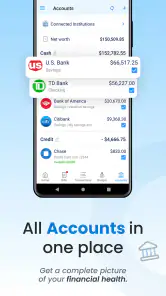



Analysis by Reviewed
Ever had one of those moments when you realize you’ve completely forgotten to pay a bill? Yeah, me too. That’s where the Bill Payment Reminder, Budgets app swoops in like a superhero to save the day. I decided to take it for a spin and see if it really lives up to the hype. Spoiler alert: it does not disappoint.
Getting Started with Ease
Diving into the Bill Payment Reminder, Budgets app is as easy as pie. Once you download and install it, the setup process is pretty straightforward. You’re greeted with a clean, intuitive interface that immediately makes you feel at home. The app offers a quick tutorial that walks you through its main features, which is super helpful for those of us who might be a bit technologically challenged.
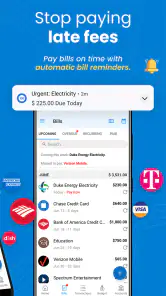
Right off the bat, you can start adding your bills. The app allows you to input every detail, from due dates to payment amounts. It even supports multiple currencies, which is a neat touch for those managing international finances. I found the process of adding and categorizing bills surprisingly satisfying. It felt like I was finally getting my financial life in order.
Features That Stand Out
Now, let’s talk about what makes this app a must-have. One of its standout features is the customizable reminders. You can choose how and when you want to be notified about upcoming payments. Whether you prefer a gentle nudge a week in advance or a last-minute alert, this app has you covered. I set my reminders to notify me two days before the due date, and it’s been a game changer.
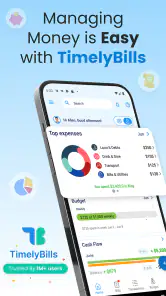
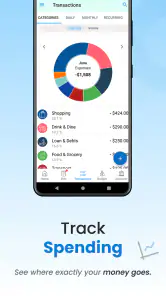
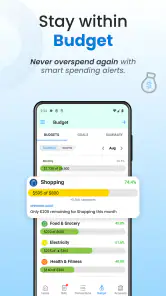
Another feature that I absolutely love is the budgeting tool. It’s like having a personal finance guru in your pocket. You can set up monthly budgets and track your spending across different categories. The app provides detailed reports and analytics, which helped me identify areas where I could tighten the purse strings. Seeing everything laid out in colorful charts was both eye-opening and motivating.
User Experience and Design
The app’s design is sleek and modern, without any unnecessary clutter. Navigation is a breeze, thanks to its well-organized menu and thoughtful layout. I really appreciate the dark mode option, which makes it easier on the eyes during my late-night budgeting sessions. The developers clearly prioritized user experience, and it shows in every aspect of the app.
One small thing that could improve is the syncing feature. While it works fine most of the time, there were a couple of instances where my data didn’t sync across devices immediately. It wasn’t a dealbreaker, but it’s something worth mentioning.
Why You Should Try It
If you’re like me and struggle with keeping track of bills and budgets, this app is a no-brainer. It’s packed with features that are not just practical but also genuinely enjoyable to use. The peace of mind it offers by ensuring you never miss a payment is invaluable. Plus, it’s a great tool for teaching yourself better financial habits.
Overall, the Bill Payment Reminder, Budgets app is a fantastic addition to anyone’s smartphone. It’s like having a personal assistant dedicated to managing your bills and budgets. So, if you’re ready to take control of your finances and stop worrying about those pesky late fees, give it a try. Trust me, your future self will thank you.
Pros
- User-friendly interface
- easy to navigate.
- Customizable notifications for due dates.
- Supports multiple currencies and accounts.
- Detailed spending reports and analytics.
- Secure data encryption for user privacy.
Cons
- Limited free version features.
- In-app ads can be intrusive.
- No offline mode available.
- Occasional sync issues with bank accounts.
- User community support is limited.

- Category
- Finance
- Version
- 1.26.003











