BibleProject
- 844.00
- 4.7
- Installs
- 500.00K
- Price
- Free

Screenshots
Analysis by Reviewed
I approached BibleProject as an education app rather than a replacement for a printed Bible, a church study group, or a full academic commentary. That distinction matters. Its best quality is the way it helps me see how biblical books fit together, especially when I want a clear starting point before reading a passage in detail. The experience is free, aimed at everyone, and developed by BibleProject, so it feels designed for broad learning rather than for specialists who already know the terminology.
In everyday use, I found it most helpful when I had a short amount of time and a vague question: What is this book trying to do? Where does this story belong? Why does a theme keep appearing? Instead of dropping me straight into an isolated verse, the app encourages a wider view. Its real strength is orientation: it gives a reader a map before asking them to navigate the whole landscape.
How I use BibleProject from the first opening to a regular study habit
Start with the big picture, not a random passage
My recommended first session is deliberately simple. I open the app, choose a book or topic that interests me, and spend time understanding its general shape before trying to extract a personal lesson. This avoids one of the most common problems with casual Bible reading: selecting a single verse without knowing what comes before or after it.
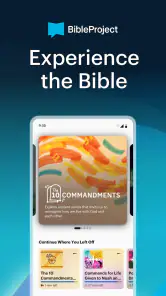
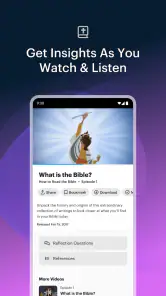
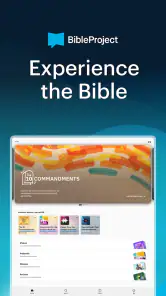
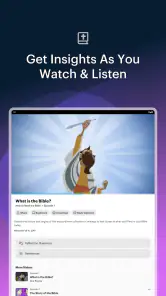
The app’s visual teaching style is particularly useful here. BibleProject is known for making complicated ideas easier to approach through structured explanations and visual storytelling, and that approach suits readers who learn better from movement, diagrams, and themes than from long blocks of commentary. I would not treat those explanations as the final word on every interpretive question, but they work well as a first pass.
For a realistic weekday example, imagine having fifteen minutes before work. I would select the book I plan to read later, watch or review the overview, and write down one question rather than trying to solve the entire book immediately. That small habit changes the later reading experience: names, repeated images, and turning points become easier to notice because I already have a framework.
Use it alongside reading, not instead of reading
The most effective workflow for me has three stages. First, I use BibleProject to get the outline. Second, I read the relevant biblical text without constantly checking another explanation. Third, I return to the app only when I need to clarify the structure or revisit a major theme. This keeps the app in its strongest role: a guide that improves attention rather than a substitute for the source material.
That method also prevents passive consumption. It is easy to watch an attractive explanation, feel that I understand the topic, and then move on without actually reading. I get more from the app when I pause after an overview and ask myself what evidence I noticed in the text. The visual lesson starts the process; my own reading has to finish it.
More From Our News Desk

Clash of Clans Is Won Between the Battles

Android Auto Makes the Case for Quieter Car Software

MobiOffice: Transforming Mobile Productivity with Seamless Integration

EA SPORTS FC™ Mobile Soccer: Redefining Mobile Sports Gaming

How Microsoft OneDrive Became a Mobile Productivity Giant

How Google Translate Breaks Language Barriers Effortlessly
Build a repeatable routine around one question
A useful habit is to begin every session with one narrow question. Instead of “What does the Bible say about everything?”, I might ask how a particular book presents wisdom, justice, exile, promise, or renewal. Then I use the app to locate the relevant context and read with that question in mind.
This approach makes the large amount of material feel manageable. It is also better for group discussion because I can arrive with a focused observation instead of repeating a general summary. For families or beginners, the same workflow can be simplified: choose one book, view its overview together, and ask each person to name one detail they want to look for while reading.
Where it fits among familiar alternatives
Compared with a standard Bible-reading app, BibleProject is more visual and explanatory. A typical reading app may be better when I want quick access to multiple translations, a verse search, or a strict daily schedule. Compared with a commentary, BibleProject is usually easier to enter but less suited to detailed debates about language, authorship, historical context, or competing scholarly interpretations.
Compared with a podcast or video channel, the advantage is having a more organized learning environment centered on the books and themes of the Bible. Still, someone who prefers quiet reading may find the visual presentation less comfortable than a traditional study Bible. I would choose this app for orientation and thematic learning, not as my only tool for serious research.
Settings and choices worth checking early
Before settling into a routine, I recommend checking how the app behaves on your device, particularly if you prefer a distraction-free experience. Look at playback controls when using visual material, adjust your session around the time you actually have available, and confirm that the current app version works with your operating system. The listed minimum is Android or iOS version 10, which covers many modern devices but is worth remembering if you are using older hardware.
I also pay attention to whether I am opening a book overview, a thematic lesson, or another learning section. These choices serve different purposes. A book overview is best before reading; a theme-based session is better when I have already noticed a recurring idea; and a short revisit works well when I need to refresh my memory before a group conversation.
One small but important setting habit is to control the pace myself. I do not rush through an explanation simply because it is short. I pause when a diagram introduces several relationships, replay a segment if I lose the thread, and make a note before moving on. That turns a polished presentation into active study. The app may make learning feel easy, but remembering still requires deliberate attention.
Make the app work for short sessions
Many people assume they need a long uninterrupted study period to benefit from an education app. I found the opposite. A short session can be useful if it has a defined job. One day might be for understanding the structure of a book; another might be for reviewing a theme; a later session might be for preparing a discussion question.
I would avoid opening the app without a purpose when I am already tired. The range of material can lead to browsing instead of learning. A simple rule helps: decide the outcome before opening it. If the goal is to understand a book’s movement, stop after the overview. If the goal is to prepare for reading, note the major sections and close the app.
Faster patterns for returning users
Once I know the basic workflow, I stop treating every session as a fresh tour. I return to the same book after reading a section and compare my first impression with what I noticed in the text. This repetition is more valuable than endlessly sampling unrelated topics because it creates a before-and-after contrast: first I learn the proposed structure, then I test whether I can see it myself.
Another efficient pattern is the “overview, passage, overview” loop. I begin with the app’s broad explanation, read the passage independently, and return for a quick review. This is especially useful when the first explanation felt clear but the text itself seemed more complicated. The second look often helps me distinguish the central idea from details I initially treated as equally important.
For group use, I would choose material in advance instead of handing the phone around and browsing together. One person can introduce the overview, everyone can read a selected passage, and the group can discuss where the explanation helped or where questions remain. That last part matters: a good learning resource should create better questions, not pretend that every issue has one uncomplicated answer.
Use visual learning without becoming dependent on it
The visual format is a major reason to try BibleProject, but it can also become a limitation. A memorable animation or diagram may give me the feeling of mastery before I can explain the idea without assistance. To counter that, I sometimes close the app and summarize the book aloud in my own words. If I cannot describe its movement simply, I know I need to read more rather than watch more.
This is one of the most useful advanced habits I found: separate recognition from understanding. Recognizing a chart or theme is not the same as being able to connect it to the actual text. The app is excellent at making connections visible; my responsibility is to verify those connections through patient reading.
What the app cannot replace
There are clear limits. BibleProject is not the right primary choice for someone seeking a technical language study, a comprehensive reference library, or a detailed comparison of denominational interpretations. It also will not automatically create the discipline needed to read consistently. The free price removes a financial barrier, but it does not remove the need to choose material, set aside time, and think critically.
I would also be cautious about using a single explanatory framework as though it settled every interpretive disagreement. The app’s clarity is valuable, yet clarity can sometimes smooth over complexity. When a passage raises historical, cultural, or doctrinal questions, I would consult additional sources and, where appropriate, discuss it with a knowledgeable teacher or study group.
Device expectations and who should skip it
The app has an average rating of 4.7 from around 4.9 thousand ratings, and it has passed the half-million-install mark. Those figures suggest that it has reached a substantial audience, but popularity should not decide whether it fits your learning style. The age classification is Everyone, making it approachable for households and beginner groups, although adults should still guide younger readers through difficult subjects rather than assuming an app can provide all needed context.
I would skip it if my main goal were a fast verse lookup tool, a highly customizable reading plan, or an academic database. I would also skip it if visual lessons consistently distract me from the text. In those cases, a conventional Bible app, printed study Bible, or specialist reference resource may be a better match.
On the other hand, I strongly recommend trying it if you often feel lost when opening an unfamiliar biblical book, if you remember ideas better through visuals, or if you want a gentle way to begin discussing Scripture with friends. It is also a good bridge for someone moving from occasional inspirational reading toward a more organized approach.
My verdict after using it as a study companion
BibleProject works best when I treat it as a carefully designed starting point, not an all-purpose religious library. Its free access, approachable presentation, and book-centered organization make it easy to recommend to beginners. The developer, BibleProject, has created something that lowers the entry barrier without requiring the reader to begin with specialized vocabulary.
The current version is 2.24.1, and the app was released on December 30, 2021. More important than those details in daily use is the role it settles into: I open it to gain context, return to the biblical text, and use it again when a theme or structure needs refreshing. That repeatable pattern gives the app lasting value beyond a one-time browse.
My strongest recommendation is to pair every lesson with an action. Read the passage, write one question, explain the main idea from memory, or bring an observation to a group. Without that step, the app can become attractive background content. With it, the visual teaching becomes a practical aid to reading.
In the end, I see BibleProject as an excellent companion for orientation, thematic learning, and building a steady reading habit. It is less convincing as a complete replacement for traditional study tools, and experienced readers should keep room for other perspectives and deeper research. If you want help seeing connections across biblical books and need a friendly path into the material, this is one of the better free education apps I would put on a friend’s phone.
BibleProject Frequently Asked Questions
Who develops BibleProject, and what devices can run it?
BibleProject is an education app developed by BibleProject, designed for people who want to explore Scripture through accessible learning materials. It is available for Android and iOS, and its current version is 2.24.1. The app requires Android or iOS 10 or later, so checking your device’s operating system before downloading can help avoid compatibility issues.
Is BibleProject suitable for families and younger users?
BibleProject is rated for Everyone, making it suitable for a broad audience, including families exploring biblical topics together. Its educational approach can help adults and younger viewers discuss stories, themes, and ideas from the Bible. As with any learning app, parents may want to preview content and choose materials that fit a child’s age, interests, and family preferences.
What is BibleProject, and what can I do with the app?
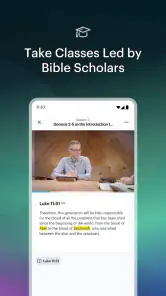
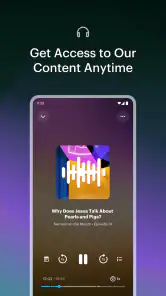
BibleProject is a Christian educational app designed to help users understand the Bible through animated videos, visual summaries, podcasts, articles, reading plans, and study resources. The content explains biblical books, themes, words, and historical context in an accessible way. It is suitable for personal study, group discussions, or anyone who wants a clearer overview of Scripture.
Is BibleProject free to download and use?
Yes, BibleProject is free to download, and users can access many videos, reading plans, podcasts, and study materials without paying for a subscription. BibleProject is supported by donations, although availability of certain resources or features may change over time. The app has a 4.7 average from around 4.9 thousand ratings, and users can check its current in-app options before deciding how to use it.
Does BibleProject provide the complete Bible text?
BibleProject primarily focuses on education, visual storytelling, and guided Bible study rather than replacing a full Bible-reading app. Depending on the platform and current version, it may connect users with Bible passages or reading plans, but it is best used alongside a preferred Bible translation. Users who need extensive offline Scripture access should check which translations and text features are available in the app.
Pros
- Clear animated explanations make complex Bible themes easier to understand.
- Large library of videos
- podcasts
- articles
- and reading plans.
- Supports multiple languages for broader accessibility.
- Offline downloads help users study without a constant internet connection.
- Helpful progress tracking encourages consistent Bible study habits.
Cons
- Some resources require substantial time to explore fully.
- The app may feel overwhelming for users seeking only a simple Bible reader.
- Certain content and translations may vary by language.
- Video and audio downloads can use considerable device storage.
- Some advanced study features may require an account or internet access.
- Category
- Education
- Version
- 2.24.1











