Barclays US
- 6.52K
- 4.7
- Installs
- 1.00M
- Price
- Free

Screenshots
Analysis by Reviewed
If you’ve been on the hunt for a reliable mobile banking app, let me introduce you to Barclays US. I've spent some time digging into this nifty app, and I'm here to spill all the deets, the good, the bad, and the slightly annoying bits. Spoiler alert: it’s pretty darn good!
Getting Started with Barclays US
First things first, let's talk about the setup. Downloading and installing the Barclays US app is as straightforward as it gets. A quick trip to your app store, a few taps here and there, and you're in. Setting up an account is a breeze too, with the app guiding you smoothly through the process. It’s like having a personal banker right in your pocket.
Features Galore
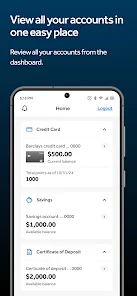
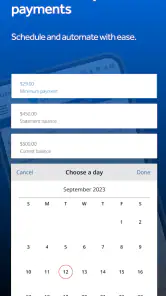
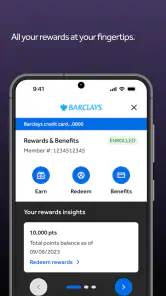
What really makes this app stand out are its features. Seriously, it’s packed with all the essentials you’d expect from a top-notch banking app. You can check your balance, view recent transactions, and even pay your bills without breaking a sweat. The app also offers a nifty little feature that allows you to set up alerts for various account activities. So if you're like me and tend to forget when bills are due, this feature is a lifesaver!
But wait, there’s more! The app lets you handle transfers between accounts with ease. Whether it's a one-off payment or a recurring transfer, Barclays US has got you covered. And if you’re a frequent traveler, you’ll appreciate the currency conversion feature. It’s like having a mini financial advisor on standby, making sure your international spending doesn’t go haywire.
Security and Usability
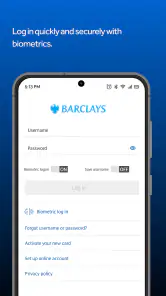
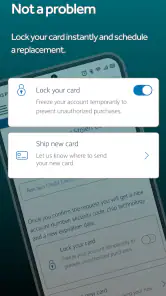
Now, let’s talk security. In today’s digital age, keeping your financial information safe is a top priority, and Barclays doesn’t skimp on this. The app uses a secure login process with options for fingerprint or facial recognition, which I found both convenient and reassuring. Additionally, there’s a handy feature that allows you to quickly freeze your card if it’s lost or stolen. Talk about peace of mind!
On the usability front, the app’s interface is clean and intuitive. Navigating through the menus is smooth, without any hiccups, and everything is exactly where you’d expect it to be. It’s designed to make banking as painless as possible, even for those who aren’t tech-savvy.
The Verdict
At the end of the day, the Barclays US app is a solid choice for anyone looking to manage their finances on the go. It combines robust security features, a user-friendly interface, and a host of banking functionalities that cater to just about every need. Sure, no app is perfect, and you might encounter the occasional glitch, but overall, it’s a gem in the world of mobile banking.
So, if you're in the market for a banking app that’s reliable and easy to use, give Barclays US a shot. It might just become your new favorite financial tool!
Pros
- User-friendly interface
- easy navigation.
- Comprehensive financial tools available.
- Strong security measures in place.
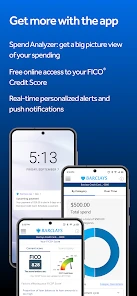
- Access to FICO credit scores.
- Seamless integration with other banks.
Cons
- Limited customer support options.
- Occasional app crashes reported.
- No cryptocurrency support yet.
- Some features are web-only.
- High fees for international transfers.

- Category
- Finance
- Version
- 8.5.7











