Auto Sync for Android/Car Play
- 211.00
- 4.4
- Installs
- 1.00M
- Price
- Free

Screenshots
Analysis by Reviewed
Ever found yourself in a battle with cords and cables while trying to sync your phone with your car? Well, say goodbye to those days because Auto Sync for Android/Car Play has rolled into the app scene, promising to be your new best friend on the road. As someone who’s spent more time than I care to admit fumbling with tech while driving, I couldn’t resist giving this app a spin.
Seamless Connectivity on the Go
First off, let me tell you about the pure magic that is the seamless connectivity offered by this app. Once you’ve got it set up, your phone syncs up with your car’s system faster than you can say "Bluetooth." You won’t have to deal with any clunky interfaces or confusing menus. It’s as if the app just knows what you need and delivers.
Easy Setup and User-Friendly Interface
Setting up Auto Sync for Android/Car Play is a breeze. Even if you’re not a tech-savvy person, you’ll find the installation process pretty straightforward. The app guides you with easy-to-follow instructions, making the whole setup feel like a walk in the park. Once it’s up and running, the user interface is super friendly. You’ll find all the functions you need right at your fingertips without having to dig around.
Enhanced Driving Experience
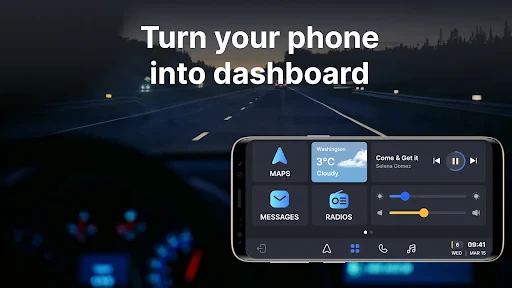
What really stands out about this app is how it enhances your driving experience. Whether you’re navigating through your favorite playlists or answering calls, everything feels smooth and uninterrupted. The app does a fantastic job of minimizing distractions, which means you can keep your eyes on the road and hands on the wheel—just as it should be.
Plus, it’s packed with neat features like voice command capabilities. I mean, who doesn’t love feeling like they’re piloting a spaceship when they tell their car what to do? It’s not just cool—it’s downright practical, especially when you’re cruising down the highway.
Compatibility and Performance
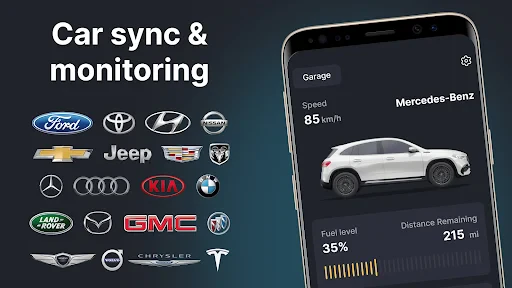
Another thing worth mentioning is the app’s compatibility. Whether you’re rocking an older car model or the latest ride, Auto Sync for Android/Car Play has got you covered. It works with a wide range of car systems, which is a huge plus. During my time testing it out, I didn’t experience any lags or hiccups. Everything was smooth sailing, which is exactly what you want from an app like this.
In terms of performance, I’d give it a solid thumbs up. The app runs efficiently without draining your phone’s battery—a crucial consideration for those long drives. Plus, the updates seem to roll out regularly, which is a reassuring sign that the developers are committed to keeping it top-notch.
So, if you’re looking to upgrade your in-car experience and ditch the wires, give Auto Sync for Android/Car Play a shot. It’s not just an app; it’s your co-pilot, ensuring a smooth ride every time you hit the road. Happy driving!
Pros
- Seamless integration with Android and Car Play.
- Supports multiple devices simultaneously.
- User-friendly interface simplifies setup.
- Automatic updates ensure latest features.
- Customizable settings for user preferences.
Cons
- May drain battery quickly during use.
- Some features require in-app purchases.
- Occasional connectivity issues reported.
- Limited support for older device models.
- Requires stable internet connection.

- Category
- Auto & Vehicles
- Version
- 1.31.4











