Alison: Online Education App
- 2.35K
- 4.8
- Installs
- 10.00M
- Price
- Free

Screenshots
Analysis by Reviewed
When I think about learning on a phone, the biggest question is whether I can make real progress in short gaps without wrestling with the app. Alison is built around that kind of flexible study: it brings online education to Android and iOS, with courses for people exploring work skills as well as broader interests. I’d treat it as a practical place to begin learning, rather than a replacement for every kind of class or professional training.
What a realistic study session looks like
Picture a commute or a quiet half-hour after dinner. I’d pick one course, work through a manageable piece, then note what I want to revisit instead of trying to race through a whole subject. That simple routine is a better fit for phone-based learning than opening several courses at once and losing track of them. If you’re choosing between subjects, start with a specific goal—such as understanding a workplace topic—so you can judge whether the lessons are useful to you.
The app is most appealing if you want a low-friction way to explore a new area before committing to a longer course elsewhere. It can also suit someone returning to study who wants a flexible starting point. On the other hand, if you need a live teacher, close feedback on your work, or a qualification with a particular professional standing, I’d check those requirements carefully and compare Alison with a formal course or a specialist training provider.
Speed, reliability, and everyday trade-offs
For a learning app, perceived speed depends on more than opening a screen: lessons need to be easy to return to, and study should fit around interruptions. I’d keep sessions focused and make a habit of finishing a small section before switching tasks. That gives me a clearer sense of progress and makes it easier to resume later. I wouldn’t assume that a phone app alone can keep every study session smooth in every situation; the connection and the device still matter.
When a lesson feels slow or a session gets interrupted, the sensible recovery is to reopen the course and check where you left off before repeating material. For a high-stakes deadline, I’d avoid relying on a last-minute phone session as my only plan. A separate note with the course name and the key point I’m working on is a small, useful backup, especially if I’m studying in scattered short bursts.
Who should choose it—and who may prefer something else
Compared with video libraries or search-based tutorials, Alison gives learning a more course-shaped path, which can help when you want direction rather than a pile of disconnected explanations. The trade-off is that a structured course may not answer a very narrow question as quickly as a focused tutorial. I’d use Alison for a planned learning goal, and a quick reference or subject-specific resource when I only need one answer.
It’s also worth being realistic about motivation: flexible access removes scheduling pressure, but it doesn’t create a study habit for you. I’d choose one course at a time, set a repeatable slot, and decide in advance what “useful progress” means. That makes it easier to tell whether the app is helping rather than simply collecting courses I intend to start.
More From Our News Desk

Weather by Xiaomi Review: Clear at a Glance, Less Clear Up Close

X Under Pressure: Can It Recover When Posting Goes Wrong?

Clash of Clans Is Won Between the Battles

Android Auto Makes the Case for Quieter Car Software

MobiOffice: Transforming Mobile Productivity with Seamless Integration

EA SPORTS FC™ Mobile Soccer: Redefining Mobile Sports Gaming
Making a course useful beyond the screen
For job-related learning, I’d give each session a small output: a few notes, a practice example, or a question to test against a real task. Someone exploring marketing, finance, or coding might use a lesson to identify a concept, then try applying it to a simple personal project. That does not turn an introductory course into professional experience, but it helps reveal whether the subject holds your interest and where you need more depth.
This approach also makes it easier to compare courses without signing up for several at once. I’d look for a clear match between the course topic and the skill I want to build, then spend enough time with the material to judge its teaching style. If the explanations feel too broad or the level does not suit me, I would switch early rather than keep going just because I had already started.
How it fits alongside other learning options
Alison sits between informal browsing and more intensive instruction. Search results and short videos are useful when I need a quick explanation, but they can leave me to decide what to learn next. A course can provide a more deliberate route through a subject; the cost of that structure is that it may take longer to reach one specific answer. A live class or tutor is the better choice when I need direct correction, discussion, or accountability.
I would also separate learning from credential decisions. A course can help me build understanding and show that I completed study, while an employer or licensing body may have its own requirements. Before choosing any online learning as preparation for a particular role, I’d check what that role actually expects. This avoids confusing a convenient way to learn with a guarantee of a job outcome.
Ever felt like diving into the world of online education but didn’t know where to start? Well, let me introduce you to Alison, a fantastic app that’s opening doors to learning for everyone, everywhere. Whether you’re looking to upskill in your current job or explore a new hobby, Alison might just be your go-to.
What Makes Alison Stand Out?
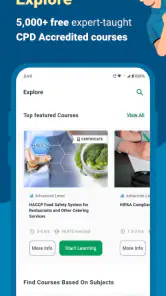
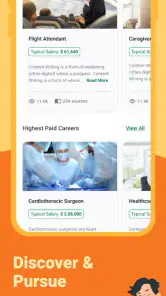
First off, the sheer variety of courses available on Alison is mind-blowing. We’re talking hundreds of courses across various fields. You can learn everything from business management to digital photography. The app’s design is sleek and user-friendly, so even if tech isn’t your forte, you’ll find it easy to navigate.
A Beautiful Learning Experience
Now, onto the learning experience itself. Each course is structured into bite-sized modules, making it easy to fit learning into your busy schedule. And let me tell you, the quality of the content is top-notch. The courses are crafted by industry professionals who know their stuff.
But what really won me over is the accessibility. You can access the courses anytime, anywhere. Stuck in traffic? No problem. Just pop in your earphones and learn something new. It’s like having a classroom in your pocket.
Community and Certification
One of the coolest features is the community aspect. You’re not just learning in isolation; you’re part of a global community of learners. You can join discussions, share insights, and even collaborate on projects. It’s like having a study group, but spread across the globe.
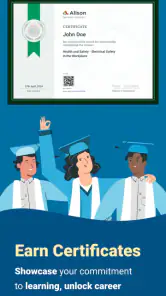
And for those of you who want to showcase your new skills, Alison offers certification for completed courses. This can be a great addition to your resume or LinkedIn profile, giving you that extra edge in the job market.
Final Thoughts
All in all, Alison is a brilliant app for anyone looking to broaden their horizons. The range of courses, ease of access, and community support make it a standout in the world of online education. So, if you’re ready to embark on a learning journey, give Alison a try. Who knows? You might just discover a new passion or skill along the way.
Practical details before you begin
Alison is a free education app developed by Alison eLearning, and its age rating is Everyone. It has a 4.8 average from around 137,000 ratings, with more than 10 million installs; that level of reach suggests it has become a familiar option for self-directed learners, though popularity alone can’t tell you whether a particular course suits your needs.
The app was released on November 5, 2020, and version 3.4.160 lists Android 7.0 as its minimum operating-system requirement. The core app is free, but in-app purchases range from $2.49 to $105.50 per item. I’d check the purchase details before paying for anything and decide whether the course or benefit fits your goal; the free starting point makes exploration easier, but it doesn’t mean every optional item will be relevant to every learner.
Choosing courses with a little more care
One useful habit is to treat a course as a trial of both the subject and the format. Before investing a lot of time, ask whether the explanations are clear to you and whether the lessons connect to something you actually need. If your goal is to prepare for a job change, pair study with a practical task—such as drafting a sample plan or practicing a relevant skill—rather than assuming that completing lessons alone proves readiness.
Certification can help you record completed learning, but I would present it accurately: it shows that you completed a course, not automatically that an employer will treat it as equivalent to a regulated qualification or hands-on experience. For a résumé, connect it to a concrete example of what you learned and how you used it. That makes the credential more meaningful than listing a certificate without context.
Device fit and learning conditions
A phone is handy for listening or reviewing material during a spare moment, but it is not always the best screen for concentrated work. If a topic involves comparing several ideas or taking detailed notes, I’d move to a larger screen or keep a notebook nearby. For a commute, use only the parts of a lesson that are comfortable to follow safely; studying should never distract you from driving or navigating a busy place.
For steadier progress, I’d also avoid treating the app as a substitute for a personal study system. Keep a short list of the courses you are actively taking, write down questions to revisit, and give yourself a regular time to continue. That approach is especially useful if you use Alison across changing schedules, because it gives each session a clear next step instead of asking you to remember where your attention stopped.
My performance verdict
Alison’s strongest case is convenience: it puts structured learning within reach for people who want to study around work, family, or an unpredictable day. I’d recommend trying it with one well-chosen course and a modest routine, then judging the experience by what you can understand and apply. If you need intensive personal instruction, a tightly recognized credential, or a fast answer to one very specific question, another format may serve you better. For independent learners who value flexibility, though, it’s a sensible place to begin.
Alison: Online Education App Frequently Asked Questions
Can Alison help me learn skills for a new job?
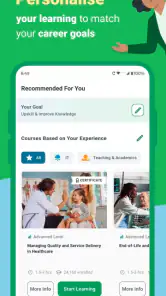
Alison is designed for people who want to develop skills for work or explore a career direction. Its store summary specifically points to learning in areas such as finance, marketing, and coding. If you have a particular role in mind, browse the available subjects and course details to see whether the learning content matches the skills you hope to build.
Is Alison suitable for beginners?
The app is intended for a broad range of learners, including people exploring a subject as well as those developing skills for a career move. Its course selection is described as covering different subjects and skill levels, so beginners can look for material suited to their starting point. Reviewing a course’s description before enrolling can help you choose a comfortable place to begin.
Who is Alison: Online Education App intended for?
Alison: Online Education App is aimed at people who want to build knowledge for work or personal development, including learners exploring a new subject and those developing skills for a career move. Its store description highlights learning for areas such as finance, marketing, and coding. The app is in the Education category, and its content rating is Everyone, so it is presented for a broad audience.
What is Alison: Online Education App?
Alison: Online Education App is a comprehensive educational platform offering a wide range of online courses across various fields. It provides users with the opportunity to learn at their own pace, access course materials anytime and anywhere, and earn certificates upon completion. The app is designed for anyone looking to enhance their skills or learn something new, whether for personal development or career advancement.
Is Alison: Online Education App free to use?
Yes, Alison offers many of its courses for free. However, while the learning materials and courses are generally accessible without cost, there may be fees associated with obtaining official certificates or diplomas. Users can choose to purchase these certificates if they want formal recognition of their new skills, which can be useful for employment or academic purposes. The app is free to download, with optional in-app purchases.
Pros
- Wide range of courses available
- High-quality video lessons
- Free certification courses
- User-friendly interface
- Mobile-friendly access
Cons
- Limited offline access
- Some courses require payment
- Occasional technical glitches
- Limited course language options
- Advertisements in free version
- Category
- Education
- Version
- 3.4.160











