AI Piano Magic Keyboard
- 137.00
- 4.3
- Installs
- 5.00M
- Price
- Free
Screenshots
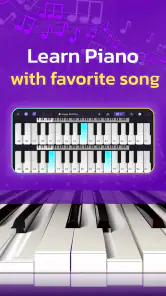
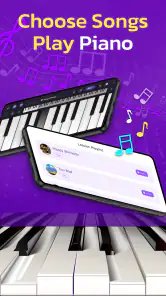
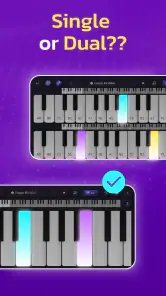
Analysis by Reviewed
I’d treat a phone piano as a low-pressure way to explore music, not as a shortcut to mastering an instrument. That distinction matters with AI Piano Magic Keyboard: its appeal is the combination of guided practice and familiar songs, which can make a first attempt feel less daunting than opening a blank keyboard and wondering what to do. I’d reach for it when I have a few spare minutes and want to try playing, rather than expecting a full substitute for lessons or a real piano.
A quick practice session, not a full lesson plan
For example, imagine having a quiet break at home and wanting to learn a small part of a song you already enjoy. A song-led app gives you a concrete reason to practise: you can focus on following along, notice where you lose the rhythm, and try the passage again. That is a more inviting starting point for many beginners than drilling unfamiliar exercises. I’d keep sessions short at first and repeat one section instead of jumping between songs; the practical benefit is that you can pay attention to what your hands are doing rather than treating each track as a race to finish.
The on-screen keyboard is also a useful convenience when carrying a physical instrument is out of the question. It can help you get comfortable finding notes and following a melody during a commute or while travelling, provided you have a suitable moment to use your phone. But a touchscreen does not give the same spacing, resistance, or two-handed feel as piano keys. If your goal is to build technique for a real keyboard, I’d use the app as a companion for musical familiarity, then practise on actual keys when possible.
Who is likely to enjoy it
I can see this working best for curious beginners, casual players who want a reason to return to practice, and people who learn more readily when a song is involved. The feedback and game-like challenges may help make repetition feel less like homework. They can also give a novice something immediate to respond to, which is encouraging when the notes still feel unfamiliar. For someone who already reads music fluently or wants detailed instruction in technique, harmony, or performance, a structured course or an in-person teacher is likely to be a better fit.
It is worth approaching the adaptive-teacher idea with sensible expectations. Guidance can make practice more approachable, but it is not the same as a human instructor noticing posture, fingering, tension, or why a passage feels awkward. I would use the prompts to keep moving and identify where I need another attempt, not assume that a good in-app result automatically means a polished performance. That makes the app more useful, not less: it gives beginners a starting point without pretending that every part of learning can be automated.
Where it fits among piano apps
When I compare it with the usual alternatives, I see a clear choice between a song-first experience and a course-first one. A virtual keyboard by itself is handy for experimenting with notes, but it leaves the learner to decide what to play and how to practise. A structured piano course may provide a more deliberate route through notation and technique. This app sits between those approaches: its tutorials, song practice, feedback, and challenges can provide a prompt for what to do next without making the phone feel like a formal classroom.
That balance is useful for someone who tends to abandon practice when it feels abstract. I would choose a song I already know, then use the app to focus on a small passage rather than treating the whole library as a checklist. Familiarity gives me a reference for how the melody should sound, while the guided activity offers something concrete to follow. The limitation is that recognition can hide gaps: knowing a tune is not the same as understanding its notes or rhythm. I’d listen carefully and pay attention to the part I am actually playing instead of relying on memory alone.
More From Our News Desk

Weather by Xiaomi Review: Clear at a Glance, Less Clear Up Close

X Under Pressure: Can It Recover When Posting Goes Wrong?

Clash of Clans Is Won Between the Battles

Android Auto Makes the Case for Quieter Car Software

MobiOffice: Transforming Mobile Productivity with Seamless Integration

EA SPORTS FC™ Mobile Soccer: Redefining Mobile Sports Gaming
Getting Started with AI Piano Magic Keyboard
First things first, downloading and setting up the AI Piano Magic Keyboard is a breeze. Available on both Android and iOS, this app transforms your device into a piano keyboard, perfectly tailored for both beginners and seasoned players. The setup process is straightforward, allowing you to jump right into the action without any fuss.
Features That Hit the Right Note
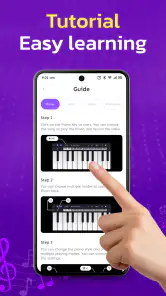
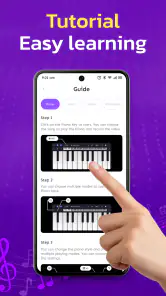
One of the standout features of this app is its AI-driven tutorials. These tutorials adapt to your learning pace, ensuring you’re neither overwhelmed nor under-challenged. It’s like having a personal piano teacher in your pocket, ready to guide you through the intricacies of piano playing at any time.
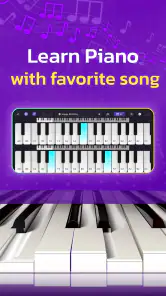
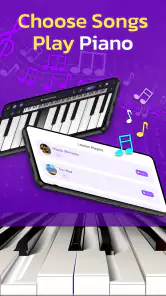
Another cool feature is the app’s song library. With an extensive collection of tracks spanning various genres, there’s something for everyone. Whether you're into classical tunes or the latest pop hits, playing along with your favorite songs makes learning so much more enjoyable.
Why You'll Love It
What truly sets this app apart is its interactive feedback system. As you play, the app provides real-time feedback, helping you correct mistakes and improve your technique on the fly. This immediate response is invaluable, especially for those who are new to playing the piano.
Moreover, the AI Piano Magic Keyboard isn’t just about learning. It’s about having fun. The app includes various game-like challenges that not only test your skills but also keep the learning process exciting and engaging. It’s a refreshing change from the repetitive nature of conventional practice sessions.
Practical trade-offs before you begin
There is a real difference between following notes on a screen and learning to control a piano. A phone-sized keyboard can feel cramped, especially if you want to play with both hands, and tapping glass offers little of the physical feedback that helps develop accuracy. I’d start with a tablet or a larger screen if one is already available, but I wouldn’t buy extra equipment just for casual exploration. If the small layout becomes frustrating, that is a sign to move practice to a physical keyboard rather than a reason to keep forcing it.
Compared with a standard piano-learning app built around notation and exercises, this one sounds more approachable when songs and immediate responses are what keep you engaged. Compared with a simple virtual keyboard, its guided tutorials and challenges offer more direction. The trade-off is that a highly structured course may be better for someone who wants a clear curriculum and a deeper grounding in reading music. I’d choose based on the habit I want to build: enjoyable song practice here, more formal instruction elsewhere.
Making feedback useful
A small workflow can make the feedback easier to act on. I’d pick one song, replay the same short passage, and change only one thing at a time, such as slowing down mentally or watching which note comes next. If I keep missing the same spot, I’d pause rather than repeatedly tapping through the whole track. This turns the app’s immediate response into a clue about where practice is needed, instead of just a score to chase. It also helps avoid the common beginner trap of confusing speed with progress.
Another sensible habit is to alternate screen practice with listening. Before attempting a passage, I’d listen closely to its shape and rhythm; after playing, I’d compare what I heard with what I intended. The app’s feedback can help with note-level corrections, while careful listening gives context to the melody. This is especially useful for someone learning through familiar songs, because recognition can make mistakes easier to notice without needing advanced music theory.
A routine that works around real life
For an everyday routine, I would make the app a short, specific activity rather than an open-ended promise to “learn piano.” After dinner, for instance, I might choose one song and spend a few minutes trying a single section, then stop while I still know what I want to improve next time. That gives the next session a clear starting point and makes it easier to notice whether I am becoming more comfortable with the passage. If I have only a phone with me, I can still use the time to follow a melody, but I would avoid practising in a place where tapping the screen is awkward or distracting.
One useful trade-off is to separate learning a tune from building hand technique. On the phone, I can concentrate on recognizing notes and following the sequence; on a physical keyboard, I can pay attention to spacing and movement. Switching between the two is not a perfect substitute for a lesson, but it helps prevent the touchscreen layout from becoming my only idea of how piano playing feels. If I cannot practise on real keys regularly, I would keep my expectations focused on musical familiarity rather than claiming that the app alone has developed full piano technique.
What to expect from its current release
GambiSoftVn’s music-and-audio app is free, rated for Everyone, and currently at version 57.0; it was released on March 25, 2025. It has a 4.3 average from around 72,000 ratings and over 5 million installs. Those figures suggest that many people have tried it, but they do not tell me whether its teaching style will suit a particular learner. I’d judge it by whether I enjoy returning to a song and can use the feedback without feeling rushed.
The version and release details give a useful snapshot of the app’s current state, but they do not establish which features changed between releases or what the developer plans next. For an existing user, I’d focus on whether the current tutorials, song choices, and practice flow still serve the way they learn. If an update changes the feel of a session, it is worth trying the same short passage again before deciding whether the new experience helps or hinders. I would watch for clearer learning guidance and a comfortable practice flow in future releases, while treating those as things to look for rather than promises.
Questions worth considering before settling into it
Would I use it without owning a piano? Yes, if my aim were to explore melodies and get a feel for guided practice, though the touchscreen remains a compromise for developing physical technique. Would I recommend it to someone who already plays? Only as a casual way to revisit songs or keep a light practice habit; a confident player seeking advanced instruction would probably want a more demanding resource. The best test is whether the tutorials and feedback help you return to a specific passage with a clearer idea of what to do.
Is it the right fit for every beginner? Not necessarily. Someone who wants to learn to read sheet music from the outset, follow a carefully sequenced syllabus, or get personal correction may be better served by lessons or a course built around those goals. Someone who feels motivated by familiar music and small, interactive tasks is more likely to enjoy this approach. I would also give myself permission to stop if the screen feels too cramped: persistence is useful, but forcing an unsuitable format is not the same as making progress.
Final Thoughts
In a world where time is precious, the AI Piano Magic Keyboard offers a perfect blend of learning and enjoyment. It’s an app that not only teaches you how to play the piano but also makes the process enjoyable and rewarding. Whether you’re a complete newbie or someone looking to polish their skills, this app is a fantastic tool to have in your musical arsenal.
So, if you’ve always wanted to tickle the ivories but never had the chance, why not give this app a go? With its user-friendly interface and smart features, it might just be the push you need to start your musical journey!
My recommendation is to try it when your aim is to make music feel accessible and to build a small, repeatable practice habit. I would skip it as my main learning tool if I needed formal theory, detailed technique correction, or the physical experience of piano keys. For a free app in a crowded music-learning category, the useful question is not whether it replaces every alternative, but whether its song-based approach makes you want to play again tomorrow. If it does, it has earned a place in your routine; if the touchscreen gets in the way, a real keyboard or a more structured course will serve you better.
AI Piano Magic Keyboard Frequently Asked Questions
What does AI Piano Magic Keyboard help you do?
AI Piano Magic Keyboard is a music and audio app centered on learning piano through songs you love. It offers a way to explore piano playing on your device, whether you are curious about the instrument or looking for a music-focused app to try. Its short description is “AI Piano,” while its main appeal is connecting piano learning with familiar songs.
Who develops AI Piano Magic Keyboard?
AI Piano Magic Keyboard is developed by GambiSoftVn. If you are comparing piano-learning apps before downloading, the developer name can help you identify the app and distinguish it from other music tools with similar titles. The app is listed in the Music & Audio category and focuses on learning piano through songs you love.
Is AI Piano Magic Keyboard free to download?
Yes, AI Piano Magic Keyboard is free to download. It is a music and audio app from GambiSoftVn, with a focus on learning piano through songs you love. If you are looking for a no-cost way to explore piano on your device, it may be worth trying; check the app page for the current download details before installing.
What is AI Piano Magic Keyboard?
AI Piano Magic Keyboard is an innovative app designed to enhance your musical creativity by providing an intelligent and interactive piano playing experience. With its advanced AI technology, the app assists users in learning piano, composing music, and even improvising melodies. It's suitable for both beginners and experienced musicians who want to explore new musical ideas and improve their skills.
How does the AI technology in the app work?
The AI technology in AI Piano Magic Keyboard uses machine learning algorithms to analyze your playing style and preferences. It provides personalized suggestions and feedback to help you improve your skills. The app can also generate unique compositions and accompaniments, allowing you to experiment with different musical styles and genres. This makes it a versatile tool for both learning and creating music.
Pros
- Intuitive and user-friendly interface.
- High-quality sound samples.
- Wide range of musical genres supported.
- Seamless integration with MIDI devices.
- Regular updates and feature enhancements.
Cons
- Premium features require subscription.
- Occasional latency issues.
- High battery consumption.
- Limited offline capabilities.
- Advertisements in free version.
- Category
- Music & Audio
- Version
- 57.0












