AI Video Generator : SelfyzAI
- 2.54K
- 4.4
- Installs
- 10.00M
- Price
- Free

Screenshots
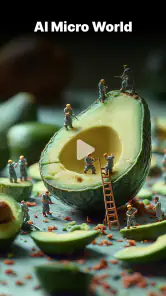


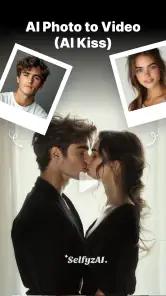

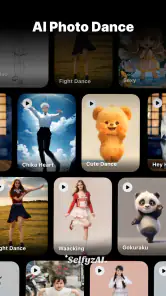

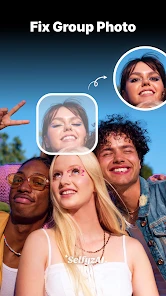
Analysis by Reviewed
Have you ever found yourself scrolling through your photo gallery, wishing you could bring those still memories to life? Well, say hello to AI Photo to Video: SelfyzAI, an app that promises to transform your static images into lively videos. As someone who loves capturing moments, I was pretty excited to dive into this app and see if it could really jazz up my photo collection.
Unleashing Creativity with AI
At the heart of AI Photo to Video: SelfyzAI is its powerful AI engine. This nifty little tool analyzes your photos and uses artificial intelligence to create animations that are smooth and surprisingly lifelike. When I first tried it, I was skeptical, but the app managed to surprise me with how it added subtle movements to my pictures, making them appear almost like short clips. It's a bit like magic—watching my dog’s tail wag in a photo or seeing the leaves rustle in a picture of a park felt truly enchanting.
Easy Peasy Interface
One of the things I absolutely appreciate about this app is its user-friendly interface. From the get-go, the design is intuitive and straightforward. You don’t need to be a tech wizard to figure out how to animate your photos. The app guides you through the process smoothly, letting you focus on being creative rather than getting stuck trying to figure out how things work. I found myself enjoying the experimentations, trying different effects, and seeing what worked best for each photo.
Customization Galore
Another highlight is the customization options. The app offers an array of filters and effects that you can apply to your videos. Whether you want to add a vintage vibe or a modern twist, there's something for everyone. I particularly enjoyed the variety of transitions available, which added a professional touch to my creations. It’s like having a mini video editing suite right on my phone, without any of the complicated stuff. I was able to tweak the speed, add music, and even include text overlays to tell a story with each video.
Sharing Your Masterpieces
Once you're done creating, sharing your videos is a breeze. The app integrates seamlessly with social media platforms, so you can show off your animated photos to friends and family with just a tap. I loved how easy it was to post directly to Instagram and Facebook without having to jump through hoops or deal with compatibility issues. Plus, the reactions from my friends gave me that extra boost of satisfaction seeing my creativity appreciated.
In conclusion, AI Photo to Video: SelfyzAI is a delightful app for anyone looking to breathe new life into their photos. Its combination of smart AI, ease of use, and rich customization features make it a standout choice. Whether you’re a professional photographer or someone who just wants to add a dash of fun to your photo albums, this app has something to offer. So, why not give it a whirl and see your pictures in motion?
Pros
- Transforms photos into engaging videos
- User-friendly interface for easy use
- Variety of templates to choose from
- Supports high-quality video output
- Fast processing time for video creation
Cons
- Limited free version features
- Occasional app crashes reported
- Requires stable internet connection
- Ads can be intrusive at times
- Limited customization options

- Category
- Photography
- Version
- 8.4.2











