AI Baby Generator: Face Maker
- 1.12K
- 4.4
- Installs
- 5.00M
- Price
- Free

Screenshots

Analysis by Reviewed
I see AI Baby Generator: Face Maker as a playful photo app, not a serious way to predict a child’s appearance. Its appeal is the quick “what if?” moment: bring two faces together, see an imagined result, and enjoy the conversation it starts. That makes it an easy novelty to try with a partner or friends, provided you treat the image as entertainment rather than a forecast.
A lighthearted idea, with a clear limit
The appeal here is very specific: this is not a camera app for taking better photos, nor a general editor for polishing portraits. It turns a pair of faces into an imagined baby face, giving you a visual prompt for a bit of curiosity and conversation. I think that focused premise is a strength when you want something quick, but it also means the app’s usefulness depends on whether you enjoy the guessing game in the first place.
I would keep expectations modest. A generated face can look amusingly plausible one moment and unexpectedly unlike either source photo the next. That is not a meaningful clue about genetics; it is simply the nature of a playful AI image. If you are looking for a dependable prediction, a tool that can explain inherited traits, or reassurance about what a future child may look like, this app cannot provide that kind of answer.
It is also worth thinking about the emotional context before opening it. A baby-face generator can feel like an innocent joke for one person and a sensitive subject for someone else. I’d use it when everyone involved is genuinely comfortable, rather than springing it on a friend or turning it into a test of whose features might “win.” The light tone is part of the fun, and it works best when nobody feels judged by the result.
Trying a face-generation app in context
First things first, let me tell you how to get the ball rolling with this app. Setting it up is as easy as pie. Just download and install it from your preferred app store, and you’re all set. The user interface is quite friendly, and even if you aren’t a tech-savvy person, you’ll find your way around it without breaking a sweat.
What the generated image is good for
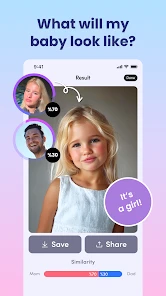
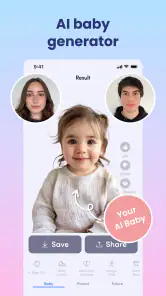
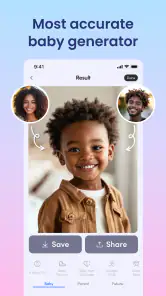
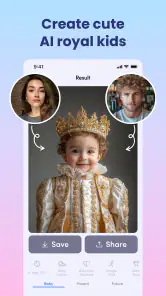
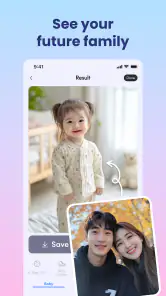
The AI Baby Generator: Face Maker app is packed with a bunch of features that are worth mentioning. The primary one, of course, is its baby face prediction capability. All you need to do is upload photos of the prospective parents, and voila, the app uses artificial intelligence to generate an image of what their baby might look like. It’s like having a crystal ball, but for babies!
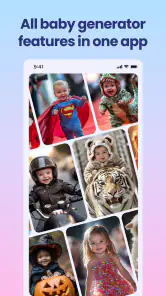
Another cool feature is the customization option. You can tweak the predicted baby’s features to see different possibilities. Want to see how your baby would look with your partner's eyes? No problem! You can mix and match to your heart’s content.
More From Our News Desk

Weather by Xiaomi Review: Clear at a Glance, Less Clear Up Close

X Under Pressure: Can It Recover When Posting Goes Wrong?

Clash of Clans Is Won Between the Battles

Android Auto Makes the Case for Quieter Car Software

MobiOffice: Transforming Mobile Productivity with Seamless Integration

EA SPORTS FC™ Mobile Soccer: Redefining Mobile Sports Gaming
That flexibility is most enjoyable when you approach the result as a starting point for play. I’d compare the experience with using a novelty photo filter: it offers a quick visual prompt, while a regular photo editor is better when your goal is careful retouching or a polished portrait. The generated face is an imagined blend, not evidence of inherited traits, so I wouldn’t use it to make family-planning decisions or judge what a future child will look like.
For a more satisfying try, I’d choose clear, front-facing photos with faces that are easy to see, then keep the source images consistent when comparing variations. That gives you a fairer side-by-side impression than changing several things at once. If you are sharing the result, ask the other person before using their photo; the joke works best when everyone involved is comfortable with it.
A useful way to keep the experiment enjoyable is to decide what you are testing before you start. If you want to compare the effect of a different source picture, change only that picture; if you want to explore the customization, leave the source pair alone and adjust one feature at a time. Otherwise, it becomes hard to tell what made one result look different, and the comparisons quickly turn into random tapping. I’d also avoid treating a single output as the app’s definitive answer. The more sensible interpretation is that each image is one playful possibility generated from the photos you chose.
Photo choice can affect the experience in practical ways. A sharp, evenly lit portrait gives the app a clearer face to work with than a group shot, a profile view, or a picture with hair or accessories covering much of the face. That does not make the outcome more biologically accurate; it simply gives the image-generation process a cleaner starting point. If your first attempt looks odd, I’d try a different straightforward portrait before assuming the app itself has nothing to offer.
One trade-off is that a more personal source photo can make the result feel more entertaining, but it also makes the activity less casual from a privacy and consent perspective. I would not use a photo taken from someone’s social profile without asking, even if the intention is only a joke. If the people involved prefer not to upload personal pictures, there is no need to force the experiment: a standard filter using your own selfie can deliver a silly shared moment without turning someone else’s face into the subject.
Good company for a casual experiment
What I really love about this app is how it brings people together. It’s a hoot at parties or family gatherings. Imagine the laughter and fun as everyone compares their generated baby images. Some of them can be hilariously off-mark, adding to the entertainment factor.
Plus, it’s not just for expecting couples. Friends, siblings, or even just curious individuals can use it to see how different combinations turn out. It’s a fun way to pass the time and share a few laughs.
A realistic use is a quiet evening when a couple is already swapping childhood photos: trying a generated face can add a lighthearted detour without turning the conversation into a serious prediction. It can also suit a small gathering where people take turns choosing which combination to test. I’d skip that kind of group use if anyone feels pressured to share a photo, or if the subject could be sensitive; a standard group selfie filter is a better choice when the aim is simply a silly picture without the family resemblance angle.
For a get-together, I’d keep the activity informal: let each person choose whether to participate, use a photo they are happy to share, and let the result be a conversation starter rather than a contest. That small bit of care makes a difference, especially because reactions to family, relationships, and having children can vary. If the room is not the right audience, the app still works as a private curiosity between two consenting people; it does not need to become a group activity to justify trying it.
Compared with the usual alternatives in photography apps, this is a narrower kind of fun. A face filter changes a selfie for an obvious comic effect, while a portrait editor gives you more deliberate control over color, cropping, and retouching. A general AI image tool may offer broader creative possibilities, but that flexibility can be unnecessary if all you want is to combine two faces into a baby-like image. I’d choose this app for that particular prompt, and another type of app when the goal is a polished keepsake, a playful group effect, or a more open-ended image project.
The app is free to start, but it also offers in-app purchases ranging from $0.49 to $49.99 per item. I’d explore the basic experience before paying for anything, and check the purchase screen carefully so a casual experiment does not become an unexpected expense. The app is rated for Everyone, although I’d still frame the results for younger users as make-believe rather than science.
That free-to-start approach makes it easier to decide whether the central idea holds your interest before spending anything. I’d treat paid options as something to assess only after you know what the free experience lets you do and whether you want more from it. In particular, do not assume that paying will make a generated face a reliable forecast: any purchase should be judged on the app experience itself, not on a promise of genetic certainty.
Who should give it a try
In conclusion, the AI Baby Generator: Face Maker app is a delightful way to indulge in a bit of future-gazing. It combines technology and humor in a way that’s both engaging and entertaining. Whether you’re looking to seriously consider future offspring or just in it for the giggles, this app has got you covered. So go ahead, give it a whirl and see what the future might hold!
My recommendation is strongest for curious adults who want a quick, shareable novelty and can laugh when the image looks nothing like either person. If you want dependable genetics information, realistic family portraits, or precise control over a finished photo, this is not the right tool; a genetics professional, a conventional portrait editor, or a general-purpose image app would suit those goals better. The distinction matters: this app’s particular charm is the family-face guessing game, not accuracy or editing depth.
There is also a practical question about using someone else’s image. I’d only upload a partner’s or friend’s photo with their agreement, especially if the result might be shared beyond the room. Before installing, it is worth checking that your device runs Android 11 or newer. The app comes from Wowoo AI Baby Generator, Face Maker, and its current version is 5.3.10.
Since it is a photography app rather than a daily camera utility, I’d think of it as something to open for a specific occasion, not an app that needs to stay in my regular editing routine. That makes it a better fit for people who enjoy one-off social experiments than for anyone trying to build a collection of carefully finished portraits. If the central question does not appeal to you, the broad category alone is not a reason to install it; a normal photo editor will likely be more useful more often.
In photography, this is a narrow but memorable tool rather than an everyday camera companion. Its 4.4 average rating from around 226,000 ratings and over 5 million installs suggest plenty of people enjoy the concept, while the much smaller pool of about 1,100 written reviews is a reminder that popularity alone cannot tell you whether the joke will land for you. I’d try it when you want a brief, social diversion, then move on once the novelty has done its job.
My final take is that the app succeeds when it stays in its lane: it offers an easy premise for a laugh, a little curiosity, and a few variations to compare, but it should not be asked to deliver truth about the future. If you are comfortable with that boundary, and with choosing photos thoughtfully, the free starting point makes it a low-commitment novelty to explore. If you need accuracy, control, or a less personal kind of photo play, I’d choose another tool instead.
AI Baby Generator: Face Maker Frequently Asked Questions
Can I use AI Baby Generator: Face Maker just for fun, without treating its results as a real prediction?
Yes. The app is intended as a playful way to imagine a possible future baby’s appearance, and its generated faces are best viewed as entertainment rather than a reliable prediction. You can enjoy comparing the results or sharing a laugh without assuming they reflect how a child would actually look. The images are AI-generated interpretations, not medical or genetic guidance.
What photos should I prepare before trying AI Baby Generator: Face Maker?
The app’s concept is based on blending facial features from photos of two people, so you will want suitable images ready before starting. Clear face photos are a sensible choice for this kind of photo experience. Consider whose images you select and whether you have their permission, particularly before using or sharing pictures of another person.
Can I share the baby images created with AI Baby Generator: Face Maker?
The app is designed around generating a virtual baby face from photos, which may make the results fun to show to friends or family. Before sharing an image, think about whether the people whose photos were used are comfortable with it and whether the result reveals anything personal. A generated face is an entertainment image, so it is worth presenting it as playful rather than as a genuine prediction.
Can AI Baby Generator: Face Maker tell me what a future child will really look like?
No. AI Baby Generator: Face Maker creates an approximate image by blending features from two photos; it cannot reliably predict a real child’s appearance. A child’s looks are shaped by complex genetic factors and other influences that a photo-based app cannot account for. Treat the output as a fun visual idea, not as a scientific result or a basis for making important decisions.
What age rating does AI Baby Generator: Face Maker have?
AI Baby Generator: Face Maker is rated Everyone, so its content is intended for a broad audience. The app turns the idea of a future baby’s appearance into a lighthearted photo experience, rather than offering medical or genetic guidance. As with any app that uses photos, it is sensible for parents or guardians to consider what images younger users choose and to discuss responsible sharing.
Pros
- Generates realistic baby faces quickly.
- Easy-to-use interface for all ages.
- High-quality image outputs.
- Fun and engaging for families.
- Variety of customization options.
Cons
- Limited free features available.
- In-app purchases can be costly.
- Requires stable internet connection.
- Ads can be intrusive at times.
- Limited sharing options directly.
- Category
- Photography
- Version
- 5.3.10











