Pepi Super Stores: Fun & Games
- 6.14K
- 4.1
- Installs
- 50.00M
- Price
- Free

Screenshots
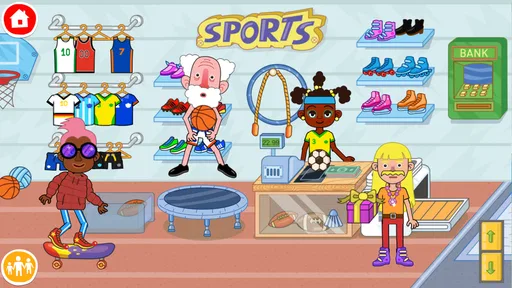
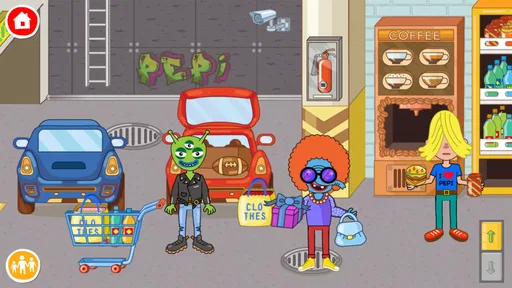
Analysis by Reviewed
I find that Pepi Super Stores: Fun & Games is at its best when a child can explore at their own pace rather than chase a score or follow a strict set of levels. It turns familiar shop settings into a place for pretend play, and that makes it easy to start inventing little stories together. As an educational game from Pepi Play, it suits children who enjoy tapping, moving objects, and making up what happens next more than they enjoy puzzles with one right answer.
What the free download does—and what it costs
The game is free to download, with optional in-app purchases priced from $0.99 to $4.49 per item. That distinction matters: you can try the basic experience without paying, but the free label does not mean every possible purchase is included. I’d let a child explore first, then decide whether any paid option is worthwhile for your household rather than treating an in-app purchase as necessary from the outset.
For a parent choosing an app, this is a relatively low-pressure way to test whether its style of pretend play clicks. The age rating is Everyone, and it runs on Android 6.0 or later. The game was released on March 22, 2017, and its current version is 1.13.1. Those details help set expectations, but they do not tell you whether the open-ended format will hold a particular child’s attention; a brief supervised try is more useful than assuming every young player will respond the same way.
Exploring the Aisles
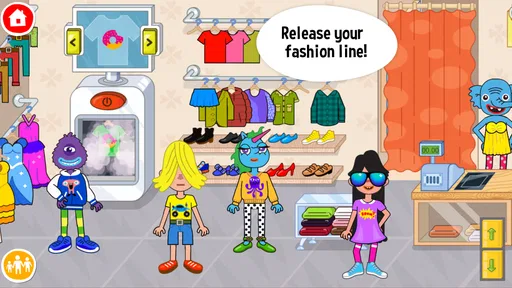
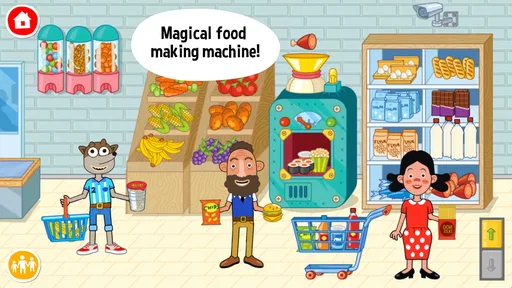
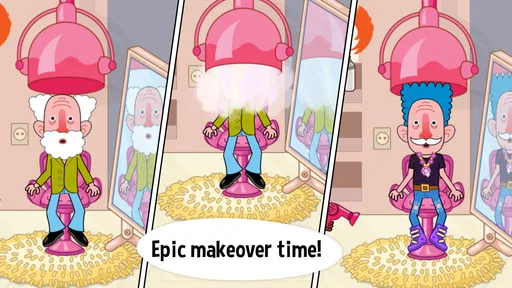
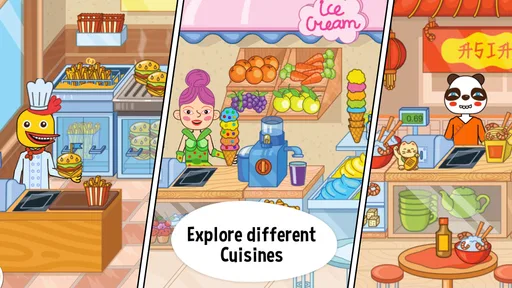
The first thing that hits you when you open Pepi Super Stores: Fun & Games is the vibrant and colorful graphics. It’s like stepping into a cartoon world where everything is lively and engaging. The app offers various stores to explore, each with its own unique theme and items. From a grocery store packed with fruits and veggies to a toy store that’s every child’s dream, the app doesn’t skimp on variety.
As you navigate through the stores, you can interact with virtually everything. Want to scan items at the checkout? Go ahead! Feel like rearranging the store layout? No problem. It offers a sandbox environment where creativity knows no bounds, making it a fantastic tool for imaginative play.
Learning Through Play
One of the standout aspects of this app is how it subtly integrates educational elements into gameplay. Kids can learn about different types of food, the importance of sorting and organizing, and even basic math skills like counting and pricing items. It’s learning by doing, wrapped in a fun package, which is the best way to engage young minds.
The app encourages problem-solving as well. For example, customers might ask for specific items, and kids need to find them within the store. This not only boosts cognitive skills but also teaches patience and attention to detail.
More From Our News Desk

Weather by Xiaomi Review: Clear at a Glance, Less Clear Up Close

X Under Pressure: Can It Recover When Posting Goes Wrong?

Clash of Clans Is Won Between the Battles

Android Auto Makes the Case for Quieter Car Software

MobiOffice: Transforming Mobile Productivity with Seamless Integration

EA SPORTS FC™ Mobile Soccer: Redefining Mobile Sports Gaming
A useful way to play together is to give a small, concrete prompt: ask your child to find a requested item, group similar things, or take turns deciding what happens at checkout. That keeps the activity conversational without turning it into a lesson or requiring a grown-up to direct every tap. For an everyday moment, I can picture using it during a short wait at home: the child makes up a shopping trip while an adult joins in for a few minutes, then leaves them to continue their own story.
Making a short play session work
Because there is no need to work through a fixed sequence, I’d treat the first session as a quick tour rather than a test of whether the game will become a favorite. Let the child choose where to go and watch what they naturally try. If they keep returning to the same kind of interaction, that is a useful clue about how to make the next visit more engaging: suggest a little story around that activity instead of pushing them toward every part of the setting.
For example, a grown-up can start a pretend errand by asking what the household might need, then let the child decide how the shopping trip unfolds. A sibling can take a different role, such as customer or shopkeeper, and swap roles when the story reaches checkout. This gives the game a simple social rhythm without requiring a parent to invent a complicated challenge or turn play into a worksheet.
When a child is easily distracted, a narrow invitation may work better than presenting the whole game as one big activity. Ask them to find one item, sort a few things, or decide what happens next in the shop. Then leave room for them to change direction. The point is not to keep them on task; it is to offer an easy way back into play if the open-ended choice feels overwhelming.
Play together without taking over
Adults can get more out of the experience by describing what is happening and asking open questions rather than giving constant instructions. “What should we buy?” invites a story; “Tap that, then do this” turns the child into someone following directions. I would use the game as a shared conversation starter, especially for a child who likes narrating their play, while being comfortable with quiet independent exploration when they would rather make the story themselves.
It can also be a handy option for a brief, low-key moment when an adult is nearby but not able to lead a full activity. That is different from expecting it to occupy a child for a long stretch every time. A child who enjoys revisiting familiar play may happily return to the shops; another may want a new challenge after a short visit. I’d judge its usefulness by whether it fits the family’s actual routine, not by how long one session lasts.
Fun for All Ages
While Pepi Super Stores is geared towards children, it’s surprisingly entertaining for older users too. The freedom to experiment and the sheer number of interactions available can be quite captivating. Plus, it’s a great way for parents to spend quality time with their kids, exploring the stores together.
The controls are intuitive, designed with tiny fingers in mind but responsive enough for adults to enjoy. Whether you’re a kid or just a kid at heart, the app provides endless hours of entertainment.
How it compares with other children’s games
Compared with a quiz-led learning app, this game asks less of a child in terms of correct answers and more of them in terms of imagination. That is a real advantage when a child is eager to role-play but switches off when a screen presents repeated questions. It is not the better choice for every learning goal, though: if you need practice focused on one subject or an activity with clear right-and-wrong feedback, a dedicated educational tool is a more direct fit.
It also differs from action games built around timed rounds, scores, and unlockable milestones. Here, the appeal is the make-believe setting itself, so a child can decide what a visit to a shop means instead of being pushed toward a finish line. Families who want a defined challenge or a visible sense of progress may find that structure more satisfying elsewhere. I see this one as a play space, not a substitute for every kind of children’s game.
Where the sandbox trade-off shows
The freedom that makes the game inviting also means it is not a great fit for every child. A player who wants clear goals, timed challenges, or a definite sense of finishing may prefer a more structured educational game. Here, the adult can supply a simple objective, but that is a workaround for a child who needs the game itself to provide direction. Likewise, families looking for a focused lesson in one school subject may get more from an app built specifically around that skill.
Compared with many children’s games that rely on quizzes or repeated tasks, this one puts more weight on acting out everyday scenes. That makes it a stronger choice for pretend play and conversation than for measuring progress. I would treat counting or sorting as opportunities to talk together, not as a formal curriculum or proof that a child has mastered a topic.
There are also practical limits to keep in mind. Open-ended play can lose its appeal once a child has explored the interactions that interest them, and a wide range of things to tap may feel busy to someone who prefers a calmer screen. If you are introducing it to a younger player, sitting nearby at first can help them discover what they can do; after that, you can see whether they naturally return to it without prompts.
Small trade-offs parents should consider
The same freedom that supports storytelling can make it harder for a child to know what to do next. If your child tends to ask for instructions, you may need to offer a starting idea each time, at least initially. That is not necessarily a problem if you want a shared activity, but it makes the game less hands-off than a title that guides players from task to task.
It is also worth separating play value from learning claims. The game offers natural moments to talk about food, grouping, counting, and prices, but a child can just as easily focus on the pretend scene without practising any particular skill. I would not choose it as the main way to teach a topic or track progress. Its educational value is strongest when an adult joins the play and turns the child’s choices into a relaxed conversation.
Before allowing independent use, I’d explore the experience together and agree on how purchases are handled. The free download makes it possible to try the game without committing to a purchase, while optional items have individual prices. That is a useful distinction for a family budget: decide in advance whether purchases are off the table, or whether you will consider them only after the child has spent time with what is already available.
Who is likely to get good value?
I’d recommend trying it for children who like pretend shops, role-play, and making their own stories, especially when an adult can occasionally join in. It can also work well as a shared activity between siblings if they enjoy taking turns choosing items and inventing customer-and-shopkeeper roles. If a child prefers fixed instructions, competitive play, or a narrow learning target, I’d choose a different kind of game instead of expecting this sandbox to become one.
The game has an average rating of 4.1 from around 232,000 ratings, and it has been installed over 50 million times. Those figures suggest that many families have tried it, but they are not a substitute for checking whether its pace and play style suit the child in front of you. Pepi Play has built a recognizable kind of imaginative setting here; the best measure of its value is whether your child keeps creating new ways to use it.
Questions worth settling before you install
If you are wondering whether it is suitable for a young child, the Everyone age rating is a useful starting point, but I would still watch the first session and see how easily the child handles the open-ended choices. A child who is comfortable exploring and inventing their own actions may need little help. A child who wants a clear prompt at every step may enjoy it more with an adult nearby.
If your main question is whether it teaches in a structured way, my answer is no: I would use it for informal learning moments, not as a lesson plan. If you are deciding whether to pay, start with the free download and judge the experience before considering any optional purchase. And if you need a game that reliably offers a short, goal-driven round, I would look elsewhere; this one is built around letting the child shape the play.
Final Thoughts
In the crowded world of kids’ apps, Pepi Super Stores: Fun & Games stands out with its blend of fun, creativity, and education. It’s more than just a game; it’s an interactive experience that fosters learning and imagination. So, if you’re looking for an app that delivers on both fun and educational value, look no further. It’s time to hit the virtual aisles and start your shopping adventure!
My verdict is to start with the free download and see how the child plays before spending anything. With optional purchases in the stated price range, the value depends on whether the available play already feels satisfying and whether a paid item would genuinely add something your family wants. I’d skip it for a child who needs structured instruction or a clear endpoint, but for a young role-player who enjoys turning ordinary shops into stories, it is an appealing place to begin.
Pepi Super Stores: Fun & Games Frequently Asked Questions
Is Pepi Super Stores suitable for children who enjoy imaginative play?
Yes. Pepi Super Stores: Fun & Games is built around pretend play in Pepi city, so children can invent stories as they explore the virtual stores. Rather than focusing on a fixed lesson or a single goal, it gives players room to interact with the setting and use their imagination. It is an educational game with an Everyone content rating.
What is Pepi Super Stores: Fun & Games?
Pepi Super Stores: Fun & Games is a vibrant and interactive mobile application designed for children to explore a virtual shopping mall. It offers a variety of mini-games and activities that encourage creativity, role-playing, and learning. Users can interact with different store sections, discover hidden items, and engage in fun tasks, enhancing their cognitive skills and imagination.
Who develops Pepi Super Stores, and what kind of game is it?
Pepi Super Stores is an educational game developed by Pepi Play. Its central idea is pretend play in Pepi city, where children can make up their own stories as they explore. That open-ended approach makes it a fit for families looking for a playful experience centered on imagination rather than a traditional lesson-based activity.
Is Pepi Super Stores safe for children?
The game has an Everyone content rating and is designed for children, with colorful, playful activities built around exploration and make-believe. It also offers optional in-app purchases, so parents may wish to review device purchase settings and supervise children’s use of the device. Keeping an eye on play can help families manage spending and make screen time part of a balanced routine.
What age group is Pepi Super Stores suitable for?
Pepi Super Stores is primarily aimed at children aged 3 to 8 years old. The app's colorful graphics, intuitive interface, and engaging activities are designed to captivate young minds. It helps in developing basic skills such as problem-solving, creativity, and social interaction. Although it targets younger audiences, it can be enjoyed by anyone who loves creative play.
Pros
- Engaging and interactive gameplay.
- Colorful and appealing graphics.
- Wide variety of characters and items.
- Encourages creativity and exploration.
- Suitable for all age groups.
Cons
- In-app purchases can be expensive.
- May be too simplistic for older players.
- Requires internet connection.
- Limited educational content.
- Some items are locked behind paywalls.












