Pepi Hospital: Learn & Care
- 4.40K
- 4.3
- Installs
- 100.00M
- Price
- Free

Screenshots
Analysis by Reviewed
On a shared tablet, Pepi Hospital: Learn & Care can turn a short stretch of waiting time into pretend play that gives a child room to invent stories. I’d offer it when a young player wants to explore a hospital setting, rather than expecting a lesson with a fixed beginning and end. The appeal is the chance to imagine what happens from one visit to the next, with children free to switch roles and make the scene their own.
A shared screen, several little stories
In a household where siblings take turns with one device, the open-ended hospital theme gives them an easy starting point for playing together: one child can imagine being a patient while another plays a caregiver, then they can swap. I’d keep the turn-taking simple and let them agree on what happens next. That makes the game useful for cooperative storytelling, though it may not suit children who prefer a clear score, a winner, or a series of goals to complete.
A practical moment to try it is while a parent is preparing dinner and a child wants something to do nearby. I’d set up the game together, let the child choose a role, and check in after a few minutes to hear what their hospital story has become. That small conversation can make the play more engaging without turning it into a quiz about medical facts. The game works best as a prompt for imagination, not a substitute for a real explanation when a child has questions about illness or treatment.
Reads About Pepi Hospital: Learn & Care
Making turn-taking work in real life
For two children sharing a tablet, I’d make the handoff part of the play rather than treating it as an interruption. One child can narrate a short scene, then pass the device so the other decides what happens next. If one sibling is more confident with the controls, giving the other the role of storyteller can keep them involved without requiring equal time tapping the screen. This is a useful distinction: shared play does not have to mean both children control the device at once.
The game is also a reasonable choice for a quiet stretch in a waiting room, provided the child is comfortable with the hospital theme and the device is already set up. I’d avoid introducing it for the first time when everyone is rushed; a brief look together at home makes it easier to see whether the child finds the subject reassuring, interesting, or uncomfortable. That small trial can prevent a well-meant distraction from becoming the wrong activity in a sensitive moment.
Simple boundaries make shared use easier
Because a family device may be used by adults as well as children, I’d treat play time as a shared-device routine: agree whose turn it is, and return to the game together when a younger child needs help. I wouldn’t assume the app manages household accounts or schedules. If several children use the same device, a quick handoff and a reminder to continue their own pretend story can prevent arguments over who gets to choose what happens next.
Parents may also want to look at the in-app purchase details before handing over a device. The game is free to download, with optional purchases listed at $1.49 to $4.49 per item. That does not mean a child needs to spend money to enjoy pretend play, but it is sensible to review purchase settings on the device and explain that buying anything requires an adult’s permission. For a child who tends to tap through prompts quickly, I’d set that expectation before play rather than interrupting a story later.
More From Our News Desk

Weather by Xiaomi Review: Clear at a Glance, Less Clear Up Close

X Under Pressure: Can It Recover When Posting Goes Wrong?

Android Auto Makes the Case for Quieter Car Software

MobiOffice: Transforming Mobile Productivity with Seamless Integration

EA SPORTS FC™ Mobile Soccer: Redefining Mobile Sports Gaming

How Microsoft OneDrive Became a Mobile Productivity Giant
What to check before handing over the tablet
I’d separate the child’s play routine from the adult’s device settings. Before passing over a shared phone or tablet, I’d check that the device is on a suitable account, that purchase controls reflect the household’s rules, and that the child knows when to ask for help. Those are device-level precautions, not a reason to expect the game to provide family profiles or supervision tools. On a device used by several people, a clear adult boundary is more reliable than assuming the app will distinguish one child’s choices from another’s.
There is also a practical trade-off between letting a child explore freely and preserving a story they have started. If the device is shared, children may not pick up exactly where a sibling left off, so I’d encourage them to tell one another what happened rather than treating the session like a personal save file. This turns a possible source of frustration into a simple storytelling handoff, but it will not suit a child who expects each player to have a separate, carefully tracked progression.
Who will enjoy this kind of play?
I’d choose this for a child who likes role-play, characters, and making up situations more than following a tightly guided educational path. It can also be a gentle starting point for talking about what doctors and hospitals do, especially if an upcoming appointment has made a child curious. I’d stay alongside them for those conversations: pretend scenes can open the door to questions, but they shouldn’t be treated as medical advice or a promise that real visits work exactly like the game.
If a child is easily unsettled by hospital themes, or wants direct instruction with clearly explained lessons, I’d look for a different kind of educational activity. Likewise, children who are happiest with puzzles, structured challenges, or a defined finish may find this style of free-form play less satisfying. Compared with many learning games that focus on drills or right-or-wrong answers, this one puts more emphasis on acting out a scene. That is a real strength for imaginative play, but it means the learning depends partly on what the child notices and discusses.
Choosing between pretend play and structured learning
When I compare it with the usual alternatives for children, the main difference is not simply its hospital topic; it is the amount of direction the child has to supply. A quiz or puzzle game can make progress easy to recognize because there are answers to check and tasks to finish. Here, a parent may need to help turn exploration into a conversation: ask what a character might need, or invite the child to explain why they chose a particular role. If you want a self-contained lesson with a clear outcome, a more structured educational game is likely the better choice.
On the other hand, a storybook or video about a hospital asks children mostly to watch or listen. This game gives them a chance to take the roles themselves, which can make it a more active option for a child who enjoys inventing scenes. I’d use it as one part of a broader mix rather than expecting it to teach health topics comprehensively. A short conversation with a trusted adult remains important when the child wants accurate answers about a real appointment or treatment.
Welcome to the World of Pepi Hospital
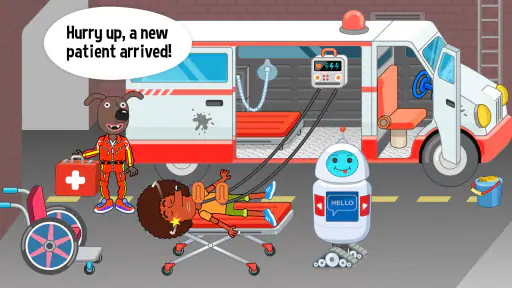
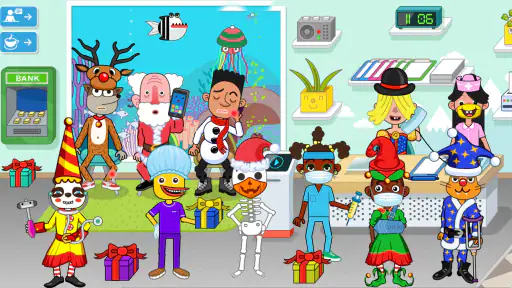
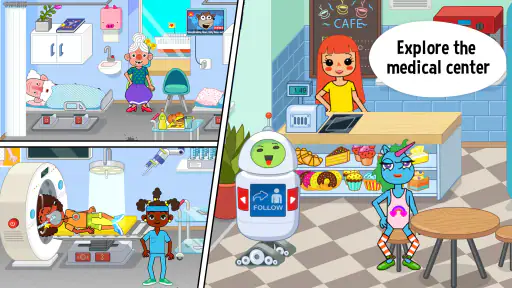
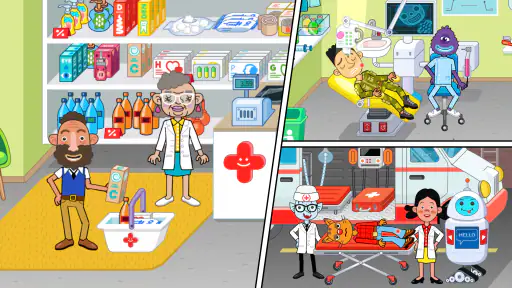
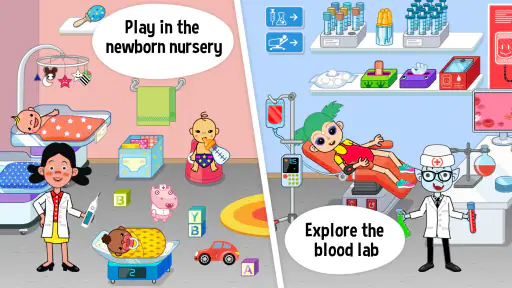
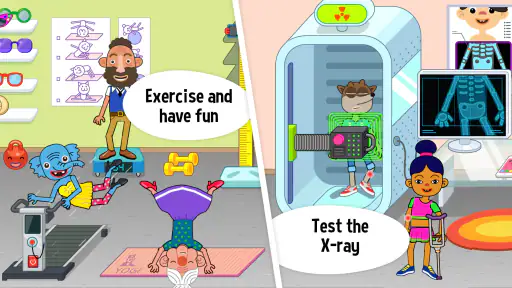
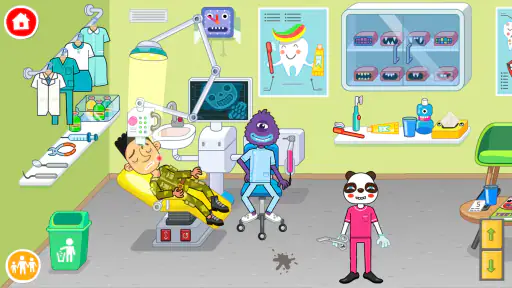
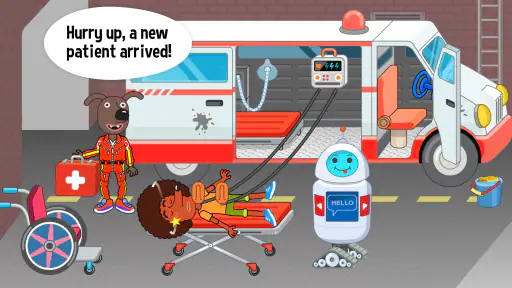
From the moment you launch the app, Pepi Hospital: Learn & Care welcomes you with vibrant graphics and a cheerful soundtrack. It’s like stepping into a cartoon hospital where everything is interactive. The developers have done an amazing job at creating a virtual hospital environment that feels both friendly and engaging. Kids can explore different areas of the hospital, from the emergency room to the pharmacy, each brimming with interactive features.
Interactive Gameplay that Educates
The core of the app lies in its interactive gameplay. Kids are not just passive observers; they are active participants in the hospital’s day-to-day activities. They can role-play as doctors, nurses, or even patients. The app encourages kids to take part in various tasks such as diagnosing patients, administering treatments, and understanding hospital equipment. This hands-on approach is fantastic for nurturing a child’s curiosity and empathy.
What I love most is how the app gently introduces medical concepts and healthcare terminologies in a way that’s easy for kids to grasp. It’s not just about fun; it’s about learning through play.
Why Kids (and Parents) Love It
One of the standout features is the app’s ability to blend education with entertainment seamlessly. It’s designed to be intuitive, so kids can navigate through the hospital without much assistance. Plus, the characters are diverse and inclusive, which adds a nice touch of realism and relatability.
Parents will appreciate the app’s educational value. It’s a safe, child-friendly environment where kids can learn important life skills like problem-solving, decision-making, and even basic health education. The app doesn’t just keep kids entertained; it also instills a sense of responsibility and care.
For a child playing alone, I’d suggest starting with a brief shared session so you can see how they respond to the hospital setting and help them get comfortable with the controls. Once they understand the basic idea, they can take the lead while you step back. If two children are playing together, asking them to trade roles after a scene gives each a chance to guide the story instead of one child directing every choice.
A practical way to start a session
I’d begin by letting the child explore without quizzing them or proposing a sequence of tasks. After they have had a little time to look around, ask them to tell you what their character is doing and why. This makes the child’s own interests the guide: one might want to act out caring for someone, while another may simply enjoy moving between characters and places. If the play loses momentum, suggesting a role switch is often more useful than trying to invent a complicated challenge.
For a child who is curious about an upcoming doctor visit, I’d keep the conversation grounded. You might invite them to describe what they imagine will happen, then explain the real parts of an appointment in plain language. I would not use an invented game scenario to predict how a particular examination or treatment will feel. That boundary lets the game serve as a starting point for reassurance without asking it to do the work of a real, age-appropriate explanation.
The Final Verdict
Overall, Pepi Hospital: Learn & Care is a must-have app for parents looking to provide their kids with a wholesome and educational gaming experience. It’s more than just a game; it’s a learning tool that can help foster a child’s interest in healthcare.
In conclusion, if you’re on the lookout for an app that combines fun, learning, and creativity, look no further. This app is a fantastic way to introduce kids to the fascinating world of medicine and healthcare, all while keeping them engaged and entertained.
Age context and household fit
Pepi Play’s educational game is rated Everyone, and it has an average rating of 4.3 from around 237,000 ratings, with over 100 million installs. Those figures suggest it has reached a broad audience, but they don’t tell me whether a particular child will enjoy the theme; temperament and play style matter more. The game was released on February 13, 2018, and its current version is 3.5.0. It requires Android 6.0 or later, so I’d check the device’s operating system before planning a shared play session. It is free to download, which makes it easy to try, while the optional purchases are worth discussing in advance.
I’d treat the Everyone rating as a starting point for an adult’s own judgement, not as a promise that every child will be comfortable with every hospital scene. A young player who has recently had a difficult medical experience may react differently from one who enjoys make-believe clinics. Sitting nearby for the first session gives you a chance to notice that reaction and pause or move on if the theme is not welcome. The best age fit is less about a single number and more about whether the child can enjoy pretend scenarios without mistaking them for instructions about real care.
Pepi Play has made a game that is easy to understand as a shared pretend-play option, but I would not choose it for every household or every moment. If your priority is quiet, independent practice with explicit learning goals, a lesson-based app may fit better. If your child is drawn to imaginative play and you can spare a few minutes to help set expectations, this is a more inviting match. It is also worth remembering that free-to-download does not mean every optional purchase is part of the basic experience; an adult should handle any spending decisions.
In a family, I’d frame the game as a shared pretend-play space rather than an account that belongs to one child. Agreeing on who chooses the next scene, and letting children narrate instead of competing for control, can help keep the experience relaxed. The game is a better fit for casual, imaginative play than for a parent seeking a tightly monitored learning plan or a child who needs explicit, step-by-step instruction. My household verdict is positive when expectations match that distinction: it offers a playful way to explore caregiving, but the best conversations and learning come from the people playing together.
Pepi Hospital: Learn & Care Frequently Asked Questions
Is Pepi Hospital: Learn & Care suitable for children who prefer open-ended play?
Yes. Pepi Hospital: Learn & Care is built around pretend play, giving children room to choose whether to act as a doctor or a patient and make up their own stories in Pepi city. Rather than following only one fixed role, players can explore the hospital and create different scenarios. This makes it a natural fit for children who enjoy imaginative, self-directed play.
Who developed Pepi Hospital: Learn & Care, and what kind of game is it?
Pepi Hospital: Learn & Care is an educational game developed by Pepi Play. Its setting is a pretend-play hospital in Pepi city, where players can take on the role of a doctor or a patient and create their own stories. The game’s focus is imaginative role-play in a healthcare environment, making it different from an app designed mainly for lessons or formal instruction.
Is Pepi Hospital: Learn & Care free to download, and what should parents know about purchases?
Pepi Hospital: Learn & Care is free to download, so families can try its pretend-play hospital setting without paying upfront. Optional in-app purchases are available for additional content and features, with items priced from $1.49 to $4.49. Parents may want to review purchase settings on the device before letting children play, especially if they share access to payment methods.
Will Pepi Hospital: Learn & Care work on my phone or tablet?
The game is available for Android devices running Android 6.0 or later. Before downloading, check the operating system on the device you plan to use. Pepi Hospital: Learn & Care is an educational game from Pepi Play, built around pretend play in a hospital, so it is worth confirming that the intended device meets the minimum software requirement.
What is Pepi Hospital: Learn & Care?
Pepi Hospital: Learn & Care is an interactive role-playing game designed for children, offering a virtual hospital environment where kids can explore and learn about healthcare. Players can engage with various medical scenarios, such as diagnosing patients and performing surgeries, fostering both educational and imaginative play. Its central idea is flexible pretend play: children can become a doctor or a patient and create their own stories in Pepi city.
Pros
- Engaging educational content for kids
- Interactive hospital environment
- Enhances imaginative play
- No third-party ads
- User-friendly interface
Cons
- Limited free content
- In-app purchases can add up
- Might require parental guidance
- No offline mode
- Repetitive gameplay elements
- Category
- Educational
- Version
- 3.5.0












