vidIQ for YouTube
- 2.13K
- 4.6
- Installs
- 5.00M
- Price
- Free

Screenshots



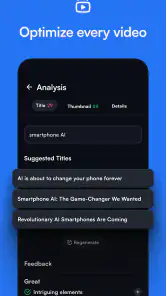
Analysis by Reviewed
Ever found yourself lost in the rabbit hole of YouTube analytics? I recently stumbled upon an app called vidIQ that's been a game-changer for anyone looking to understand and grow their YouTube channel. I've been tinkering with it for a while now, and let me tell you, it’s like having a personal YouTube guru in your pocket.
Getting Started with vidIQ
So, first things first, downloading and setting up vidIQ is a walk in the park. Available for both Android and iOS, you can easily find it on the app store. Once you've got it installed, connecting it to your YouTube account is as straightforward as it gets. Just a few taps and you're all set up to dive deep into your channel's performance.
Features That Stand Out
Let's talk features, because that's where vidIQ really shines. One of my personal favorites is the real-time analytics. You can watch your views, likes, and comments roll in as they happen. It's like having a live scoreboard in your pocket. The app also provides detailed insights into your channel's overall performance, breaking down views, subscribers, and even watch time in an easy-to-digest format.
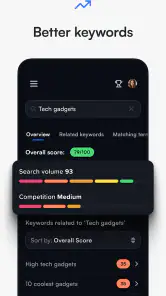
Another killer feature is the keyword research tool. If you're like me and sometimes struggle with finding the right tags, vidIQ’s got your back. It suggests keywords and tags that are trending and relevant to your content. This can significantly boost your video’s visibility, making it easier for new viewers to discover your channel.
Diving Deeper into Analytics
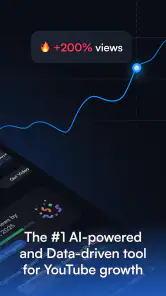
For those who love numbers and charts, vidIQ doesn’t disappoint. The app provides a comprehensive overview of your channel’s statistics. You can track your progress over time, compare your performance against competitors, and even analyze individual video metrics. It’s like having your own data analyst, but without the hefty salary.
Plus, the app’s A/B testing feature is a nifty tool for experimenting with different thumbnails and titles to see what resonates best with your audience. It's all about optimizing your content for maximum engagement.
User Experience and Interface
The user interface is clean and intuitive, which is a blessing for someone like me who isn't exactly a tech wizard. Everything is neatly organized, and you can find what you need without any hassle. The app runs smoothly, without any noticeable lags or crashes, at least in my experience.
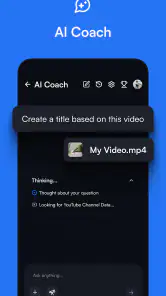
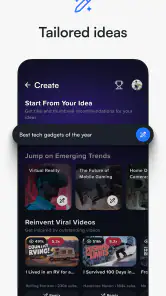
One thing I appreciate is how the app doesn’t bombard you with ads. It respects your space and lets you focus on what matters – growing your channel. The app also provides helpful tips and recommendations tailored to your content, which is like having a mentor guide you through the YouTube maze.
Final Thoughts
In a nutshell, vidIQ has been a fantastic companion on my YouTube journey. Whether you're just starting out or looking to take your channel to the next level, this app offers a treasure trove of tools to help you succeed. It's easy to use, packed with features, and most importantly, it delivers results.
If you're serious about growing your YouTube presence, giving vidIQ a shot might just be the best decision you make today. And hey, who doesn't love the idea of having a personal YouTube coach cheering them on?
Pros
- Enhances YouTube SEO effectively.
- Offers detailed analytics and insights.
- Keyword research tool is robust.
- Provides competitor tracking features.
- User-friendly interface and setup.
Cons
- Free version has limited features.
- Advanced tools can overwhelm beginners.
- Requires YouTube account linking.
- Notifications can be frequent.
- Premium plans are pricey.

- Category
- Video Players & Editors
- Version
- 2.8.0